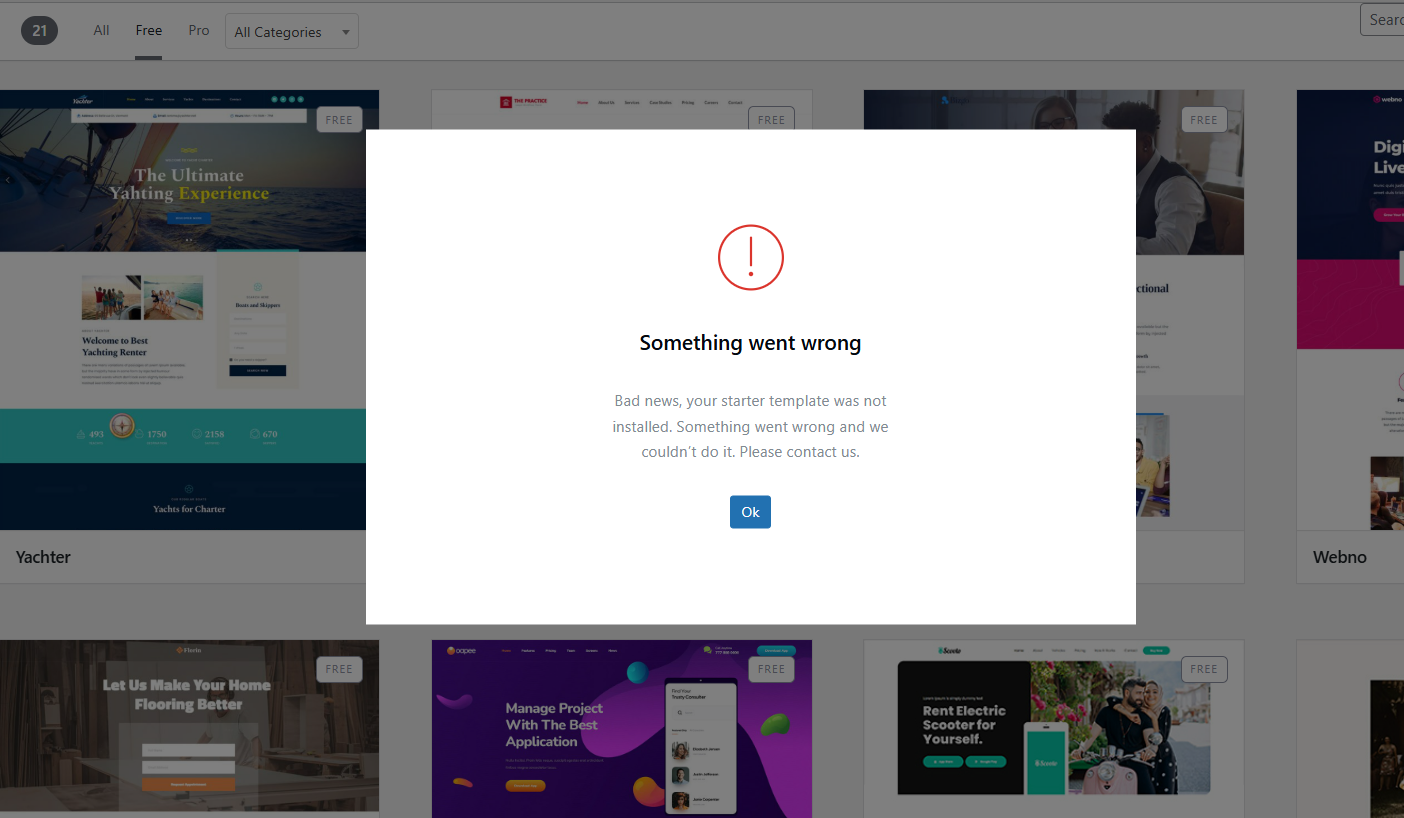
Unable to Install

Hello,
I seen a similar inquiry, the other person was trying to do one with carpentry. they were at least able to get to the blocks and create a foundation.
I however can not even change the theme or even install one to get things started; as an example blocksy ( used in the training video is not an option to use temporarily). Is it possible to have someone to look into this and let me know what are my options are?
Thank you for your time and consideration.
-

Hello Joseph,
We are happy to take a look at your WordPress Dashboard to fix this issue. Please add a new user to your WordPress Dashboard and send the following details to our email: communitysupport@brizy.io
- Support Forum link: https://support.brizy.io/hc/en-us/community/posts/26638652073874
- WordPress Admin URL:
- Username
- Password
Please let us know in this forum when you send us the email.
0 -
Hello,
I just sent the email with the title of , Unable to Install.
0 -

Hi Joseph,
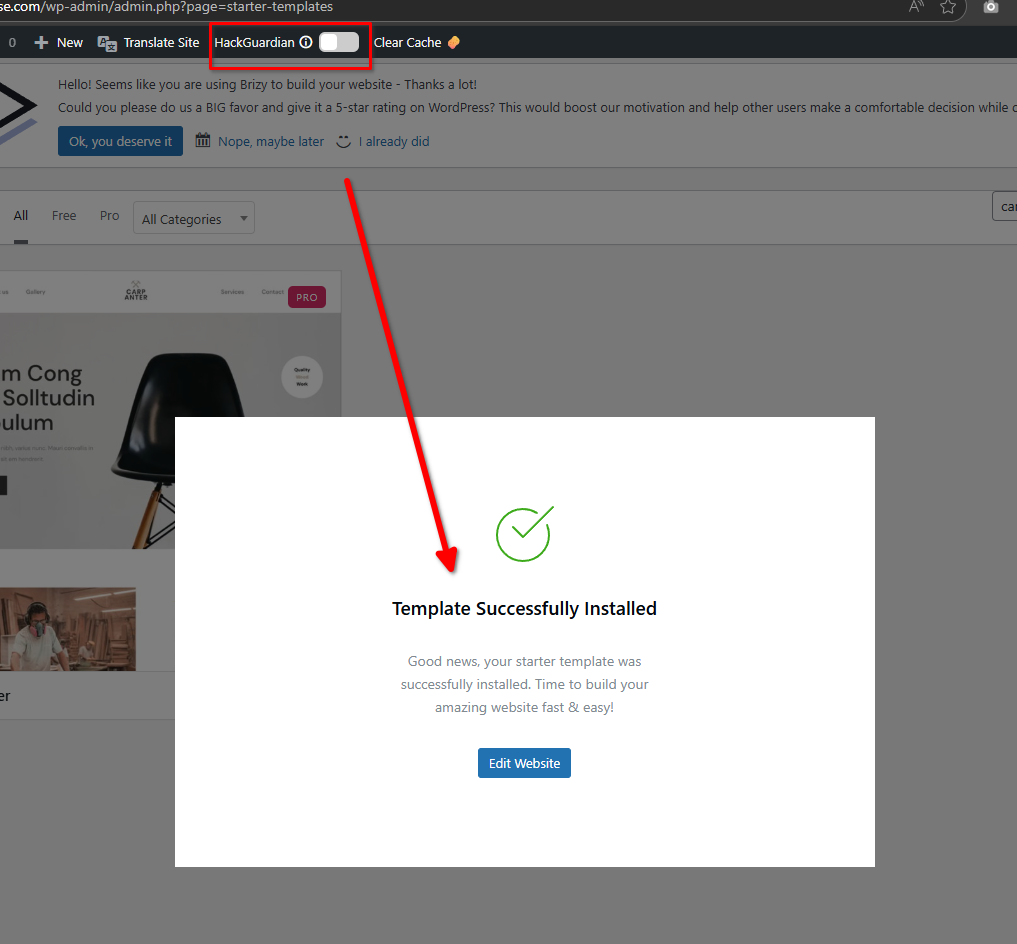
Thank you for your cooperation. It looks like HackGuardian is preventing the template import. You’ll need to temporarily disable it to proceed with importing the templates.
Let us know if you have any other questions.
Best regards,
Ariel H.0 -
Hello, Ariel
Thank you for helping me out, I really appreciate this.
I disabled hackgauardian while in wordpress... however it was not a slider like i see now... it was a check mark or a dash... is there something that I did in settings that might have made things this way as I am not aware of this currently?
I really appreciate this, best regards,
Joseph
0 -
Hi Joseph,
Thank you for the update.
It’s possible that the settings of the plugin, when disabled, may have affected the switch appearance. I’d recommend checking the plugin settings to see if any configurations might have changed how the toggle is displayed.
Let me know if you need any assistance while reviewing the settings.
Kind regards,
Ariel H.0
Please sign in to leave a comment.
Comments
5 comments