Mobile Menu not working again

Website: https://vanderbiltmaids.com/
Mobile menu does not work when you click on links in it. Seems to be an ongoing issue every few months.
-

Hi Kevin,
Thank you for contacting us.
This issue is likely caused by a plugin or theme conflict. To troubleshoot, try disabling all plugins except Brizy and Brizy Pro to see if that resolves the issue. Additionally, switch to a different theme temporarily to check if the problem persists.
If disabling third-party plugins resolves the issue, re-enable them one by one while testing the page editor until the issue reoccurs, this will help identify the conflicting plugin. If switching themes resolves the issue, consider using a more compatible theme like Blocksy or Astra.
If the issue persists, could you please provide us with temporary WP Admin access so we can investigate further? Add us as an Admin user and send these details to communitysupport@brizy.io:
Community Post link: https://support.brizy.io/hc/en-us/community/posts/26417219712018
WordPress Admin URL
Username
PasswordPlease make a full backup of your site as a precaution.
Best regards,
Ariel H.0 -

I have the same issue - the sub-menus don't display when clicking the icon (>).
None of the above suggestions resolved it for me.
The only thing that worked was to revert to Brizy Pro 2.6.8
0 -
Hi Craig,
Thank you for the update.
To help us investigate further, could you please provide temporary access to your site? You can follow the instructions from our previous email to securely send us your site credentials.
Best regards,
Ariel H.0 -
This is a live site. I did not build this site for Brizy to experiment on.
It's very simple. The updates after Brizy Pro 2.6.8 have broken the mobile links to the sub-menus.
The sub-menu icon (>) link is example.com/#mm2. If there is more than 1 sub-menu, the next sub-menu link is example.com/#mm3, etc.
2.6.8 and earlier displays a mobile sub-menu when the sub-menu icon is clicked.
After 2.6.8, the link is the same but a sub-menu is not displayed.
0 -
My comment above was approved after about 10 minutes and then it went back to "pending". Why?
This mobile menu issue has been an ongoing issue for several days with no fix. I just noticed another post (just posted) with the exact same issue. All my last post did was explain what was happening.
Brizy's updates almost always break something. Why?
0 -
Hi Craig,
I apologize for the delay in getting back to you. I truly understand how frustrating this situation has been, especially since it's affecting a live site.
We are currently working on a fix for the mobile menu issue you described. If you are not comfortable sharing credentials for your live site, which we completely understand, you can set up a staging version of your website. We would be happy to take a closer look there and, if possible, provide a temporary workaround while we work on the fix.
Please let us know how you would like to proceed.
Best regards,
Ariel H.0 -
Hi Kevin,
Thanks for reaching out. The mobile menu isn’t working because the Brizy Free version currently installed is an older one — v2.5.10. I tried manually installing the latest version of Brizy, but it still shows a notification indicating that v2.5.10 is the latest version available.
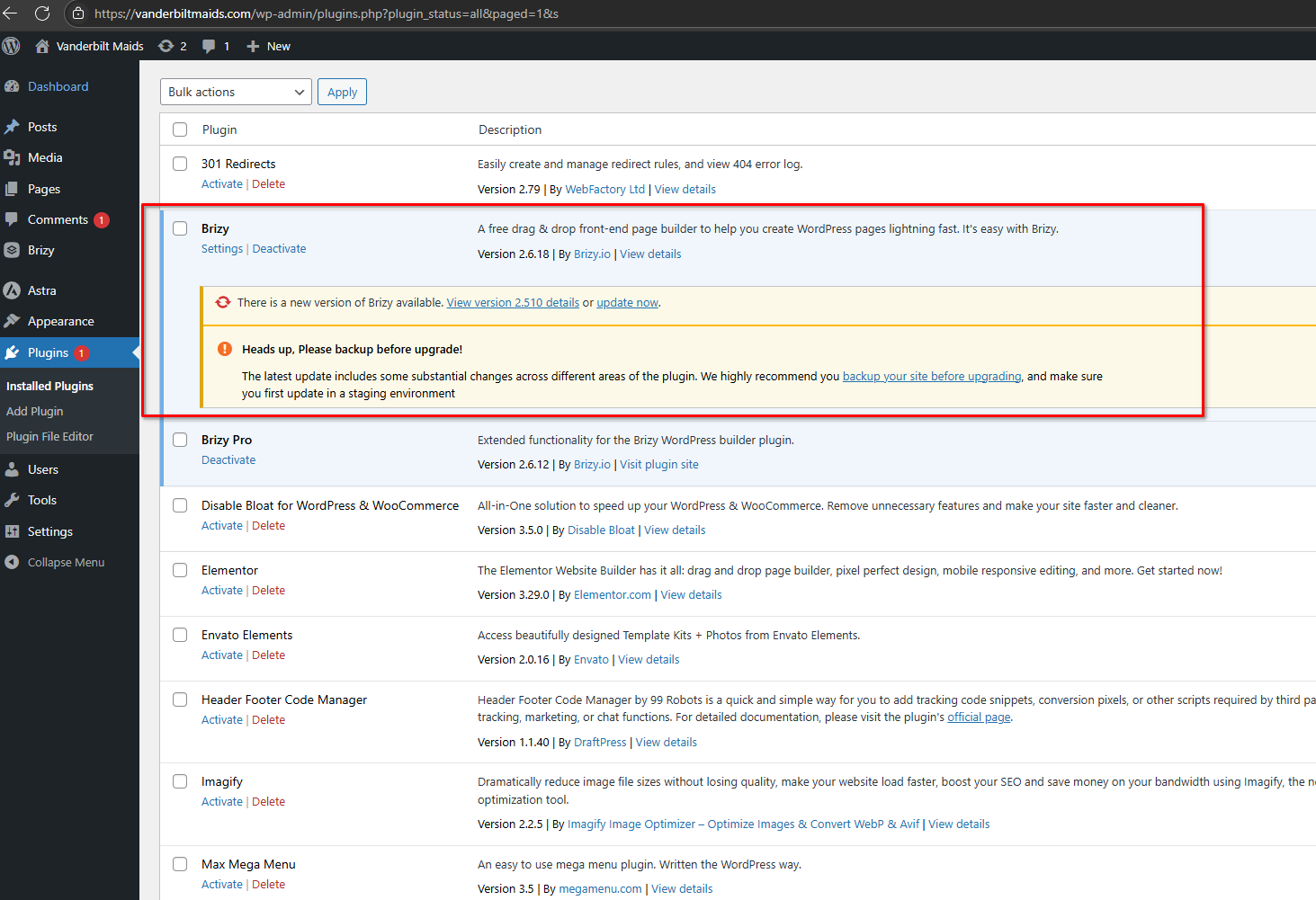
I've asked one of our team members to look into this further, and I’ll keep you updated as soon as I have more information.
Best regards,
Ariel H.0 -
Hi Kevin,
Could you please confirm if you have a backup of your website? We attempted to install a backup plugin, but unfortunately, it didn’t work as expected. Having a backup will give us a safe restore point in case we need it during the process.
Also, if possible, could you provide access to your cPanel? This will help us further investigate the issue and explore additional options.
Looking forward to your reply.
Best regards,
Ariel H.0
Please sign in to leave a comment.
Comments
8 comments