Brizy isn't communicating fully with WooCommerce for single product page

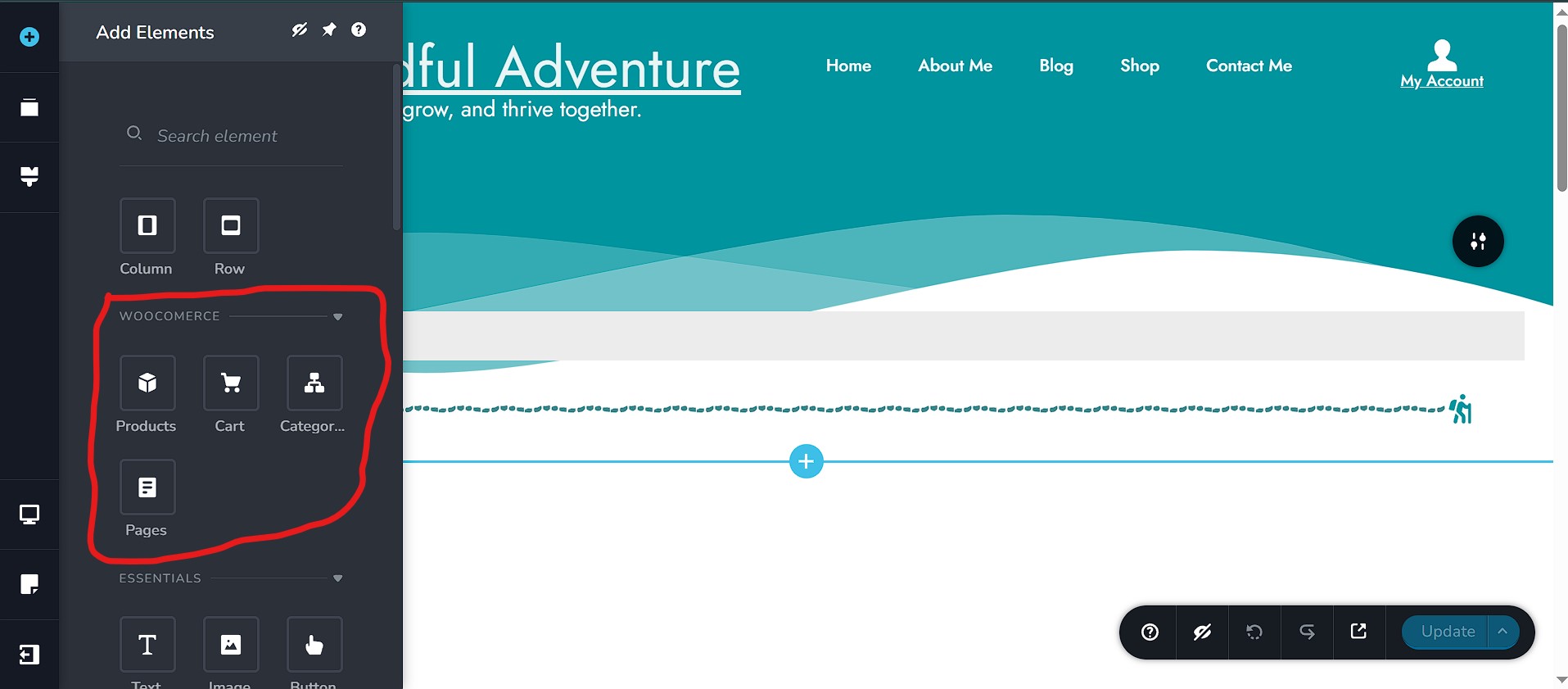
In the WooCommerce elements panel within the Brizy editor, I am only seeing 'Products,' 'Categories,' 'Cart,' and 'Pages'. I am missing the elements necessary to build a single product page (like WooCommerce Title, Gallery, Price, Add to Cart, etc.). I have the template set up for a Single Product (when editing the Single Product template from the Brizy > Templates section> Edit with Brizy). I have also cleared my browser cookies and cache as well as my WordPress site, and I disabled all plug-ins, but that had no effect.
Brizy: Version 2.6.17
Brizy Pro: Version 2.6.11
WooCommerce: Version 9.8.3
WordPress: Version 6.8.1
Please let me know if you need any more information. Thank you for your time!
-

Hi Jamelah,
Thank you for contacting us.
Please double-check that the display conditions in your template are set correctly.
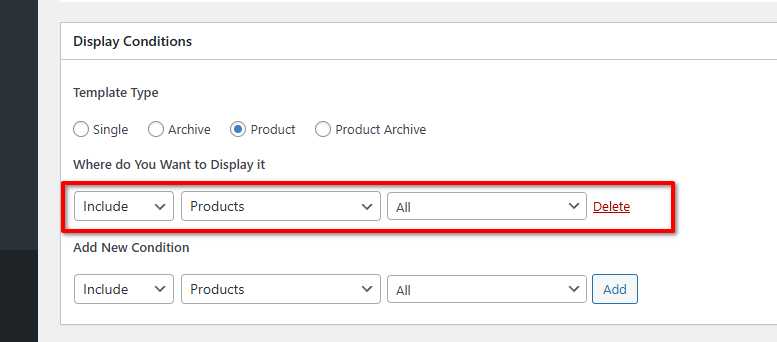
If everything looks correct and the issue persists, we’d be glad to take a closer look. You can temporarily add us as an Admin user in your WordPress Dashboard and send the login details to communitysupport@brizy.io using the format below.
Community Post link: https://support.brizy.io/hc/en-us/community/posts/26406972418194
WordPress Admin URL:
Username:
Password:Please make a full backup of your site as a precaution.
Best regards,
Ariel H.0 -
The issues still persist, and I added you guys as an Admin when you first replied. I'm not fully sure if I needed to tell you guys here or if the email was enough, so I'm just being thorough.
0 -
Hi Jamelah,
Thank you for following up, and I truly apologize for the delayed response, your email ended up in our junk folder, so we didn’t catch it right away.
Upon checking, the reason you're not seeing the full WooCommerce elements (like Title, Gallery, Price, Add to Cart, etc.) in the Brizy editor is because a display condition wasn't set for the template. Without that, Brizy doesn’t know it’s supposed to treat the template as a Single Product layout, so it only shows the basic elements.
To help explain this more clearly, I created a short screencast demonstrating the issue and how to fix it. I’ve also temporarily added some dummy products so you can see how the template looks with actual content. Please watch the screencast here: https://youtu.be/gLDjrWTlC-E
Let me know once you’ve taken a look, and feel free to reach out if you need any further questions.
Best regards,
Ariel H.0
Please sign in to leave a comment.
Comments
3 comments