Brizy editor won't load on one page

Hi,
I tried to edit a page and Brizy won't load. It loads fine on other pages, but just this one stops it from opening. I'm redoing the website so this was on a staging site, tried the live site and the same page had the same issue.
How can I edit the page?
-

Hi Mark,
Thank you for contacting us.
This issue often occurs when a page becomes too large for the server to handle, especially if it contains a lot of content or elements.
To help resolve this, please try updating the following PHP settings on your server:
1. PHP max input variables – increase to 8000 or higher
2. PHP memory limit – set to 512M
3. Max input vars and PHP post max size – increase to 64M or higherTo check your current settings, go to your WordPress Dashboard > Tools > Site Health > Info, then scroll down and expand the Server section. Here's a screenshot for reference: https://imgur.com/K6jqlqt.png
These settings can help Brizy handle larger pages more efficiently. We recommend contacting your hosting provider to assist with updating these values.
Once the changes are made, try reloading the page in the Brizy editor and let us know if the issue persists.
If the issue continues after updating the settings, we also suggest asking your host to temporarily disable ModSecurity to see if that helps.
Please give this a try and let me know how it goes.
Best regards,
Ariel H.0 -
Thanks, not sure if I have access to updaing that, but I will check it out.
I don't believe that is the issue as it's a very short page with not much on it. Other pages on the site are much longer and they open fine. Happy to privatly share site details with you.
0 -
Hi Mark,,
Could you please provide temporary access to your website so we can take a closer look? Kindly add us as an Admin user in your WordPress Dashboard and send the details to communitysupport@brizy.io:
Community Post link: https://support.brizy.io/hc/en-us/community/posts/25915578516370
WordPress Admin URL:
Username:
Password:Please make a full backup of your site as a precaution.
Best regards,
Ariel H.0 -
Hi Mark,
Thank you for the update.
It appears that custom code embedded in this page might be causing the issue. This is often due to compatibility problems or a syntax error in the script.
To help troubleshoot, please try disabling all third-party plugins except Brizy and Brizy Pro, then check if you're able to edit the page. If that doesn't resolve the issue, try disabling Brizy Pro and editing the page in Brizy. You should see a lock icon on the widget, which you can delete, then update the page. Once done, go back to the plugins area and re-enable your plugins.
If this works, you can also check the script for any syntax errors. Alternatively, you may provide the script so we can test it remotely and confirm if it's a compatibility issue.
Please try this and let me know how it goes.
Best regards,
Ariel H.0 -
Hi,
Did you get my reply emails?
Deactivating Brizy Pro solves the problem, the editor loads right away. However, doing so disables my ability to see the embed code. The strange thing is this page was built using Brizy and the embed code wasn't an issue.
I sent the embed code via email.
0 -
Hi Mark,
It looks like we haven’t received the email yet—could you please share it via https://codeshare.io instead?
Best regards,
Ariel H.0 -
I sent the email with code share link yesterday, did you get it? https://codeshare.io/GqnKj2
0 -
Hi Mark,
Thank you for your cooperation. The email may have been blocked by our email security.
Regarding the issue, it appears to stem from the script. Using document.write() after the page has started rendering (common in page builders like Brizy and others) can overwrite the entire content or be blocked by the browser.
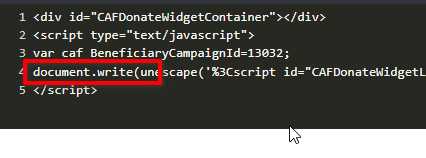
We’ve made a slight modification to the script to ensure it works properly with Brizy.
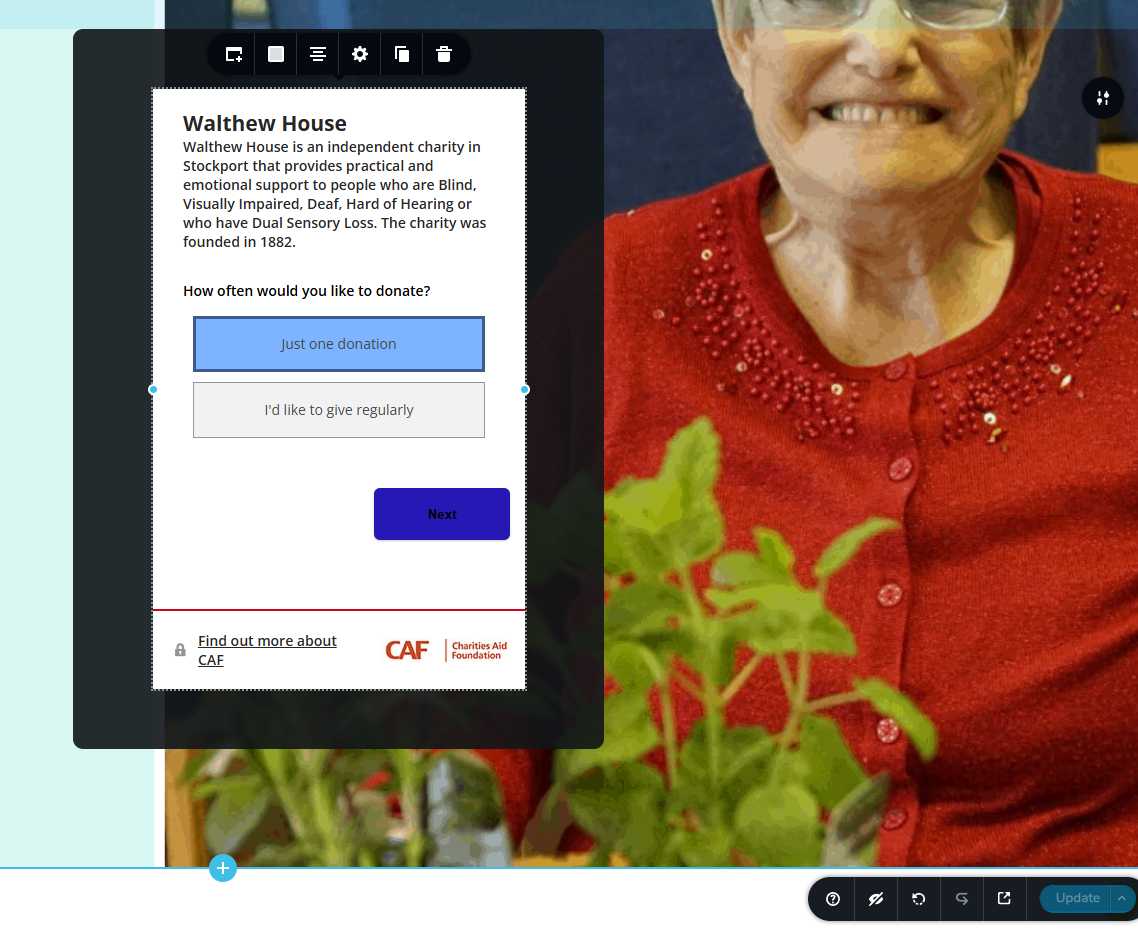
You should now be able to edit or make changes to the page without any issues. Please also keep a backup of the script in case you’d like to use it on another page in the future.
Best regards,
Ariel H.0 -
Amazing, thank you.
0

Please sign in to leave a comment.
Comments
9 comments