Buttons Not Appearing

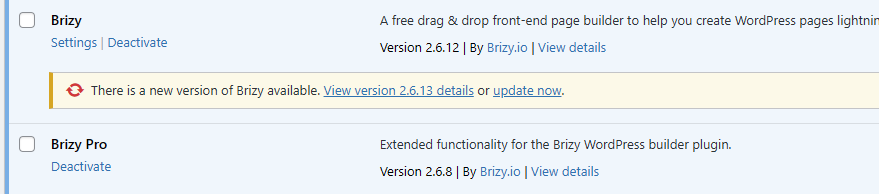
Hello, I noticed an issue recently when I updated a few of my sites to the latest version of Brizy and Brizy Pro. Buttons wouldn't show up on the live pages unless I edited the page and saved it. I was able to fix the issue that way, but I had to go through so many pages to fix it. I noticed it on a few sites. I haven't updated Brizy to 2.6.13 yet, but the details don't show an issue with the buttons.
-

Hi Brooke,
Thank you for reaching out.
Before updating Brizy and Brizy Pro, could you confirm if the issue persists when all other plugins are disabled? This will help determine if there’s a conflict affecting the update process.
You may also provide us Admin access to one of your affected sites s we can take a closer look. Kindly add us as an Admin user in your WordPress Dashboard and send the details to communitysupport@brizy.io:
Community Post link: https://support.brizy.io/hc/en-us/community/posts/25329966036498
WordPress Admin URL:
Username:
Password:Best regards,
Ariel H.0 -
Thank you, Ariel! I sent the email with the details for our testing site that is also experiencing the issue. I haven't gone through and fixed it so they can see the issue from the start.
0 -
Hi Brooke,
Thank you for your cooperation.
I've updated the test site, and it seems to be working fine. Before updating Brizy Pro to the latest version, we disabled WP Optimize first. Could you try doing the same on your other sites? Please disable any caching plugins before updating Brizy and Brizy Pro.
Give it a try and let me know how it goes.
Best regards,
Ariel H.0 -
Hi, Ariel.
I went on the test site and am still seeing the issue. On the IT Job Tracker page you can see it. Right below the title, there should be an "Add New" button. It appears in edit mode, but not live. I disabled WP Optimize and cleared cache, but it still isn't showing. It doesn't appear in the developer console either. It's not being loaded into the page. The popup the button calls appears in the code, but not the button. If I were to edit the page and save, it would then show up.
 0
0 -
It only affects buttons and only brizy buttons. The homepage was JS and HTML so that shows up fine.
0 -
Hi Brooke,
Thank you for the update.
Would you be able to restore the test site to the state it was in before I updated Brizy using Updraft?
Unfortunately, I haven’t been able to replicate the issue in my testing environment. To investigate further, I’ll need to escalate this to our senior support team.
I look forward to your response.
Best regards,
Ariel H.0 -
Hi, Ariel!
I restored the backup and it is in the state it was before. No problem. It's certainly a strange issue.
0 -
Hi Brooke,
Thank you for your cooperation.
A private ticket has been created, and I have escalated it to one of my colleagues for further review. They will check the issue and get back to you as soon as possible.
Best regards,
Ariel H.0 -
Hi Brooke,
Thank you for your patience.
I had one of my colleagues check this, but unfortunately, we couldn't replicate the issue. You can see this in the screencast: https://youtu.be/VEXnGb2imE8
I was able to reproduce the issue earlier, but it's no longer occurring on the test site. It might be a caching issue. Could you try again and record a screencast if the issue persists?
Best regards,
Ariel H.0
Please sign in to leave a comment.
Comments
9 comments