Pages are not saving changes

Hi there! I had been working well with Brizy and suddenly the pages are not saving.
I am only working on these pages :
-Home
- Emergency Dental Services
I've done a lot of troubleshooting by disabling plugins and can't find the culprit. Seems that when the pages get larger in content it doesn't like it.
It's always prompting to refresh as if the page was open somewhere else.

I'm running the latest installs of Brizy and Brizy pro and the latest wordpress version.
Web:
[site credentials removed ]
-
Stuff is just not saving in some pages... even after purging with WP rocket..
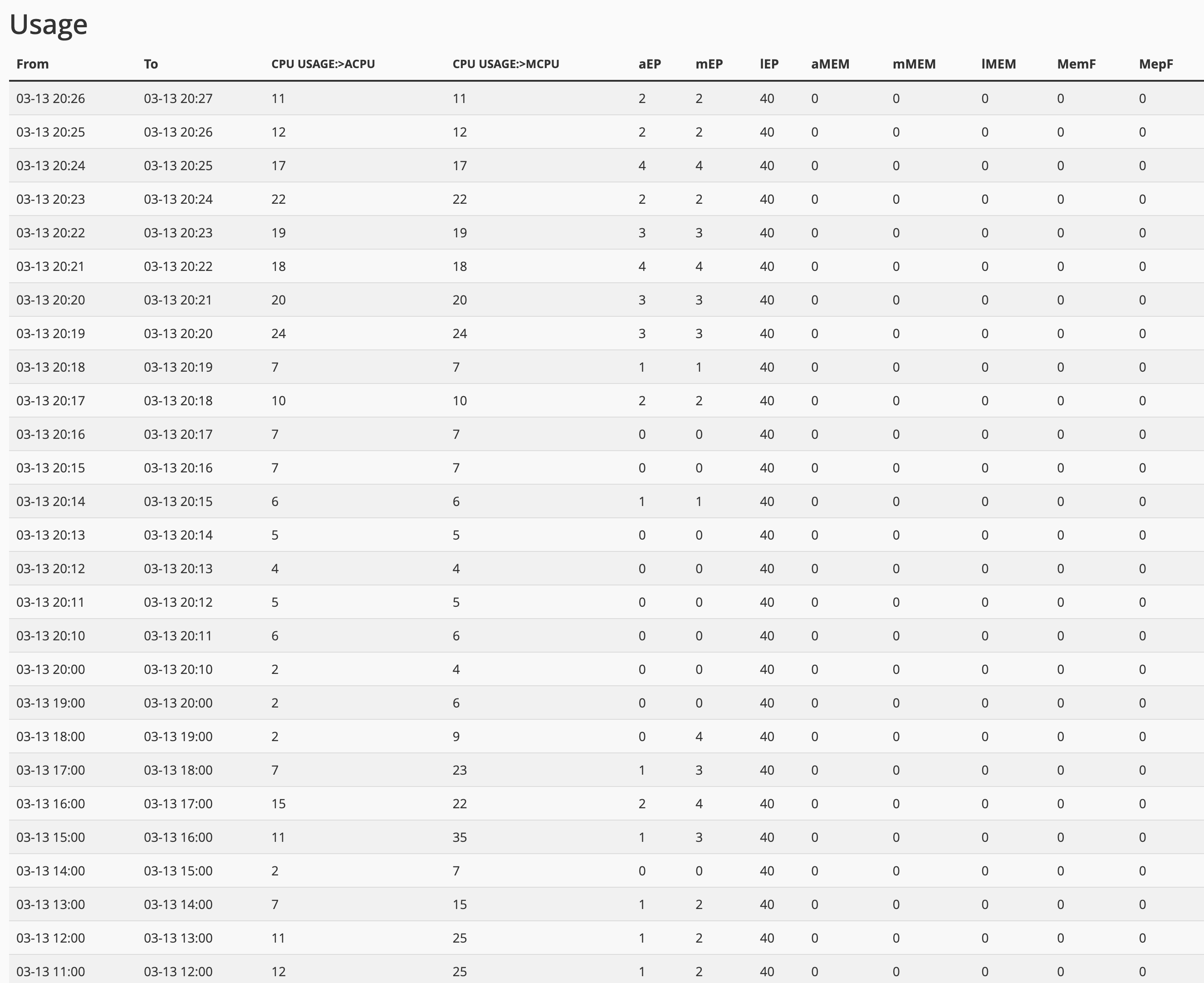
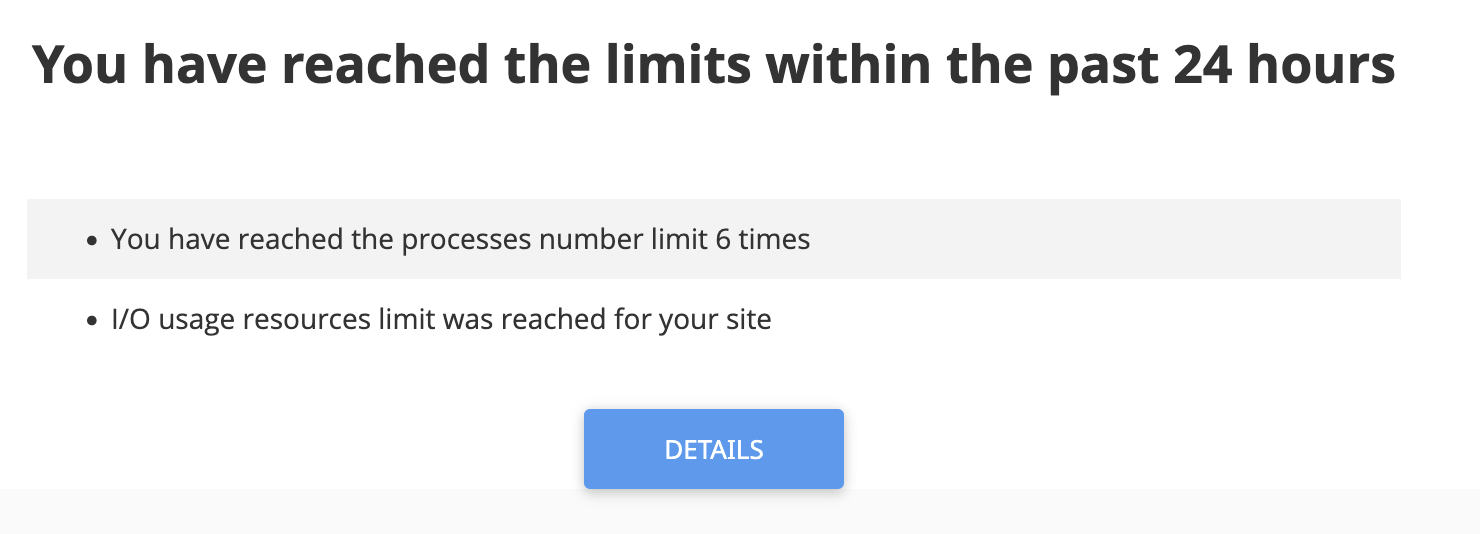
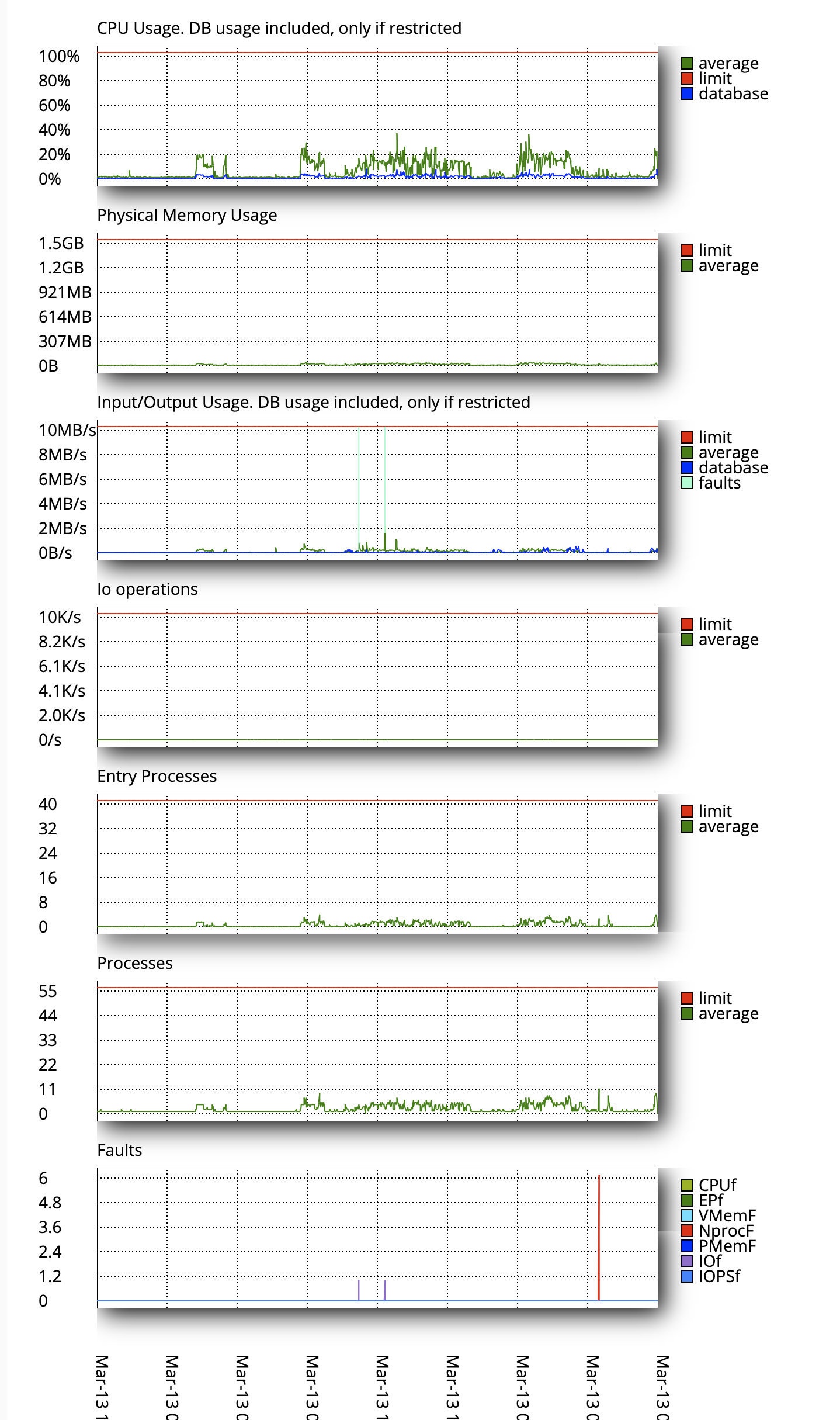
I was checking some resource usage on teh cpanel and it says this.. not sure if I should upgrade my hosting... to a higher performance plan...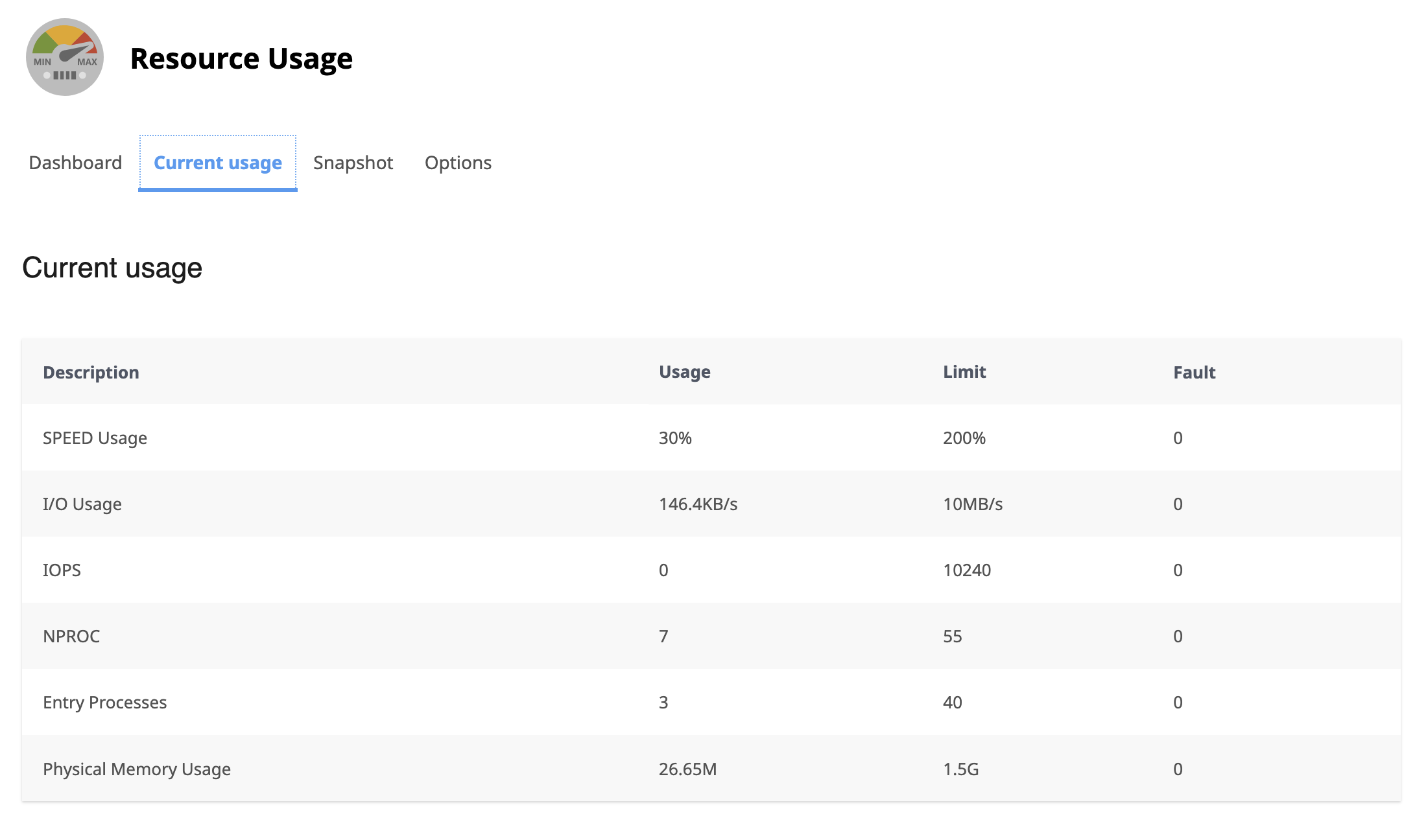
 0
0 -

Hi Alexander,
Thank you for the update. We asked a member of our team to look into this issue.
We will get back to you as soon as we have any new updates.Best regards,
Ariel H.0 -
So, the pages saving was a Search Atlas issue, I just excluded it from the WP rocket caching and it works now...
I will now focus on the other stuff...0 -
Hi there! Any news?
0 -
Hi Alexander,
Thank you for the update.
Since you mentioned that excluding Search Atlas from WP Rocket caching resolved the issue, we understood that everything was working as expected. If you’re still experiencing any issues or need further assistance, please let us know.
Best regards,
Ariel H.0 -
No, just teh particular saving issue, but there were still otehr issues at hand... FOr exmaple I cant even edit the homepage and it is still not saving dense pages liek the dental servcies pages if I add more elements or if the page is too long, etc.
0 -
Hi Alexander,
Thank you for the update.
Apologies, but as mentioned in a previous response, this issue is likely due to server limitations. Since saving works when there are fewer elements but fails when adding more blocks, it suggests that the server is reaching a resource limit.
If your hosting provider is unable to increase these limits, you may want to consider switching to a different hosting provider.
We’d love to help further, but unfortunately, server-related issues are beyond our control.
Best regards,
Ariel H.0 -
It's a truly poor excuse to blame it on the hosting provider and say "just change it" like it's as easy as changing wardrobe.
I've upgraded to a new hosting plan within Godaddy which includes:
- 100 GB NVMe storage
- 4 GB RAM, 2 vCPUs
It should be more than overkill to handle anything and yet I'm having issues.
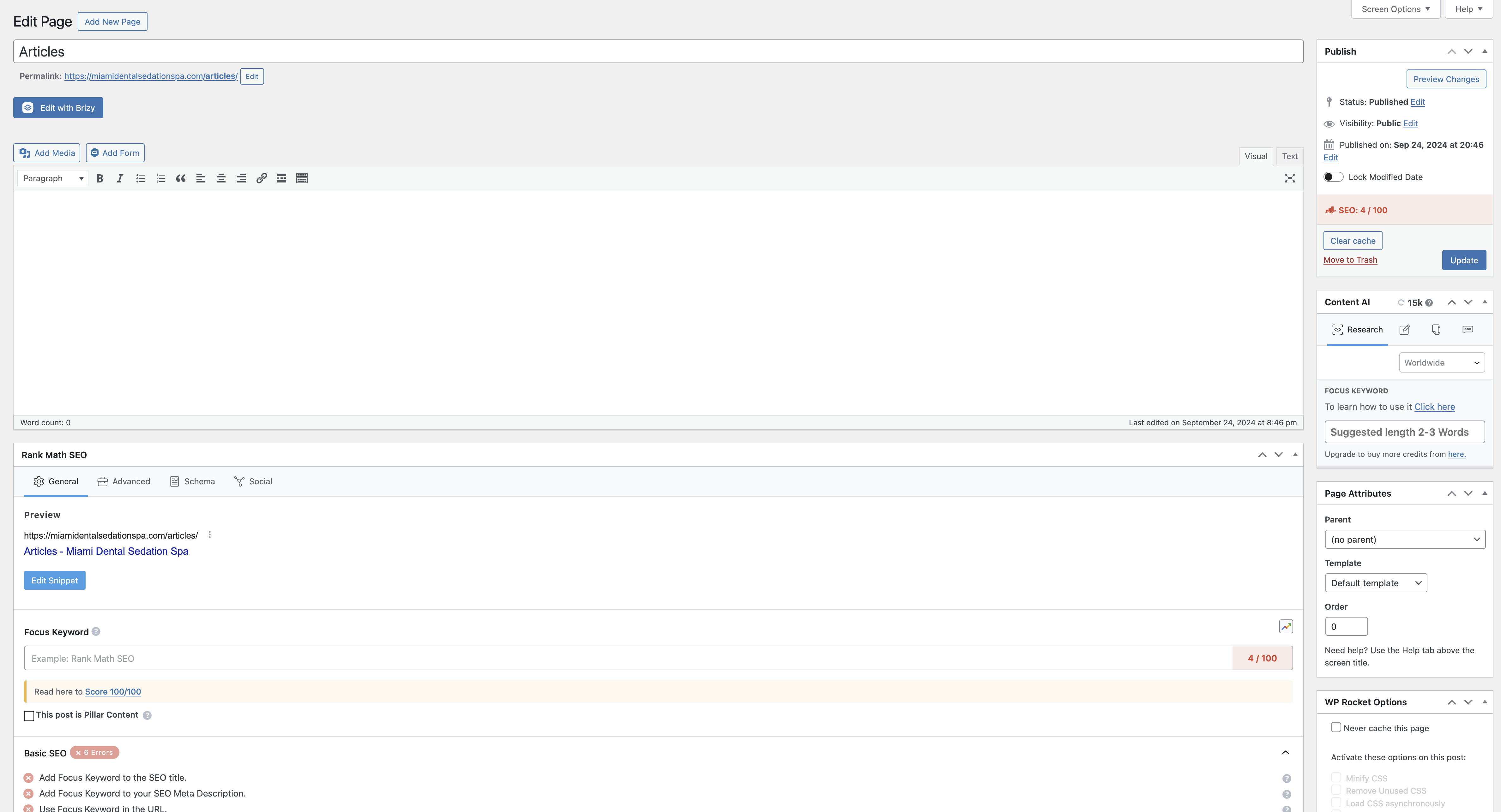
Now a lot of pages just wont even load the brizy builder or the wordpress editor screen doesn't show any of the default wordpres options for that page... here's an example:
https://www.loom.com/share/15d465e70430446984fc6537884e2791?sid=ea277d1b-489c-4316-b746-26fc09b575e1This is how regular pages show up:
 0
0 -
Hi Alexander,
Thank you for the update.
It appears that the issue you're encountering may be caused by a conflict. The Classic Editor loads correctly when all third-party plugins are deactivated. While you should be able to open the page in the Brizy Editor, saving the page is still not possible due to GoDaddy Firewall. You can see it here - https://youtu.be/sQsrRG3-HkY
For comparison, I’ve set up a staging site for you here: https://brizywp.online/wp-admin.
You can log in using the same credentials you previously provided.I’ve installed the same theme and plugins (excluding WP Rocket and Really Simple SSL Pro) and imported your homepage. In this test environment, everything seems to be working as expected. Here's a screencast demonstrating it - https://youtu.be/aH7gIhb5gi0
This setup is on a shared hosting environment where I also host multiple Brizy sites. Feel free to log in and test it yourself. Please note that the video on the homepage doesn’t play, which I assume is because the video player is configured to work only on your domain.
Give it a try and let me know your thoughts.
Best regards,
Ariel H.0 -
Ok so if I have to keep my setup, what can be a workaround so that we can use it all?
And yes the video has a domain whitelisting.0 -
Hi Alexander,
Thanks for the update.
You can ask GoDaddy to whitelist the WordPress AJAX file located at "/wp-admin/admin-ajax.php". This file is responsible for actions like saving pages, loading blocks, and updating elements in Brizy. GoDaddy’s firewall (or ModSecurity) may block these requests by mistake, especially during editing or publishing. You can ask their support team to allow access to this file or adjust any conflicting rules.
Alternatively, if you’re using GoDaddy's Managed WordPress Hosting plan, you could request that they move your site to a regular hosting account. It doesn’t need to be a high-end plan—just one that lets you disable the GoDaddy Firewall. You can still use Wordfence and other security plugins to keep your site secure.
Brizy works well with 256M to 1GB of PHP memory, depending on the size of your site. For most sites, 512M should be enough.
Best regards,
Ariel H.0 -
Ive let them know to disable the firewall. I will test the setup and then install something like wordfence.
I'll keep you posted as I test.
Thanks!
AJ0 -
If I do install wordfence, which plan should I choose and do I have to be mindful of any aspects of configuration for Brizy?
0 -
Hi Alexander,
Thank you for the update.
I’m not familiar with their hosting plans, but I can share the settings of the testing server I’m currently using. This might help as a reference while you decide which hosting plan to go with.
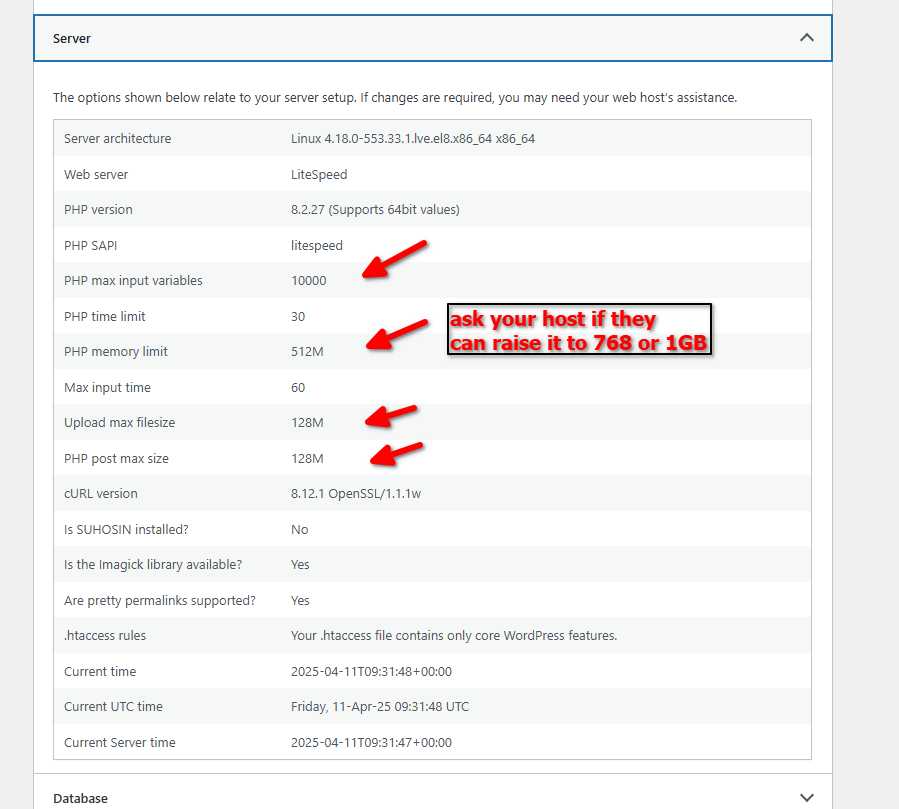
I hope this helps!
Best regards,
Ariel H.0 -
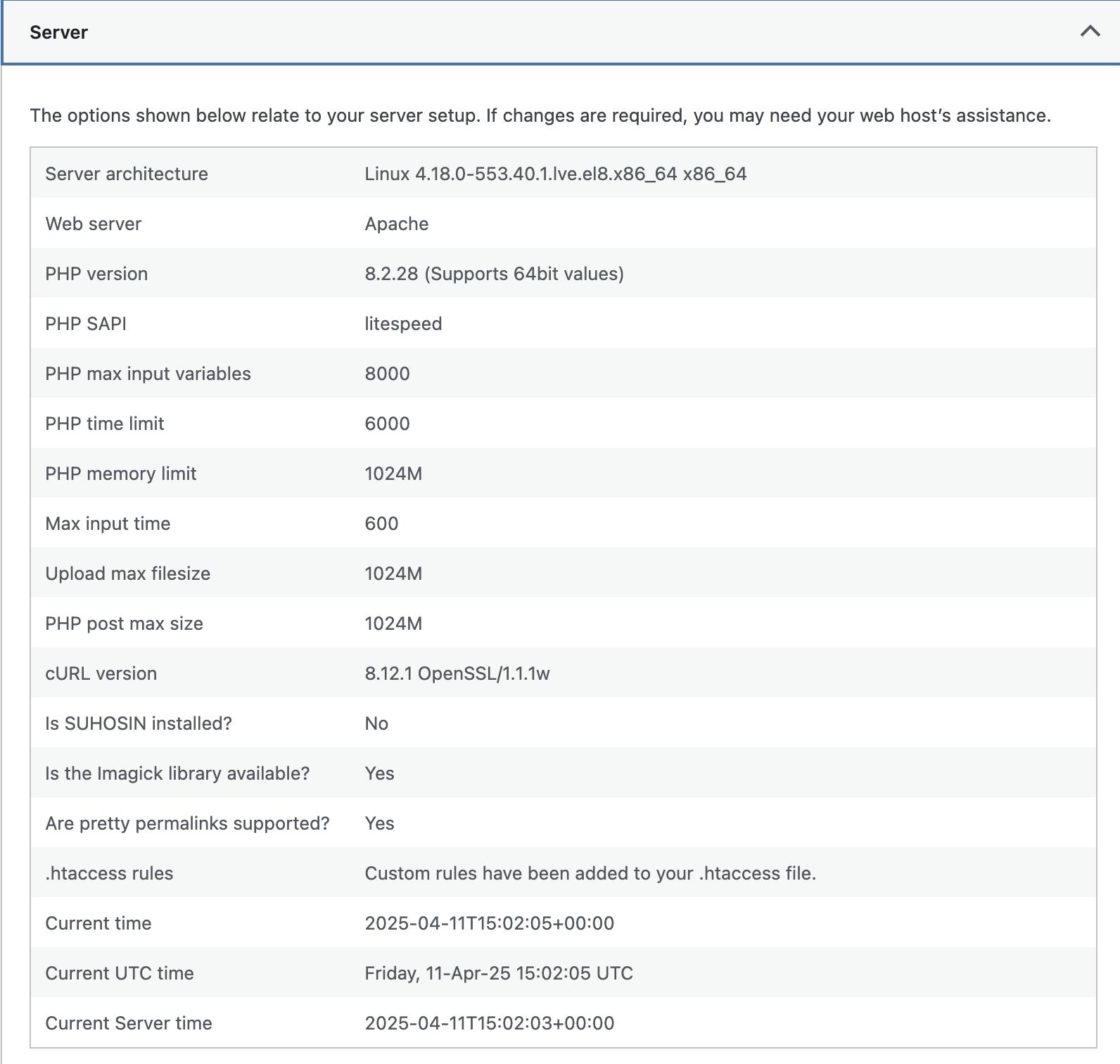
The firewall is disabled and limits have ben raised. Still doesn't load the WP admin correctly. Try to edit the homepage and you'll see it doesnt load the elements liek rankmath and basic wordpress tools liek fetaured image, etc...
 0
0 -
Hi Alexander,
We did some additional testing on our end and found the following:
1. Disabling the Classic Editor plugin allows the Rank Math options to appear.
2. Disabling the Search Engine Labs Content plugin allows the page to open in the editor.
However, even with those changes, saving updates to the page still doesn't work.
To investigate this further, would it be possible to provide us with temporary access to cPanel? That would help us look into the issue more thoroughly and identify what might be causing these conflicts.
Best regards,
Ariel0 -
Hi Alexander,
Thank you for your cooperation. I asked a colleague to check look into this issue. I will get back to you as soon as I have an update.
Best regards,
Ariel H.0 -
Also please after testing, please enable back the plugins Ive found myself having to enable them again. Remember this is not a staging site. Thanks!
0 -
Hi Ariel!
I dont see the cpanel credentials here anymore... you have them right?
Let me know if you need anything else form my end.I appreciate your help with this issue. I want to build all my agency sites with this setup so it would be great to get it working 100%.
Cheers!AJ
0 -
Hi Alexander,
Thanks for the update. The cPanel credentials you shared didn’t work, but we still have access to the first set you provided. I’ve created a private ticket for this issue, and one of my colleagues is currently looking into it. You should hear back from them shortly.
Best regards,
Ariel H.0
Please sign in to leave a comment.
Comments
50 comments