Pages are not saving changes

Hi there! I had been working well with Brizy and suddenly the pages are not saving.
I am only working on these pages :
-Home
- Emergency Dental Services
I've done a lot of troubleshooting by disabling plugins and can't find the culprit. Seems that when the pages get larger in content it doesn't like it.
It's always prompting to refresh as if the page was open somewhere else.

I'm running the latest installs of Brizy and Brizy pro and the latest wordpress version.
Web:
[site credentials removed ]
-

Hi Alexander,
Thank you for reaching out.
Unfortunately, the login details provided are not working. Could you please double-check and resend them?
In the meantime, please try the steps outlined in this article to resolve the issue: https://support.brizy.io/hc/en-us/articles/22590197512210
Best regards,
Ariel H.0 -
I am using their CDN for content deployment as well...
0 -
It was working fine and yesterday out of nowhere decided to stop saving. Nothing changed per se.
0 -
It seems to be an issue only with certain pages... I've updated oteh rpages with no problem
0 -
Hi Alexander,
Thank you for the update. The credentials work, but the account doesn't have administrative access. Could you update it to an administrator?
I am looking forward to your response.
Best regards,
Ariel H.0 -
You have admin acces... let em know if you stil cnat acces
0 -
Hi Alexander,
Thank you for the update. Please ask your hosting provider to update the following PHP settings:
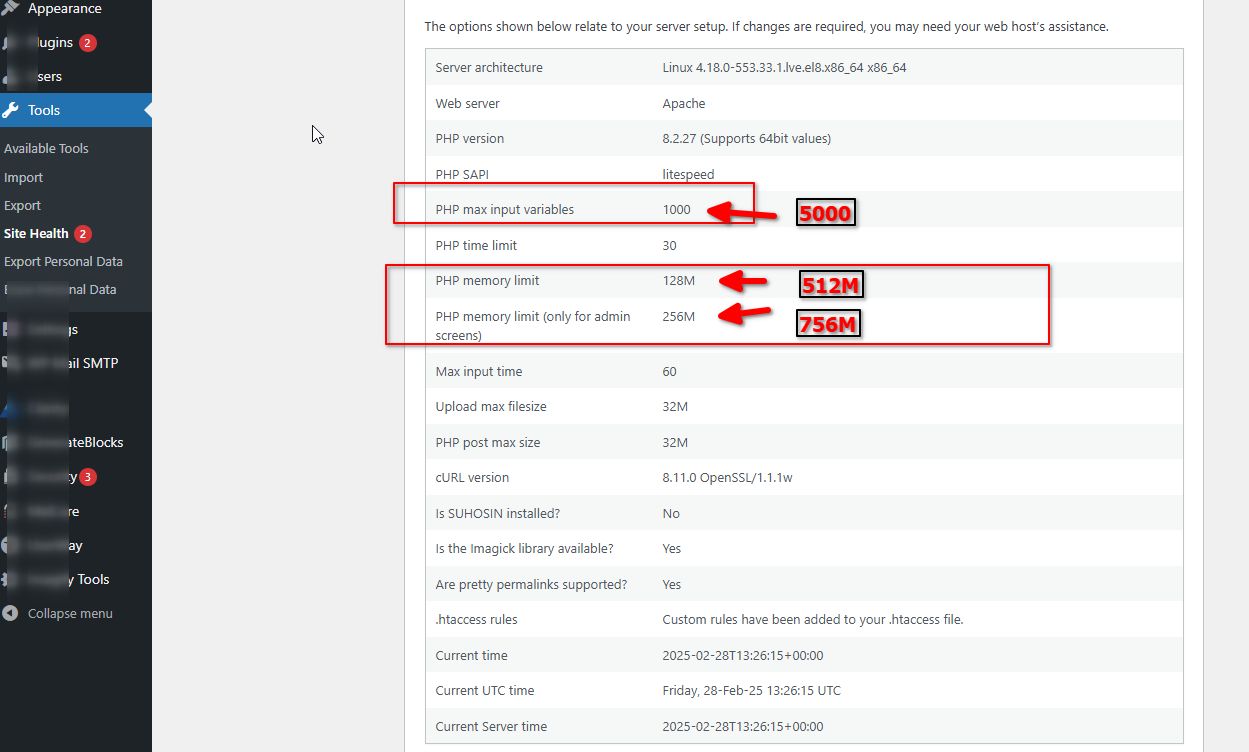
Increasing the PHP memory limit will help improve the user experience when editing and viewing pages, while increasing the PHP max input variables can help prevent saving issues.
Let me know if you need any further assistance.
Best regards,
Ariel H.0 -
 0
0 -
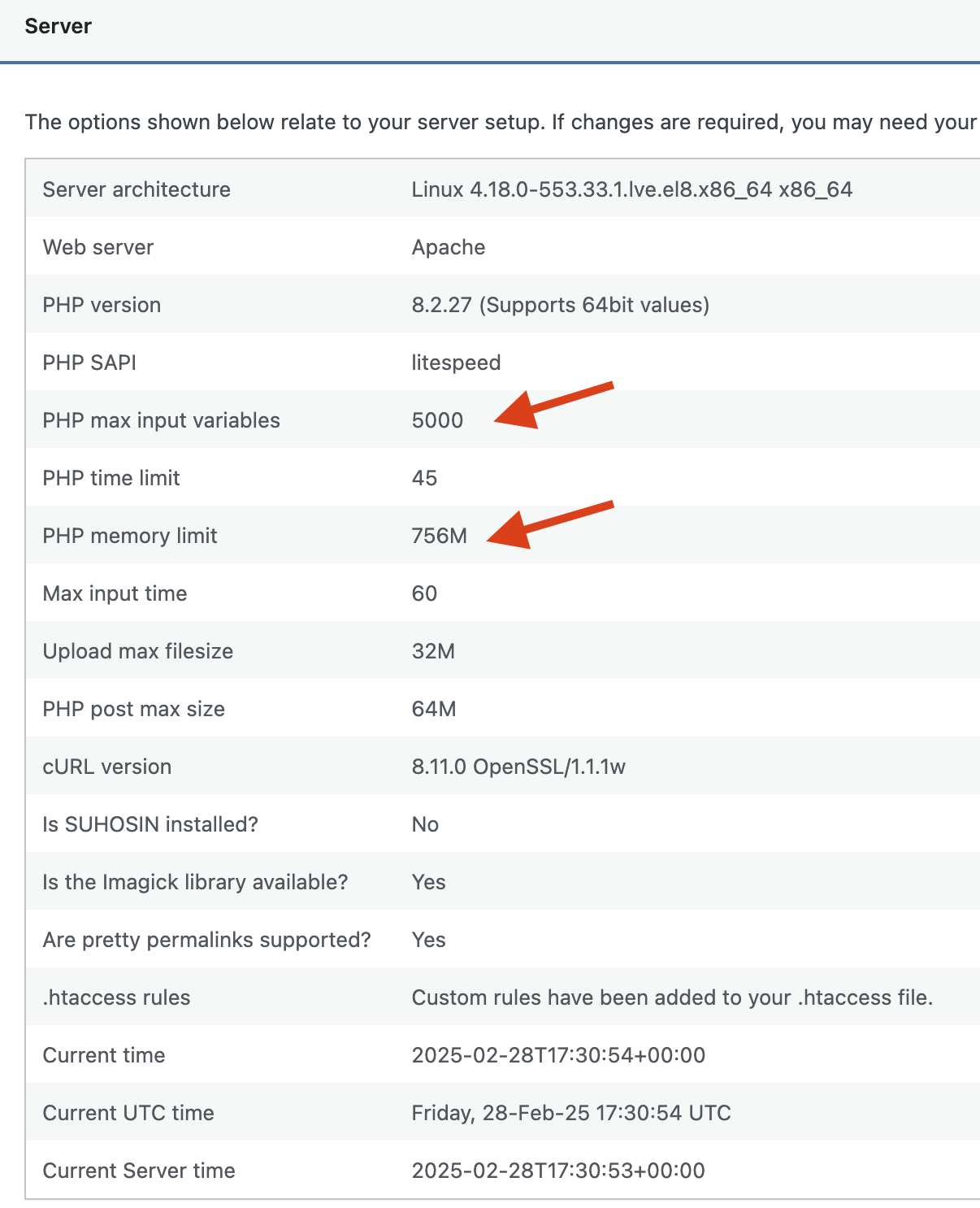
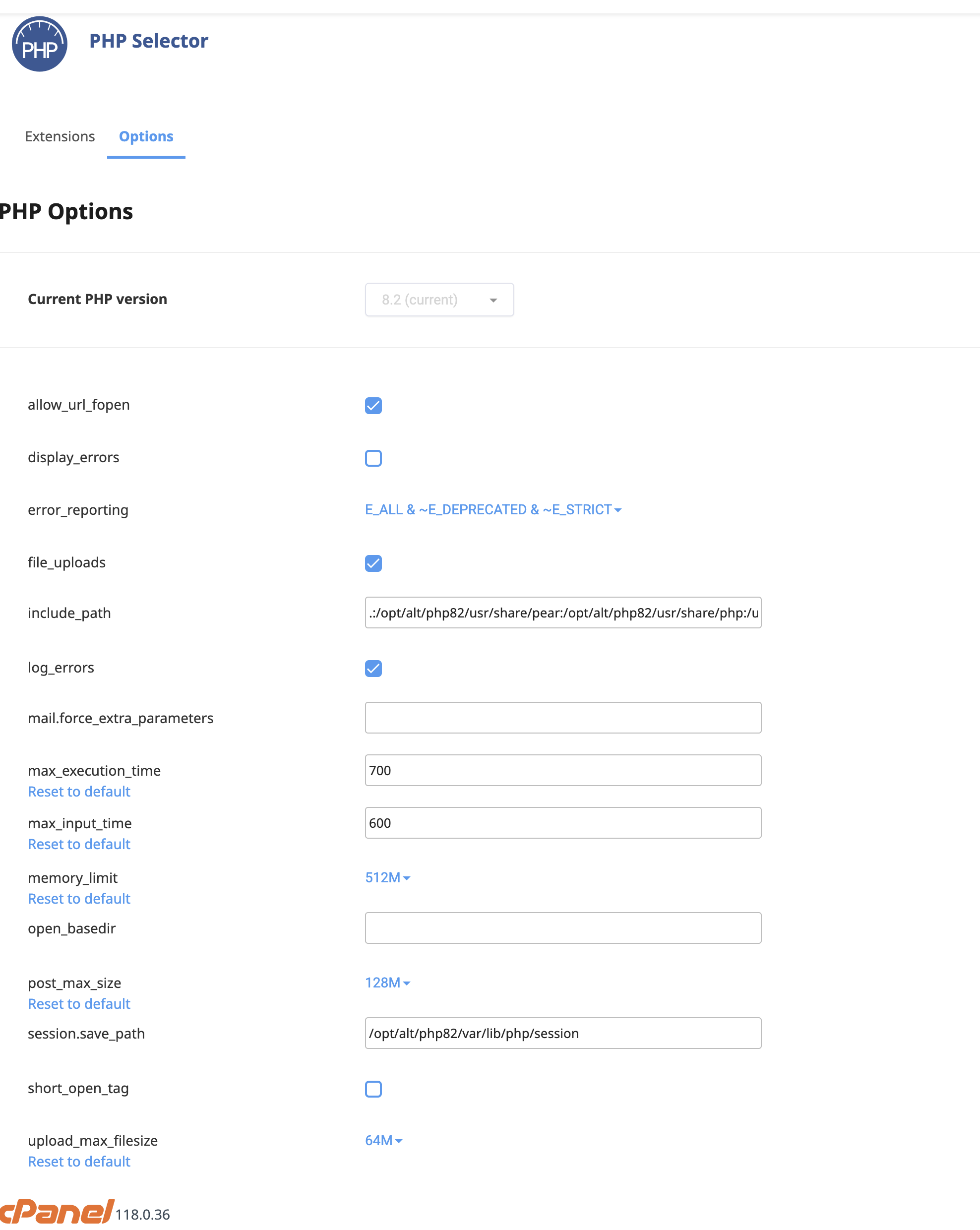
Hi! i updated all changes but it still doesn't save the page (home page for example)The weird part is that other pages have no problem but home and one other pages have issues.
All they have is scroll animations.Let me know what else might be needed.AJ0 -
I also did a database cleanup and erased all post revisions and still one pages get a bit large in deisgn they wont save
0 -
 0
0 -
For some reason this page editor got all buggy and on teh admin side is forcing everything to go to teh right when on teh page it is not liek taht.
https://miamidentalsedationspa.com/wp-admin/post.php?action=in-front-editor&post=5817
PLease help me out when you get a chance... dont know why its getting so buggy..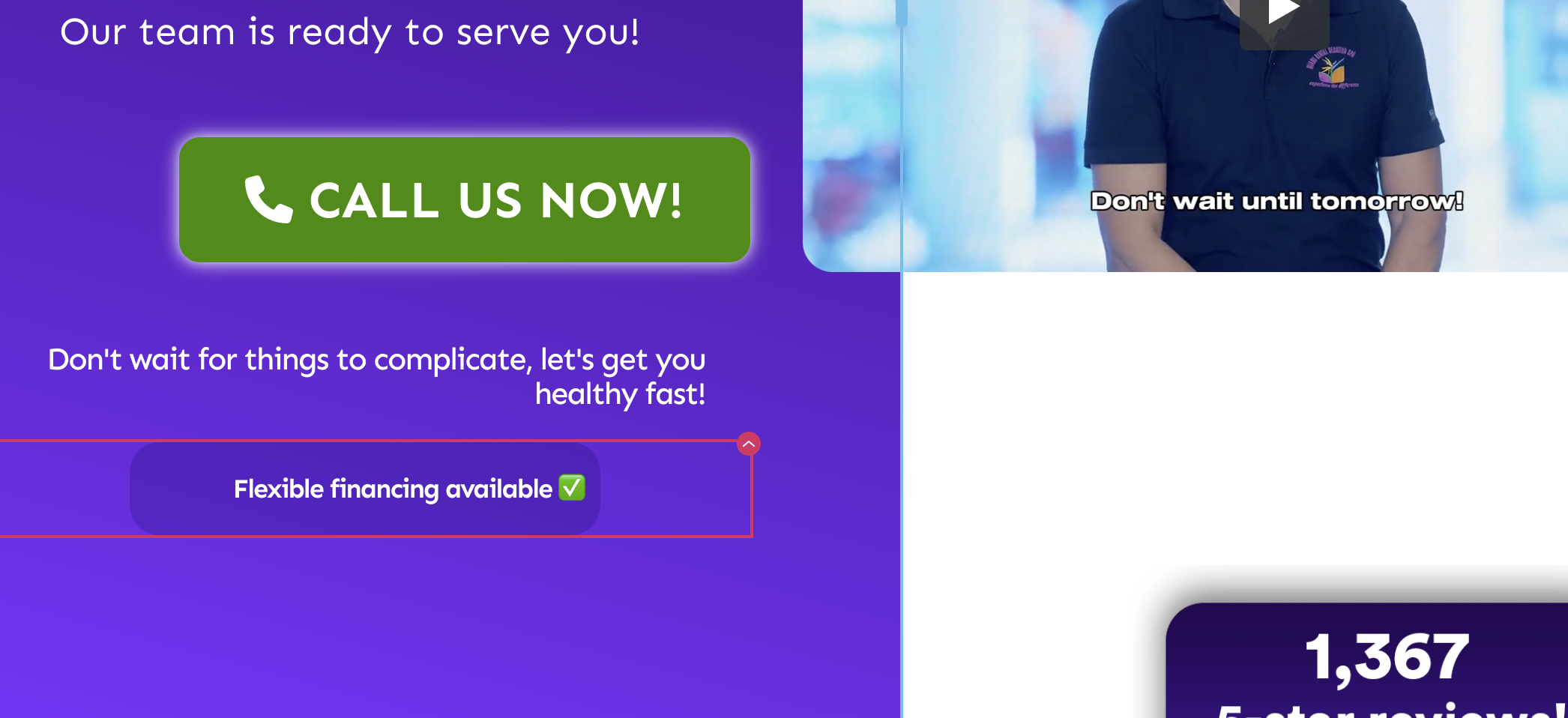 0
0 -
Hi Alexander,
Thank you for the update.
Regarding the elements aligned to the right, after inspecting the page, I only noticed that the last title was aligned to the left, which I’ve already corrected. It looks like you may have applied a manual fix to the page.
As for the saving issue, it seems likely that certain server limits are causing the problem, especially as the page size increases. As you have noticed that smaller pages with fewer blocks save without issues. To verify, I tested this by downloading the page and importing it into my test site. As shown in the screencast below, I didn’t encounter any problems saving it.
https://youtu.be/KzvPll060Z0You might want to reach out to your hosting provider and ask if they can disable ModSecurity to see if it makes a difference. If you have cPanel access, you can also follow the steps in this article to temporarily disable it - https://support.brizy.io/hc/en-us/articles/22590197512210
If you have any further questions, please let us know.
Best regards,
Ariel H.0 -
Hi! I dont have the ModSecurity module in my cpanel. I will reach out to Godaddy.
In regards to the emergency page, even the UX is aligning right, its not normal. I tried in different browsers and they all look aligned right (when it's not supposed to do that).
Please look into it a bit deeply.
Thanks.
0 -
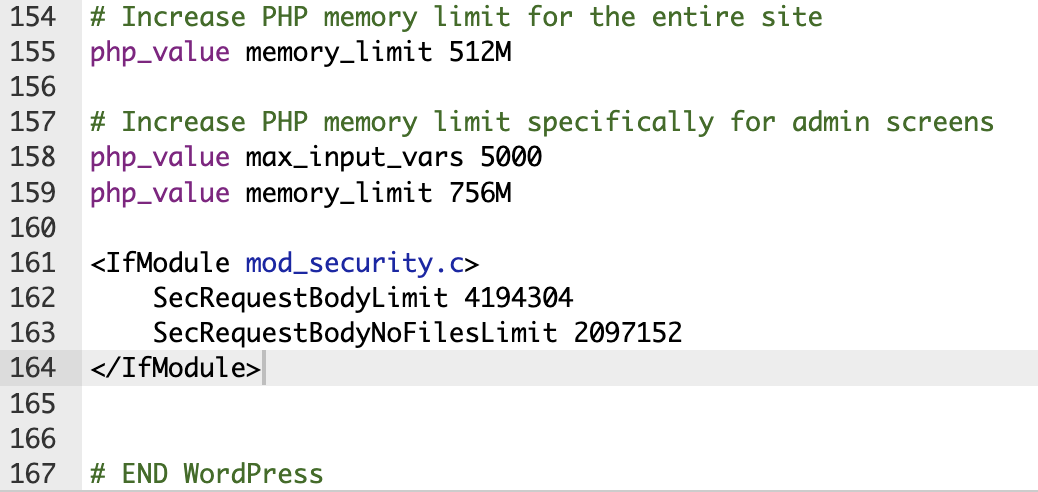
I added this to htaccess... still nothing...
 0
0 -
Hi Alexander,
Thank you for the update.
Since this issue has been ongoing, we recommend contacting your hosting provider to check if they can increase the current limits on your hosting plan. You might also consider testing your site with a different hosting provider. The problem seems to be related to certain server limitations that could be affecting your site.
Unfortunately, we’re unable to provide support for server-related issues. However, testing your site on another hosting provider could help determine if the issue is hosting-related. If possible, try setting up a staging site on a different server to see if the problem persists.
Best regards,
Ariel H.0 -
I did some extensive testing with Godaddy and its not the server.
Please let's take a look at it.
Thanks.
AJ0 -
Hi Alexander,
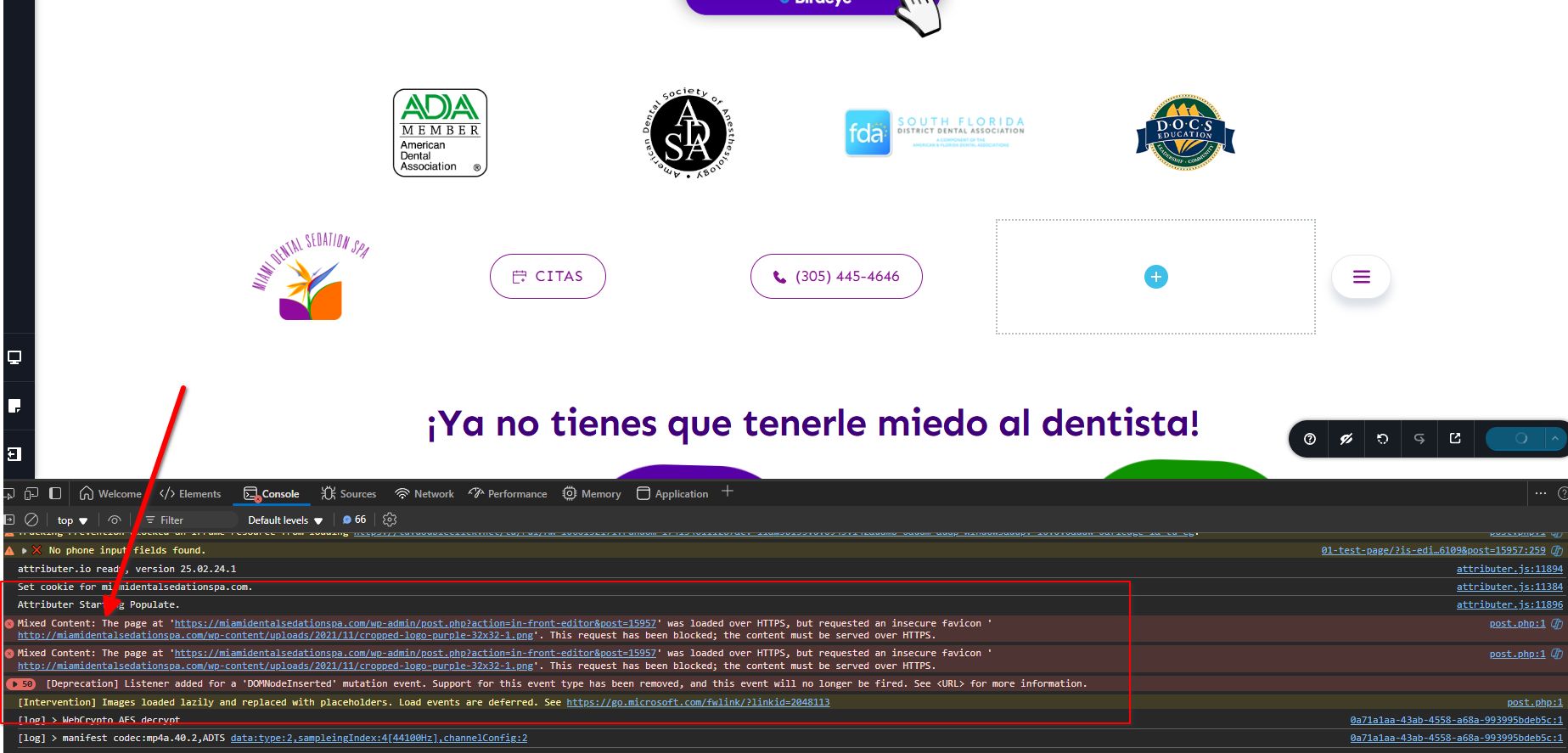
The console is showing mixed content errors, could you please try updating your Home and Site URL in wp-config to use HTTPS and see if this fixes the issue.
Best regards,
Ariel H.0 -
I just happened to forget to turn on teh really simple SSL mixed content... made no difference...
0 -
Hi Alexander,
Thank you for the update.
Could you try replicating the issue on a local test environment or testing your site on another server? This will help determine if the problem is specific to your current setup.
If you don’t have a test environment available, we can create a backup of your website and set one up for you. Let us know how you’d like to proceed.
Best regards,
Ariel H.0 -
Hey Ariel! If you could help me set up a test environment that would be great, this is a live client website with little leeway but I definitely need the help because the team needs to come in and write articles with free design and can't have them get stuck.
Appreciate you!
AJ0 -
Hi Alexander,
I've set up a test environment for you at this link: https://www.brizywp.online/demo001/wp-admin
You can log in using the same username and password from your original site.
Please try to replicate the issues you reported here.
Best regards,
Ariel H.0 -
Ok will do.
Something else is happening... I worked on a different page now and the builder gets stuck loading and I cn't tweak it.
https://miamidentalsedationspa.com/services/
I was working fine on it all night yesterday and now I can't touch it... 0
0 -
Another example i cant tweak:
https://miamidentalsedationspa.com/wp-admin/post.php?post=5535&action=edit0 -
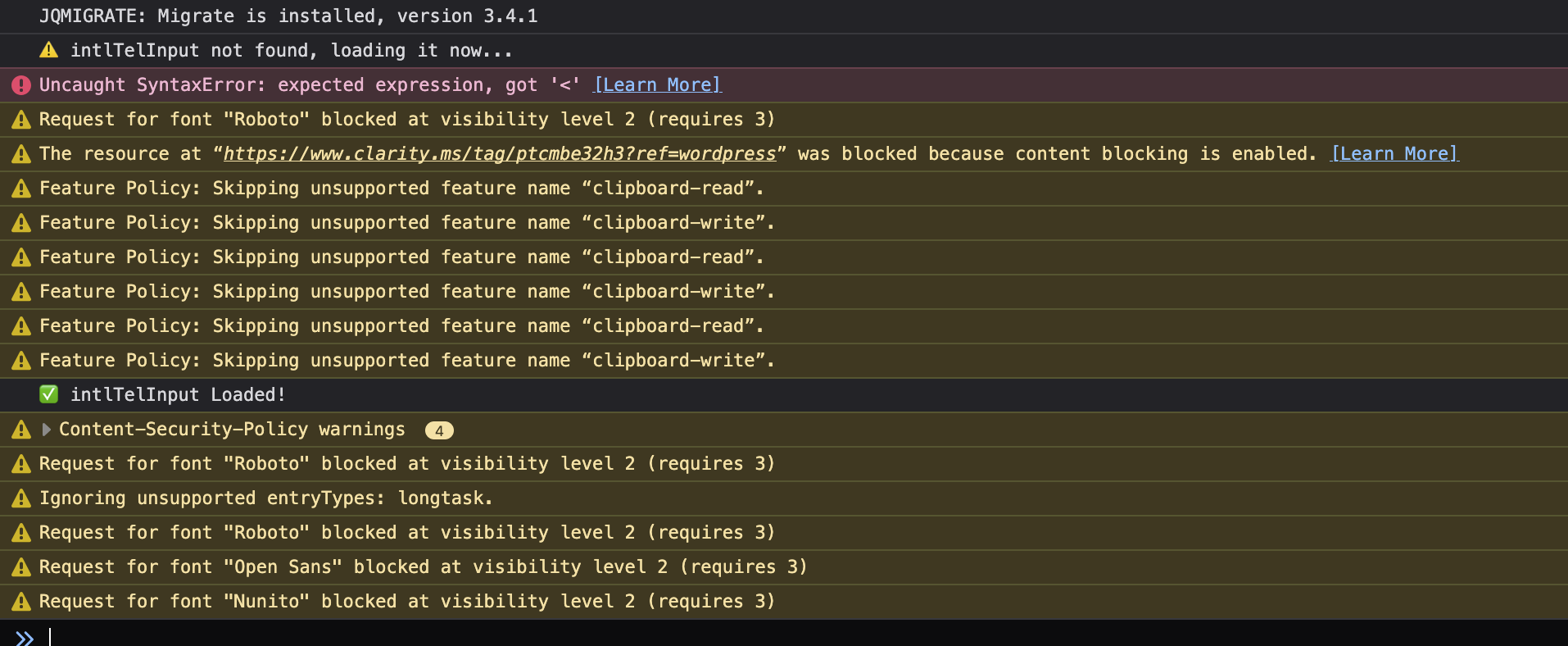
Heres whats happening inteh console...
 0
0 -
Im getting teh idea if teh page has a lot of elements Brizy spazzes out... my services page has a lto of buttons:
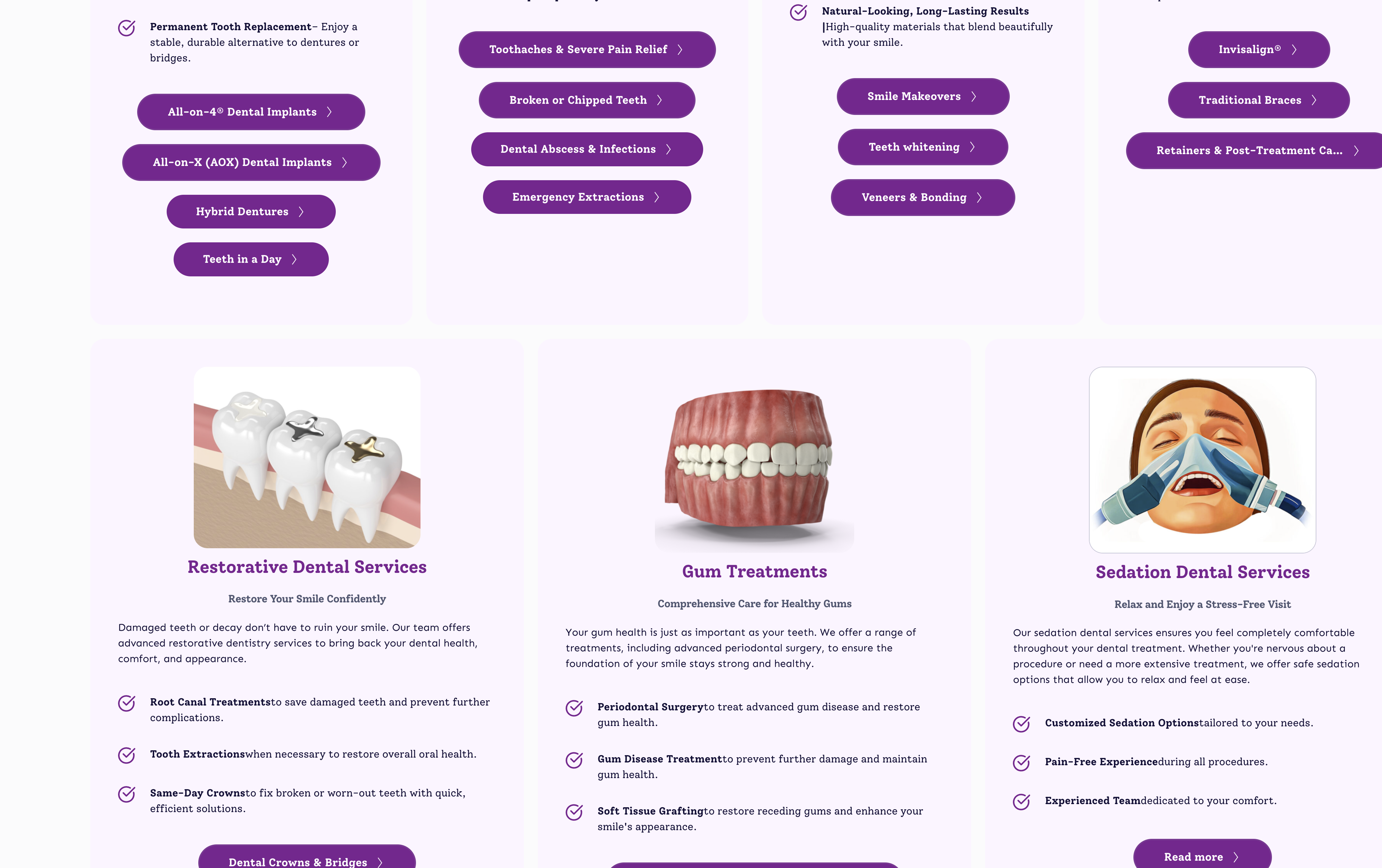
That being said, it should affect it that much dont know why this issue is happneing
0 -
I've synthesized all issues with the website in this video:
https://www.loom.com/share/0ff119ce8fb347ef84b002ea6db959bb?sid=d7ad672b-79d6-4681-b914-cd74a8e1efaf
- Talked with Godaddy and seems there's no issues but they mentioned a Cache issues with Really Simple Security that might be in conflict with Brizy.
- Long pages with resources inside are not editable.
- When trying to activate and use rankmath + Rankmath pro, these intense sites don allow the wordpress/brizy editor to work normally.
Let me know your thoughts. We're in critical shape and need the help in order to keep working.
0 -
I forced https on the htaccess and wp-config and helped with the loading of brizy for some pages but still doesn't save nor apply changes to teh live page eve after purging the cache/.
0
Please sign in to leave a comment.
Comments
50 comments