Brizy Error - "This page needs a refresh"

Hello,
I have followed the troubleshooting steps on your support page (link), but the solution did not work for me.
- I do not have or cannot find ModSecurity or Wordfence Security in my hosting panel (Webuzo).
- I have purchased Brizy Pro, activated the license, and still cannot save or edit pages.
- I have tried the following solutions without success:
- Increasing the
SecRequestBodyLimitin.htaccess. - Disabling caching plugins.
- Disabling other page builders.
- Reinstalling Brizy Free & Brizy Pro.
- Testing in different browsers and clearing the cache.
- Increasing the
Since I do not have ModSecurity or Wordfence, what else could be blocking Brizy from saving changes?
Could it be a server-side restriction in Webuzo?
I need urgent assistance as I cannot edit my website.
Thanks in advance for your help.
Best regards,
Ronald
-

Hi Ronald,
We're sorry to hear you're having this issue with Brizy.
Please provide us with temporary access to your WP Admin page so we can take a look. Please add us as an Admin user to your WordPress Dashboard and send the following details to communitysupport@brizy.io.
Community Post link:https://support.brizy.io/hc/en-us/community/posts/24823623961746
WordPress Admin URL:
Username:
Password:Additionally, we will also need temporary access to FTP/cPanel:
FTP / cPanel host address:
Username:
Password:Best regards,
Ariel H.0 -
Hi Ronald,
Thank you for reaching out.
Upon checking, the console shows a Forbidden error, which can typically be caused by incorrect file permissions, ownership issues, .htaccess misconfigurations, or overly strict firewalls.
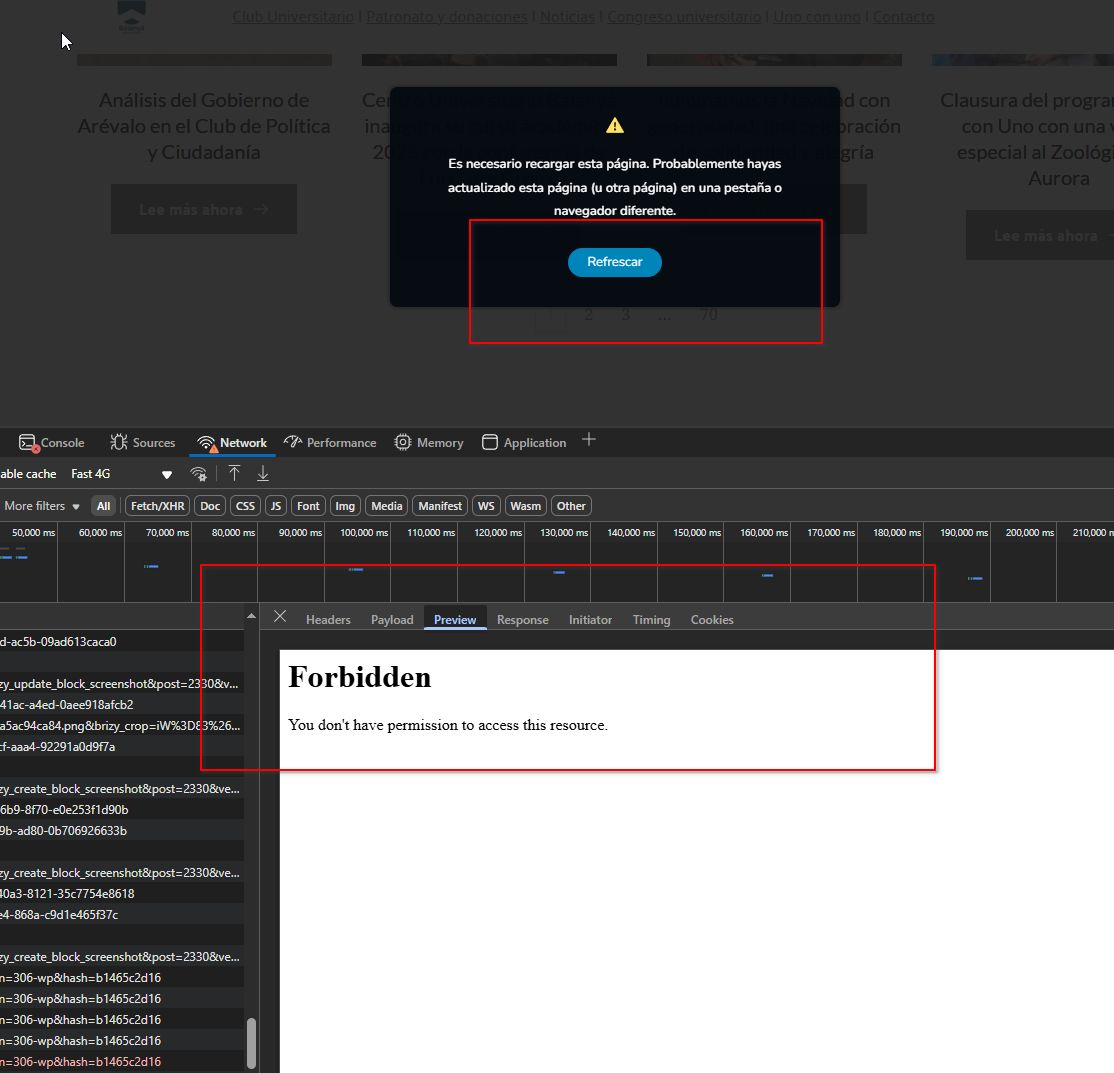
I recommend contacting your hosting provider so they can investigate and resolve this for you.
Best regards,
Ariel H.0
Please sign in to leave a comment.
Comments
2 comments