Global Menu disappeared

My global menu disappeared, please see the video for an explanation.
Video: https://www.loom.com/share/ef7ccc99a0674212848a36edcdd5ba7a?sid=4b884fb1-db5b-418e-9cc4-9a1eac9d3161
-

Hi Nick,
Sorry to hear you're experiencing this issue with Brizy. I understand how frustrating it can be, especially as it affects your reputation as a web designer.
Please provide us with temporary access to your WP Admin page so we can take a look. Please add us as an Admin user to your WordPress Dashboard and send the following details to communitysupport@brizy.io.
Community Post link: https://support.brizy.io/hc/en-us/community/posts/24342366555154
WordPress Admin URL:
Username:
Password:Best regards,
Ariel H.0 -
I sent the username and password to communitysupport@brizy.io
Thank you!
0 -
Hi Nick,
Thank you for your cooperation. The menu is now working.

However, there’s a security rule on your website that’s preventing Brizy Builder from editing your pages. This rule is likely set by your hosting provider or a specific server configuration.
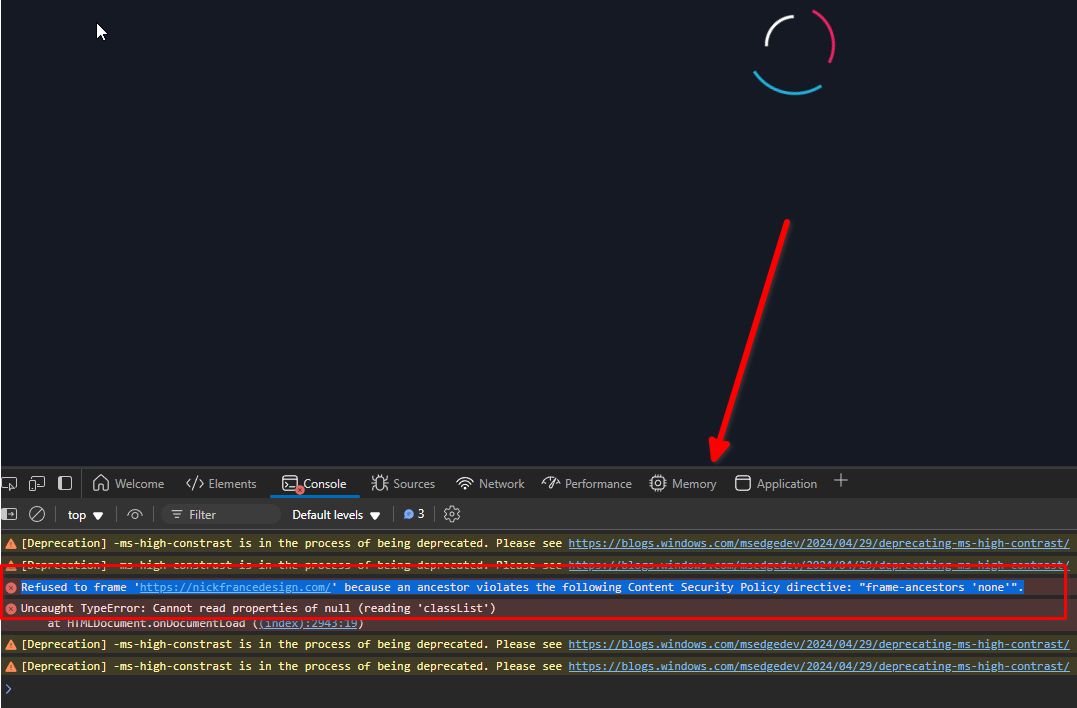
To fix this, please try adding the following directive to your .htaccess file:
<IfModule mod_headers.c>
Header always set Content-Security-Policy "frame-ancestors 'self' https://nickfrancedesign.com;"
</IfModule>
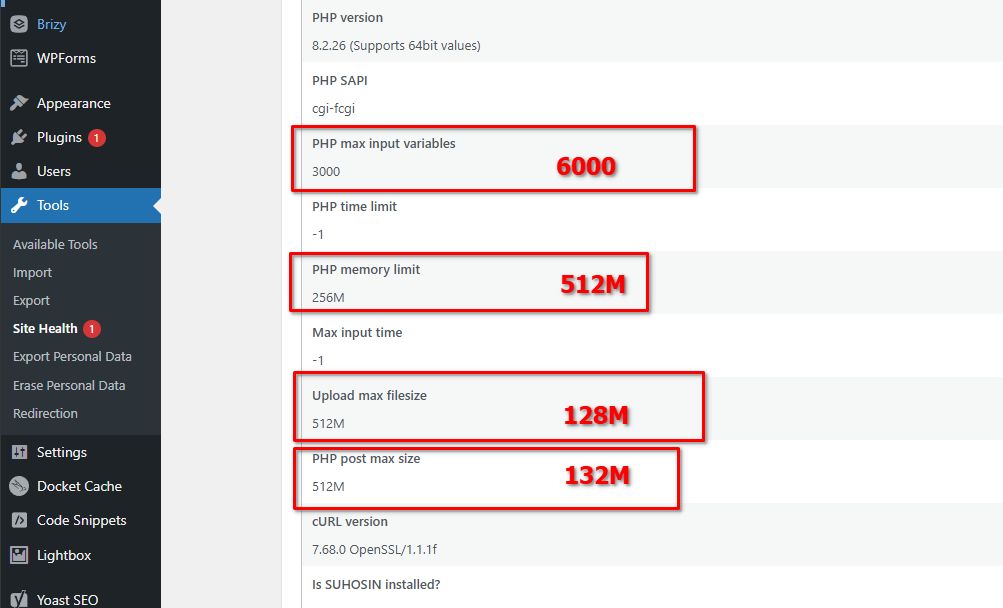
Additionally, I recommend updating the following server settings for better performance:
1. PHP Post Max Size & Upload Max Filesize: 512M is usually unnecessary unless you're working with very large files. For most sites, 128M or 256M is sufficient. Post Max Size should be slightly higher than Upload Max Filesize (e.g., 132M for 128M).
2. PHP Max Input Variables: Increasing this to 6000 can help Brizy Builder handle larger pages.
3. PHP Memory Limit: Setting this to 512M will improve performance.
If you’re not comfortable doing this yourself, your web host’s support team should be able to assist.
If you have any further questions, please let us know.
Best regards,
Ariel H.1 -
Great job, Ariel! ⭐⭐⭐⭐⭐
0
Please sign in to leave a comment.
Comments
4 comments