Delete Leads is not possible

Hello Brizy Team,
The problem from this task is not solve since years...
https://support.brizy.io/hc/en-us/community/posts/4410942248337-Leads-How-to-Delete
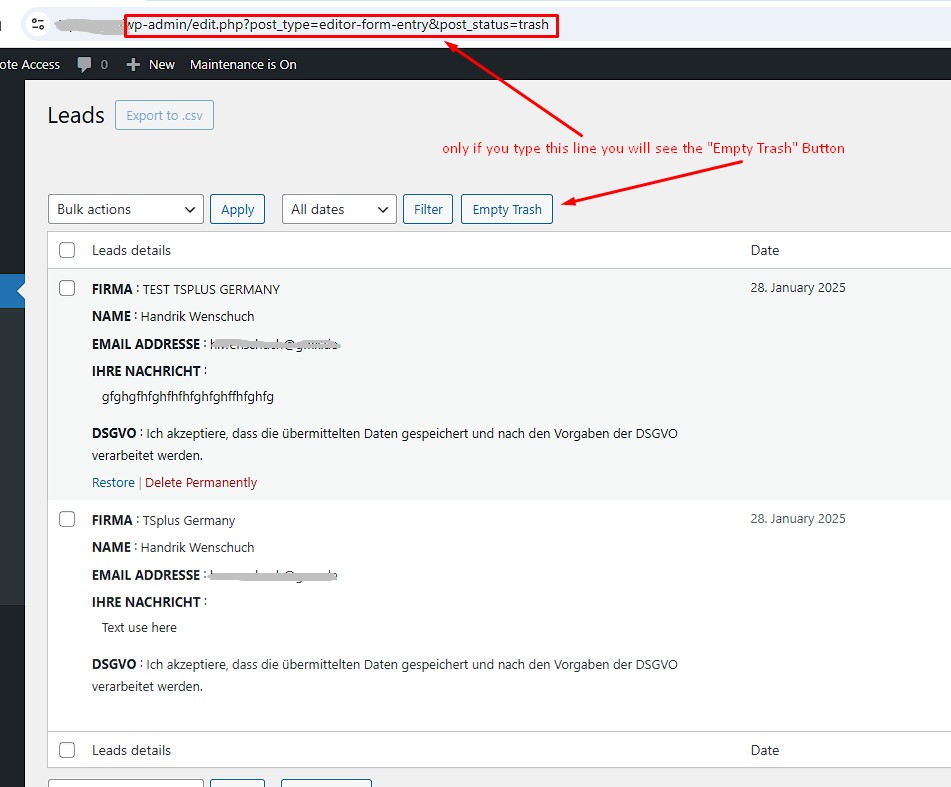
The only way to delete the trash is still this way:
https://<your domain>/wp-admin/edit.php?post_type=editor-form-entry&post_status=trash
I using the PRO version.
kind regards
Hendrik
-

Hello Hendrik,
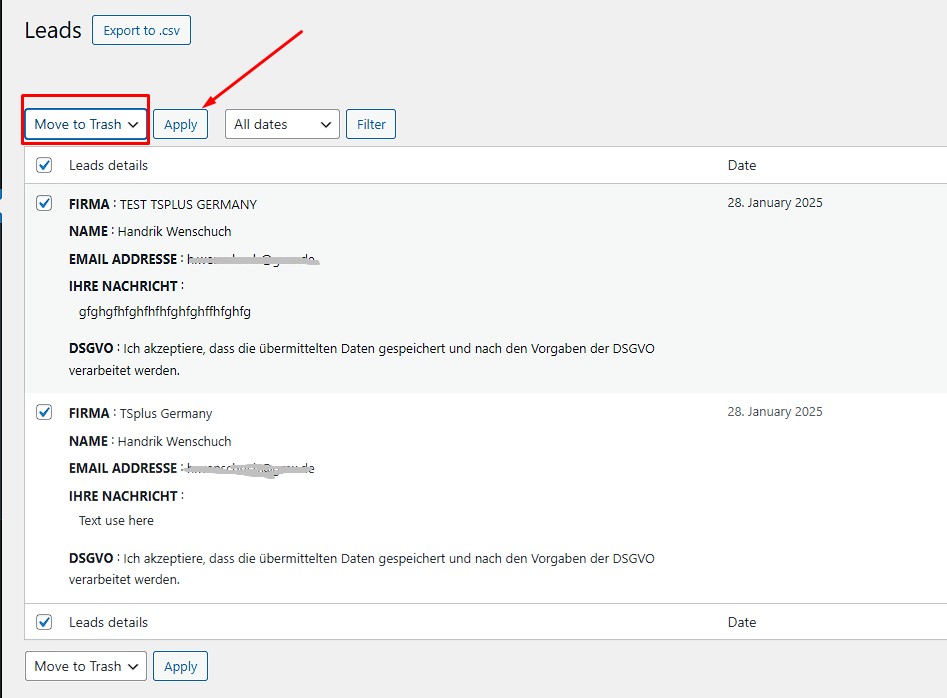
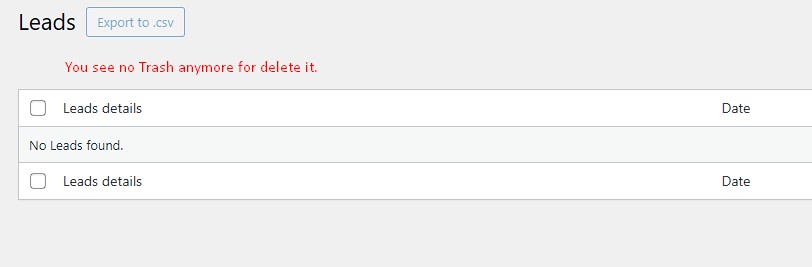
Are you saying that you can delete the leads by selecting "Move To Trash" option and clicking on "Apply" button, but you are unable to empty the trash? You are right; while the "Move To Trash" feature works, Brizy > Leads section in your WordPress Dashboard does not have an "Empty Trash" button.
WordPress keeps leads in the trash for 30 days by default. After 30 days, the leads are permanently deleted. To empty the trash immediately before the end of the 30 days period, accessing the URL like https://brizy.online/wp-admin/edit.php?post_type=editor-form-entry&post_status=trash is the only option at the moment.
0 -
Hello K C George,
Thank you for the fast answer. OK, if wordpress delete the Leads automaic after 30 days its is OK for us.
But the better solution would be, as with all other Wordpress plugins, sites etc., that after moving the file to the trash, the option to empty the trash directly via a button is still displayed.
Many thanks
P.S. We love to works with Brizy Builder ;-) > very nice product and easy to handle, better as Elementor and WPBakery Builder.0
Please sign in to leave a comment.
Comments
2 comments