Brizy Form not working

Hi there,
The Brizy Form is not working. When the form is submitted, the lead is captured and the email notification with the lead details are being sent. But the form shows error in the front end saying the "Your email was not sent". So the redirection does not happen when the form is submitted.
I connected my Brevo Account with the form, the lead is not being captured there due to the error. I have connected the WP Mail to fix the SMTP issue with the Default WordPress email issues.
Please see the loom video.
Help me get this fixed at the earliest.
-

Hello Radhakrishnan,
If you set up an email notification and also connect to one of the listed apps, the form will show a success message only if both are successful.
The error message could be due to incorrect Brevo integration. Kindly remove the Brevo and Hubspot integrations in your WordPress Dashboard under Brizy > Integrations and check if the error message disappears and if the redirect works.
0 -
Hi K C George,
Thanks for the help. The HubSpot was causing the issue. I removed the integration and it is working now. Also I have kept Brevo as it is helping us in capturing the leads.
0 -
Hi K C George,
I am again facing the same issue. But this time there is no integration with HubSpot. But the Brevo configuration tab is not loading so I am not able to make any edits to it.
I have created a screencast video for your reference.
0 -

Hi Radhakrishnan,
Thank you for reaching out.
Could you please try duplicating the form and then reconfiguring it? This can often help resolve unexpected issues in the form element.
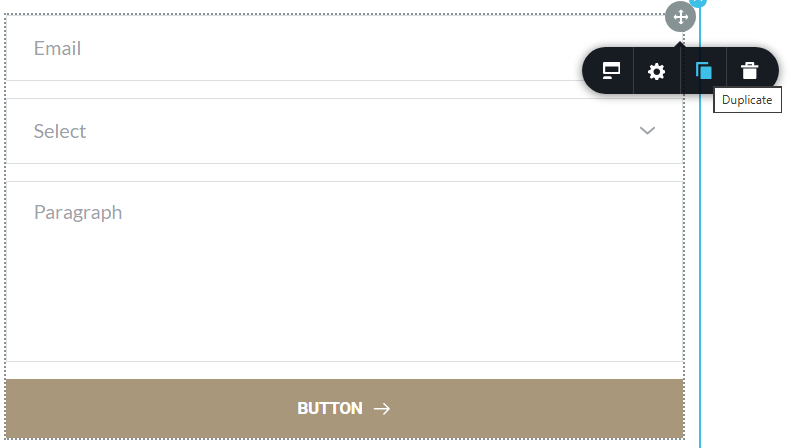
Please let us know how it goes.
Best regards,
Ariel H.0 -
Hi Ariel H,
I tried making the changes and updating it, but I get the error and not able to make any update on the page.
This is the error i see: "Could not publish or save page"
"This page needs a refresh. You’ve probably updated this page (or another page) in a different tab or browser."I have updated the plugins and also made sure that there is no tab open in any browser.
I have created a video for your reference.
0 -
Hello Radhakrishnan,
When a plugin exhibits a behavior that resembles known attack patterns, Wordfence Firewall can block it mistaking it as malicious. Wordfence is known to mistake Brizy editing as malicious and this can result in the error "This page needs a refresh. You've probably updated the page in a different tab or browser".
To fix this issue, please activate the Wordfence Firewall's "Learning Mode". Wordfence will add any requests that resemble attack patterns to the allow-list when the "Learning Mode" is enabled. Make some changes to a Brizy page and save it after turning this mode on for a few hours. In your WordPress Dashboard under Wordfence - All Options, scroll down to the heading "Firewall Options" and select the "Learning Mode" option and click on 'Save Changes' button at the top right corner.
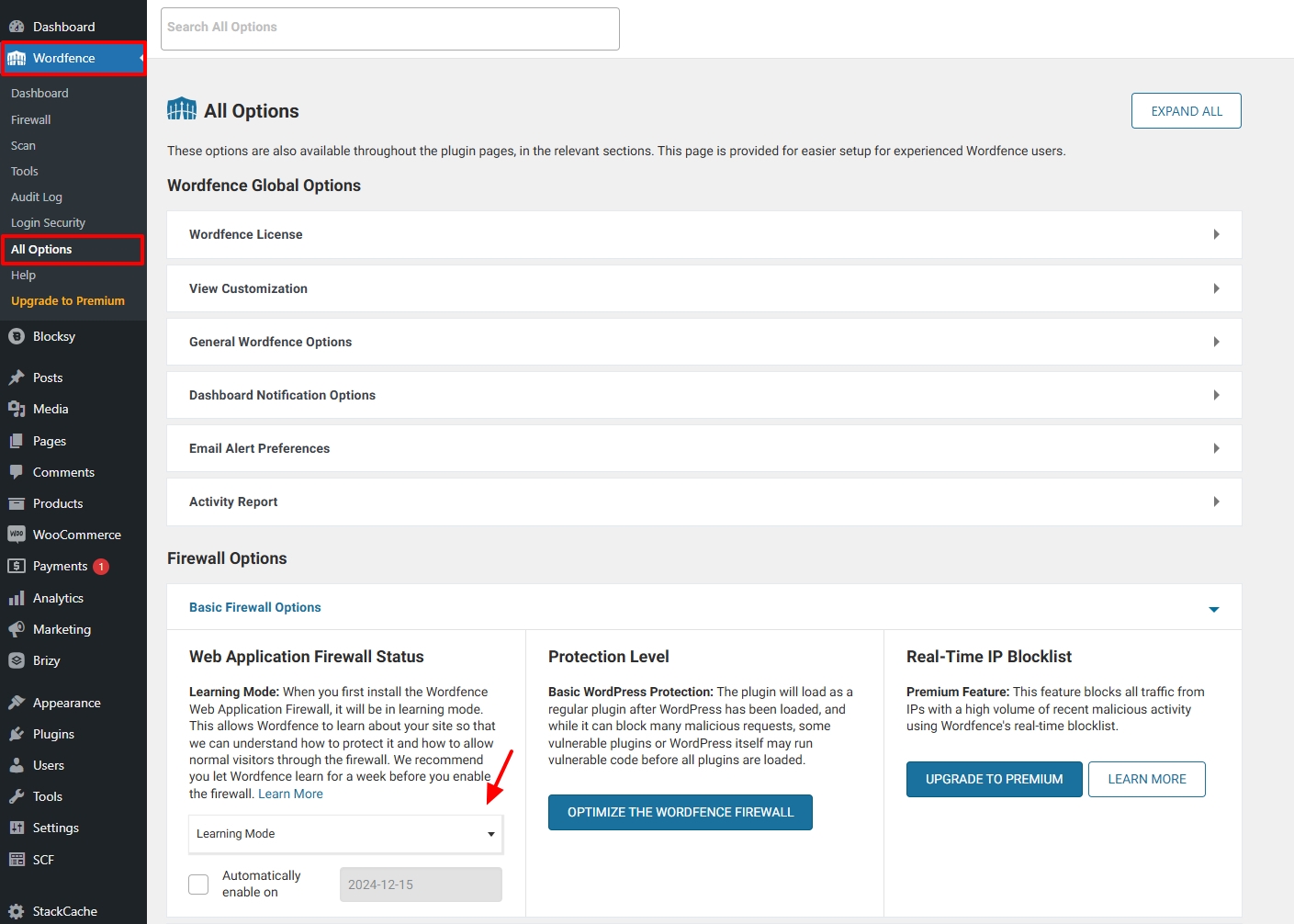
If this does not help, we will take a look at your WordPress Dashboard to troubleshoot the issue further.
0 -
Hello KC George,
I tried the suggested changes in the Wordfence plugin. After few hours, I also tried deactivating the Wordfence plugin but the issue still persists and I am seeing the same error when trying to update the page:
"Could not publish or save page"
"This page needs a refresh. You’ve probably updated this page (or another page) in a different tab or browser."0 -
Hello Radhakrishnan,
Can we look at your WordPress dashboard to help you resolve this issue? Please add a new user to your WordPress Dashboard and send the following details to our email: communitysupport@brizy.io
- Support Forum link: https://support.brizy.io/hc/en-us/community/posts/24211693041298
- WordPress Admin URL:
- Username
- Password
Your email should include a link to this thread's URL, otherwise we will be unable to locate your support ticket. Please notify us in this thread when you send us the email.
0 -
Hello Radhakrishnan,
We have received credentials to your website. However, when attempting to sign in, we see the error "LOGIN BLOCKED: 2FA is required to be active on your account. Please contact the site administrator"
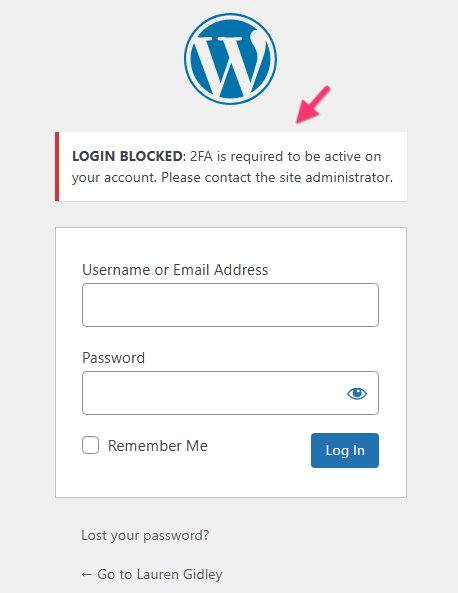
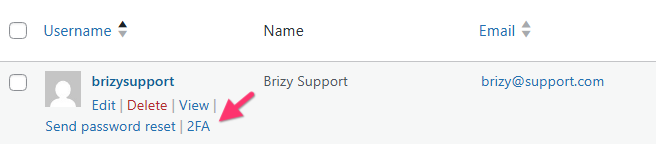
Kindly check the 2FA settings for the user brizysupport
 0
0 -
Hello Radhakrishnan,
We are still seeing the same error "LOGIN BLOCKED: 2FA is required to be active on your account. Please contact the site administrator." when attempting to sign in to your WordPress Dashboard
When you receive an email notification from noreply@brizy.zendesk.com, kindly do not reply to the email. Instead, click on the "View Comment" link and add your reply in the forum. If you reply to the noreply@brizy.zendesk.com, it becomes a suspended ticket and we would not see it.
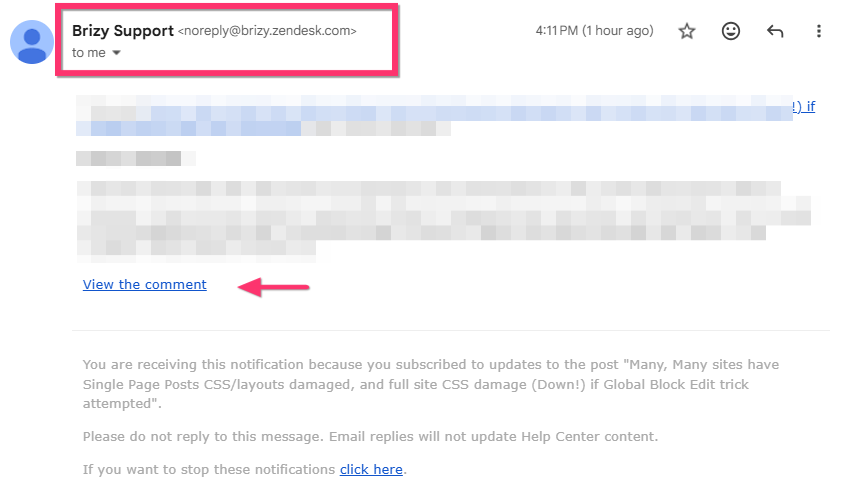 0
0 -
Hello Radhakrishnan,
We now have access to your WordPress Dashbaord. However, we are encoutering an error while trying to save changes to your homepage.
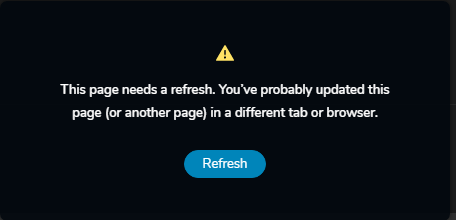
In Chrome DevTools, we are also seeing the error "413 Content too large". This error occurs when the size of a page exceeds the size limits defined by the server. Page size limits can be limited in a two places- In PHP: Kindly increase the post_max_size. to 1024M
- In ModSecuriy: Please request your hosting provider to update the ModSecurity configuration file with these two configuration directives.
SecRequestBodyLimit 4194304 # Limit request bodies to 4 MB
SecRequestBodyNoFilesLimit 2097152 # Limit non-file request bodies to 2 MB
Once you increase the page size limits in the server, kindly get back to us. We will then fix the issue with the form.
0 -
Yes, this is done. Please check the status and proceed. Thanks!
0 -
Hello Radhakrishnan,
We have fixed the issue with the "Get my ebook for Free" form on the website homepage. Please check if everything works fine.
0
Please sign in to leave a comment.
Comments
13 comments