Mobile Menus not working correctly

I am experiencing issues with the mobile menus on my Brizy WordPress sites:
-
Display Issues:
- On some sites, the mobile menu is not displaying correctly at all.
- I’ve managed to resolve this partially by changing to the Blocksy theme, but the menu still doesn't work as expected.
-
Functionality Issues:
- On sites where the menu does display, the menu items are not clickable.
- Additionally, unnecessary arrows appear, and the functionality in the builder is incorrect as well.
Troubleshooting Steps Taken:
- I disabled all plugins except Brizy and Brizy Pro, but the issue persists.
- I have ensured all plugins, themes, and Brizy itself are updated.
- I tested with PHP 8.2 and downgraded to PHP 8.1 to see if the PHP version was the problem. The issue remains.
- The issue is occurring on Android devices but hasn’t been tested on iOS.
- Brizy Cloud sites do not experience this issue, only Brizy WordPress sites.
Additional Notes:
- One common plugin I use across sites is WP Rocket. However, the problem occurs inconsistently (some sites with WP Rocket work fine).
- This appears to vary based on the site, despite similar configurations.
Attached Screenshot:
I’ve included a screenshot showing the unnecessary arrows and menu layout issues.
Could you please investigate this and provide guidance?
Some of the sites in question
www.n2dance.com.au (the top level menu doesn't display at all, but when you scroll down, it displays fine).
www.bynaccounting.com.au
www.agclandscapes.com.au
www.sydconcreting.com.au
-

Hi Roger,
We apologize for the inconvenience you're experiencing. Please use these versions temporarily while we finalize a fix (currently in beta testing).
Brizy 2.6.4 : https://jmp.sh/hTF2g1V8
Brizy Pro 2.6.3 : https://jmp.sh/3FPsswmyFollow the below procedure to roll back.
1. Deactivate and delete Brizy Pro
2. Deactivate and delete Brizy
3. In your WordPress Dashboard under Plugins - Add New - Upload Plugin, upload Brizy 2.6.4
4. In your WordPress Dashboard under Plugins - Add New - Upload Plugin, upload Brizy Pro 2.6.3Best regards,
Ariel H.0 -
Thank you Ariel!
I will wait for the fix, because manually changing over 20 WP installs is not feasible at this stage.
Thank you!
0 -
Hi,
I'm still experiencing this issue! There are unneccessary arrows etc, on mobile menus and they don't display correctly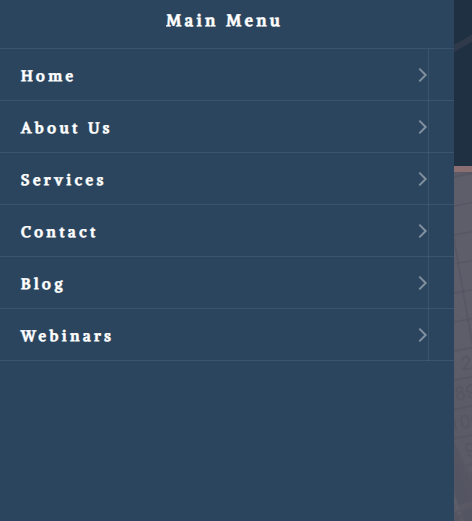 0
0 -
Hi Roger,
We're sorry to hear you're having this issue with Brizy.
Could you please provide us temporary access your website so we can take a closer look? Kindly add us as an Admin user in your WordPress Dashboard and send the details to communitysupport@brizy.io:
Community Post link: https://support.brizy.io/hc/en-us/community/posts/24151197436818
WordPress Admin URL:
Username:
Password:Please make a full backup of your site as a precaution.
Best regards,
Ariel H.0 -
Hi Ariel,
This is happening across 15 - 20+ sites I have in Brizy.
I have sent the details to the email as requested for that particular site, but as mentioned, it is not isolated to this site only. I was told there would be a fix months ago.0 -
Hi Roger,
Thanks for the update, and I understand how frustrating this must be, especially with it affecting multiple sites.
From what we’re seeing, the issue appears to be related to server-side caching. To confirm this, could you please try opening one of the affected sites in an incognito/private browsing window and add random parameters to the URL like this:
https://bynaccounting.com.au/?werwe=werwer
This should help load an uncached version of the site.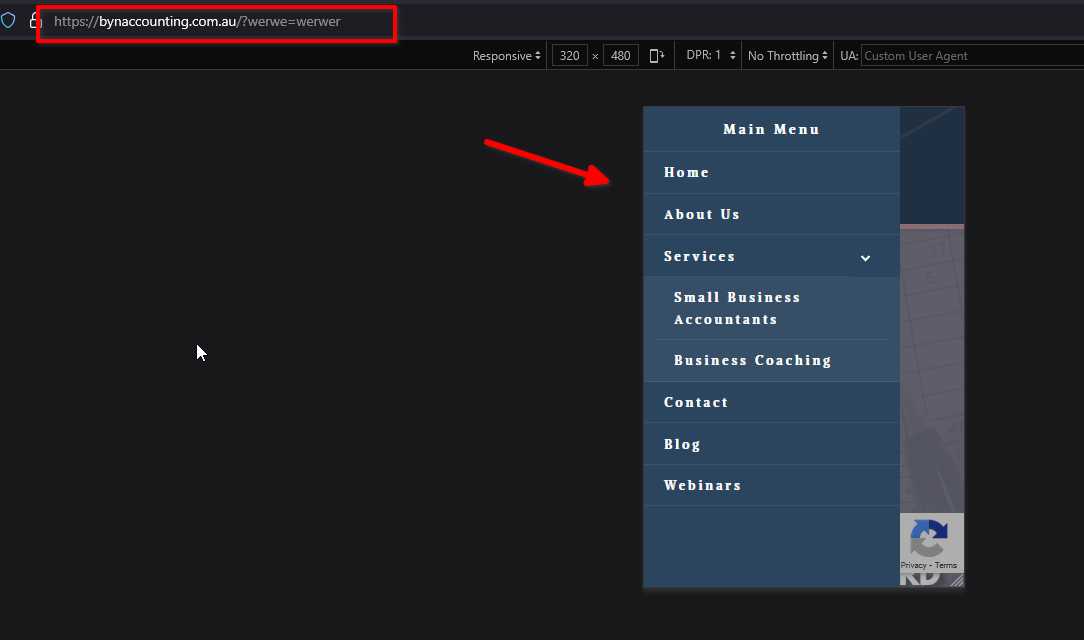
Additionally, I recommend purging any server-side cache (through your hosting panel or DNS manager) and clearing your browser cache to see if that resolves the issue on your end.Give it a try and let me know how it goes.
Best regards,
Ariel H.0 -
Hi Ariel,
I've done this on another one of my client sites, and it is still not functioning correctly.
I am using Cloudways hosting if that helps? I purged the servers and did a full site purge.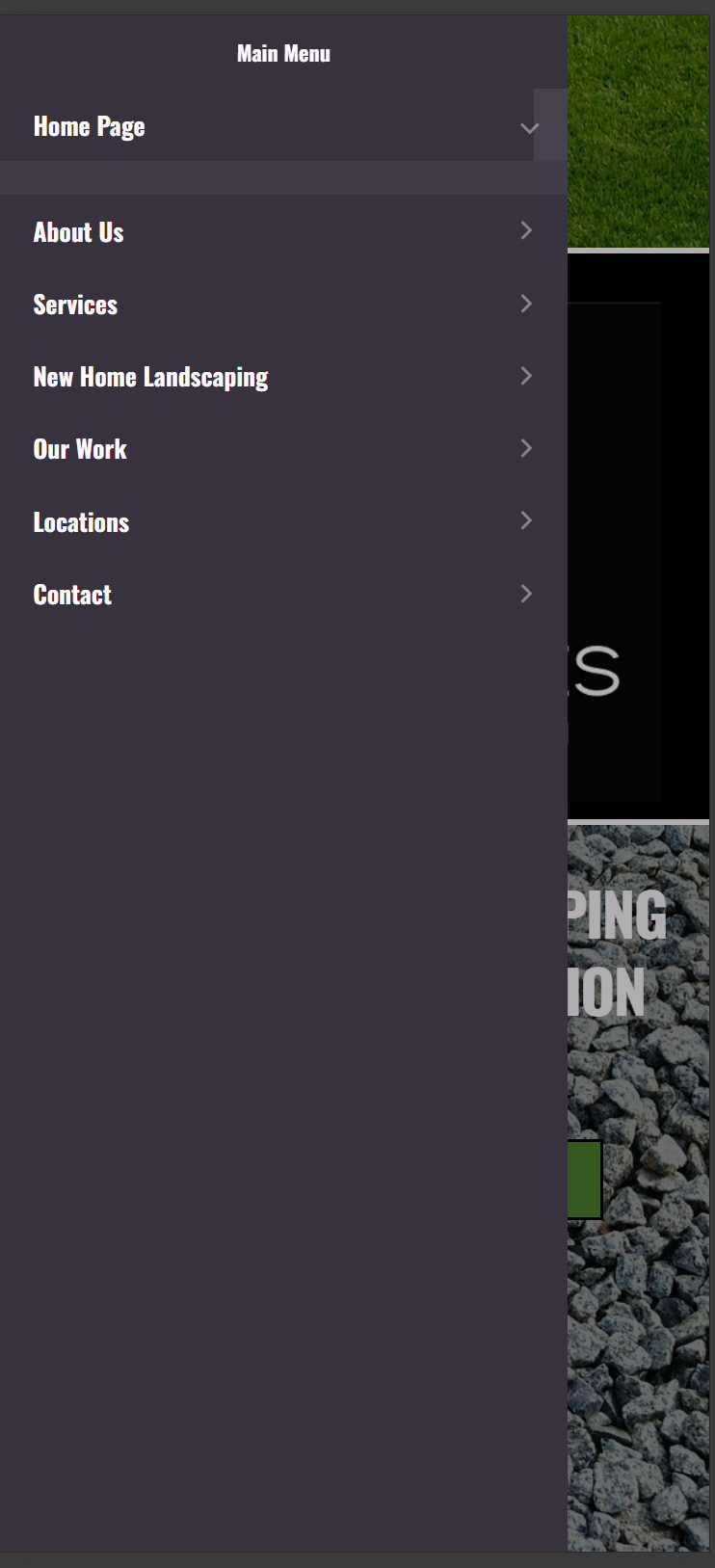 0
0 -
Hi Roger,
Sorry about that, we rolled out an update today, it should be working now - https://youtu.be/EM3Qr2sI5U4
We apologize for the inconvenience.
Best regards,
Ariel H.0 -
Hi Ariel,
The update has fixed a few of my sites, but I still have some sites still experiencing this issue.0 -
Hi Roger,
Thanks for reaching out, and I’m sorry for the inconvenience.
Please try adding 1px padding to the affected block, then save your changes and preview the live site. This simple tweak can sometimes help resolve similar issues.
If this didn't help, also try disabling all plugins except Brizy and Brizy Pro to see if that resolves the issue. You can also temporarily switch to a different theme to check if the problem is theme-related. If you've added any custom code to your pages, try temporarily removing it as well.
If disabling other plugins fixes the issue, re-enable them one by one while testing the page to identify the conflicting plugin. If switching themes resolves it, consider using a more compatible theme such as Blocksy or Astra.
If the issue continues, please send temporary access to one of your WordPress Admin Dashboard to communitysupport@brizy.io with the subject line: 24151197436818. If you’ve changed your WordPress default admin login URL, please make sure to include the correct login link as well.
Looking forward to your response.
Best regards,
Ariel H.0
Please sign in to leave a comment.
Comments
10 comments