header of website not working

Dear SIr/Madam,
The header of my website www.paulinehoogervorst.nl is not showing anymore onilne. It is showing in the Back end:
https://paulinehoogervorst.nl/wp-admin/post.php?action=in-front-editor&post=206
I have done all the updates. Can you help/advice?
-

Hello Pauline,
Kindly resave the Display Conditions for the global header and the footer following the procedure at https://jmp.sh/unGCTI1W, purge all cache and check if the issue resolves.
If this does not help, we will take a look at your WordPress Dashboard to offer further help. Please add a new user to your WordPress Dashboard and send the following details to our email: communitysupport@brizy.io
- Support Forum link: https://support.brizy.io/hc/en-us/community/posts/24129954429458
- WordPress Admin URL:
- Username
- Password
Please let us know in this forum when you send us the email.
-1 -
Hi, Thanks for your answer.
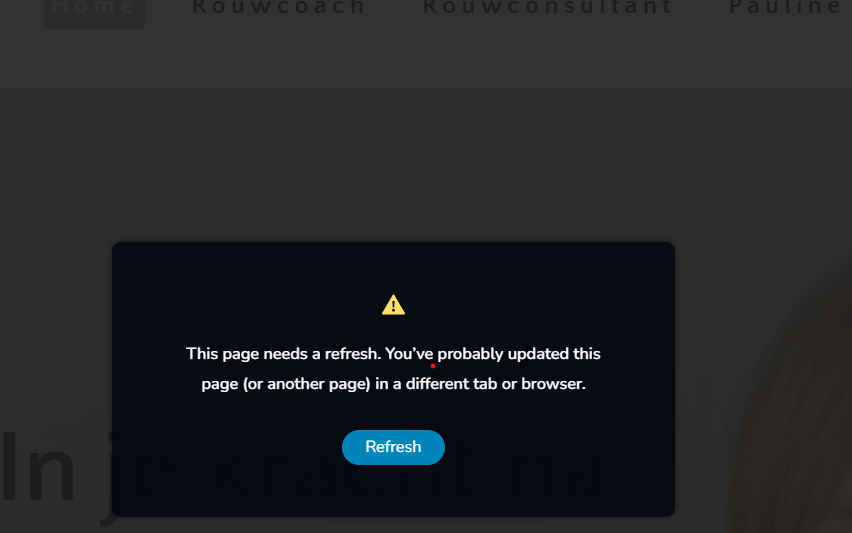
I have done the required action but when I update the pages I get this
I have added a new user
WordPress Admin URL: https://p******gervorst.nl/wp-admin/index.php
Username: b*****t
Password: has been sent to you by email communitusupport@brizy.io0 -
Goodmorning,
This morning I see that my homepage is now without template and contact pas disappeared. Is someone working on this since I send you the Log In details? Please advice asap, thanks
0 -
Hello Pauline,
We have not yet started work on this ticket. To fix the missing Brizy Template issue, if your website has been backed up regularly, kindly restore from a recent backup.
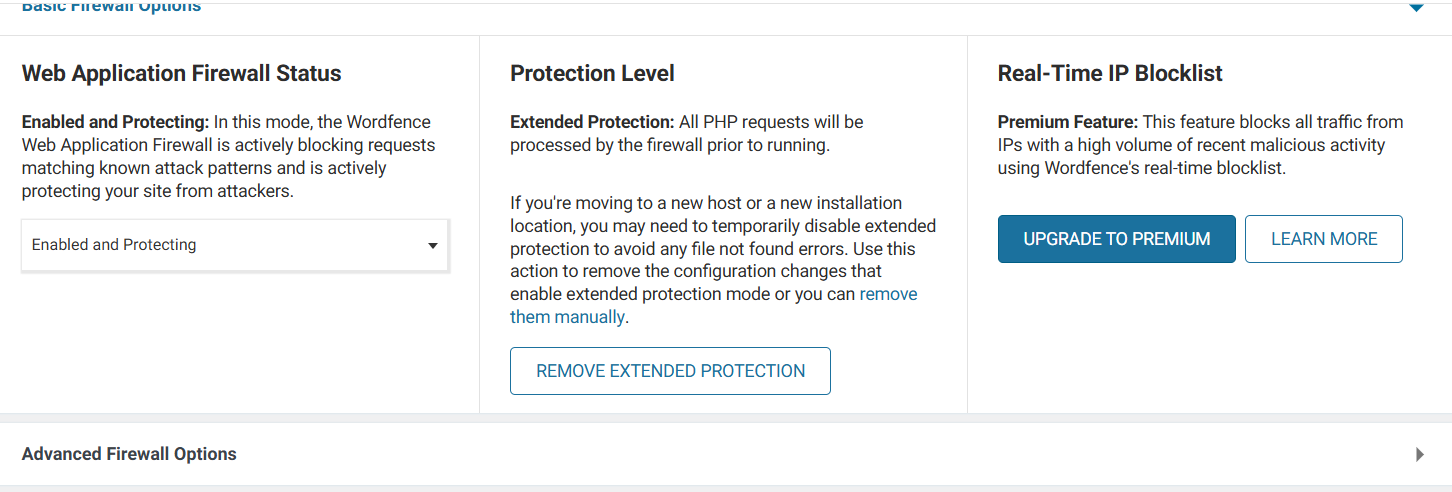
One possible reason for the error "This page needs a refresh" is Wordfence Security plugin blocking Brizy editing mistaking it as malicious. Kindly follow the instructions in the second half of the article https://support.brizy.io/hc/en-us/articles/22590197512210 to fix this issue and try to make the changes suggested above.
0 -
 0
0 -
 0
0 -
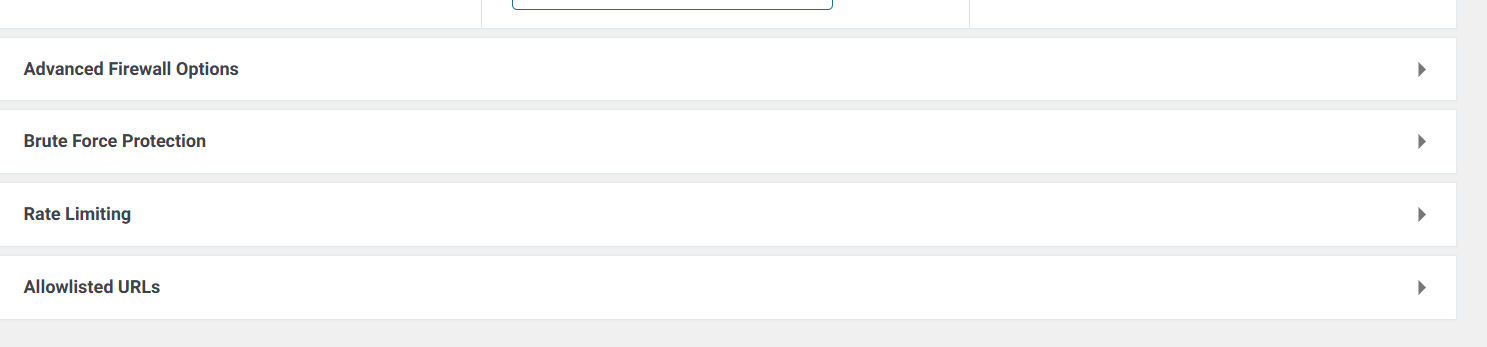
I was looking for the Learnng Mode in Firewall Options Wordfence as epr your article but can not see this mode.Can you advice please?
0 -

Hi Pauline,
Thank you for the update.
I’ve highlighted the steps to locate the 'Learning mode' option in the attached screenshot.
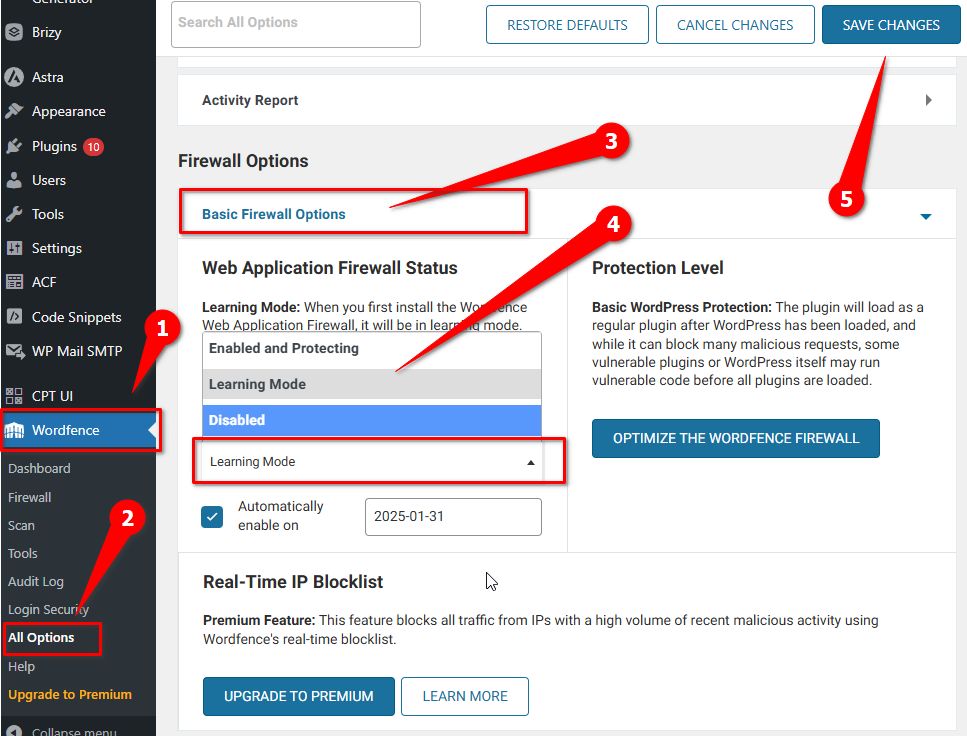
If the steps in the support article didn’t resolve the issue, please let me know, and I’ll log in to your site to take a closer look.
Best regards,
Ariel H.0 -
Hi Ariel,
This solution worked for me Thanks for your support
0 -
Goodafternoon,
I noticed that the I had the same issue again, that the header disappeared on the website (same as previous time some months ago)
The header of my website www.paulinehoogervorst.nl is not showing anymore online.
I have done your previous recommendation and now it is back online. But how can I prevent this from happening?
Kindly resave the Display Conditions for the global header and the footer following the procedure at https://jmp.sh/unGCTI1W, purge all cache and check if the issue resolves.
-1 -
Hi Pauline,
Thank you for reaching out, and I’m really sorry to hear about the issues you're experiencing after the recent updates
This issue was more common with Brizy 2.7.0, but several fixes have already been applied in Brizy 2.7.1. While there’s still a known issue related to how display conditions and template rendering work, our team is aware of it and working toward a long-term solution in future updates.
We apologize for the inconvenience and appreciate your patience.
Kind regards,
Ariel H.0 -
Hi Ariel, thanks for your answer, but I still have the issue, that every time I need to check my website and do the corrective work. I do not understand what is the trigger that the different templates are disappearing and I do n ot get any signal. Please give me some more help to understund and solve please, thanks Pauline
0 -
Hi Pauline,,
Thank you for reaching out, and I’m sorry to hear about the issue.
Please share your WordPress admin login details with us so we can take a closer look. Please add us as an Admin user to your WordPress Dashboard and send the following details to communitysupport@brizy.io.
Community Post link: https://support.brizy.io/hc/en-us/community/posts/24129954429458
WordPress Admin URL:
Username:
Password:
Please also include some screenshots to demonstrate the issue.Looking forward to your reply.
Best regards,
Ariel H.0 -

 0
0 -
Ok, I have already change the settings again on my website so now all blocks of the templates are visible again, but it usually removes the Header, and all the blocks below the main block with photo on my website homepage. And also the block with the picture on my Rouwcoach page.
0 -
Hello Pauline,
We have made two missing blocks visible on your homepage. Background image added to the hero section of the Rouwcoach page looks visible. Please let us know if you find any more missing content. We will fix those as well.
0 -
Hi Kc George,
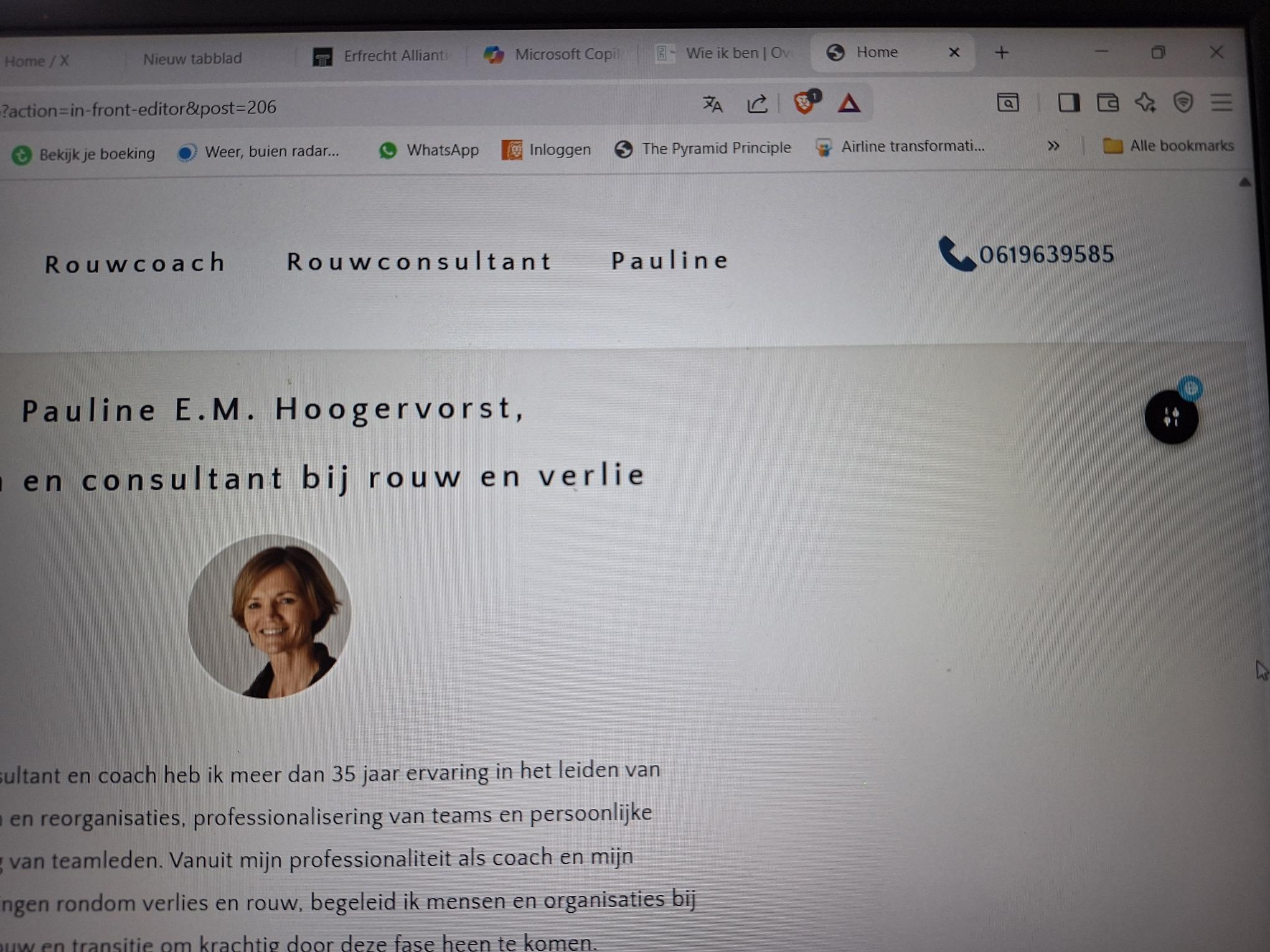
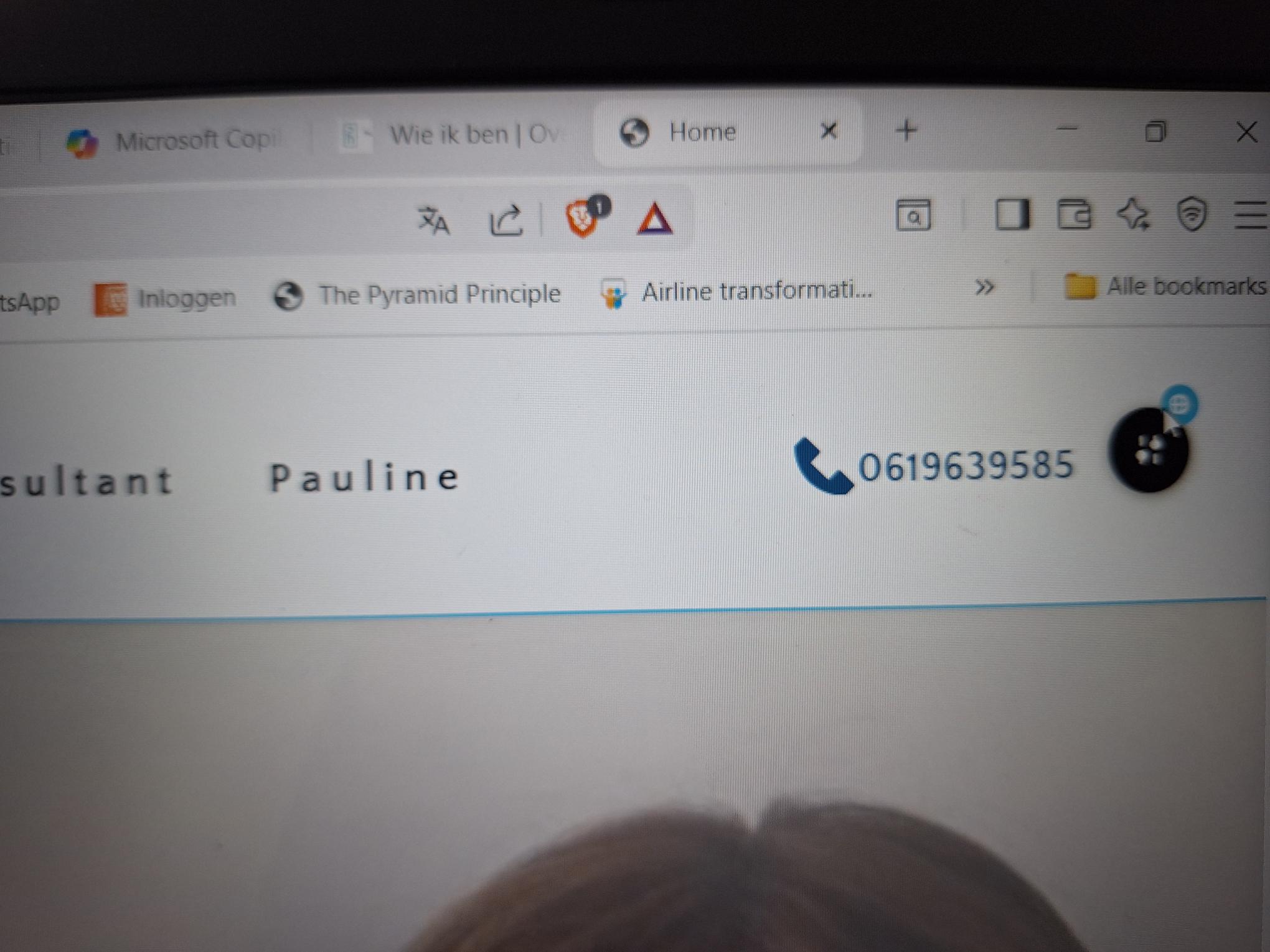
Thanks. But the issue is that these blocks are having an issue, bcse of a certain trigger (Do not know why or when) these blocks disappear again. As you can see in the pictures attached, this blocks have a blue gobal sign...so that probably is something which needs to be looked at?
0 -
 0
0 -
 0
0 -
Hello Pauline,
Yes; global blocks require a recompiling after updating the Brizy plugins. We recommend turning off auto updates for Brizy and Brizy Pro plugins. You can do this in your WordPress Dashboard under Dashboard > Update Options by selecting the "Blocked" button against Brizy and Brizy Pro
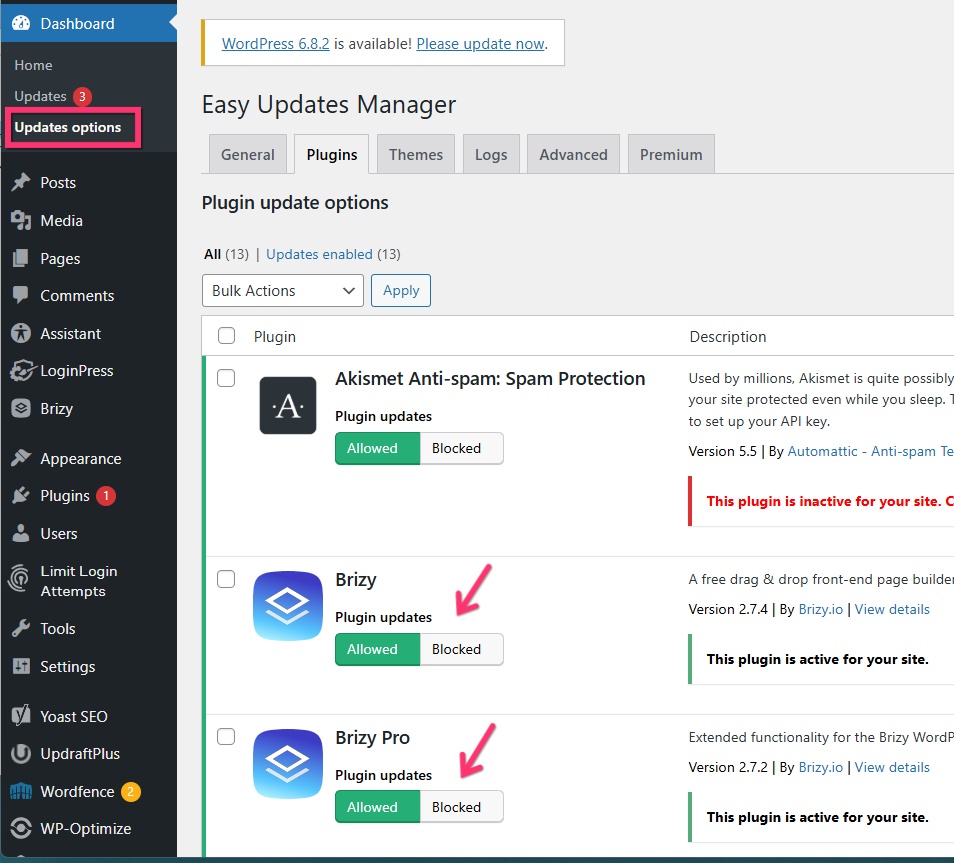
You don't have to update the website right away when you see an update notification. Please manually update the plugins when you have five to ten minutes to review your site. Make small changes to each block that is missing from the website's front end and click the "Update" button in the lower right corner to save your modifications.
0 -
Ok clear, I can do that.
Bit can you explain why certain block are global blocks...can this be adjusted?
0 -
Hello Pauline,
If the design of a block is unique to a page, you must use a regular (non global) block. If you want to reuse a specific block across multiple pages, you can use global blocks. Global blocks help you reuse a block across multiple pages, without having to add it to every page manually.
These reusable sections of a webpage, when modified, update across all instances where they are used. For instance, if you change a global header or footer, those changes will automatically be reflected on every page that includes the global block.
0 -
ok thanks, it is celar to me n ow and I will change some of the blocks into 'not global'and block the automated updates.!
Thanks for yr assistance in this
0
Please sign in to leave a comment.
Comments
23 comments