I can't save or publish page

I have read the related discussions on the forum and tried to solve it, but without success. Please help.
-

Hello Eagle,
What suggestions have you followed so far? There are two common reasons for this error
- The maximum size restriction for HTTP requests set in ModSecurity software in your cPanel
- Wordfence Security plugin mistaking Brizy editing as malicious and blocking it
Kindly follow the instructions in the troubleshooting guide at https://support.brizy.io/hc/en-us/articles/22590197512210 and check if the above issue can be resolved.
If this does not help, kindly get back to us. We will take a look at your project to fix the error.
0 -
My hosting is Cloudways, without Cpanel.
Added "<IfModule mod_security.c>
SecRequestBodyLimit 4194304
SecRequestBodyNoFilesLimit 2097152
</IfModule>"
to .htaccess fileBut still can't save the page.
0 -
Hello Eagle,
In your Cloudways account, under "Application Settings" select your project and under the tab "PHP PFM Settings" kindly set these values and check if you are able to save your changes. (Upper limits set here can cause the above error)
;php_admin_value[memory_limit] = 128M
;php_admin_value[max_execution_time] = 120
;php_admin_value[max_input_time] = 900
;php_admin_value[post_max_size] = 1024M
;php_admin_value[upload_max_filesize] = 512M
;php_admin_value[max_input_vars] = 3000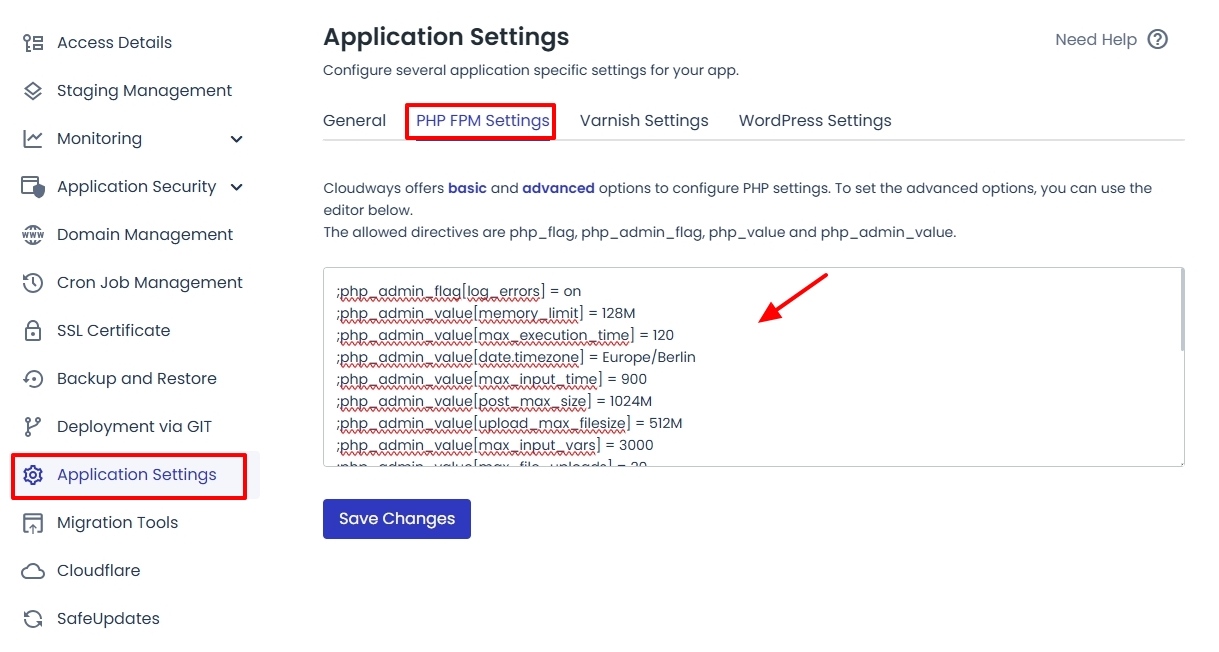
If this does not help, kindly give us access to your WordPress Dashboard. Please add a new user to your WordPress Dashboard and send the following details to our email: communitysupport@brizy.io
- Support Forum link: https://support.brizy.io/hc/en-us/community/posts/24128275255314
- WordPress Admin URL:
- Username
- Password
Please let us know in this forum when you send us the email.
0 -
I have sent you an email , please help solve it.
0 -

Hi Eagle,
Thank you for your cooperation.
Upon checking, the console is throwing error 524 which appear to be connected to CloudFlare to developement mode:
Please refer to this guide: https://developers.cloudflare.com/cache/reference/development-mode/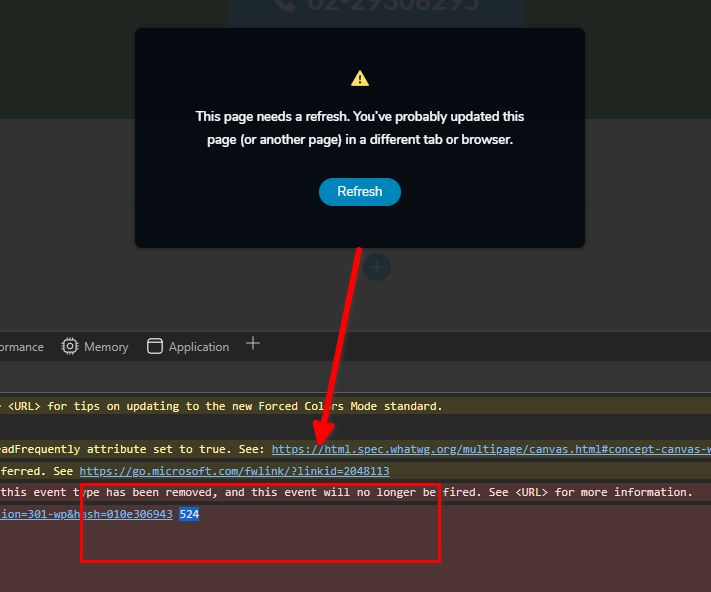
Also please try increasing PHP max input variables from 2500 to 6000.
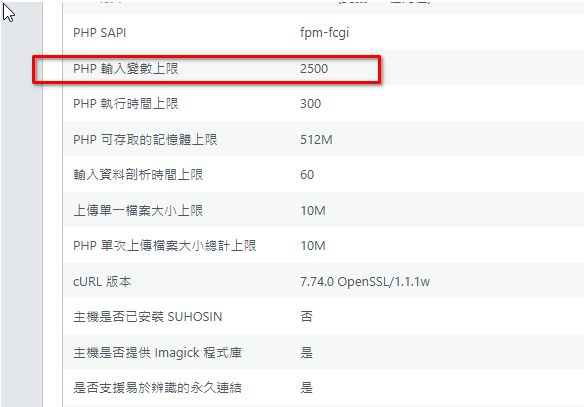
Please try the steps suggested on the below URL or contact your hosting provider for assistance.
https://support.cpanel.net/hc/en-us/articles/360050736453-You-need-to-increase-PHP-variable-max-input-vars-to-higher-valuePlease try this and let me know how it goes.
Best regards,
Ariel H.0
Please sign in to leave a comment.
Comments
5 comments