Brizy Button Text Cut off

Hey guys, since the latest update certain button text is cut off as attached: "View prod..."
This has happened across numerous client websites. Please let me know the solution
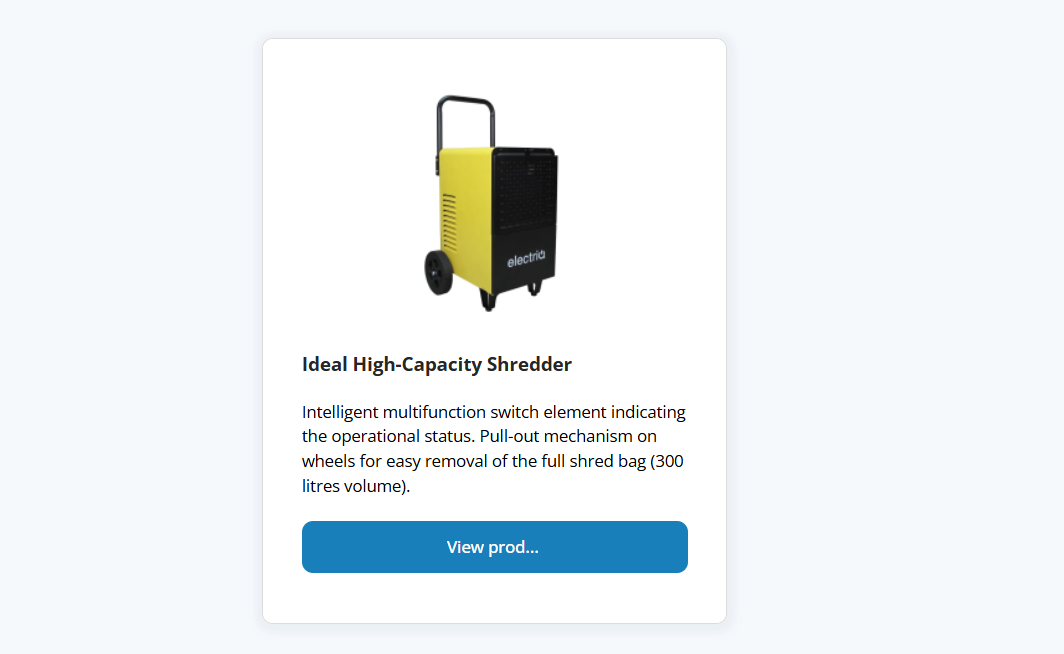
As you will see, it seems to happen randomly.
Here buttons display fine: https://www.imagegraphics.gi/product-category/air-purifiers/
Here they don't: https://www.imagegraphics.gi/product-category/dehumidifiers/
-

Hi Chris,
Thank you for contacting us.
Could you please try reverting to these versions and see if resolves the issue.
Brizy 2.6.4 : https://jmp.sh/hTF2g1V8
Brizy Pro 2.6.3 : https://jmp.sh/3FPsswmyFollow the below procedure to roll back.
1. Deactivate and delete Brizy Pro
2. Deactivate and delete Brizy
3. In your WordPress Dashboard under Plugins - Add New - Upload Plugin, upload Brizy 2.6.4
4. In your WordPress Dashboard under Plugins - Add New - Upload Plugin, upload Brizy Pro 2.6.3If you encounter any issues during this process, feel free to reach out for further assistance.
Best regards,
Ariel H.0 -

I have the same issue, not keen to revert back to an olders version. Could you please let me know if this worked?
0 -

Same issue Brizy Cloud.
0 -

Hello Softworks Interactive,
Kindly extend the width of the affected buttons to fix the issue.
0 -
Is there a way to auto adjust the buttons width like it always did? I've got many buttons on many websites which I need to change now. Work for nothing.. The last update did not fix the issue unfortunately.
0 -
Hi,
Kindly update to these versions and check if the issue is resolved.

Best regards,
Ariel H.0 -
I would prefer to get it fixed by an update, so to make sure I can use future updates as well. Could you give me an estimate when this fix will get updated?
0 -
Hey K C George & Ariel H.,
Thanks for your help with this. However, the suggested action—"Kindly extend the width of the affected buttons to fix the issue"—does not apply universally to all buttons in Brizy Cloud.
Sidebar: I believe J. Dankers was highlighting that this issue was introduced through a patch, meaning it could also be patched out. If the error is fixed, we’ll have to manually adjust button widths across all affected sites. For those of us managing multiple sites or large-scale projects, this can be quite taxing.
That said, I’m unsure if this is a </CharacterLimit> issue or a </Padding> issue, but in my case, buttons need shrinking rather than widening (extending them actually causes the text to disappear). Like others, I’ve made no changes to my layout, styling, or settings—this just happened automatically.
Interestingly, I have one button (on one of my sites) that remains structured at a width of 110px, while everything else required resizing downward. I left that button untouched in case you want to analyze this anomalous behavior.
Let me know if you’d like to take a closer look (happy to share in private)—since this affects both Brizy WordPress and Brizy Cloud, I think it merits further attention.
Cheers.
0 -
Hello Softworks Interactive,
Can you give us access to one of your WordPress projects where you are experiencing the issue with button text? This would help us understand the issue more closely. Please add a new user to your WordPress Dashboard and send the following details to our email: communitysupport@brizy.io
- Support Forum link: https://support.brizy.io/hc/en-us/community/posts/24080533129106
- WordPress Admin URL:
- Username
- Password
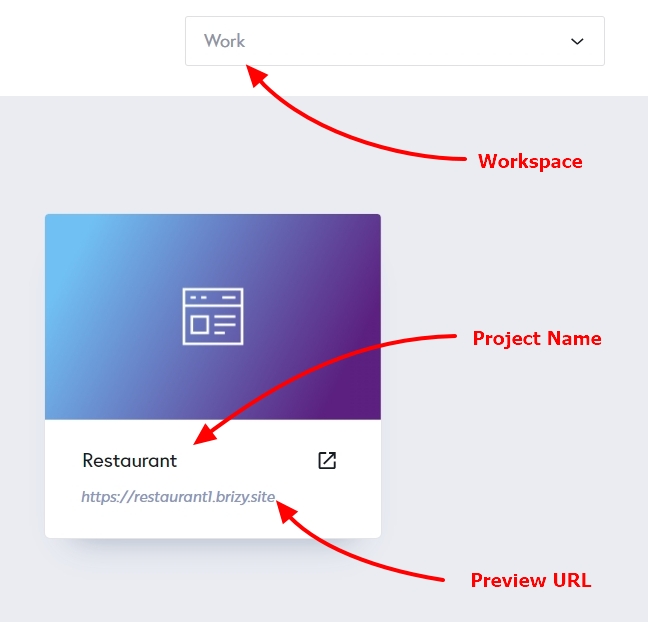
Please let us know in this forum when you send us the email. If you are facing the same issue in Brizy Cloud projects, kindly share with us the Workspace, Project Name and the Preview URL of one such project.
 0
0 -
Would love to hear updates on this!
0 -
Hello J. Dankers,
Not all Brizy projects have the button text issue. On certain projects, it occurs. We do not have access to a WordPress project or a Brizy Cloud project with this bug to troubleshoot it. If you can give us access to your project, we would be happy to take a look. Kindly follow the instructions provided above to provide us access.
0 -
Hi KC, I would like to provide you with access to the affected sites. How shall I provide you with the credentials?
0 -
Hello Chris,
Please add a new user to your WordPress Dashboard and send the following details to our email: communitysupport@brizy.io
- Support Forum link: https://support.brizy.io/hc/en-us/community/posts/24080533129106
- WordPress Admin URL:
- Username
- Password
Please let us know in this forum when you send us the email.
0 -
just sent it!
0 -
Hi J.,
Thank you for your cooperation.
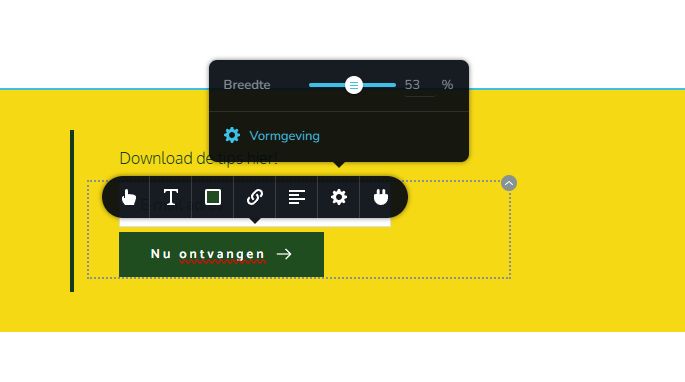
For now, we have manually adjusted the button width. We will keep an eye out for similar issues and escalate them if needed.
Apologies for the inconvenience.
Best regards,
Ariel H.0 -
This is just an example, i've got another project which has 50+ buttons and I am not resizing them all. Especially when on different screen sizes the problem occurs again. I am not updating any other project before I know this is fixed. If I revert back to the old version I will have to do the whitelabel and settings again which is not an option.
0 -
Hi J,
Thank you for the update.
I understand how challenging this must be, especially with a large number of buttons and varying screen sizes.
The issue has been escalated to our development team for investigation. While we do not have an exact ETA at this time, we will keep you updated on any progress or changes.
Again, I apologize for the trouble.
Best regards,
Ariel H.0 -

Same issue here, on several brizy sites. Hoping for a resolution soon.
0 -
Hi Noah,
Thank you for reaching out.
We’re aware of the issue, and our team is actively working on a fix. It should be fixed in one of the upcoming updates. We appreciate your patience and apologize for any inconvenience this may have caused.
Best regards,
Ariel H.0
Please sign in to leave a comment.
Comments
19 comments