Form Element Not Forming Properly

View of form in Brizy Builder:

This is what it is it is loading like when LIVE:

I have tried:
- Turning OFF all plugins except Brizy
- Swapping Themes
- Viewing on a different browser
None of these have made any difference.
-

Hello Michael,
Kindly share with us the URL of the page where you are experiencing this issue.
0 -
The view shown above is from the homepage at https://westpamoldpros.com, the form on https://westpamoldpros.com/admin/instascope-video/ is a little better, but not responding well to mobile devices.
0 -
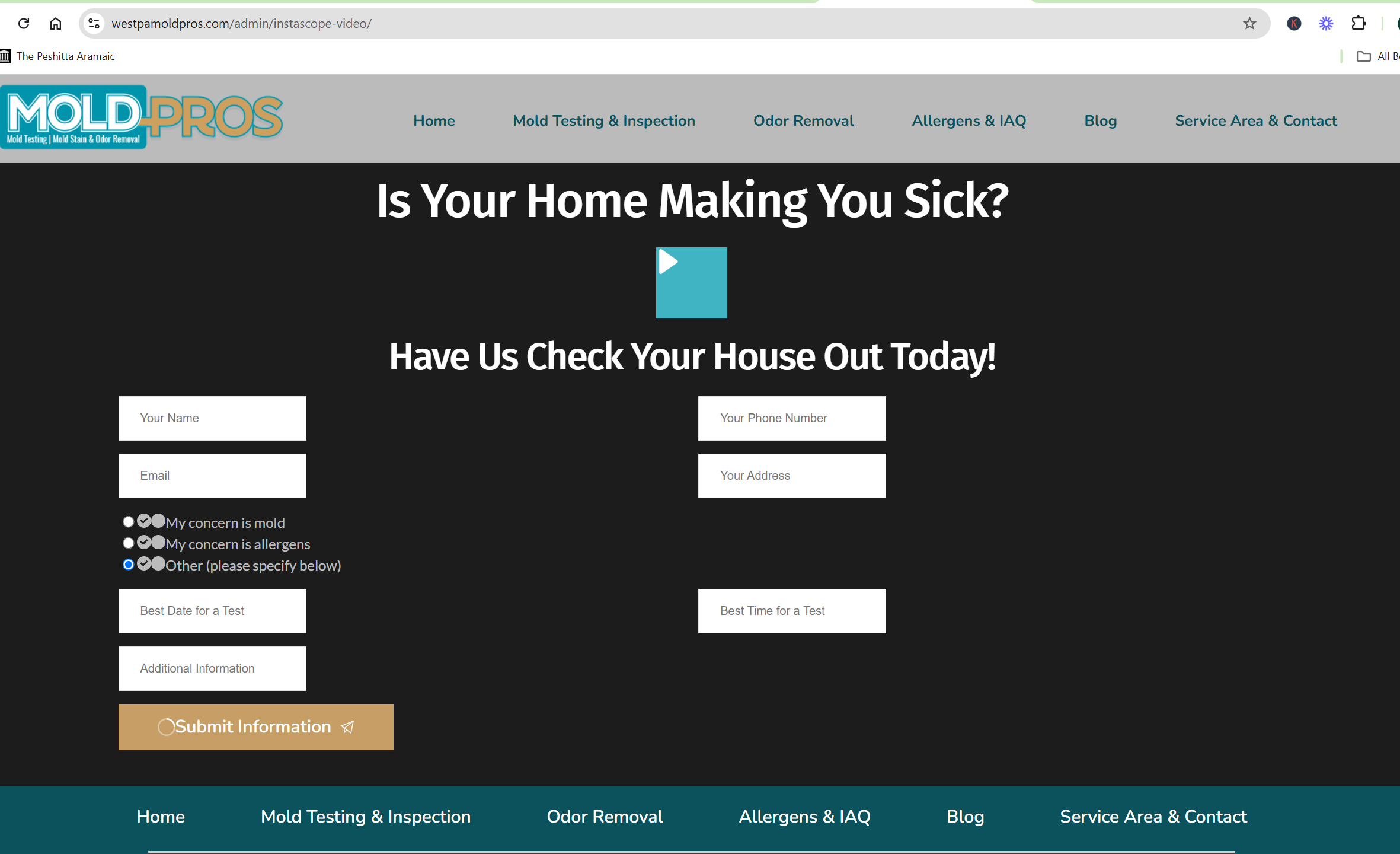
The entire post page is not loading on other browser:
 0
0 -
This was on Firefox, it is the same on Brave.
0 -
This is on Chrome:
 0
0 -
It only appears to be loading where I have the cache - Bing.
0 -
Hello Michael,
Are you using these Brizy versions?
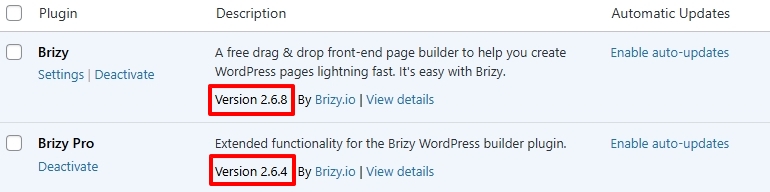
If not, kindly update to these versions. If you are already on these versions, make a minor change to the blocks with the above issues, save your work by clicking on the "Update" button at the bottom right corner and check if the issues resolve.
If this does not help, we will take a look at your project
0 -
Yes, confirmed, all plugins are up to date.
0 -
Made changes to both the video and the form. No change on either browser.
0 -
A minor change in the homepage form made a minor improvement in the front-end view.
 0
0 -
Would it be worth attempting to remove Brizy and reinstall it?
 0
0 -
Hello Michael,
If a few plugin files are missing or corrupted, reinstalling both plugins can help. If this does not help, we would like to take a look at your project. Please add a new user to your WordPress Dashboard and send the following details to our email: communitysupport@brizy.io
- Support Forum link: https://support.brizy.io/hc/en-us/community/posts/24066031643282
- WordPress Admin URL:
- Username
- Password
Please let us know in this forum when you send us the email.
0 -
Email has been sent.
0 -
I see now that forms on other sites are being affected in the same manner, please see https://pilgrimcd.com.
0 -
 0
0 -
Hello Michael,
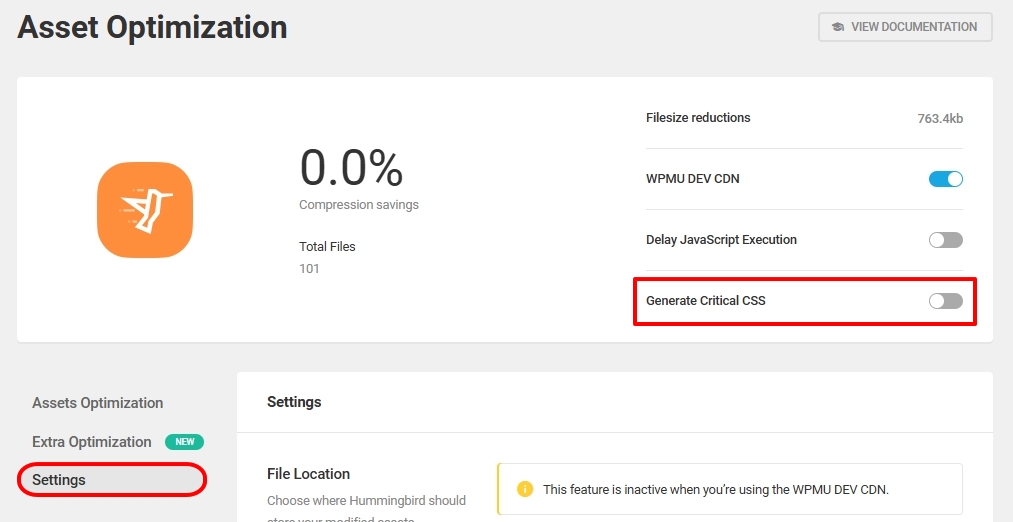
In your WordPress Dashboard under Hummingbird Pro > Asset Optimization > Settings, I have deactivated the option "Generate Critical CSS". This seems to fix all the issues you have mentioned above
- The blog page is rendering correctly
- The forms on the homepage and at /admin/instascope-video/ appear working fine
Kindly check if everything works as expected. If this resolves all issues, kindly implement the same solution at pilgrimcd.com
 0
0 -
I have done the same for Pilgrimcd.com, cleared the cache and there is still no return to normalcy for the form.

May I also point out that these settings were exactly the same before the release of your recent update and there were no such issues then. The number of hours I have spent investigating this and holding back clients from firing us over such issues is very unnerving.
0 -
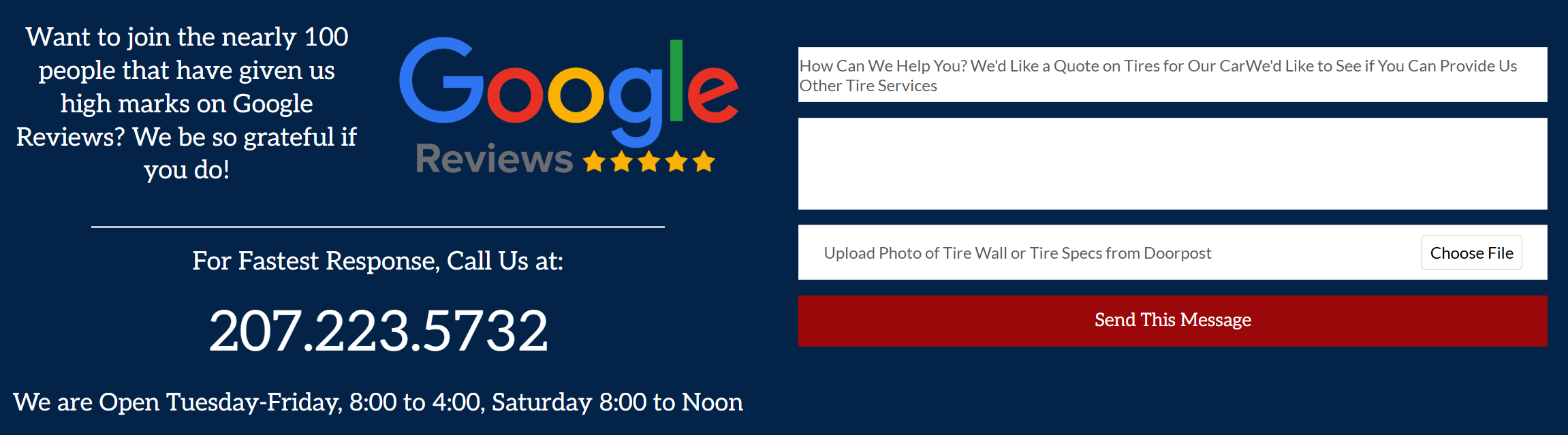
This one is the contact page at https://deanstiremaine.com, a simple site where the Generate Critical CSS setting has been off from the start and still the form is not loading.
0 -
I have now spent another 90 minutes on CHAT with a technician from WPMUDEV. We set up a staging site and here were his findings:
On the staging site, I have disabled all the plugins and only keeping Brizy and also switch to the default theme but the issue is not resolved. This indicates the issue is within Brizy. Let me share the next steps that you can take 1. Since their support said, its due to critical CSS, you can contact them back and ask that you have tested and its not due to any plugin, you can share the staging access to them to check further. 2. Or try creating a new form with Brizy and check if that works. 3. Or the best option would be use a differnt Form plugin such as Forminator.
0 -
Hello Michael,
Kindly give us access to the WordPress Dashboard for Pilgrimcd.com. We will take a look
0 -
Email sent.
0 -
Hello Michael,
Kindly check the contact forms on both websites now. I made a minor change in the form and saved the project to fix the issue.
0 -
Thank you.
0
Please sign in to leave a comment.
Comments
23 comments