I cant update the license

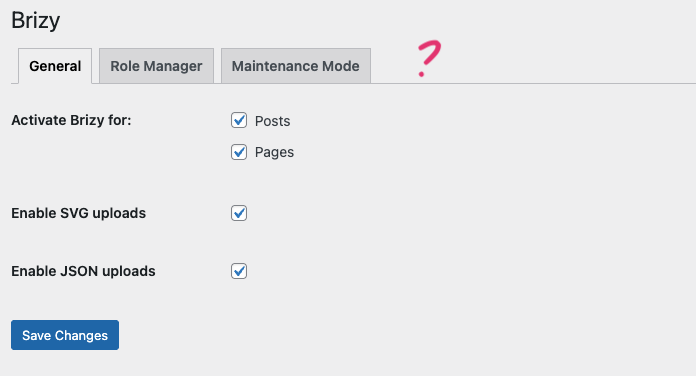
The option is just not there, I don't know what to do, please help. My website is not showing the lotties.
-

Hi Freddy,
Thank you for reaching out.
It’s possible that the versions of Brizy and Brizy Pro installed on your site are not matching. Please ensure you have the correct versions installed.

Give this a try and let me know if you have any further questions.
Best regards,
Ariel H.0 -
Hi Ariel, Thanks for your help.
Both plugins are up to date, but for some reason, they seem to be conflicting with each other. Here’s what’s happening:- The names of the plugins and options disappear.
- When I troubleshoot or deactivate one of the plugins, the names and options reappear.
- Also, I can't seem to update the license that already expired.
It looks like the two plugins are crashing or conflicting. Could you please help me identify and resolve this issue?
 0
0 -

Hello Freddy,
To solve the issue with the plugin names not displaying, kindly follow these two steps
- Sign in to your WordPress Dashboard and append the following string immediately after /wp-admin/ and visit the URL. Once you add the below string, your URL should look like https://brizy.online/wp-admin/?brizy_enable_wl=true
/?brizy_enable_wl=true - In your WordPress Dashboard under Brizy - Whitelabel click on the "Reset" button. This should restore the names of plugins.
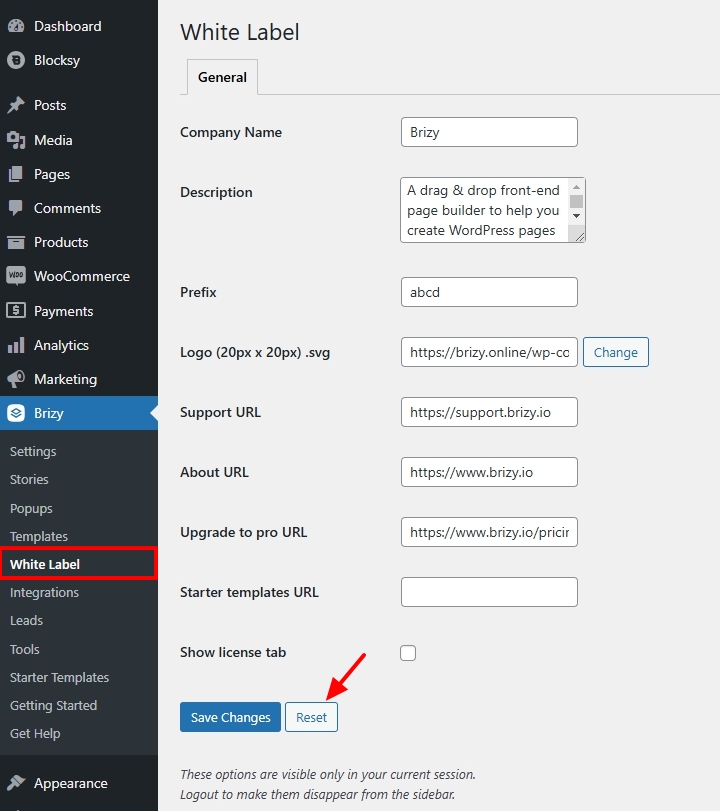
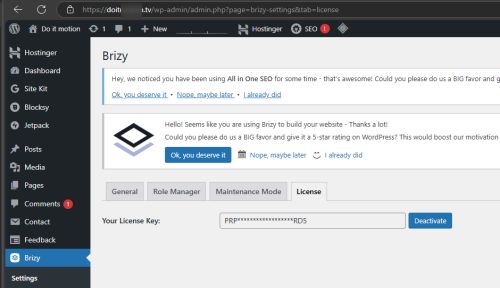
Kindly copy the license key from your Brizy account and paste it under the license tab and let us know if it works
0 - Sign in to your WordPress Dashboard and append the following string immediately after /wp-admin/ and visit the URL. Once you add the below string, your URL should look like https://brizy.online/wp-admin/?brizy_enable_wl=true
-
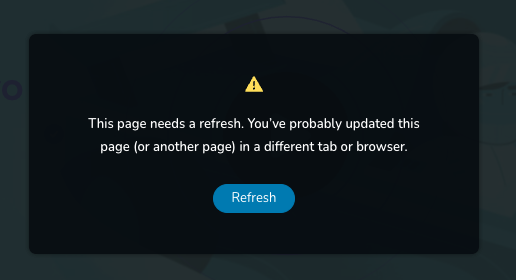
Hi, I finally put in the new license, but it still does not show the pro features on my website. Also, whenever I try to save a change on my pages, it shows these messages.

 0
0 -
Hi Freddy,
We're sorry to hear you're having this issue with Brizy.
Please provide us with temporary access to your WP Admin page so we can take a look. Please add us as an Admin user to your WordPress Dashboard and send the following details to communitysupport@brizy.io.
Community Post link: https://support.brizy.io/hc/en-us/community/posts/24025011521170
WordPress Admin URL:
Username:
Password:Additionally, we will also need temporary access to cPanel:
cPanel host address:
Username:
Password:Best regards,
Ariel H.0 -
Hi Freddy,
Thank you for your cooperation.
It looks like you have already fixed the issue on your own.
If you have any further questions or if you need further assistance, please feel free to reply.
Best regards,
Ariel H.0 -
Hi Ariel, No, the problem has not been resolved yet. As I said in the last message, the pro features are not showing. I sent the info to the email and no one answered.
0 -
Hi Freddy,
Thank you for the update.
I’ve temporarily set WordFence to Learning Mode to resolve the issue. After a few days, you can switch it back to Enabled Protection so it can learn Brizy’s actions and avoid interfering with Brizy while editing your pages.
This is demonstrated in the screencast: https://youtu.be/Y6p1s1KifMc
If you have any further questions, please let us know.
Best regards,
Ariel H.0 -
Hi Ariel, thank you so much! Everything is working properly again.
0
Please sign in to leave a comment.
Comments
9 comments