Blank page, not saving

I am working on a small change to the homepage, just a link. However, the update button keeps spinning, and the site is not being saved. When I open the page, I see a blank screen. However, when I edit it in Brizy, the page is visible. I already empty de cache.
site is https://masseriapartemio.com/
-

Hi Michiel,
Thank you for contacting us.
Please try the steps suggested on this link and see if this helps.
Otherwise, please provide us with temporary access to your WP Admin page so we can take a look. Please add us as an Admin user to your WordPress Dashboard and send the following details to communitysupport@brizy.io.
Community Post link: https://support.brizy.io/hc/en-us/community/posts/23814558861330
WordPress Admin URL:
Username:
Password:Please make a full backup of your site as a precaution.
Best regards,
Ariel H.0 -
Hi Michiel,
Thank you for your cooperation.
Upon review, we found that pages with less content can be saved successfully. However, the current page has significantly more content, which leads us to believe that your server may lack the resources to handle larger pages.
To address this issue, please ask your hosting provider to adjust the following server settings:
max_execution_time: 300
max_input_time: 300
max_input_vars: 6000
memory_limit: 512M
post_max_size: 128M
upload_max_filesize: 64MIf you have access to cPanel, go to "Select PHP Version," click on the "Options" tab, and you should be able to make these changes there.
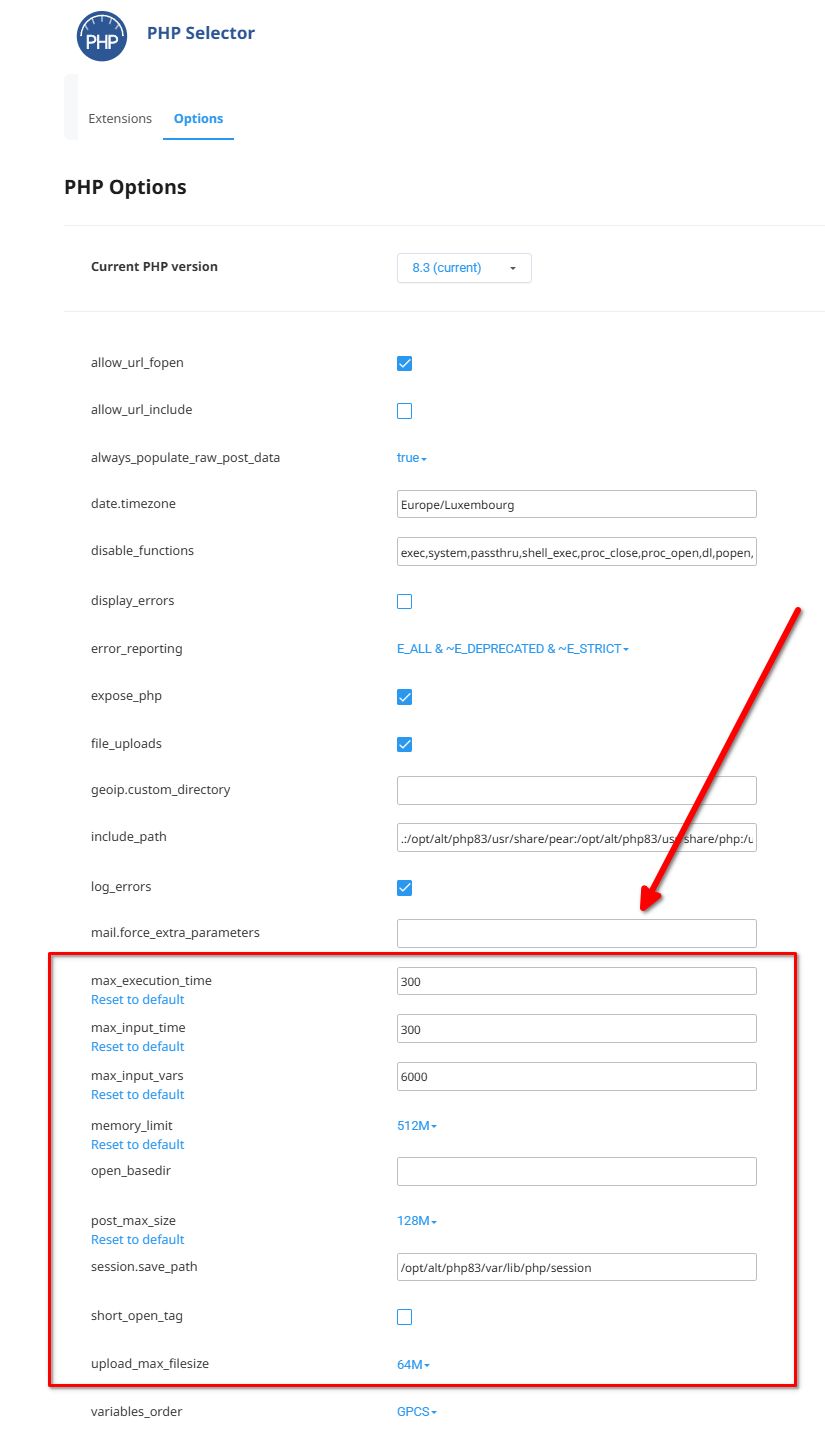
Please try this and let me know if you have any further questions.
Best regards,
Ariel H.0
Please sign in to leave a comment.
Comments
2 comments