Brizy builder not working after deactivating woocommerce

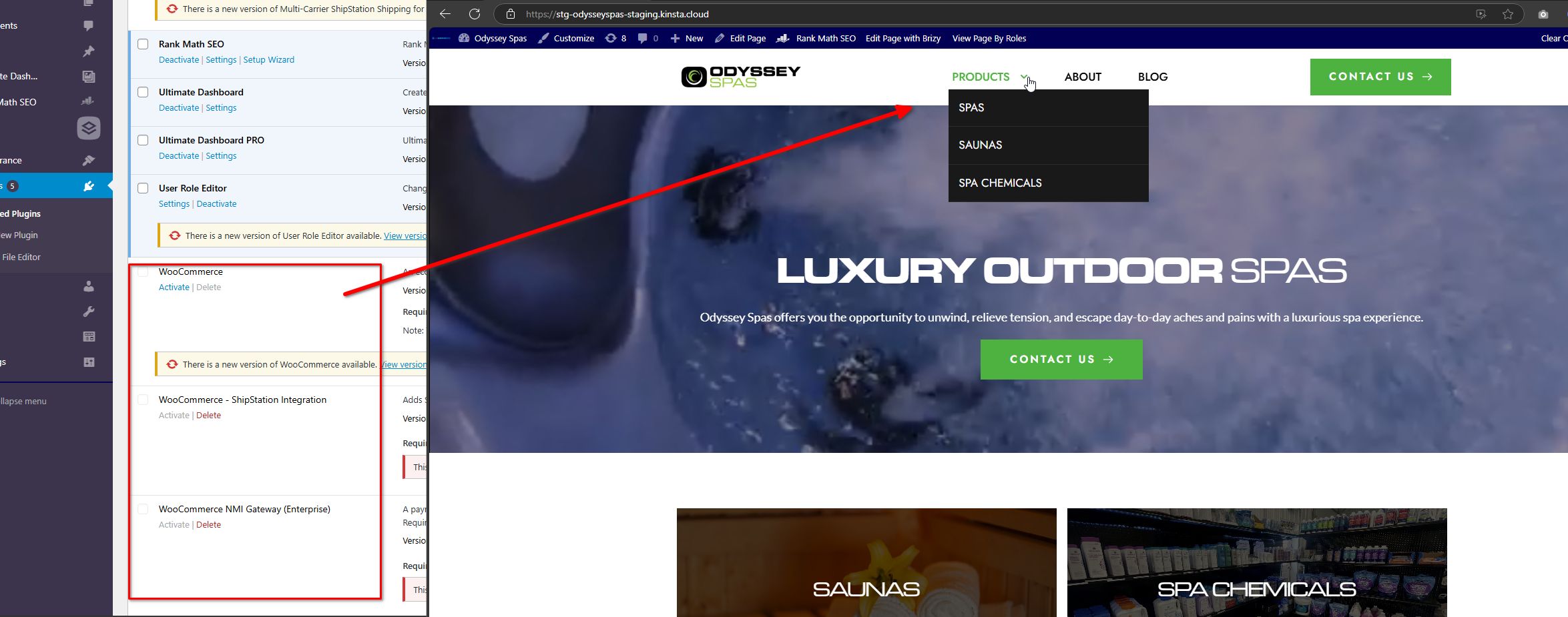
I started a site using Brizy Builder and woocommerce. Then we decided to deactivate woocommerce because we don't need it. And when we deactivate woocommerce, then some parts of the site are broken, and when we try to edit a page the builder is loading forever.
This is the site.
https://stg-odysseyspas-staging.kinsta.cloud/
What I see broklen:
- The submenu in the navigation is broken, the submenu is overlapping the main menu, and all the submenu items has the active state.
- The video background was covering all the hero, and now it looks small.
When woocommerce is activated, all looks good, and the builder works again.
Thanks
-

Hi Timothy,
Thank you for contacting us.
This issue appears to be related to caching. If you have any caching plugins installed, try purging the cache or temporarily disabling the plugin after deactivating WooCommerce, and see if the problem continues. Additionally, try editing the affected pages by adding 1px of padding to any of the blocks or inserting a period into the text. Save your changes and preview the page to check if the issue has been resolved.
Otherwise, please provide us with temporary access to your WP Admin page so we can inspect your site. Kindly add us as an Admin user to your WordPress Dashboard and send the following details to communitysupport@brizy.io:
Community Post link: https://support.brizy.io/hc/en-us/community/posts/23808705636370
WordPress Admin URL:
Username:
Password:Please make a full backup of your site as a precaution.
Best regards,
Ariel H.0 -
Hey Ariel, thanks for your response, I sent the email with the details. The only cache is the one in the host, and I cleared all of them. I'm not using any other cache plugin. Regarding editing the pages, I can't do it because when I try to edit the pages using the builder it keeps loading forever.
Please let me know if you see something I need to do, or if it's a bug in the builder.0 -
Hi Timothy,
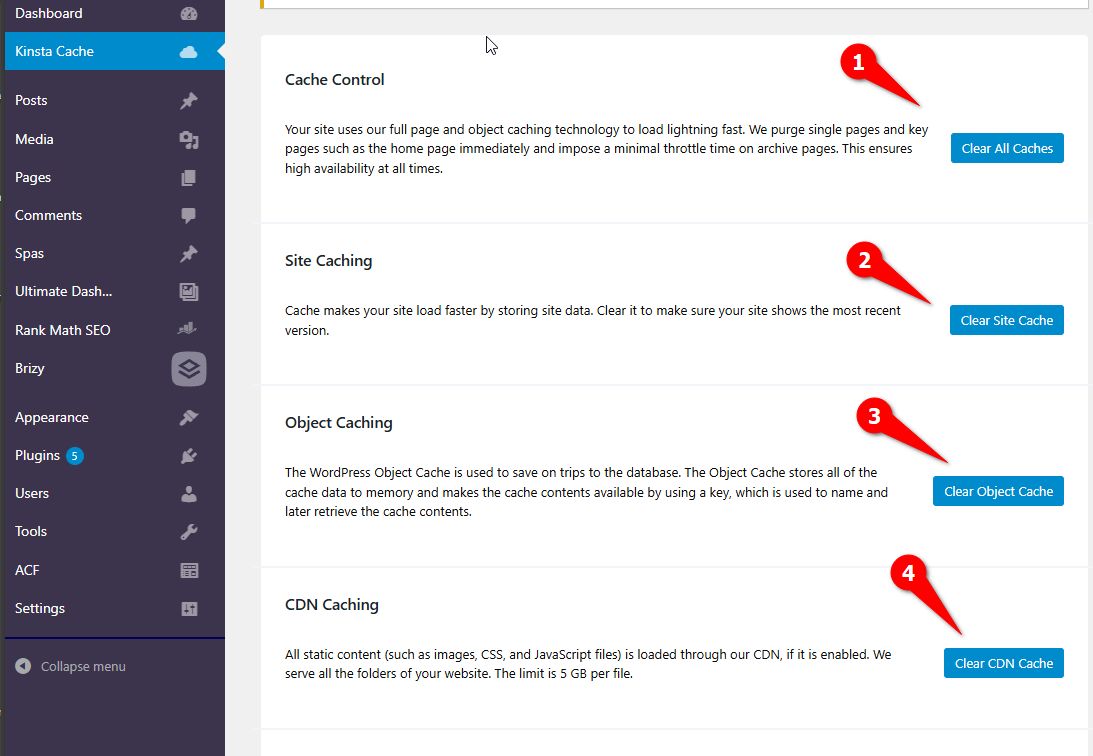
Thank you for your cooperation. Upon investigation, the issue appears to be caused by Kinsta Cache. After clearing all the cache, the layout issues were resolved.
To prevent any caching or CDN-related problems in the future, please ensure you click on all the relevant options in the Kinsta Cache settings.
Best regards,
Ariel H.0 -
Hello Ariel, thanks for your help and your response. Actually I tried it before contacting you and didn't work.
Did you do anything else? I'm also doing the same in the live site, but it's not working. I tried clearing the caches 1, 2, 3 and 4 and didn't work. Also cleared the same caches in the kinsta site panel, and didn't work.
0 -
Hey, forget about it, it worked. Thanks Ariel!!
0
Please sign in to leave a comment.
Comments
5 comments