Not letting me update the page

Hi. I'm trying to update the page hyperlinking a file to a text
But is not letting me . Actually any new edit I try to update on this specific page, it not letting me publish it
After clicking Publish/Update it stays there for many minutes until it pops the "Could not publish or save page. This page needs a refresh. You’ve probably updated this page (or another page)...."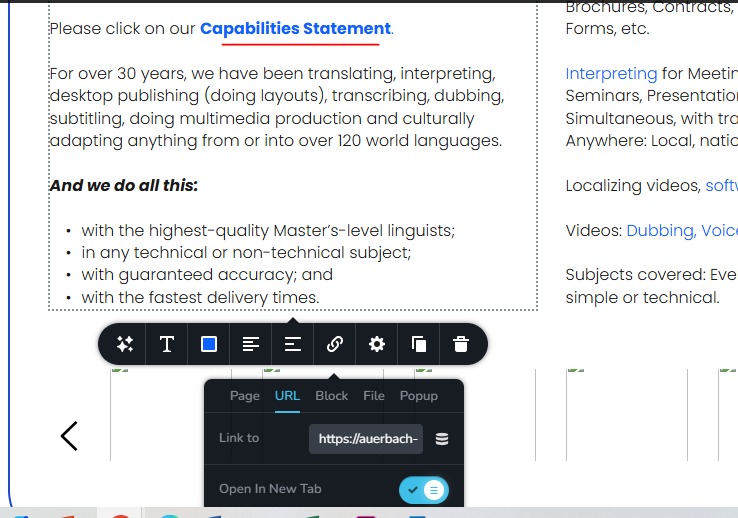
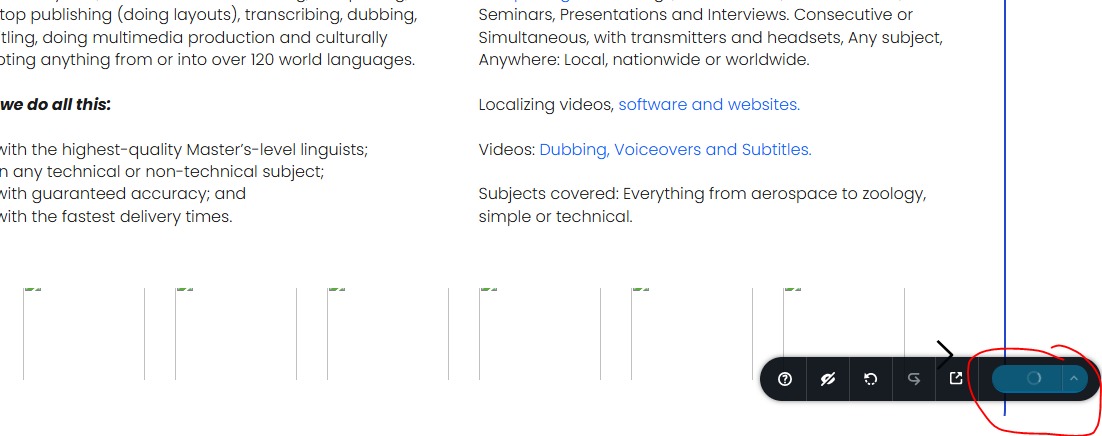
This is the link I'm trying to hyperlink to the text • Capabilities Statement.:
https://auerbach-intl.com/wp-content/uploads/2024/12/Auerbach-Capabilities-Statement-Jan2024-1.pdf
I can provide you my credentials to access it and try it. But I need to update that ASAP
-

Hello Roy,
Two software in your hosting environment, ModSecurity and Wordfence are known to interfere with Brizy editing. Kindly follow the instructions at https://support.brizy.io/hc/en-us/articles/22590197512210 to fix this issue.
If these suggestions do not help, kindly get back to us. We will take a look
0 -
I don't believe this is the issue, since it lets me update other pages but not that one
0 -

Hi Roy,
Thank you for reaching out.
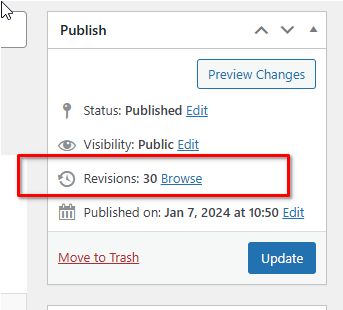
This issue often occurs when there are too many revisions on a page, which can lead to performance problems and make it challenging to edit with Brizy Builder. To check revisions on a specific page, navigate to the "Pages" section, select the desired page, and view the revisions displayed on the right sidebar, as shown in this screenshot.
To help resolve this, I recommend following the steps outlined in this guide: https://www.elegantthemes.com/blog/wordpress/how-to-manage-wordpress-revisions-to-optimize-site-performance.
This article covers manual revision management through PHPMyAdmin or the simpler WP Optimize plugin.Additionally, this issue could also occur if the page exceeds the maximum HTTP request size. In this case, please contact your hosting provider to increase both SecRequestBodyLimit and SecRequestBodyNoFilesLimit in the ModSecurity configuration:
<IfModule mod_security.c>
    SecRequestBodyLimit 4194304
    SecRequestBodyNoFilesLimit 2097152
</IfModule>
Please give this a try and let me know the outcome.
Best regards,
Ariel H.0 -
Hi. I'll try the HTTP request size. Since I don't think that the revisions on the page is the issue. I tried exporting the layout and creating a completly new page but I had the same issue. And is just not updating
I'll let you know if it works0 -
Nothing has worked so far. Could you guys help me?
0 -
Hello Roy,
We would like to take a look at your WordPress Dashboard to troubleshoot this issue for you. Please add a new user to your WordPress Dashboard and send the following details to our email: communitysupport@brizy.io
- Support Forum link: https://support.brizy.io/hc/en-us/community/posts/23457327571090
- WordPress Admin URL:
- Username
- Password
Please let us know in this forum when you send us the email.
0 -
Thank you -- sent
0 -
Hello Roy,
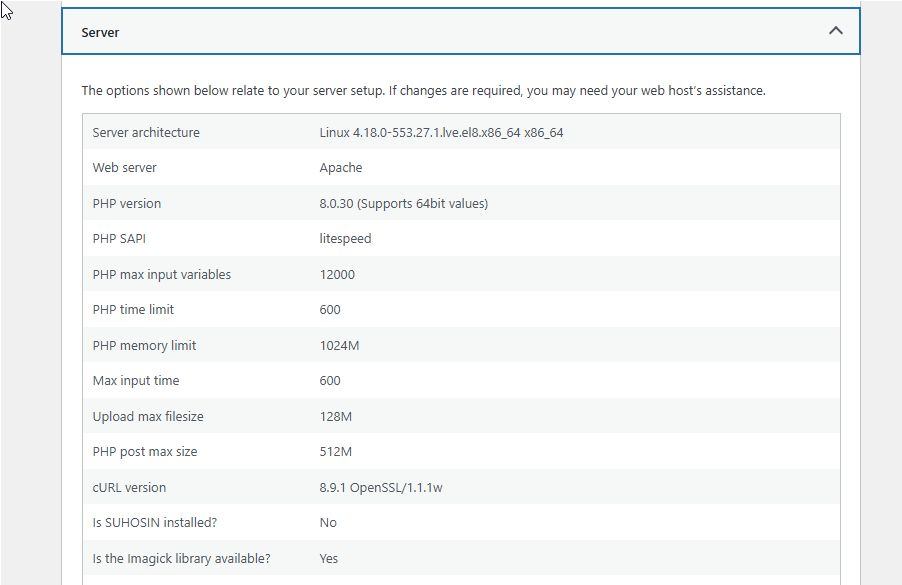
The page https://auerbach-intl.com/clients-industries/ has 20 Brizy carousels and each carousel has several images. This makes its size bigger than normal pages. The "Post Max Size" is currently set to 128 MB in your project. Kindly increase this parameter to 512 MB or 1024MB and check if resolves the issue? Have a look at https://jmp.sh/oe6XVjl5 for the procedure.
If this does not help, kindly give us access to your cPanel to further investigate the issue. Please send these details to our email communitysupport@brizy.io
- cPanel login URL
- username
- Password
0 -
This didnt work -- Inside of the cpanel doesnt let me update above the 128MB
However I Edited the .htaccess File to force it to 1024MB -- It shows the update on PHP post max size in the Wordpress dashboard but still I can't update the page I mentioned. It stays loading for a while until after like 10 mins it says to refresh blah blah blah
I sent the credentials to support...0 -
Hi Roy,
Thank you for the update. We’ve made all the necessary server changes to address the issue, but the page is still too large for the server to handle all at once, which is why it's not saving properly. Pages with fewer elements don’t have these issues, but this specific page with many images is causing the problem.
To resolve this, we recommend splitting the content into smaller pages. The main page can include a few carousel images, and you can add a 'View More' button that links to the next page to display the remaining images. This will help the website load faster and eliminate any issues with saving or displaying content.
If you have any questions or would like to discuss this further, please don’t hesitate to reach out.
Best regards,
Ariel H.0 -
This makes no sense - How was I then able to create and launch that page to start?
I can't break this page into more pages. It's a single hyperlink what I need to be added0 -
Hi Roy,
Apologies for the inconvenience. Could you update the link and let us know if the issue continues? If it does, please share a copy of the updated PDF document, and we’ll attempt to link it for you.
Best regards,
Ariel H.0
Please sign in to leave a comment.
Comments
12 comments