Contact form gmail

Hello,
I've been trying to make a contact form work with the Gmail option, but it keeps 'thinking' when sending the form. What can I do to make this work?
You can test it here:
Thanks for your help!
-

Hi Lenie,
Thank you for reaching out.
Please make sure that only Gmail has the green check mark. If SMTP or WordPress also shows the green check, click on it. When you hover over it, the green check should change to a trash bin icon. Click the trash bin icon to disconnect it.
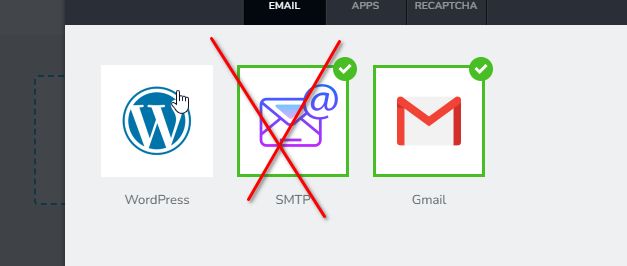
Additionally, please ensure that you’ve followed the steps in this link to properly configure Gmail to receive notifications from your site.
https://support.brizy.io/hc/en-us/articles/360044216151-Email-notification-via-GmailBest regards,
Ariel H.0 -
Thanks Ariel for your reply.
I followed all steps, but the problem remains. Can you take a look?
Thanks!
0 -
Hi Lenie,
Thank you for the update.
Could you please try duplicating the form and try reconfiguring it? This might help resolve the issue.
If the issue persists, we will need to inspect it from your WP Admin page. Please add us as an Admin user to your WordPress Dashboard and send the following details to: communitysupport@brizy.io
Community Post link: https://support.brizy.io/hc/en-us/community/posts/23320894685970
WordPress Admin URL:
Username:
Password:Please make a full backup of your site as a precaution.
Best regards,
Ariel H.0 -
Hi Lenie,
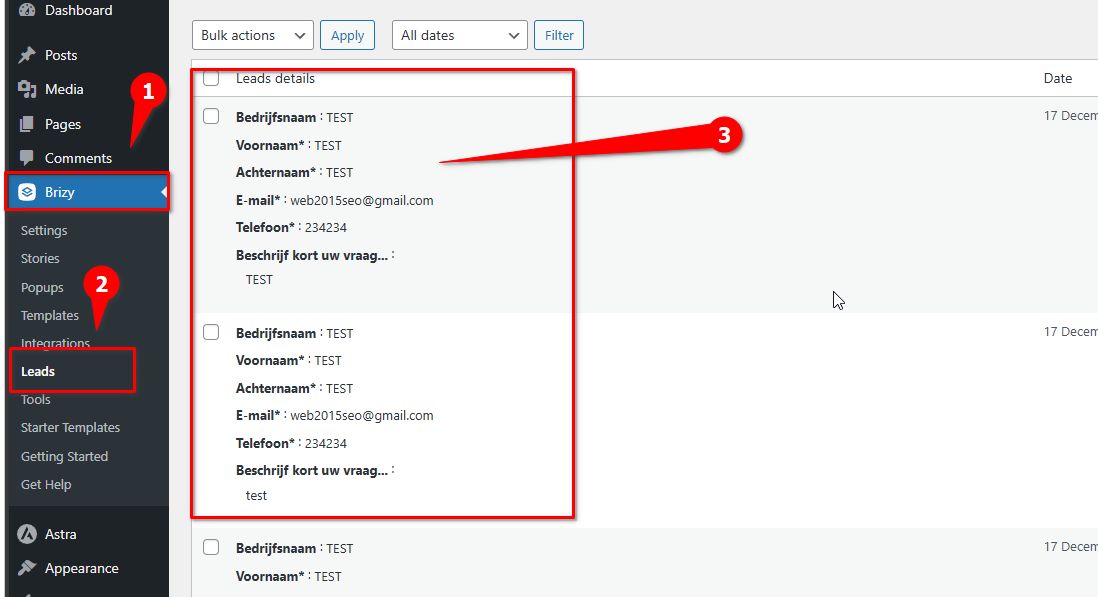
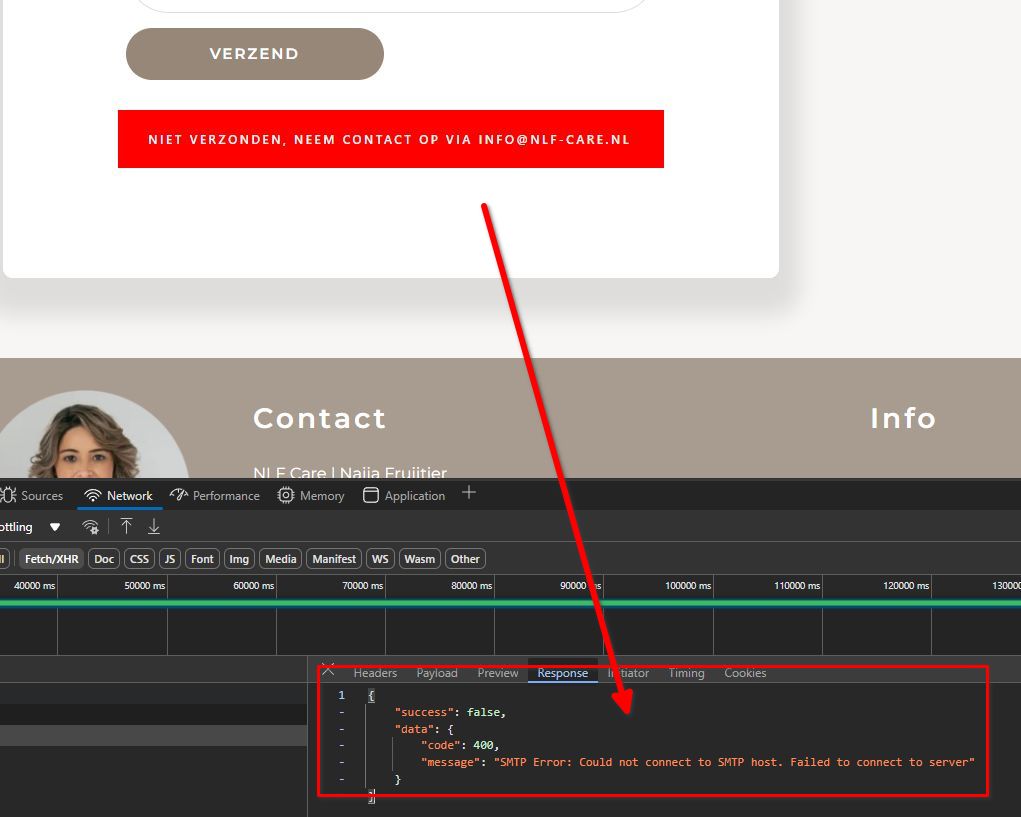
Thank you for your cooperation. It seems Brizy is successfully collecting the leads, but there’s an issue with sending emails.
The error shown in the console suggests that your server might be blocking outbound connections to SMTP ports (e.g., 465, 587, or 25). I recommend reaching out to your hosting provider to confirm that these ports are open.
Best regards,
Ariel H.0
Please sign in to leave a comment.
Comments
4 comments