Blog Post Template - Does not accept font style: size, link, colors

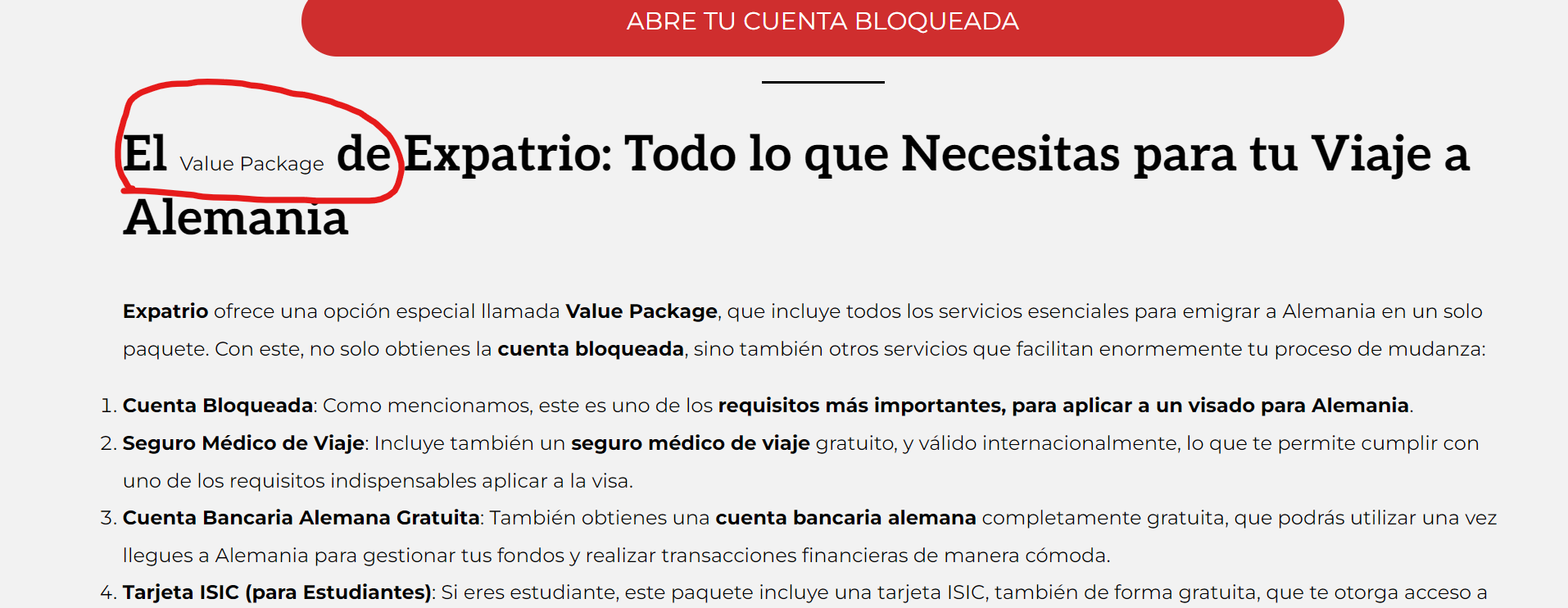
For any reason, the live blog post does not pull any size, hierarchy, color, links of the text. Everything looks the same size.
I already erase the browser and website cache. As well, test it in different browsers in 3 computers. It looks the same in all of them.
Is there anything else I can do?
Thanks
-
I forgot to attach the screenshot
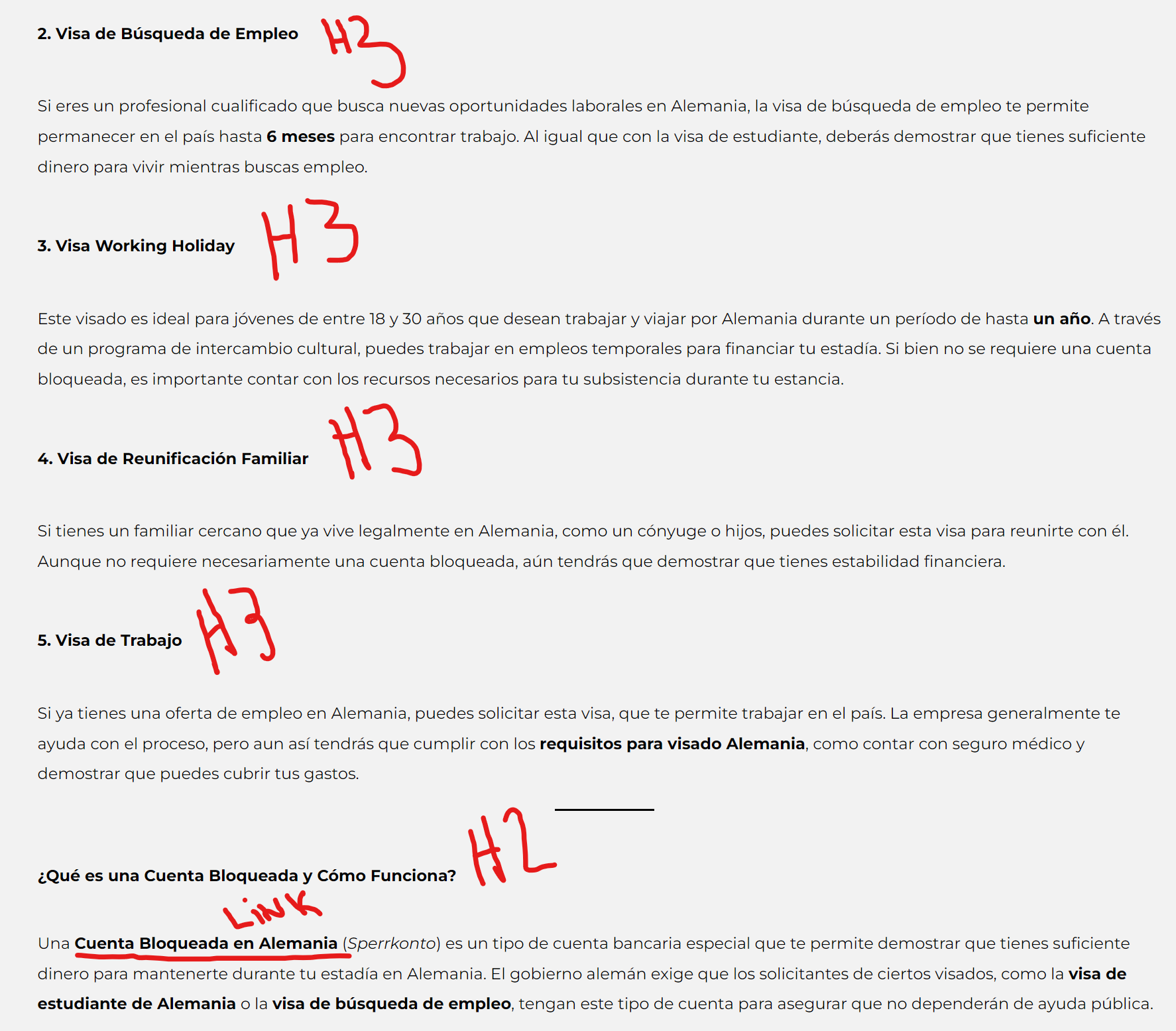 0
0 -

Hello Manuel,
It appears that this problem might be specific to one of your blog posts. Other blog posts like these appear to display headings with the correct formatting
You can also observe the proper use of the link color at https://totonch.com/mercados-navidenos-en-berlin/
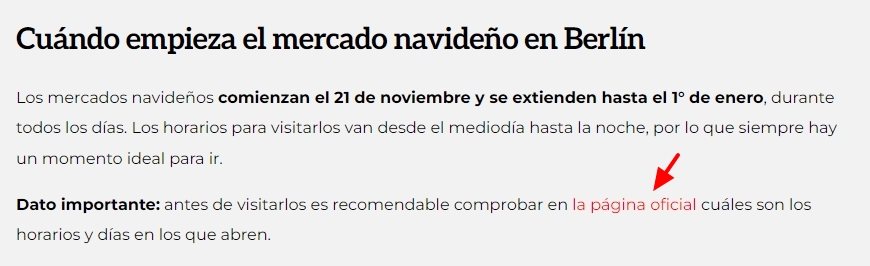
To determine why the specific blog post you have mentioned above does not use the link color and heading styles, some investigation is necessary. If you are unable to find the cause, kindly give us access to your WordPress Dashboard and we will troubleshoot this for you.
If you want us to take a look, please add a new user to your WordPress Dashboard and send the following details to our email: communitysupport@brizy.io
- Support Forum link: https://support.brizy.io/hc/en-us/community/posts/23070066908818
- WordPress Admin URL:
- Username
- Password
Please let us know in this forum when you send us the email.
0 -
Hi, thanks a lot for the fast reply. I already sent the email with the information.
0 -
This is the page that's not working: https://totonch.com/alemania-visados-requisitos-financieros/
0 -

Hi Manuel,
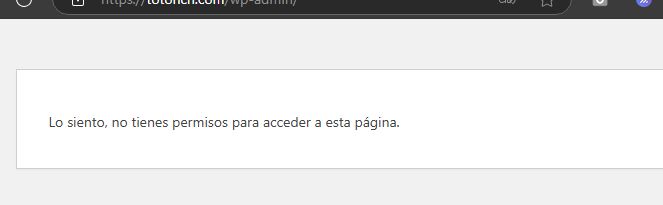
Thank you for your update. It seems we’re unable to access your site because our access to the WP Admin panel is being blocked.
From what you’ve described, I’ve seen this issue occur when a heading is manually set to bold in the Gutenberg editor. When this happens, the heading style doesn’t apply properly. To resolve this, try turning off the bold setting in the font options for all your H3 headers, save your changes, and then preview your site to see if this resolves the issue.
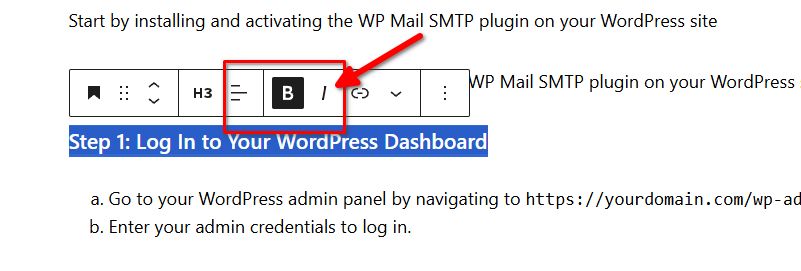
Please try this and let me know how it goes.
Best regards,
Ariel H.0 -
Hi,Thanks for your reply. I did what you told me to, and now works.I set them all in bold because before it was, with H2 and H3 and wasn't working. I don't know what happen now that works.I'm facing another issue, and are the links. For some reason, they are now showing up correctly, as showed in the image attached.About the log in, now I gave you Administrator role. Hope it works.Thanks a lot
 0
0 -
Hi Manuel,
Thank you for the update.
Upon checking, it appears that the highlight formatting in Gutenberg is not recognized by Brizy. If you remove the highlight, the font size should be retained. To change the link color, we added the following CSS to the template:
h1 a, h2 a, h3 a, h4 a, h5 a, h6 a {
    color: #cf2e2e !important;
    text-decoration: none; /* Optional: Removes underline */
}
This rule changes the color of links inside all headers to #cf2e2e, and the !important ensures it overrides other styles. You can adjust the color to fit your site’s design.
This is demonstrated on this screencast: https://youtu.be/JI-h5_Wek2Y
If you have any further questions, feel free to reach out.
Best regards,
Ariel H.0 -
Thanks Ariel, that solved all the problems I had with this post.
I appreciate all the time you invested into this.
Best regards.
0
Please sign in to leave a comment.
Comments
8 comments