Problem with blog on mobile

Hello,
The blog page is not working correctly on desktop or mobile for my website. It looks fine on the backend. I have tried clearing the cache in WP Rocket and also making a change to the template and republishing it, but to no avail. I have attached photos of what it looks like on the front end and what it looks like in the back end. The URL is: athleteready.com/category/blog/.
Thanks,
Roman
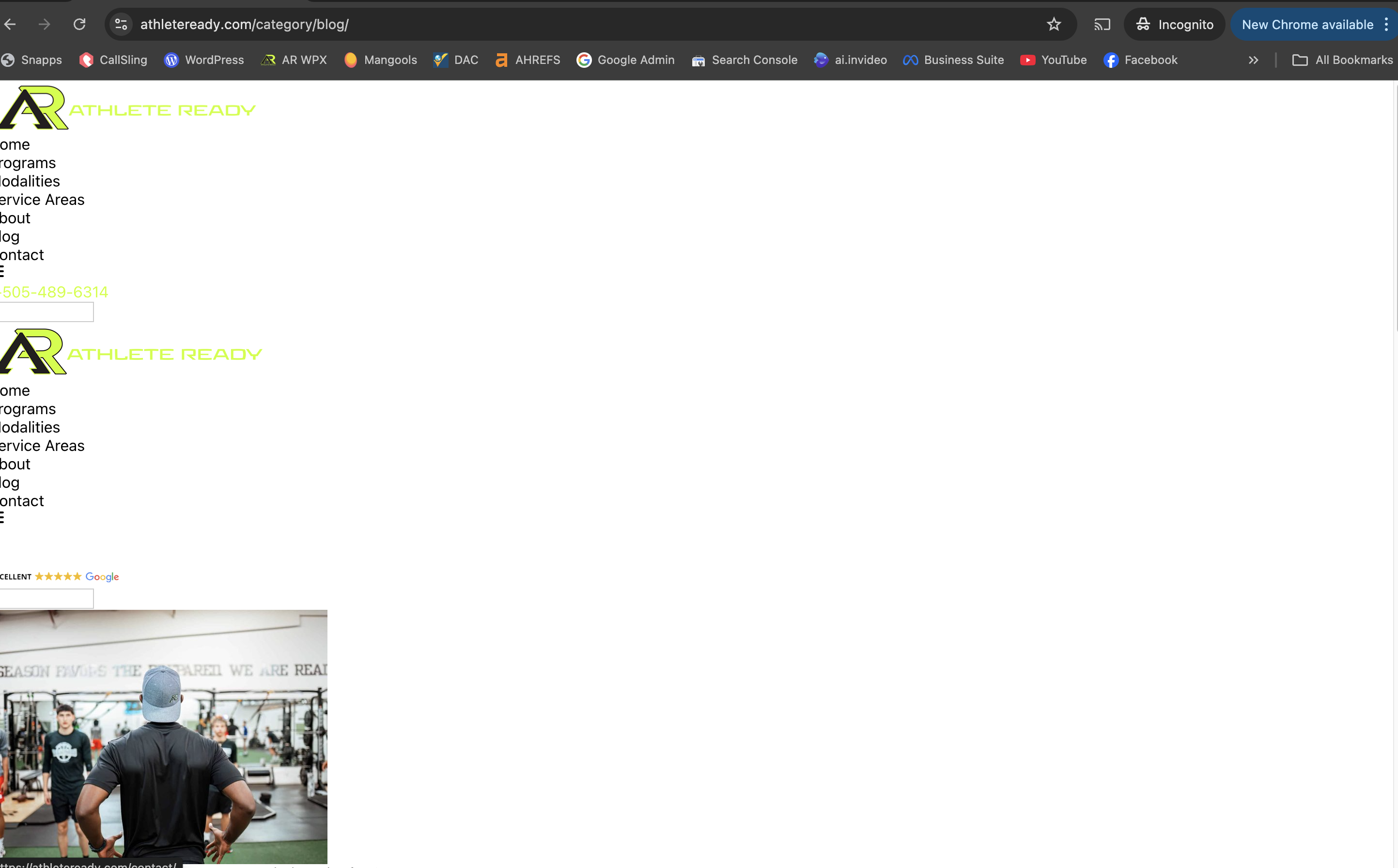

-

Hi Roman,
Please provide us with temporary access to your WP Admin page so we can take a look. Please add us as an Admin user to your WordPress Dashboard and send the following details to communitysupport@brizy.io.
Community Post link: https://support.brizy.io/hc/en-us/community/posts/23049715849362
WordPress Admin URL:
Username:
Password:
URL of the problematic page:As a precaution, we recommend creating a full backup of your site.
Best regards,
Ariel H.0 -
Hi Roman,
Thank you for your cooperation.
The issue seems to be related to hard caching. Sometimes, clearing the cache alone isn't enough. In such cases, you'll need to select additional options like "Clear Used CSS" and "Clear Priority Elements".
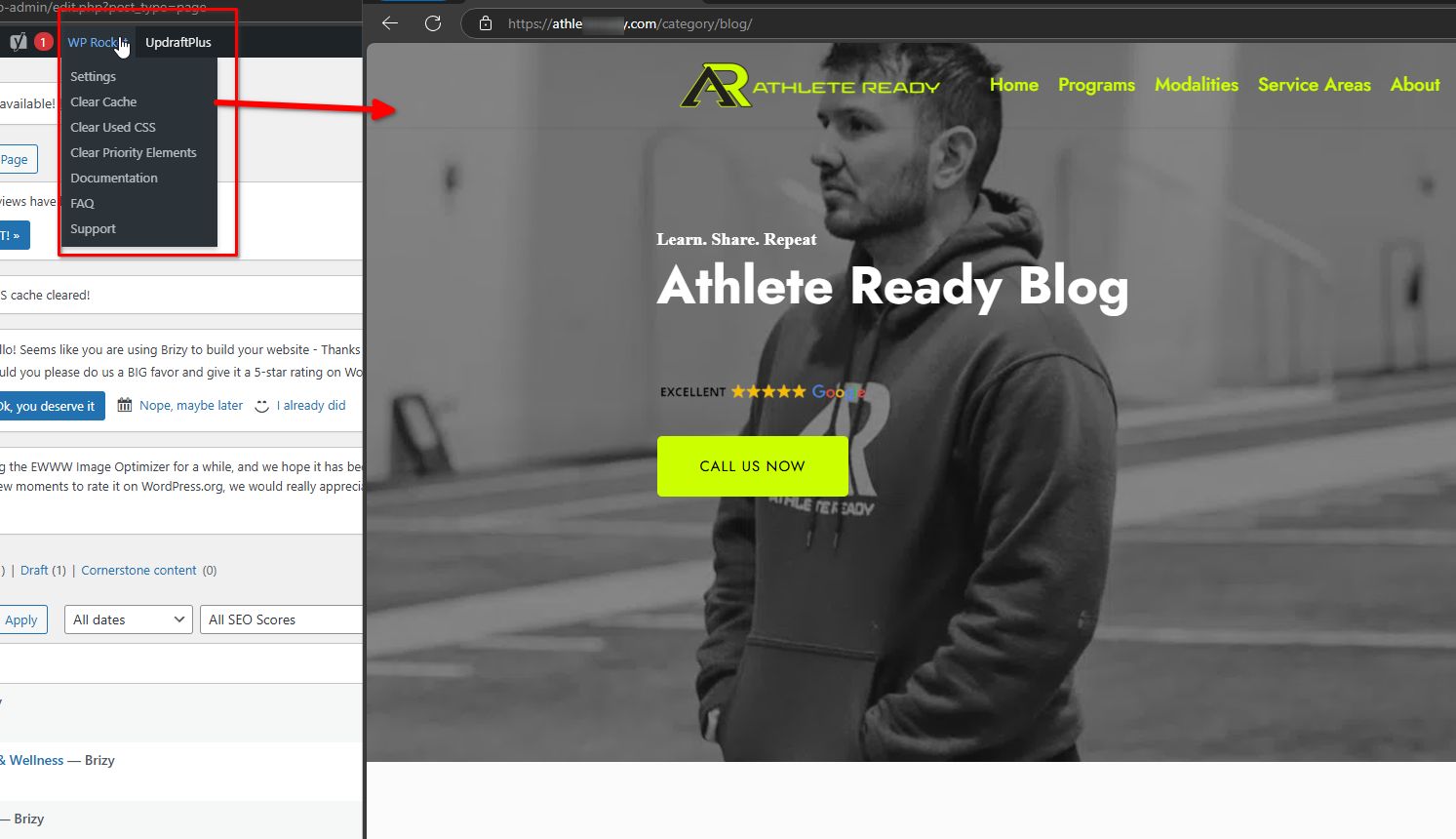
If you have any further questions, feel free to reach out.
Best regards,
Ariel H.0 -
Awesome thank you Ariel, I appreciate the help!
0 -
Hi Ariel,
After you cleared the cache, now I have a few more problems.
First, one of the fonts is not showing up correctly on the front end. It looks fine in the back end, but not on the live URL. I have attached photos.
Second, now all of the pages are showing up incorrectly on the front end, even though they look fine in the back end. This is the 5th or so time this has happened, without me touching the site at all each time. To fix it, I have to go into each single page in the Brizy builder one by one, make a change, revert it and republish the page. This costs me and my team time and money. Why does this keep happening? And since it happened after your team was in the site, I would appreciate it if you could go in and fix for me.
Thanks!


Roman
0 -
Hi Roman,
Thank you for staying in touch. I’ve checked the pages on my end, and everything seems to be working fine.

Could you please try accessing the site from a different computer to see if the issue persists?
Best regards,
Ariel H.0 -
Hi Ariel,
The site is not working fine. This is not a computer or a browser issue (it is happening in different browsers and on different computers and mobile devices). Most all of the pages have their blocks re-arranged on the live URL. I would appreciate it if you would go into the builder and notice how the blocks are arranged and then compare that with the live URL. Try any of these pages: https://athleteready.com/corporate-wellness/, https://athleteready.com/movement-mobility/, https://athleteready.com/albuquerque/, etc, etc.
Now the homepage isn't working correctly either, I have attached a screen shot. As you can see, the Hero section is gone. This is happening on not just the homepage but other random pages as well.
I am wondering why these issues keep happening to the site, when I have done nothing to it (made no changes, and in fact had just left it alone)?
Thanks,
Roman
 0
0 -
Hi Roman,
Thank you for reaching out.
The issue you’re experiencing is likely caused by optimizations made by WP Rocket. You may need to review and adjust the settings to prevent this from happening.
To confirm it’s a caching issue, try opening the affected URL in Incognito mode and add random parameters to the URL as demonstrated in this video - https://youtu.be/j2VyAElRzzE
If the page loads correctly with the random parameters, it’s likely a hard caching issue. Please review your WP Rocket settings and follow the steps outlined in this guide:
https://docs.wp-rocket.me/article/106-my-site-is-brokenIf you have any further questions, feel free to ask.
Kind regards,
Ariel H.0
Please sign in to leave a comment.
Comments
7 comments