Icon are displayed right in editor but wrong in the browser

Hi,
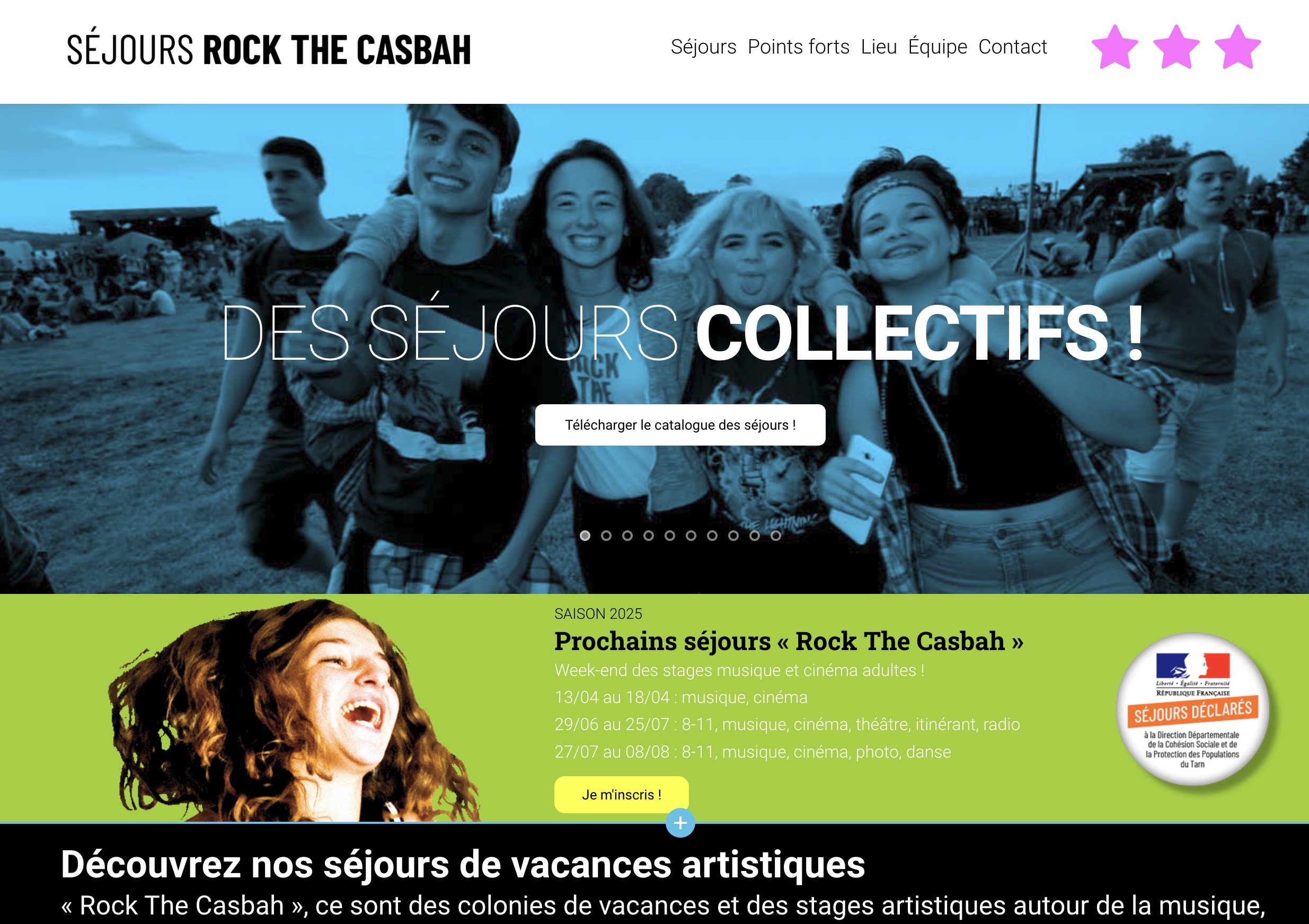
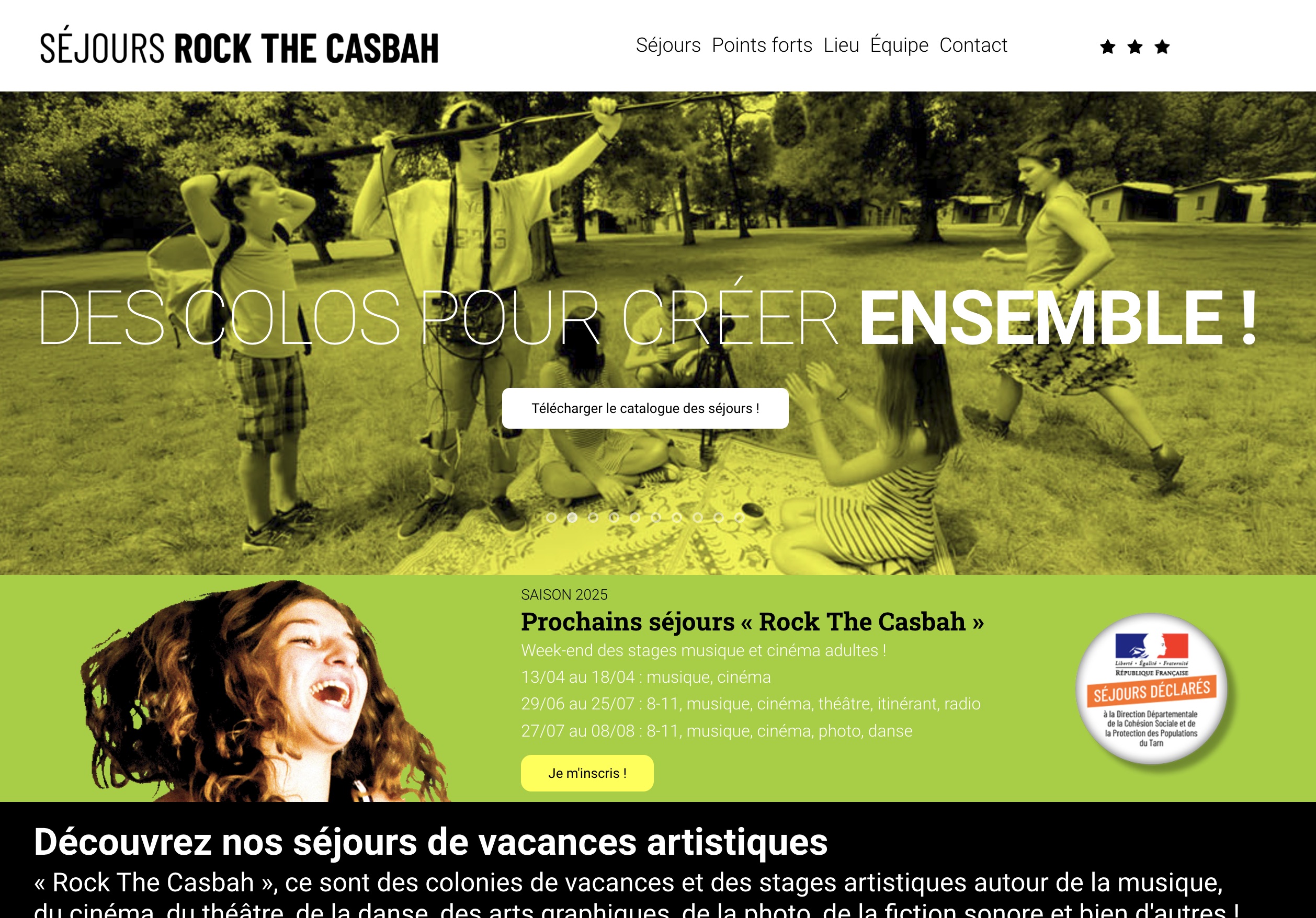
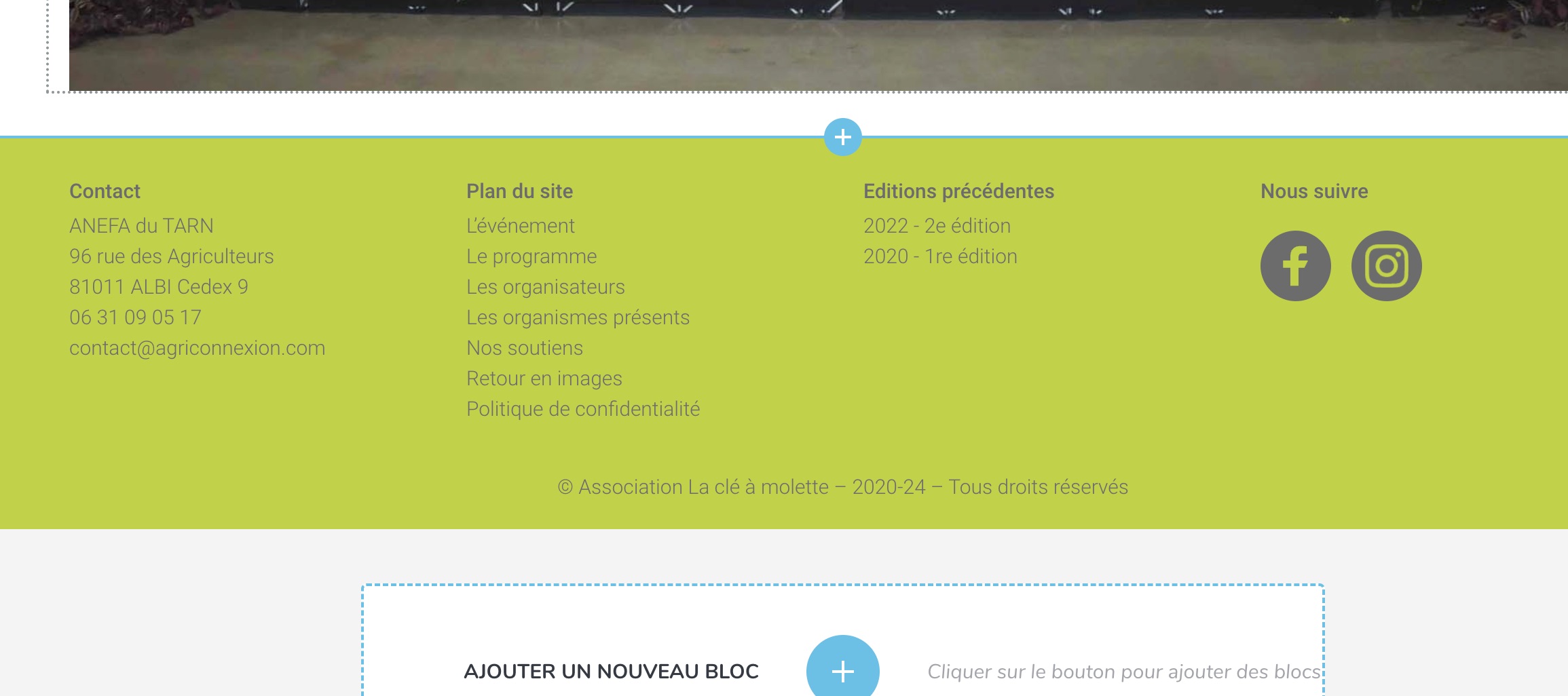
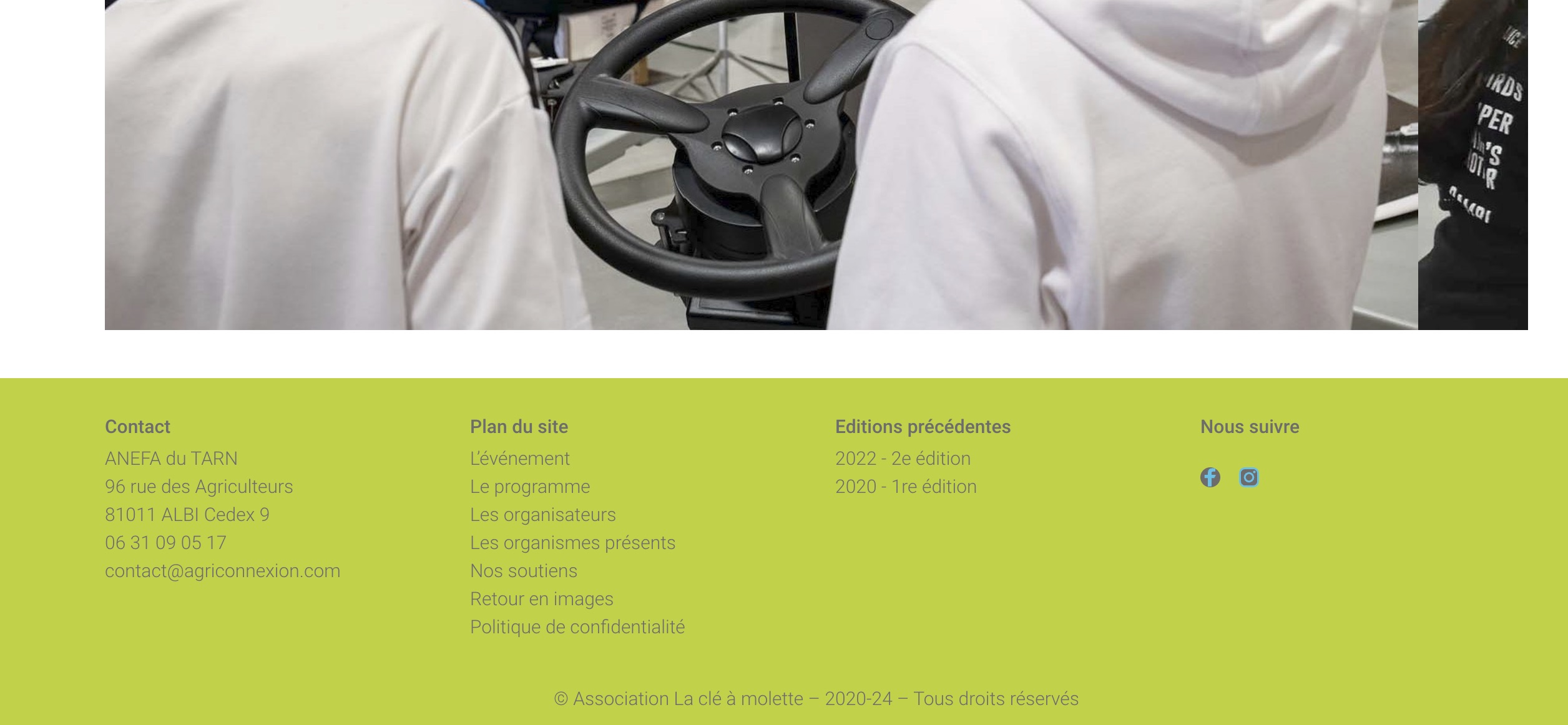
We are experiencing a problem on all our websites running Brizy and Brizy pro. The social media icons are displayed as usual in the editor window, but not in the browser: they are tiny and have the wrong colors.
Here is the display in the editor for this first website:
And in the browser:
And in the editor for this other website:
And in the browser:
We have the same problem with a third website, it's like a global thing! These icons share a characteristic: they are in global blocks shared by all the website's pages.
Thank you for your help!
Best regards, JP.
-

Hi Jp,
Thank you for reaching out to us.
It seems that the issue may be related to caching. Could you please try disabling any caching plugins or server-side caching to see if this resolves the issue? If it helps, you can re-enable the caching and make sure to purge the cache afterward.
Additionally, try making small adjustments to the affected blocks, such as adding 1px of padding, updating the page, and previewing it to check if this has any effect. This extra step will force the compiler to apply changes to the page.
If the issue persists, please provide us with the URL so we can inspect it.
Best regards,
Ariel H.0 -
Hi!
After investigation, disabling WP-Optimize was the solution. More precisely, disabling the CSS modification solved the problem. I'd like to be able to use this minification though. I inspected the CSS code of a button and when CSS modification is on, it adds to segments above the usual last CSS segment (without minification):
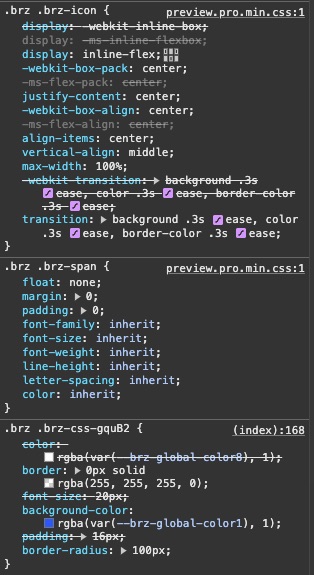
The last section is normally the last one, but activating minification adds the 2 sections above. Disabling the CSS properties of the ".brz .brz-span" restores the icon's normal look.
What CSS file do I have to indicate to WP-Optimize so that it lets it alone in the minification process?
BTW, it's the same solution for our 3 websites, be it the free or premium version of WP-Optimize.
Here is one of the website's URLs: assobao.com (icons in the footer, bad looking), with CSS minification turned on and another one with CSS minification turned off: sejoursrockthecasbah.com (icons in the header and the footer, proper look).
Thanks for your help!
Best regards, JP.
0 -
Hi JP,
Thank you for the update.
Could you please try excluding the following files and let us know if this makes any difference?
/wp-content/plugins/brizy/public/editor-build/prod/editor/css/group-1.min.css
/wp-content/plugins/brizy-pro/public/editor-build/prod/css/preview.pro.min.css
Best regards,
Ariel H.0 -
Hi!
Thank you for your fast answer. I added these lines to the exclusion list, but unfortunately, it doesn't solve the icon problem.
I emptied the cache and deleted the former minificated files. Maybe the source code will give you other information about the impact of that modification now?
Thanks for your help.
Best regards, JP.
0 -
Hi Jp,
Could you please provide us with temporary access to your WP Admin page so we can take a closer look? Kindly add us as an Admin user to your WordPress Dashboard and send the following details to communitysupport@brizy.io:
Community Post link: https://support.brizy.io/hc/en-us/community/posts/22916325326738
WordPress Admin URL:
Username:
Password:Please make a full backup of your site as a precaution.
Best regards,
Ariel H.0 -
Hi Jp,
Thank you for your cooperation.
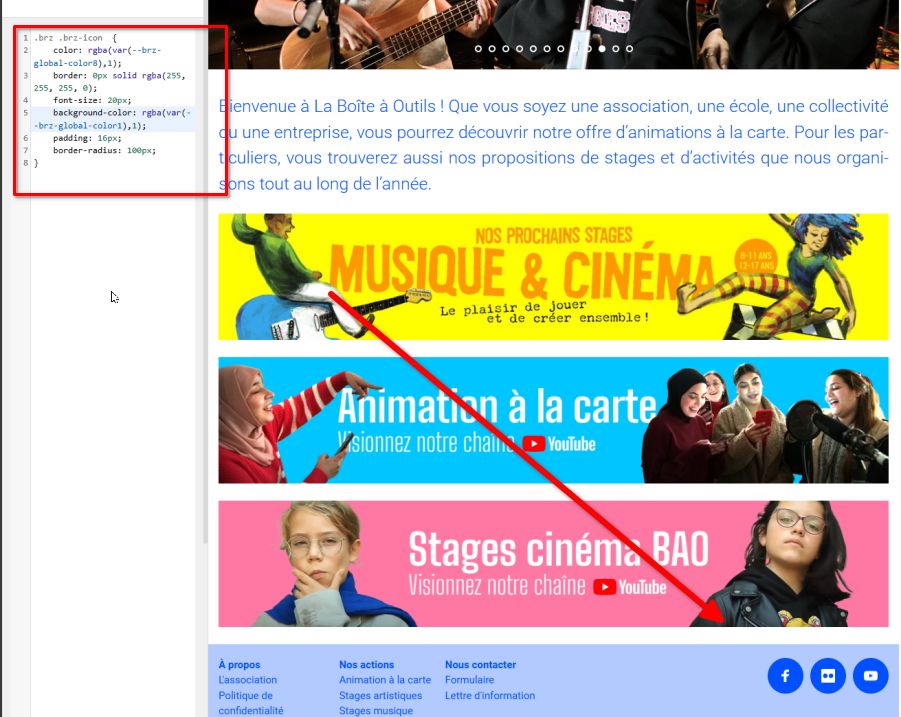
I tried to find the CSS to exclude; however, nothing worked, so I thought the quickest way to fix it would be to use custom CSS, which I have already added in Appearance > Customize > Additional CSS.
Best regards,
Ariel H.0 -
Hi!
Thank you so much for your help! I'll replicate that same idea on the other websites.
Have a great day!
Best regards, JP.
0
Please sign in to leave a comment.
Comments
7 comments