Whitelabel issue

Hi,
When using the whitelabel function and change the prefix to my name, after most images are not displayed on the website. What could this be?
Using latest versions of Brizy and Brizy Pro.
Thanks
-

Hello
I have tested the white label feature with Brizy 2.6.0 and Brizy Pro 2.6.0. I could not reproduce the image issue.
In your WordPress Dashboard, under Settings - General, if you have added www to your WordPress Address and Site Address, kindly remove it and check if the issue persists.
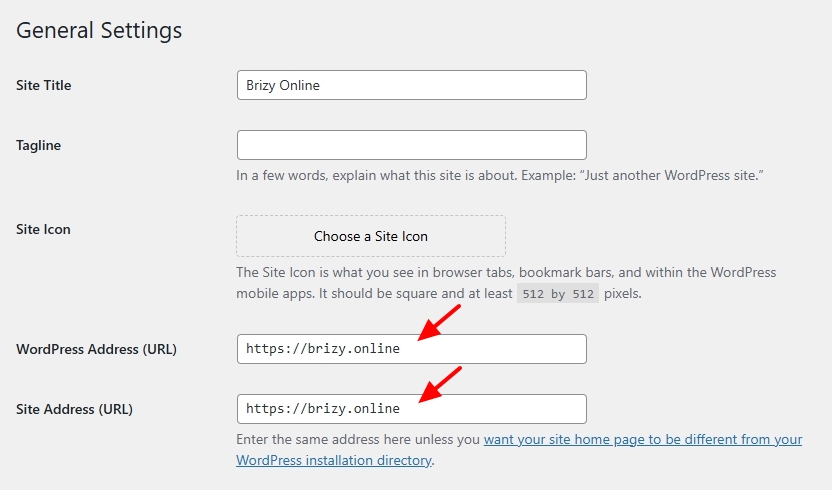
If this does not help, we would like to take a look at your WordPress Dashboard to help fix this.
0 -
Thanks George,
There is no www in general settings URL. The issue persists. Could it be an cache plugin? I've done the white label option several times before with the exact same plugins but never had this issue.
0 -
Hello
Can we take a look at your WordPress Dashboard to troubleshoot this issue for you? Please add a new user to your WordPress Dashboard and send the following details to our email: communitysupport@brizy.io
- Support Forum link: https://support.brizy.io/hc/en-us/community/posts/22627144640786
- WordPress Admin URL:
- Username
- Password
Please let us know in this forum when you send us the email.
0 -
Thanks George,
I fixed it by making a change on each page, reversing it and saving the page after changing the white label prefix. Never had to do this before, but it's a workaround.
Ran into another issue: the form wasn't working/sending anymore after changing the prefix in white label. After resetting the white label to Brizy standard the form worked again. What could this be?
0 -
Hello
I modified the white label prefix and tested a Brizy contact form. I received the email notification from the form with the revised prefix. We could not reproduce the above issue at our end. Some investigation is required to find the cause
0
Please sign in to leave a comment.
Comments
5 comments