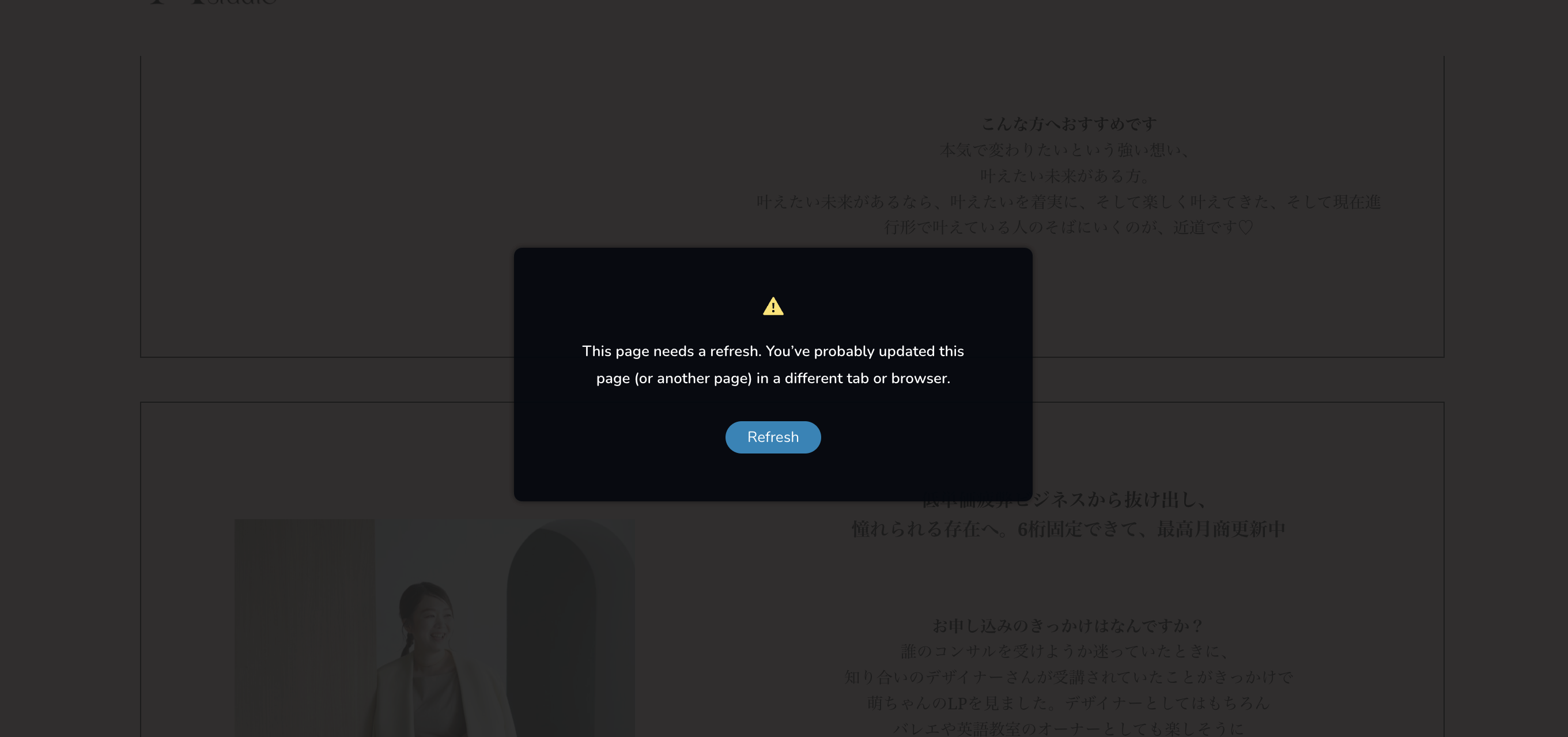
can not save the page

This happnes a lot to all websites I made with brizy.
-

Hi Moe,
Thank you for reaching out.
This issue often happens on sites using Wordfence or similar security plugins. Disabling the firewall or setting it to learning mode can usually resolve the problem. More information is available here: https://help.elegantthemes.com/en/articles/2395855-how-to-fix-saving-issues-while-wordfence-plugin-is-enabled.
If that doesn’t help, try disabling all plugins except Brizy and Brizy Pro to check for a conflict. If this resolves the issue, re-enable plugins one by one while testing to identify which one might be causing the conflict.
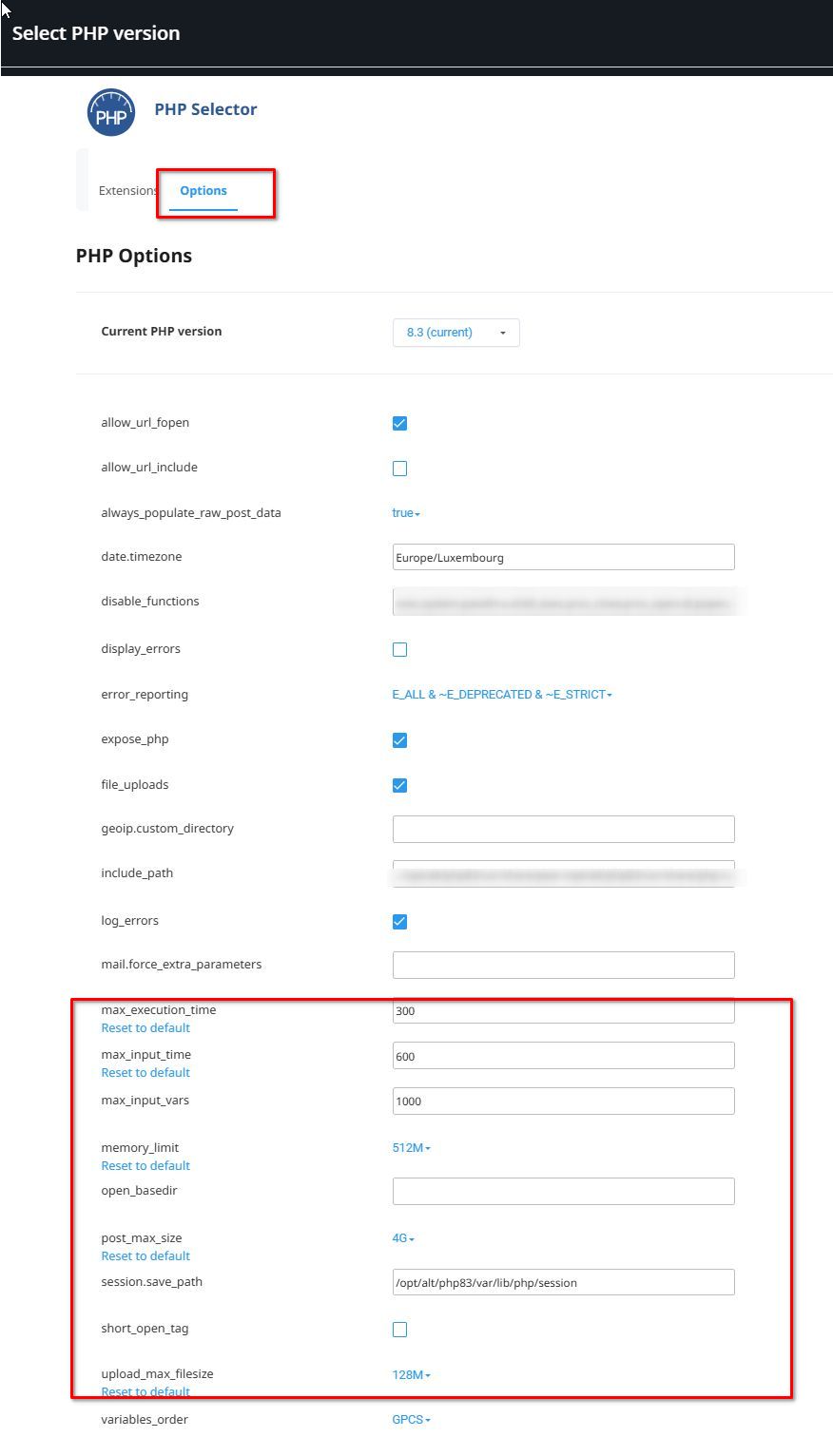
Additionally, please update these settings in your php.ini file, or ask your hosting provider for assistance:
max_execution_time: 300
max_input_vars: 6000
memory_limit: 512M (or higher)
post_max_size: 128M
upload_max_filesize: 128M
If you have cPanel access, go to "Select PHP Version," click on the "Options" tab, and you should be able to adjust these settings there.
If the issue persists, could you please provide us with temporary WP Admin access so we can investigate further? Add us as an Admin user and send these details to communitysupport@brizy.io:
Community Post link: https://support.brizy.io/hc/en-us/community/posts/22615095289746
WordPress Admin URL
Username
PasswordPlease make a full backup of your site as a precaution.
Best regards,
Ariel H.0 -
Hi Moe,
Thank you for your cooperation.
We tried to access your site, but we're blocked.
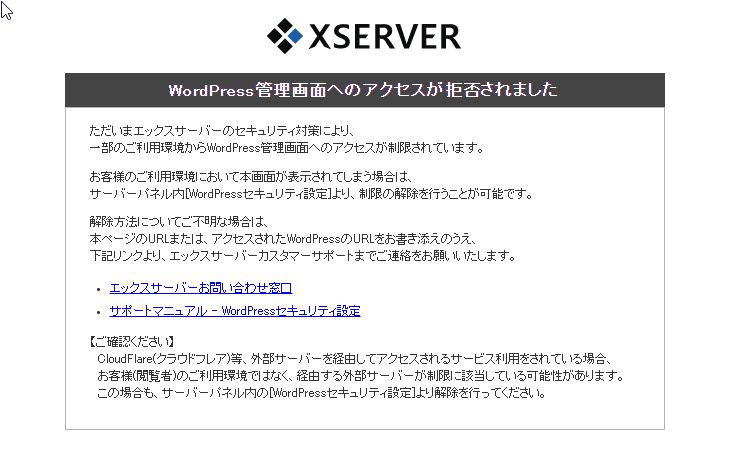
Could you also please temporarily disable the firewall so we could login to your site.
Best regards,
Ariel H.0 -
Hi,I have changed setting.
Please check ig you can login.
0 -
Hi Moe,
Thank you for reaching out to us. Upon review, the console shows a 413 error, which may be causing the issue.
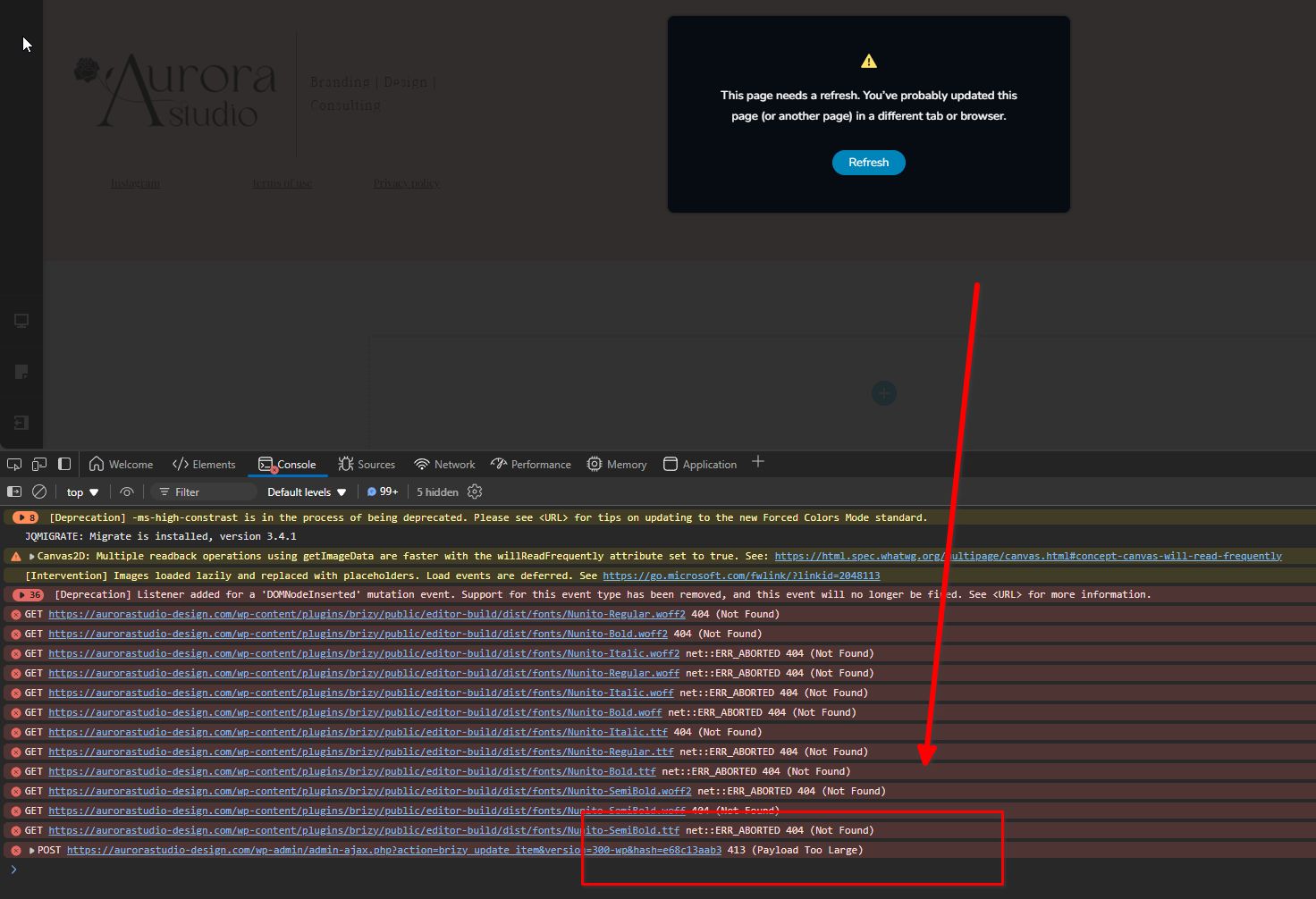
The "413 Request Entity Too Large" error typically occurs when the file being uploaded exceeds the maximum file upload limit set on your hosting account. You can find more details about this error in the following article:
https://www.wpbeginner.com/wp-tutorials/how-to-fix-the-413-request-entity-too-large-error-in-wordpress/To address this issue, please also update the WP_MEMORY_LIMIT from 40M to 512M.
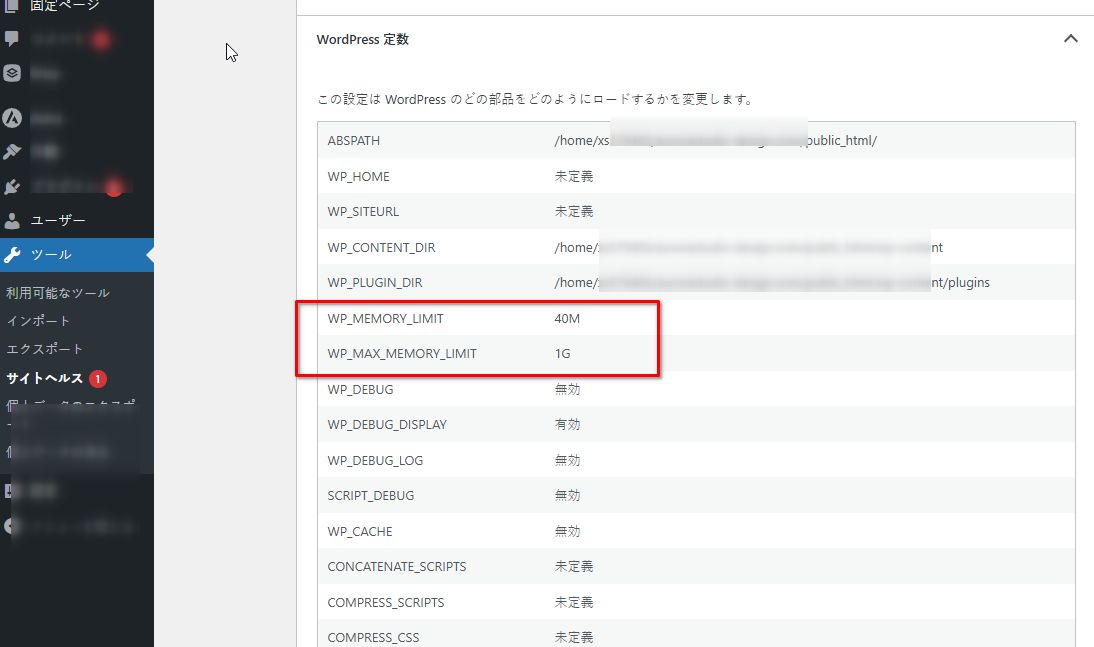
To increase the WordPress memory limit to 512MB, access the wp-config.php file in your WordPress root directory via FTP or your hosting file manager. Open the file and add the following line just before "That's all, stop editing! Happy publishing.":
define('WP_MEMORY_LIMIT', '512M');
This error could also be triggered if the page exceeds the maximum HTTP request size. In such cases, please ask your hosting provider to increase both SecRequestBodyLimit and SecRequestBodyNoFilesLimit in the ModSecurity configuration for NGINX. Here’s an example of the required configuration:modsecurity on;
modsecurity_rules '
SecRequestBodyLimit 4194304
SecRequestBodyNoFilesLimit 2097152
';I hope this helps.
Best regards,
Ariel H.0
Please sign in to leave a comment.
Comments
4 comments