Error saving page updates on cloudflare.

Hi,
I'm working on a website and its currently hosted on cloudflare, so everytime I try to save updates on Brizy, it returns the error "Could not publish or save page" and "This page needs a refresh. You’ve probably updated this page (or another page) in a different tab or browser."
I would like to know if there's anything that we must do on cloudflare or Brizy to make it work
Thanks
-

Hi Frederico,
Could you please enable Development Mode in CloudFlare by following the instructions in the link below and let me know if this helps?
https://developers.cloudflare.com/cache/reference/development-modeBest regards,
Ariel H.0 -
Hi Ariel,
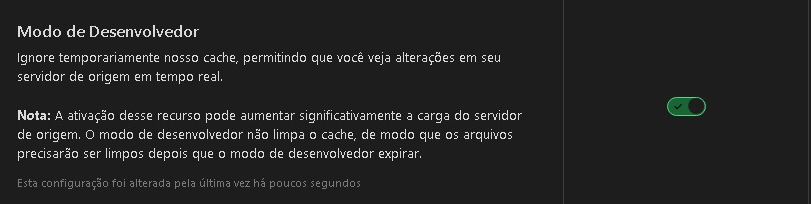
We have enabled Development Mode in Clouflare, but the issue still persists, is there another way?
 0
0 -
Hi Frederico,
Thank you for the update.
This issue could also be caused by restrictions in ModSecurity. Please try disabling it and see if that resolves the problem.
If your hosting provider does not allow disabling ModSecurity, ask them to add the following directive to increase the server limit:
<IfModule mod_security.c>
    SecRequestBodyLimit 4194304
    SecRequestBodyNoFilesLimit 2097152
</IfModule>
If the issue persists, please try isolating it by disabling all other plugins except Brizy and Brizy Pro to see if that makes a difference.
Best regards,
Ariel H.0 -
Hi, Ariel
We tried the suggestions above too, but the error still persists.
Is there anything else we can do?
0 -

Hello
If you are using the WordFence Security plugin, kindly follow the solution provided at https://support.brizy.io/hc/en-us/community/posts/21022565871762 to fix the issue. If not, we would like to take a look at your WordPress Dashboard to check this issue.
Please add a new user to your WordPress Dashboard and send the following details to our email: communitysupport@brizy.io
- Support Forum link: https://support.brizy.io/hc/en-us/community/posts/22337048156434
- WordPress Admin URL:
- Username
- Password
Please let us know in this forum when you send us the email.
0
Please sign in to leave a comment.
Comments
5 comments