Mobile Hamburger Menu isn't opening on tap/click

Hi there,
even in the current versions of the Brizy plugins, the hamburger menu is NOT opening.
I've created a dev install to further investigate:
https://dev.stefanfroehlich.photo/
WP 6.6.2
Blocksy 2.0.75
Brizy 2.5.9
Brizy Pro 2.5.5
NO other plugins whatsoever activated.
Last versions working with this site:
Brizy Version 2.4.45
Brizy Pro Version 2.4.38
Reverting to these versions fixes the problem.
Please help, I want to finally update my live website some day :-)
Best regards,
Stefan.
-

Hi Stefan,
Thank you for the update. Could you please provide us temporary access to your WP Admin page on this website so we can inspect your site. Kindly add us as an Admin user to your WordPress Dashboard and share the necessary details with us by sending an email to communitysupport@brizy.io.
Community Post link: https://support.brizy.io/hc/en-us/community/posts/22233863142162
WordPress Admin URL:
Username:
Password:
Also, please send us your WP login page password: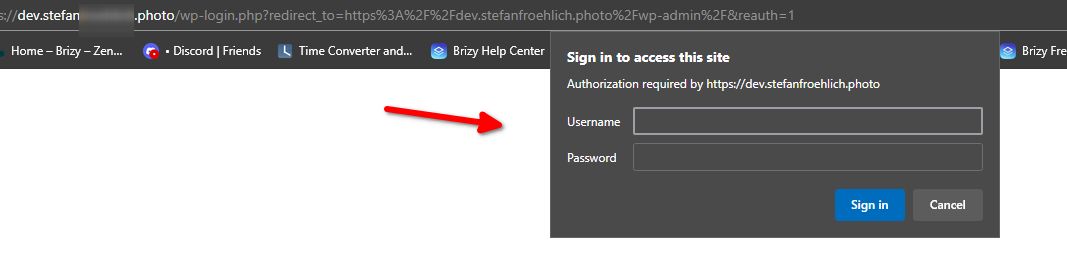
Please make a full backup of your site as a precaution.Best regards,
Ariel H.0 -
Hi Ariel,
thank you very much for your quick reply.
I just sent an email with the details requested.
Thank you very much for your help,
Stefan.0 -

I have the same on photo-passion.net the hamburger Menu doens't work.
When loading the page i get this error now and again.
Warning: Attempt to read property "post_type" on null in /home/httpd/vhosts/photo-passion.net/httpdocs/wp-content/plugins/brizy/admin/blocks/main.php on line 207 Warning: Attempt to read property "ID" on null in /home/httpd/vhosts/photo-passion.net/httpdocs/wp-content/plugins/brizy/admin/blocks/main.php on line 208
in console i get this error:
VM494:1 Uncaught SyntaxError: Unexpected end of JSON input
at JSON.parse (<anonymous>)
at f (preview.pro.min.js?ver=172-wp:2:427129)
at preview.pro.min.js?ver=172-wp:2:282837
at NodeList.forEach (<anonymous>)
at z (preview.pro.min.js?ver=172-wp:2:282722)
at preview.pro.min.js?ver=172-wp:2:558548
at Array.forEach (<anonymous>)
at preview.pro.min.js?ver=172-wp:2:558527
at preview.pro.min.js?ver=172-wp:2:534387
at Array.forEach (<anonymous>)
Maybe this helps0 -
Hi Stefan,
Thank you for your cooperation.
The menu on mobile is now working on your staging site.
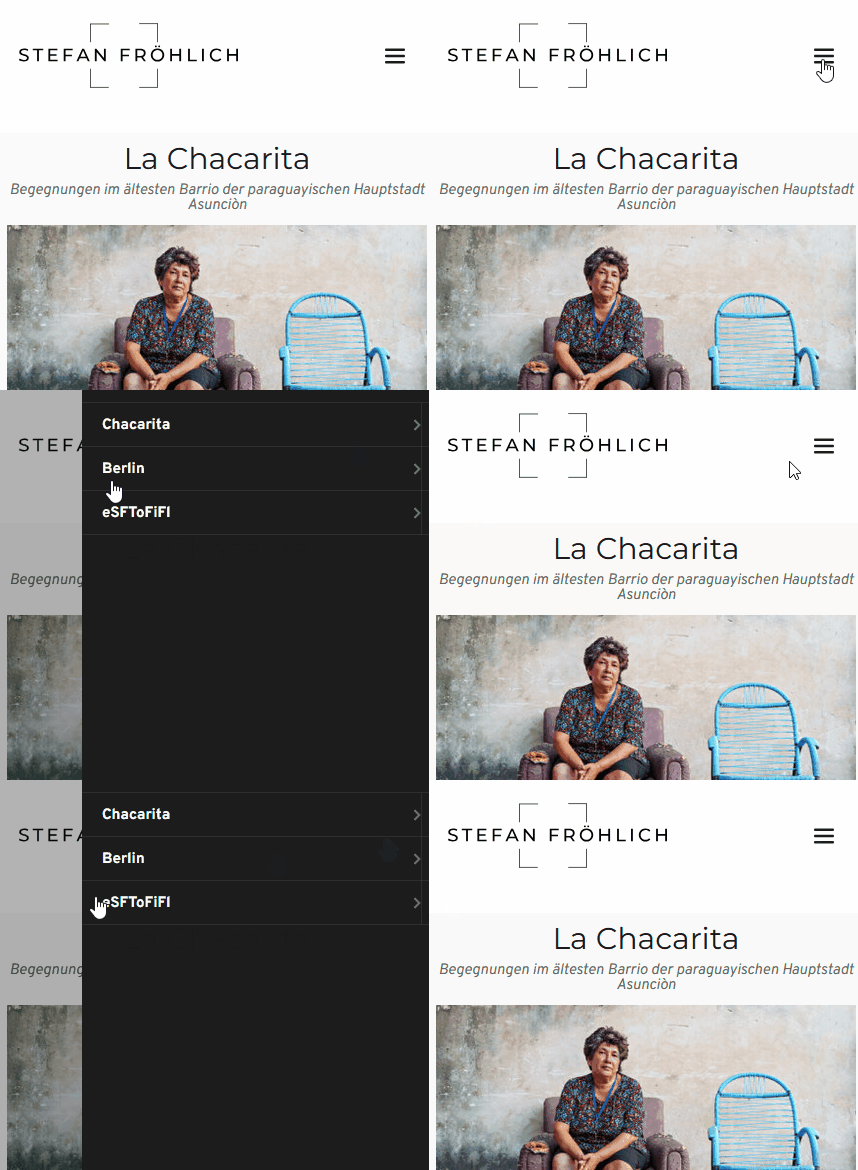
Best regards,
Ariel H.0 -
Hi Denise,
Thank you for reaching out to us.
Upon checking, the hamburger menu is working except for the warning as visible on your website.
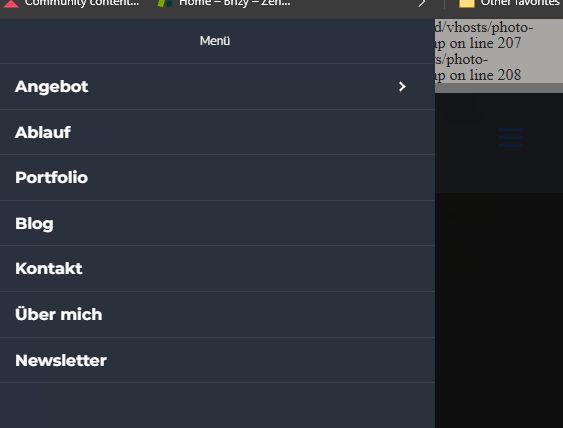
We have already reported this issue to our development team, and it should be fixed soon. The warnings are non-fatal and should not affect your site's overall functionality.In the meantime, please add the following directives in wp-config.php to hide the warning on the front-end.
ini_set('log_errors','On');
ini_set('display_errors','Off');
ini_set('error_reporting', E_ALL );
define('WP_DEBUG', false);
define('WP_DEBUG_LOG', true);
define('WP_DEBUG_DISPLAY', false);If you don't have access to update the wp-config.php file, you can also use a plugin to hide error reporting.
https://wordpress.org/plugins/debug/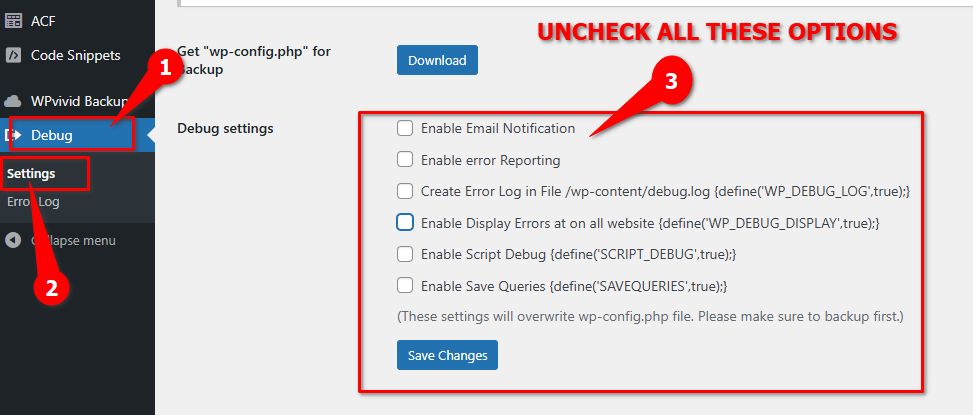
Sorry for the inconvenience.Best regards,
Ariel H.1 -
Hi Ariel,
thank you very much.
How exactly did you do it?
I'd love to do the same thing on my live website.
Is it just the settings in the wp-config mentioned in the post above? I don't think you had access to this file.
Best regards,
Stefan.0 -
Hi Stefan,
Thank you for the update.
When I was troubleshooting your site, the warnings are not visible in the front-end. About the menu, unfortunately, this is a manual fix for now, until we roll out an update to fix this issue. If you could provide us temporary access to your live site, we will be glad to fix it for you.
Best regards,
Ariel H.0 -
Hi Ariel,
so I guess copying the files of both plugins to the live instance will do, right?
Best regards,
Stefan.0 -
Hi Stefan,
Thank you for the update. Please give it a try, and let me know if you run into any issues.
Best regards,
Ariel H.0
Please sign in to leave a comment.
Comments
9 comments