Unable to save page after Migration with Prime Mover

Hey,
I migrated a site to a new server and on the new server I get the following errors when I try to save a page:
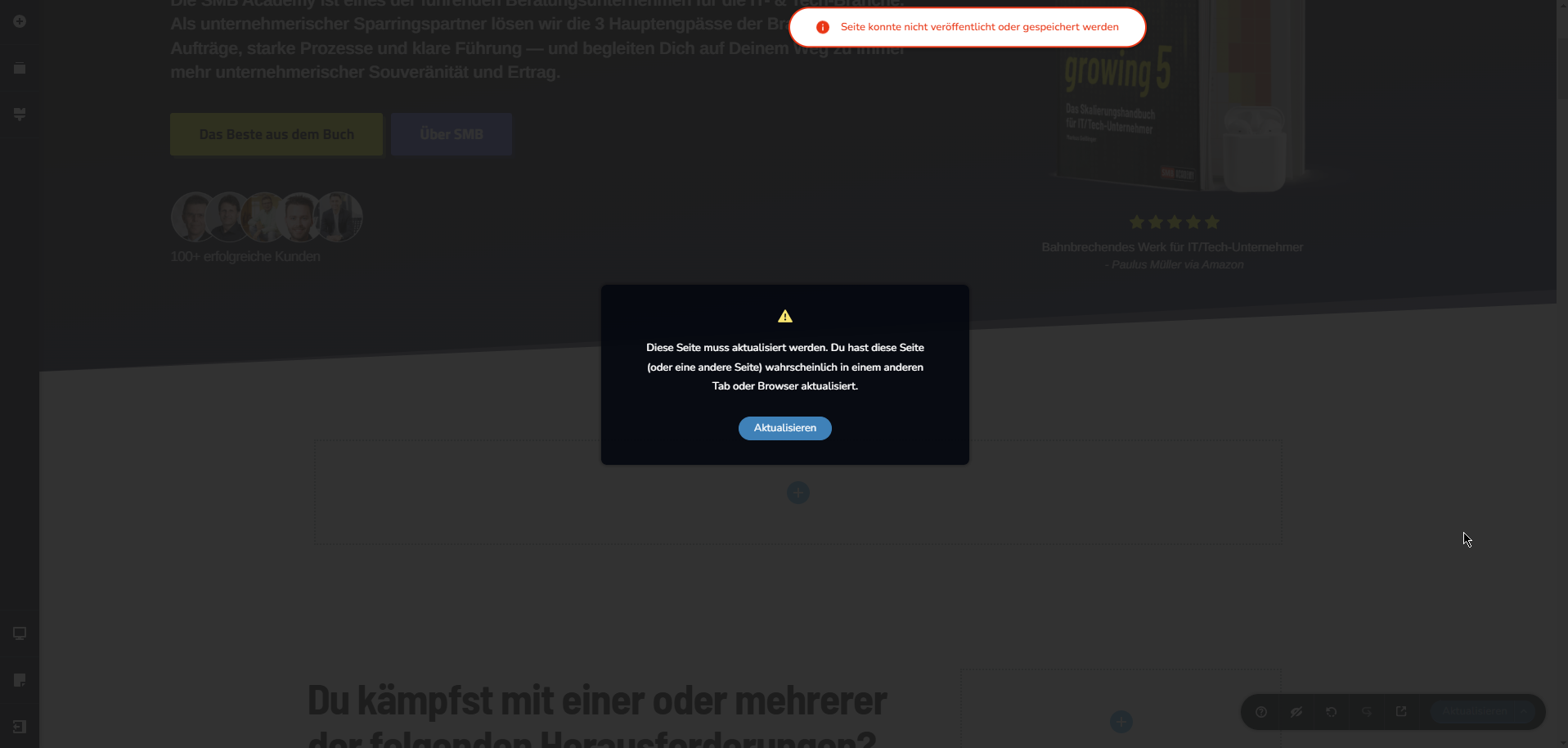
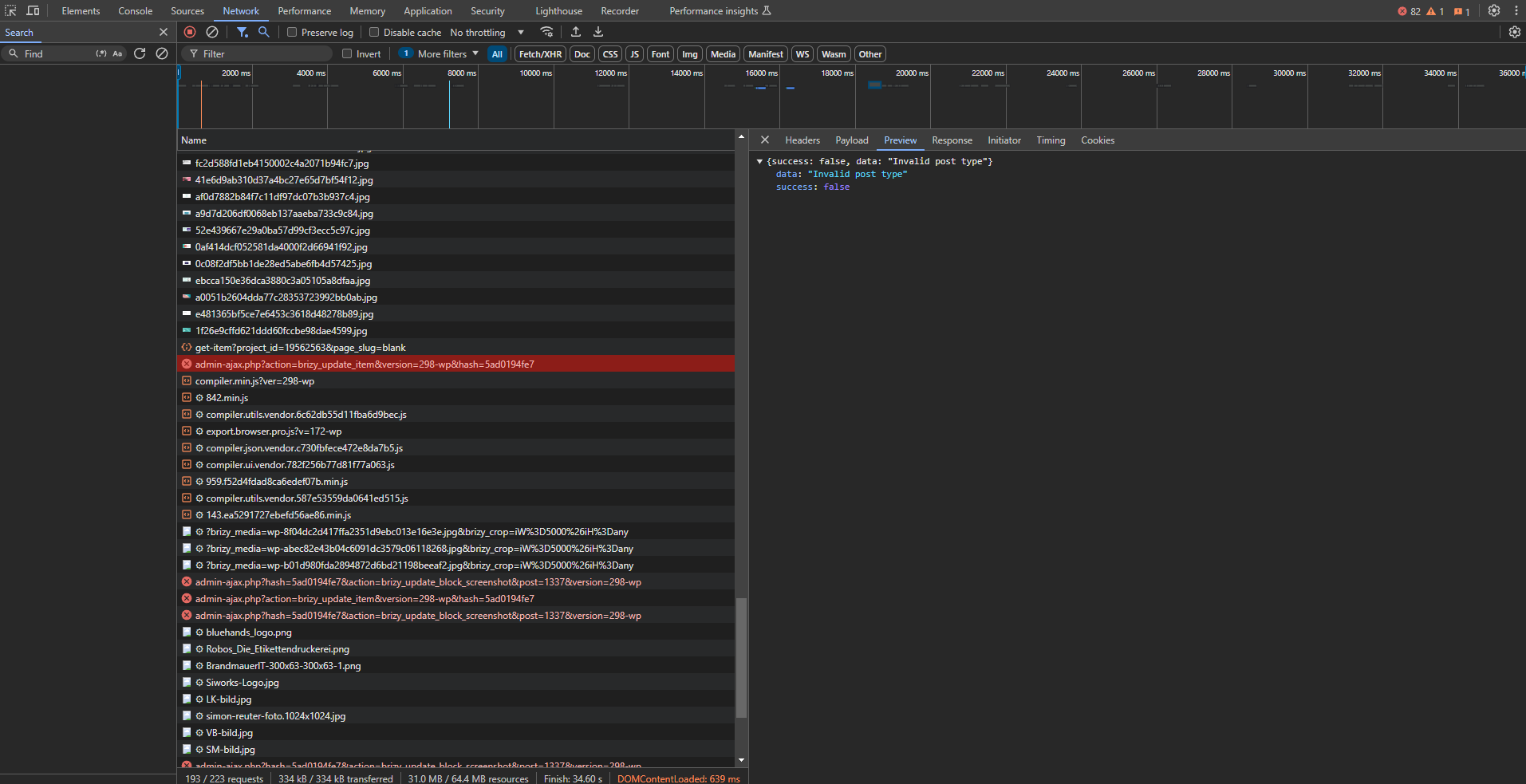
Could you maybe look over the site if possible?
Cheers Frederik
-
I disabled LiteSpeed Cache and Wordfence for testing
0 -
debug.log just says this:
[25-Oct-2024 11:05:35 UTC] PHP Deprecated:  stripslashes(): Passing null to parameter #1 ($string) of type string is deprecated in /Websites/SMBAcademy/public_html/wp-content/plugins/brizy/editor/api.php on line 423
[25-Oct-2024 11:05:35 UTC] PHP Deprecated:  stripslashes(): Passing null to parameter #1 ($string) of type string is deprecated in /Websites/SMBAcademy/public_html/wp-content/plugins/brizy/editor/api.php on line 425
[25-Oct-2024 11:05:35 UTC] PHP Deprecated:  stripslashes(): Passing null to parameter #1 ($string) of type string is deprecated in /Websites/SMBAcademy/public_html/wp-content/plugins/brizy/editor/api.php on line 426
[25-Oct-2024 11:05:35 UTC] PHP Deprecated:  stripslashes(): Passing null to parameter #1 ($string) of type string is deprecated in /Websites/SMBAcademy/public_html/wp-content/plugins/brizy/editor/api.php on line 427
0 -

Hi Frederik,
Please provide us with temporary access to your WP Admin page so we can take a look. Please add us as an Admin user to your WordPress Dashboard and send the following details to communitysupport@brizy.io.
Community Post link: https://support.brizy.io/hc/en-us/community/posts/22201168530834
WordPress Admin URL:
Username:
Password:As a precaution, we recommend creating a full backup of your site.
Best regards,
Ariel H.0 -
I've sent you the details. Email subject: "WP access Post 22201168530834"
0 -
Hi Frederik,
Thank you for your cooperation.
The issue appears to be connected lack of memory, could you please update the following settings on your server and see if this will help address the issue?
max_execution_time: 300
max_input_vars: 300
memory_limit: 512M (or higher)
post_max_size: 128M
upload_max_filesize: 32MYou can also make these changes yourself if you have access to cPanel. Go to 'Select PHP Version' and then to 'Options.' There, you will find these settings and can modify them. After making the changes, please go back to your page and see if you can still replicate the issue.
Please try this and let me know how it goes.
Best regards,
Ariel H.0 -
I changed the settings in the php.ini and restarted the service. The issue is still present
0 -
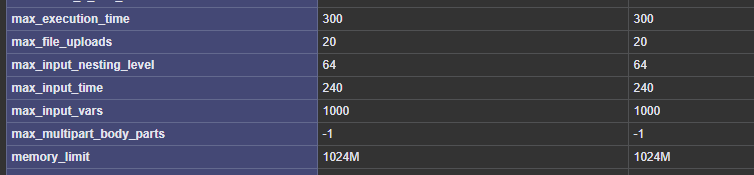


Here are screenshots from the phpinfo output
0 -
We resolved the issue. We have a OpenLitespeed server and lsphp was running isolated in a docker container. The issue was that the container could not write into /tmp and this caused the issue. Saving posts (not in brizy editor) on the edit page did not work either. Making /tmp writable in the docker container solved the issue.
Thanks for the help :)0
Please sign in to leave a comment.
Comments
8 comments