Brizy builder translation

I read through all of resources for translation but still not sure how to do it.
When I installed the TranslatePress and followed the instructions, it brought me to the wordpress theme but not the brizy template. Also do you have a built in translation like brizy cloud?

-
 Hi Janet,Here’s an example of how you can target the menu items using CSS:
.translatepress-zh_CN ul.brz-menu__ul a {
font-family: 'Noto Sans SC', sans-serif !important;
}
.translatepress-zh_CN ul.brz-menu__ul a:hover {
font-weight: bold;
color:red !important;
}For the Switcher element, here is an example:.translatepress-zh_CN .brz-switcher__nav--item {
font-family: 'Noto Sans SC', sans-serif !important;
font-weight: bold !important;
}Feel free to adjust the properties as needed.Best regards,Ariel H.0 -
Hi Ariel, there are few custom fonts applied the webpage. So if we can manually change the set heading to bold, it will solve the heading being "custom" problem and thus without needing the CSS code.
I dont know if you understand what i meant
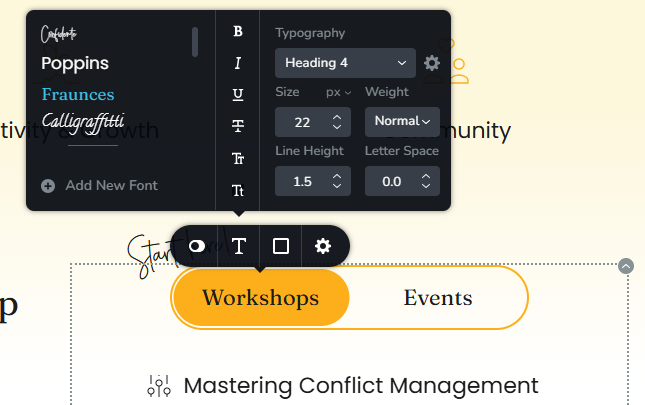
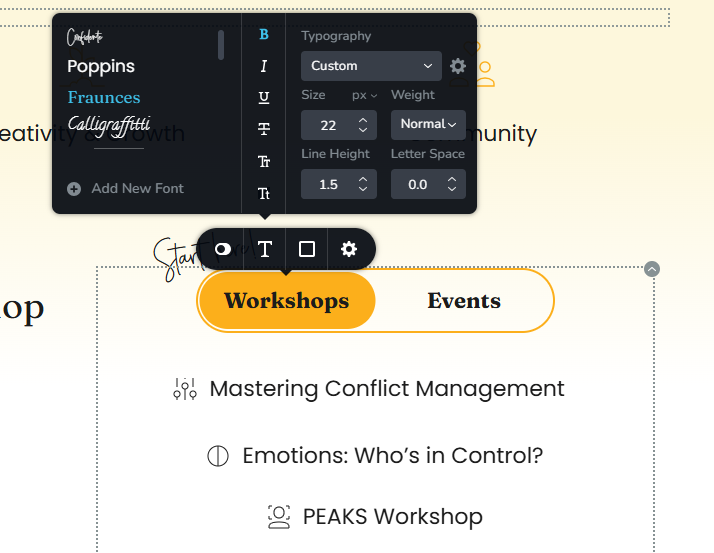
For example, if I make font as heading 4 and I want it to be bold, it will change to custom. How could we stick with the heading and make it bold without changing to custom.
We will be able to replicate it on the same page
 0
0 -
Also, when applying the menu list coding, when switching to mandarin, the menu was hovered with red instead of the original set up ( different to what was shown in the ENG menu)
 0
0 -
Hi Janet,
Sorry about that, I understand what you mean now. The font is changing because the custom font doesn’t have a bold variant. You could try checking the source where you downloaded the font to see if there’s an equivalent bold version available.
Or use the following CSS
@import url('https://fonts.googleapis.com/css2?family=Fraunces:wght@400;700&display=swap');

.brz-switcher__nav {
    font-weight: 800 !important;
}
For the menu element, please remove this from the previous CSS:
color:red !important;
0 -
Hi Ariel,
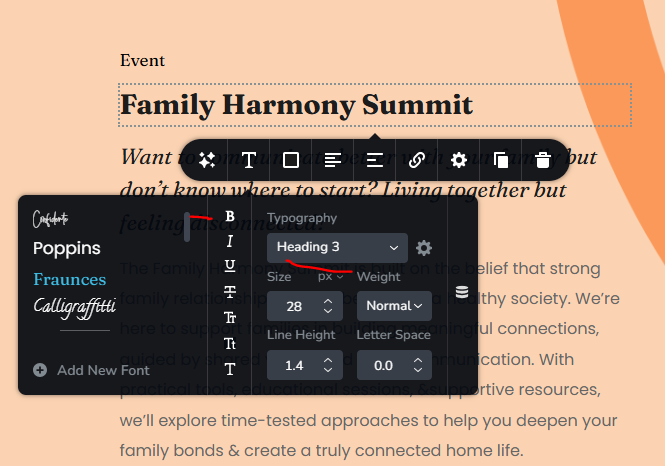
That is a bold variant downloaded for my font and if you see closely on the workshop and event page, the title ( with bold variant) worked in this case.And
heading does not change to custom, but if I do that to other, the font will change to custom.
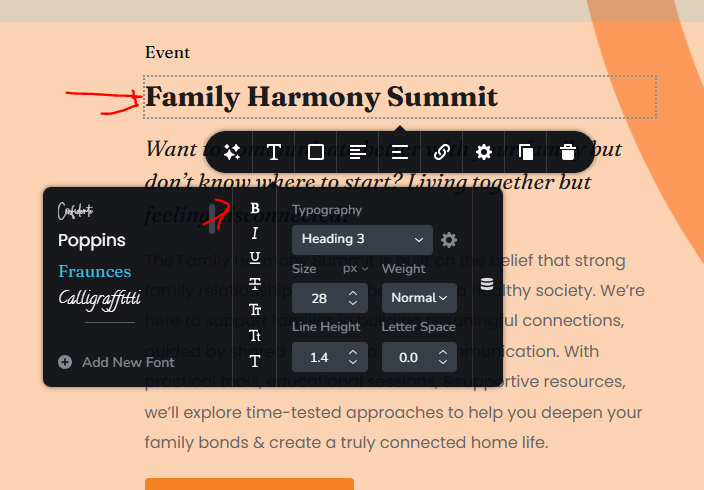
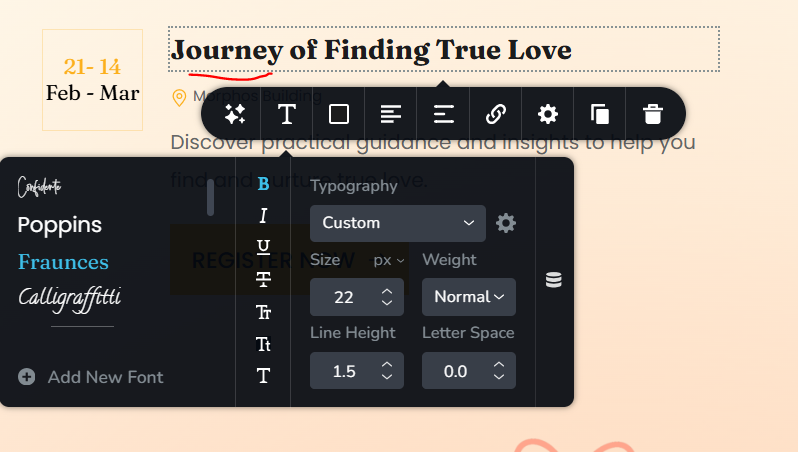
Example on the homepage, where I originally selected h4 and then clicked on bold B, the typo changed to custom
 0
0 -
I replicate the event title to the home page
0 -
Hi Janet,
Setting the font to Bold changes the Typography to custom, which will only affect paragraphs. Instead of using Bold, please adjust the Font Weight instead and ensure you’ve downloaded and uploaded the correct font variants.
In this example, I uploaded a Fraunces Semi Bold and labeled it properly.
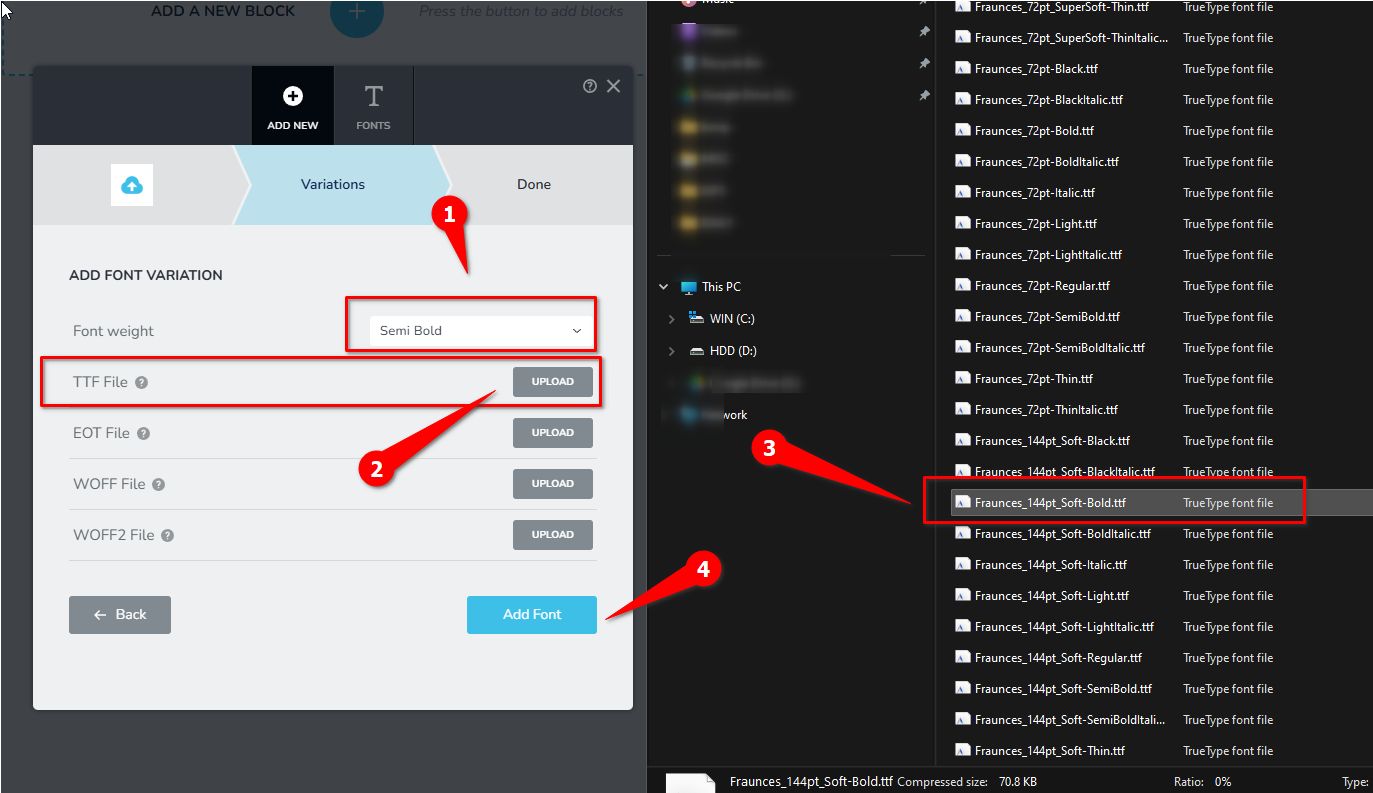
Then I set H3, to Fraunces and set the Font Weight to Semi Bold.
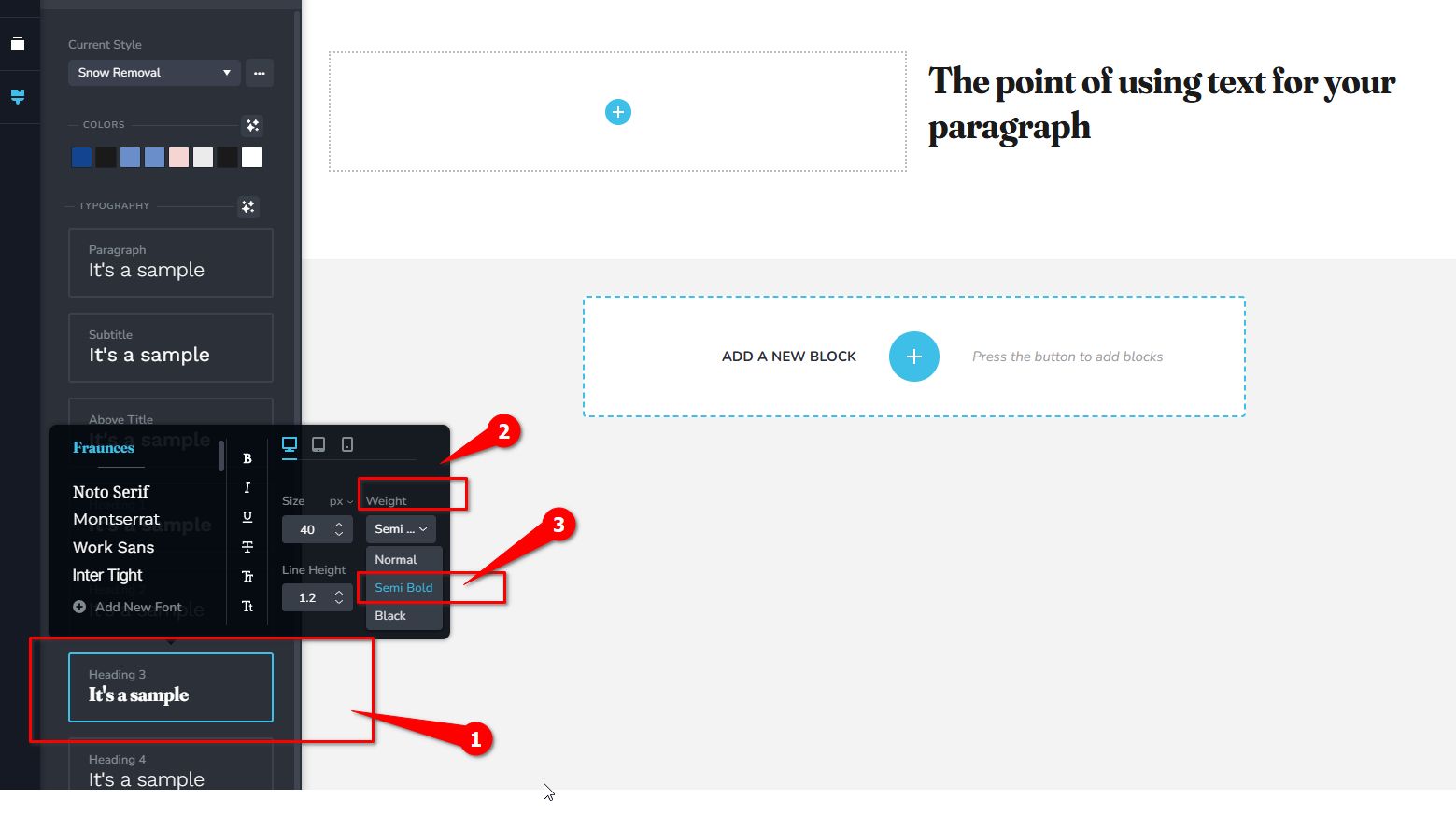
I hope this helps.
Best regards,
Ariel H.0
Please sign in to leave a comment.
Comments
67 comments