Brizy builder translation

I read through all of resources for translation but still not sure how to do it.
When I installed the TranslatePress and followed the instructions, it brought me to the wordpress theme but not the brizy template. Also do you have a built in translation like brizy cloud?

-
I will double check with our hosting provider, even though we still can see the difference between the confidente text we had.
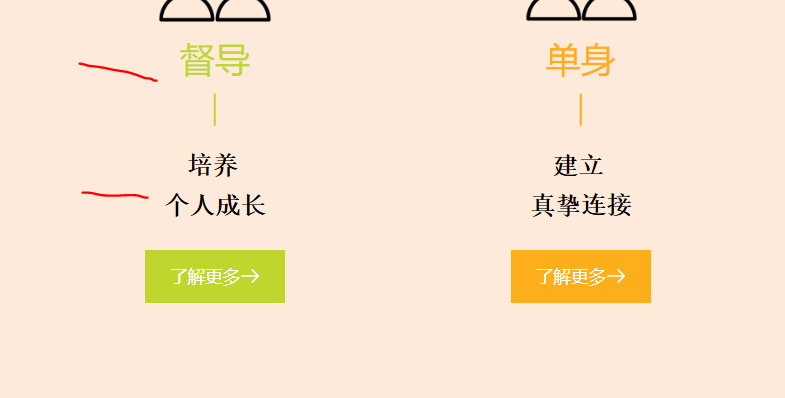
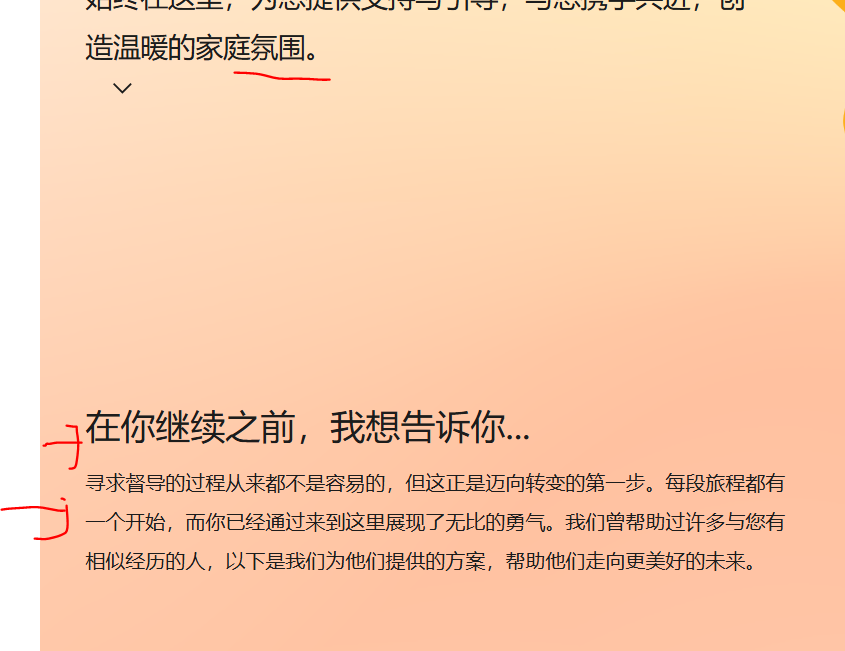
Meanwhile, we also noticed several chinese character even though we set the font as Arial, but if you check on the home page, there are 2 types of fonts appeared. Can you kindly check. This is not about the font weight as they are clearly different
 0
0 -
Hi Ariel,
Can you confirm if you are using my font files to render the font? We cleared the cache agai n iwth the hostin provider and still seeing the same issues.
0 -
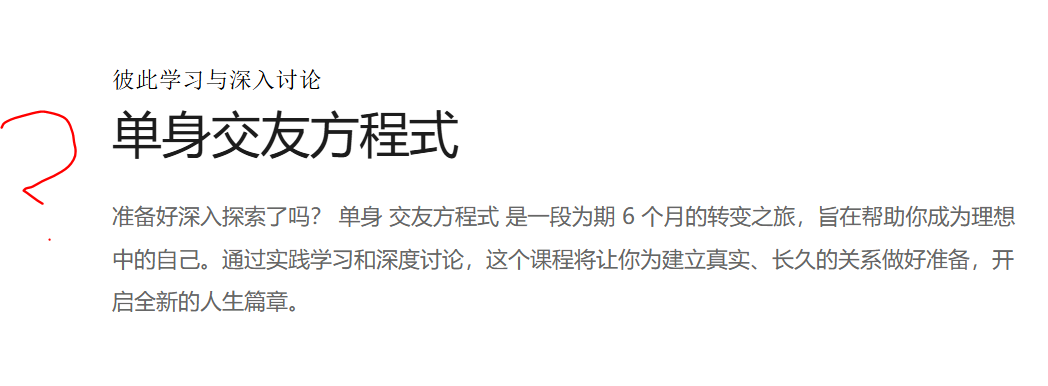
As you can see, two types of font
 0
0 -
Thats what the hosting provider told me:
I understand. I see that you have "no cache" mode active, i.e. the problem is not with server caching, but with development.
0 -

Hi Janet,
Thank you for the update.
1. The issue is likely due to a fallback font. When Arial doesn’t support certain characters, like Chinese, the browser substitutes them with a fallback font, causing inconsistencies. You might want to consider using a font that supports both Latin and Chinese characters, such as Noto Sans.
2. I have imported the pages as they are and activated the Twenty Twenty-Two theme, so it’s now using the fonts available in the theme.
3. Could you please let me know where I can find this?
4. You might consider developing your site locally or creating a staging version in a separate subdirectory to test and troubleshoot the issue.
Best regards,
Ariel H.0 -
Hey Ariel,
Same issue persists.
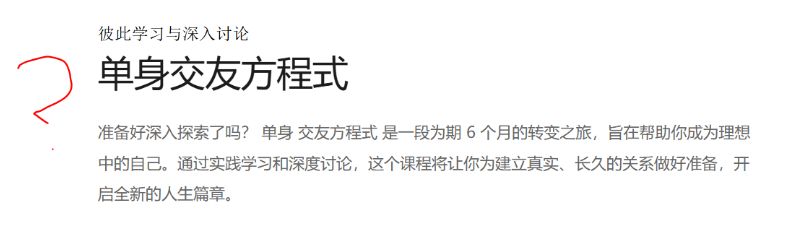
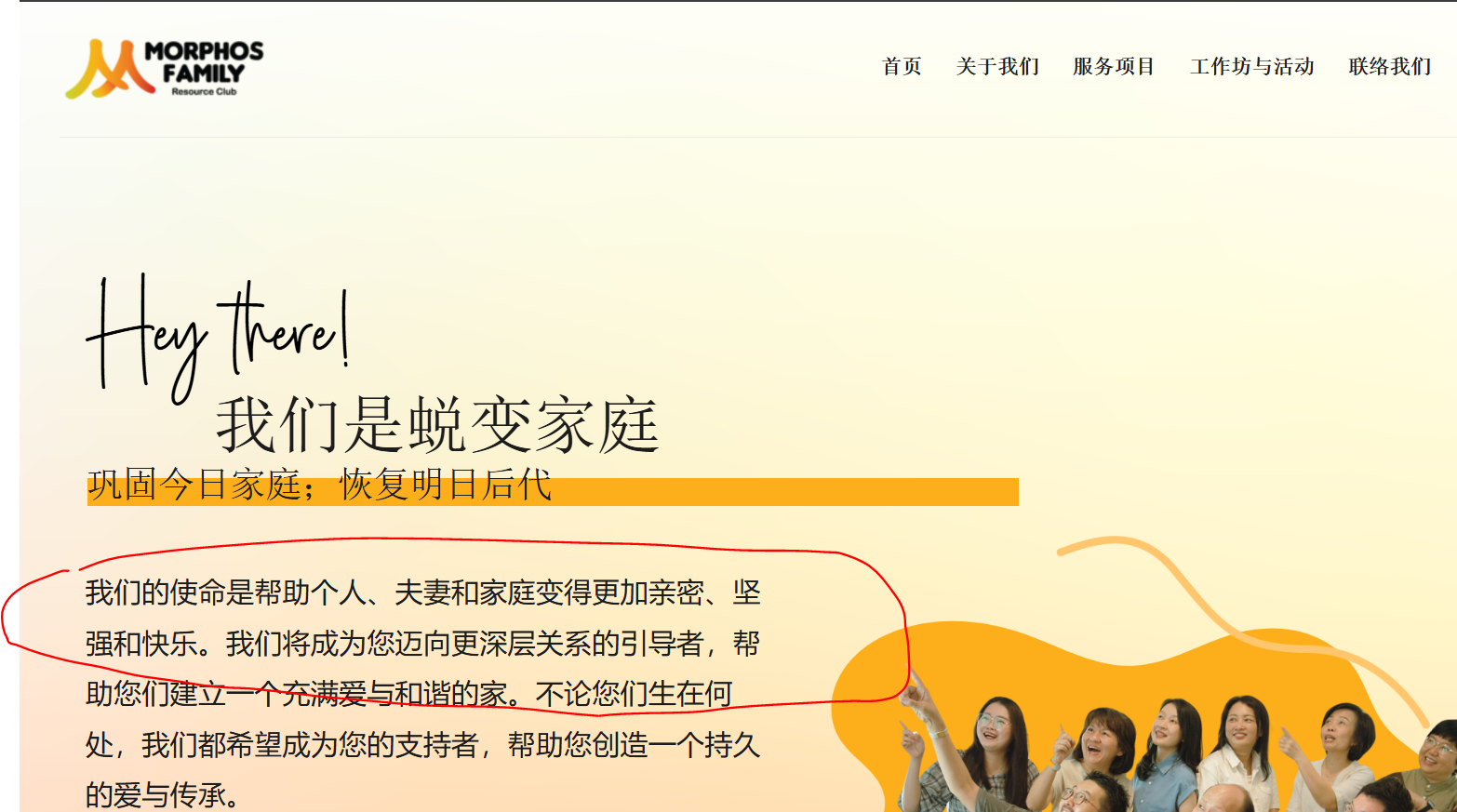
We have switched the theme to Astra but seeing two types of font, which we prefer the font type in circle. Now. the font difference only appears on the desktop view when switching the language. If we view it via mobile phone, the font stays okay and shows in the font we prefer.
I checked it on incognito window and have multiple people checking on their laptop. Can you pls investigate thanks
 0
0 -
Hi Janet,
Thank you for keeping in touch.
Please consider changing the font type to Noto Sans or other fonts designed for Asian languages. Poppins is a sans-serif font primarily designed for Latin-based scripts, and it doesn't cover complex scripts like as Chinese - https://developers.googleblog.com/en/noto-a-cjk-font-that-is-complete-beautiful-and-right-for-your-language-and-region/
Best regards,
Ariel H.0 -
Hi Ariel, do you mean by changing the english font type to Noto Sans? or Changing the Chinese Font to Noto San?
At the moment, we do not add any custom font to Chinese font on the customisation
0 -
Hi Janet,
The font used for English will also be applied to the translated language. To install Noto Sans, please refer to the steps outlined in this screencast: https://youtu.be/wbQnfUmqdPI.
Using Noto Sans will ensure consistent typography across both English and Chinese pages.
Best regards,
Ariel H.0 -
But we are using fraunces for heading that will impact the look of the design. Any alternative tho? Can we apply a custom code
0 -
Hi Janet,
It is possible to use a second font using custom CSS as mentioned here - https://wordpress.org/support/topic/translatepress-change-font-in-the-second-language/
Best regards,
Ariel H.0 -
For our case, how can we use the custom code? Last time we applied the code but the cursive font doesn't appear properly. I'm concerned with the custom code
0 -
I followed the instructions and applied this code but this is not working
@import url('https://fonts.googleapis.com/css2?family=Noto+Sans&display=swap');
body.translatepress-zn_ZN {
font-family: 'Noto Sans', sans-serif;
}can you please check
0 -
Hi Janet,
Thank you for your update.
Unfortunately, we’re unable to assist with custom CSS for adjusting fallback fonts in TranslatePress. For a simpler solution, we recommend exploring Multilingual Fonts:
https://translatepress.com/best-multilingual-fonts-for-multi-language-websites/
https://fonts.google.com/knowledge/using_type/language_support_in_fonts
https://medium.com/@similarfonts/chinese-fonts-fonts-that-support-both-english-chinese-39b88f1e324cIf you choose to proceed with custom CSS, we recommend contacting TranslatePress support for further assistance as they’re better equipped to assist with such requests.
Best regards,
Ariel H.0 -
hey, how to open up a translatepress support site? They seems to having issue with webpage and not allowing us as a free user to open a ticket. can you show me how?
0 -
Hi Janet,
For support with the free version, please log in using your WordPress.org account and visit - https://wordpress.org/support/plugin/translatepress-multilingual/
Best regards,
Ariel H.0 -
The error seems happening with Brizy theme
I have applied the correct CSS as per the instruction from Translatepress, but nothing shown up on brizy site.
@import url('https://fonts.googleapis.com/css2?family=Noto+Sans&family=Noto+Sans+SC:wght@100..900&display=swap');
.translatepress-zh_CN h1{
font-family: 'Noto Sans SC', sans-serif !important;
}
.translatepress-zh_CN h2{
font-family: 'Noto Sans SC', sans-serif !important;
}Can you pease check
0 -
Hi Janet,
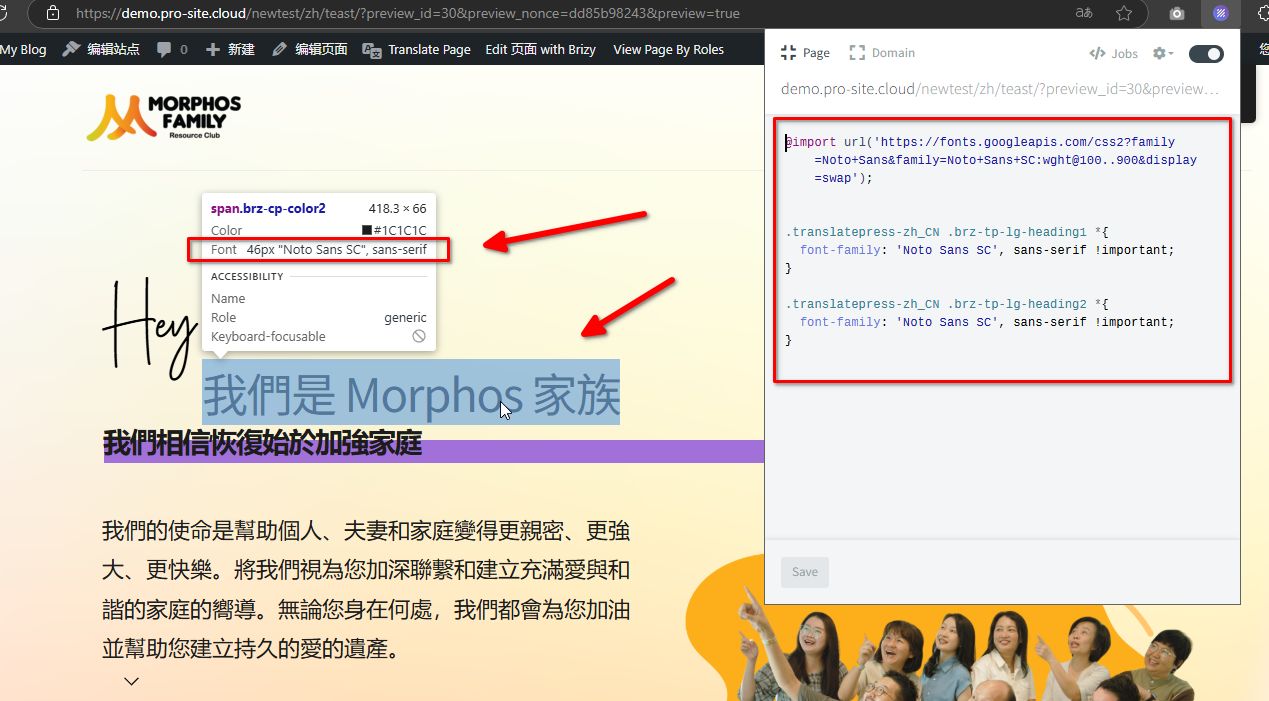
Please try the following instead:
@import url('https://fonts.googleapis.com/css2?family=Noto+Sans&family=Noto+Sans+SC:wght@100..900&display=swap');

.translatepress-zh_CN .brz-tp-lg-heading1 *{
  font-family: 'Noto Sans SC', sans-serif !important;
}

.translatepress-zh_CN .brz-tp-lg-heading2 *{
  font-family: 'Noto Sans SC', sans-serif !important;
}
Best regards,
Ariel H.0 -
Thanks Ariel, some seems to be working but some arent.
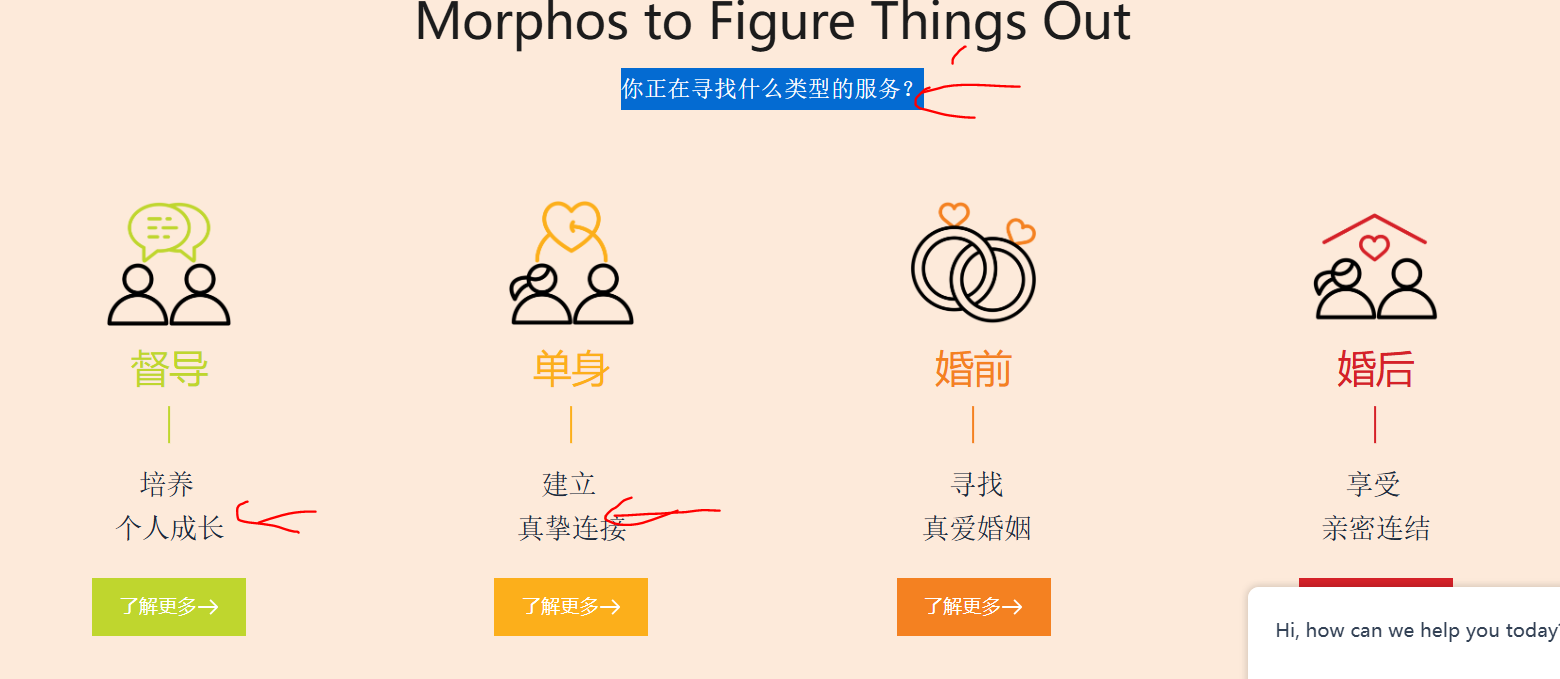
For the custom wording, subtitle, text that are not reflected with Noto San SC, what element should we be using? You can show me how to do it, and I can dig it on my end for the rest of the page thank you
 0
0 -
Hi Janet,
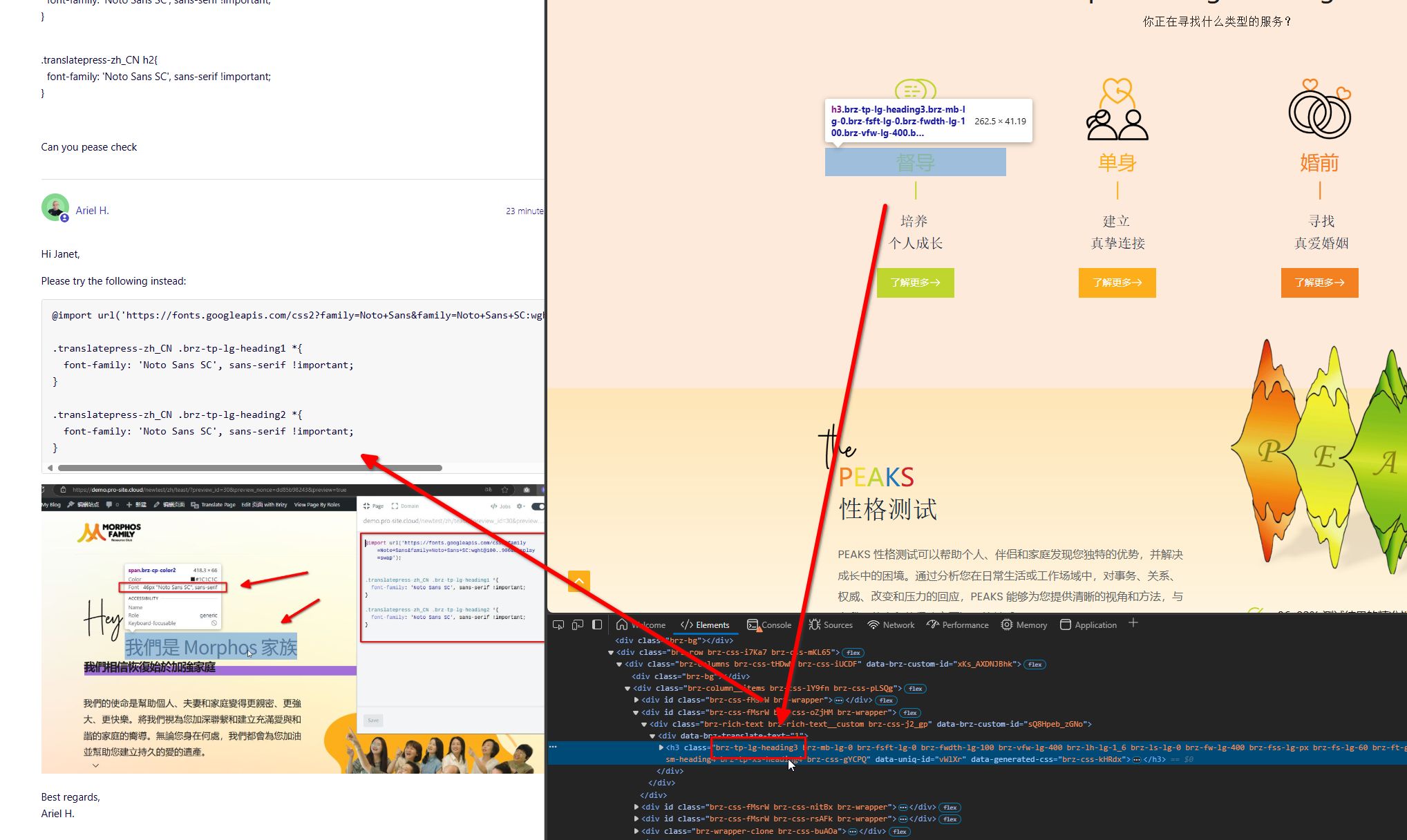
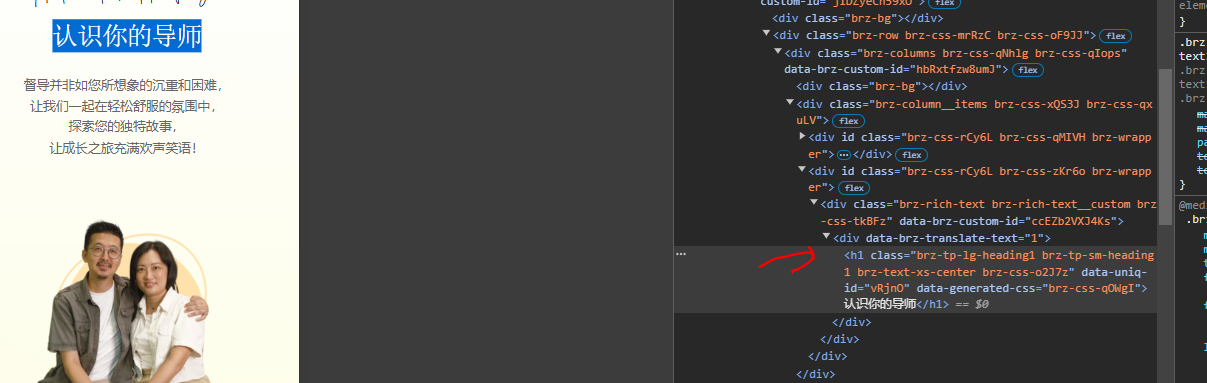
You can use the inspection tool to identify the class applied to the text and then add the corresponding CSS. In the example below, the inspector shows the class of the selected text as 'brz-tp-heading3', so the CSS would be:
.translatepress-zh_CN .brz-tp-lg-heading3 *{
  font-family: 'Noto Sans SC', sans-serif !important;
}
Best regards,
Ariel H.0 -
Will do, meanwhile, I was inspecting the other page ( meet the page) and discover some issues while this h1 was applied with the right class but the font seems to stay in the old font type.
 0
0 -
Hi Janet,Please use this CSS:
.translatepress-zh_CN h1.brz-tp-lg-heading1 {
font-family: 'Noto Sans SC', sans-serif !important;
}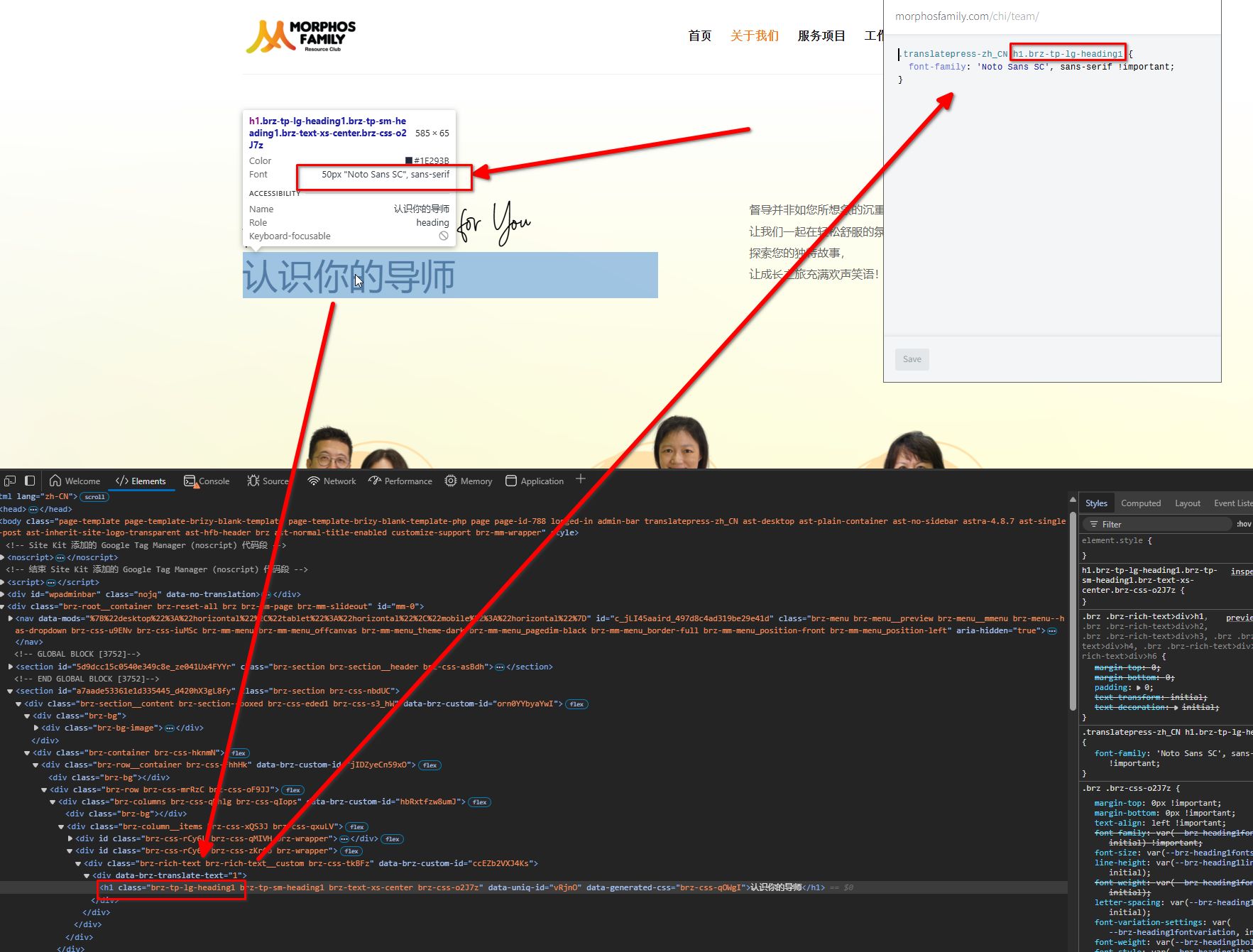 0
0 -
Hi Ariel, I still encounter the same issue on every page but just to quick you a quick example: on the single page, the font type for heading 2 was reflected fine above but this heading 2 does not reflect the right font.
Also all the paragraph text is not consistent as well. Is there a class that can represent all the text? I tried .body last time but its not working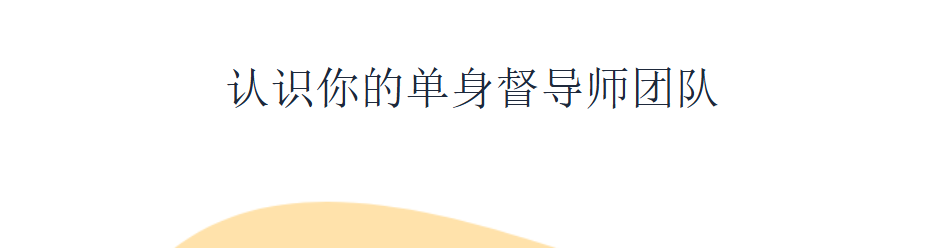 0
0 -
Hi Ariel,
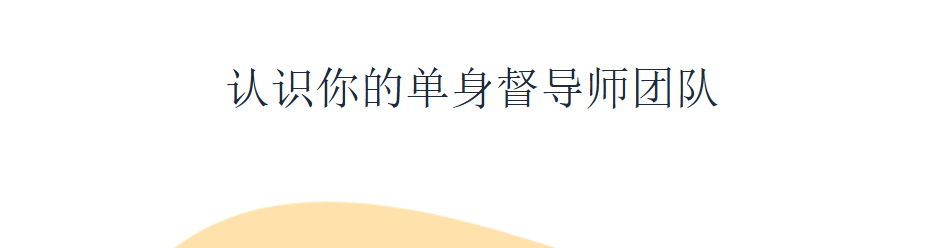
Few problems when using *
Some of the headings are not override ( Single page) and the cursive word no longer be working as well.
 0
0 -
Hi Janet,
Please try this:
.translatepress-zh_CN * {
  font-family: 'Noto Sans SC', sans-serif !important;
}

.translatepress-zh_CN p.brz-ff-dPePcGQjSmFZ span{
    font-family: dPePcGQjSmFZ !important;
}
This should exclude the above font.
0 -
Hey Ariel, I hate to say that but it generates other issues while inputting the coding above
On the home page; some of these fonts still sticks with the original old font style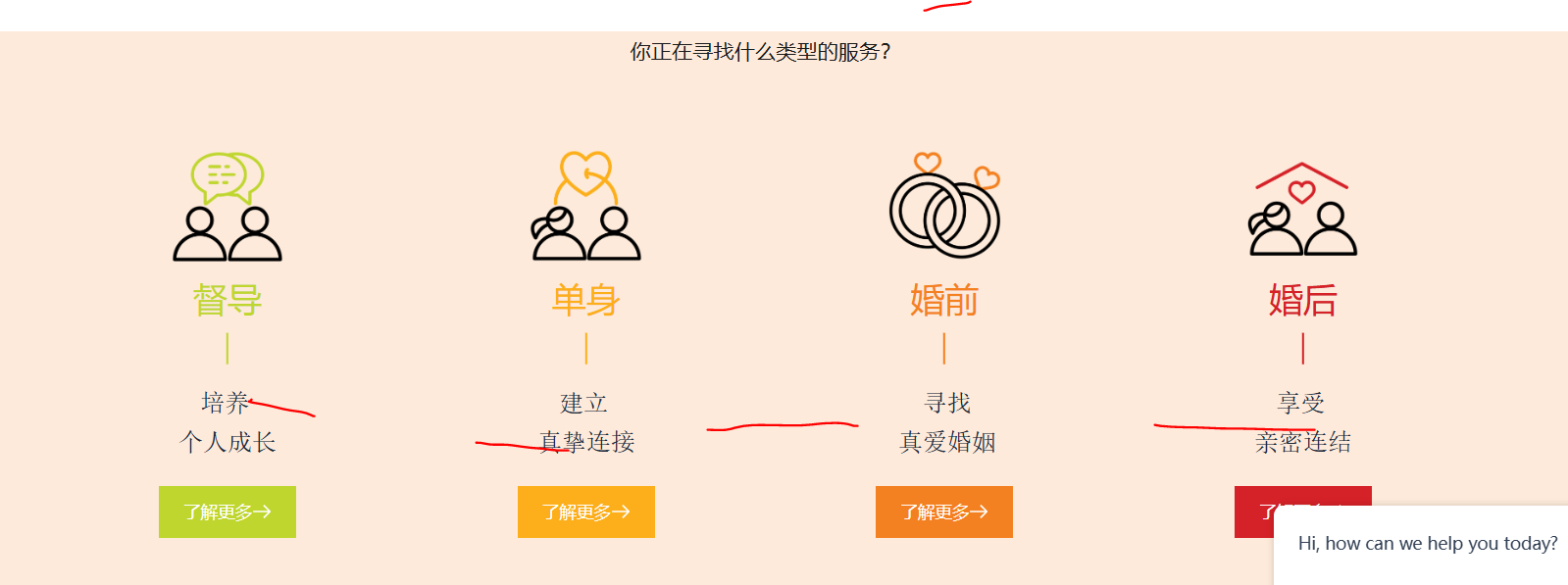
on single page, the cursive wording is affected
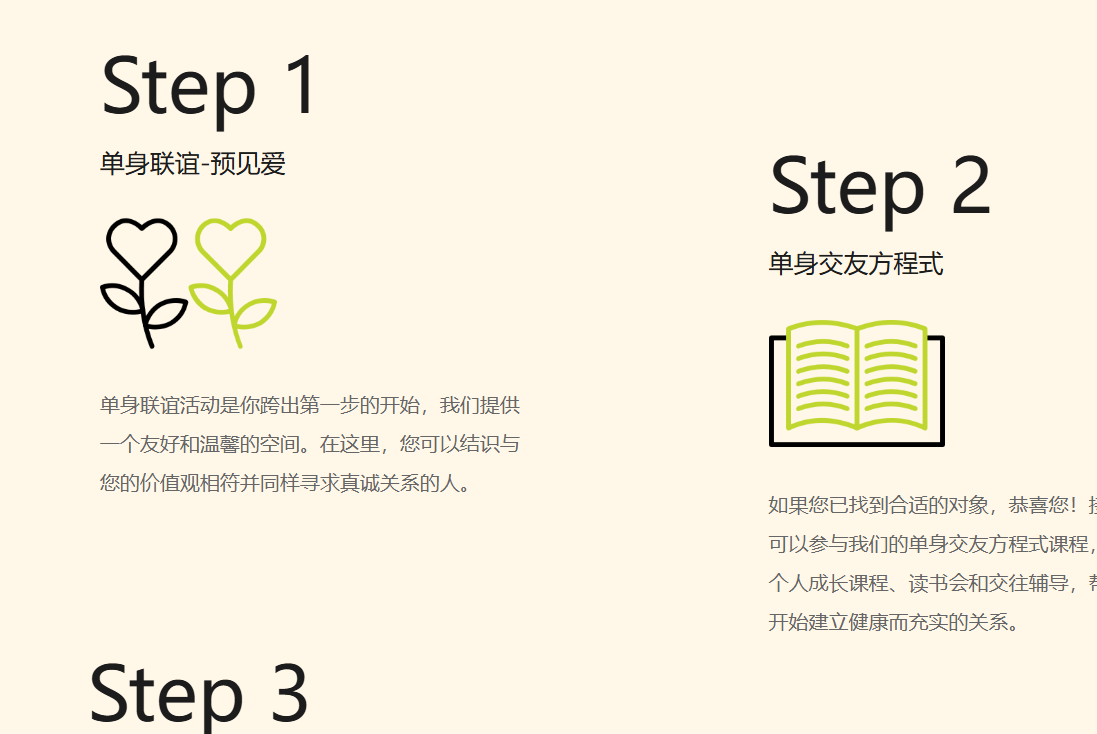
about us page; these fonts are not changed

Meet the team page, the heading 1 is not translated

and many more....
0 -
Hi Janet,
I’d love to assist further, but inspecting each page with custom fonts applied would take some time. We’ve already provided examples that work on some elements. For more extensive adjustments, I recommend reaching out to a developer with CSS expertise who can inspect each element in your pages and apply the necessary CSS.
Best regards,
Ariel H.0 -
Hi Ariel,
I managed to figure it out some of them myself but will do for the others. But for the menu items, I have been trying to find out the class but couldnt do it. Would you mind showing me how please?
 0
0 -
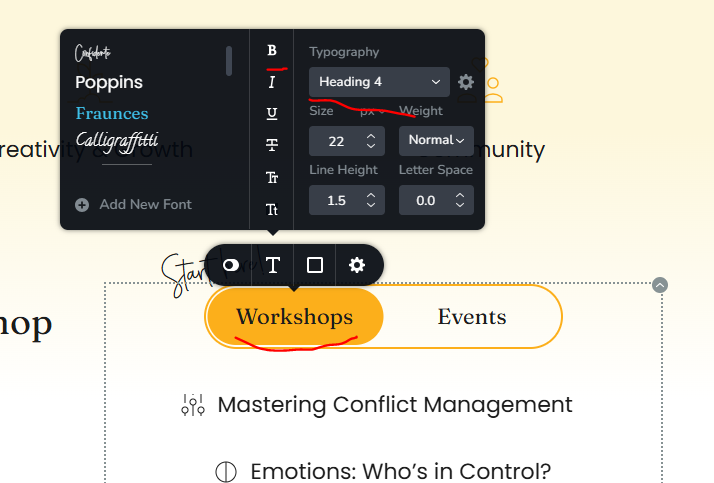
Also Ariel, is there a way to change heading into bold without making it as custom? I found that I will be able to make it as a heading instead of custom ( due to the font being bold), then I can fix the random text font style
 0
0 -
Actually, if we can fix the text being changed to custom when making it bold, then the existing coding will fix it all.
Can you please look at it? ( I was able to make the heading stick on the Workshop and Event page while making the font bold) so it does work but I forgot how to make it.
0
Please sign in to leave a comment.
Comments
67 comments