Strange behaviour after update today: Font doesn't show in Brizy configured weight

Hi!
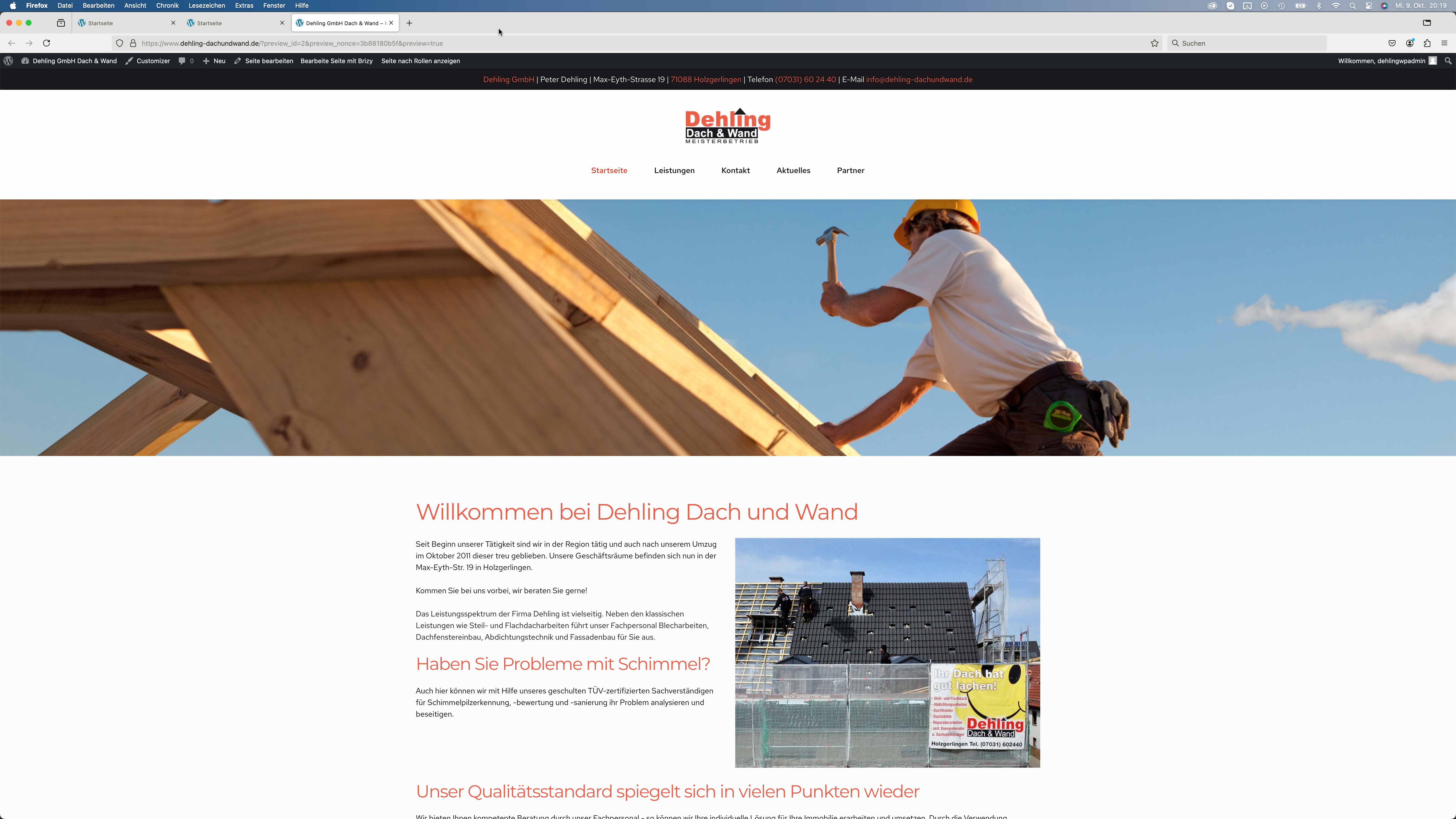
I made a few updates today on some Wordpress pages and I am having the same issue with two pages on two different webservers. I configured my headings in brizy to be bold. But they are not displayed in bold. Not on the website, not in the brizy page builder and not in preview. See Screenshots below. I already tried using a different theme and deactivating all other plugins. Nothing helped. I updated to WP 6.6.2 Brizy 2.5.8 Brizy Pro 2.5.4 and Blocksy 2.0.71 and I am using PHP 8.3.
Thank you,
Martin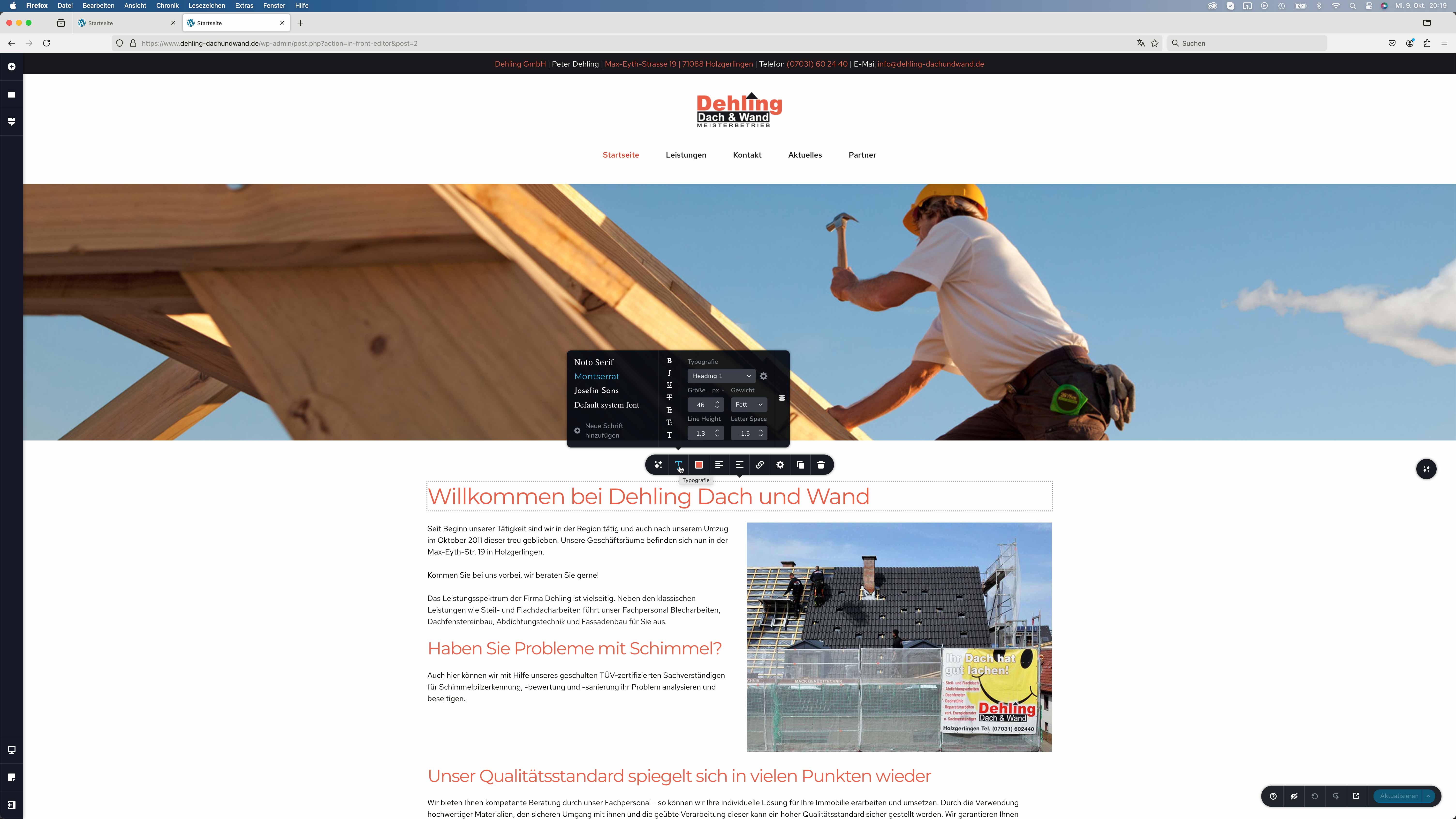
-

Hi Martin,
Thank you for reaching out to us.
Please try making minor changes to your page, such as adjusting the padding of your global header or any regular block by 1 pixel, then click "Update." Preview your site and see if this resolves the issue. You may also need to flush the cache if you're using a caching plugin.
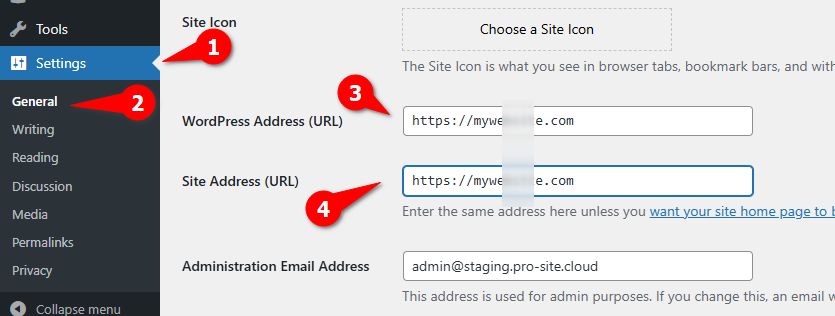
If this doesn't help, go to Settings > General and temporarily remove "www" from your Home and Site URL, then save your changes.
Next, flush the permalinks by following the steps in this link: https://wpastra.com/docs/how-to-refresh-wordpress-permalinks.
After completing these steps, preview your site and see if the issue is resolved. You can then return to Settings > General, add "www" back, and flush the permalinks again if necessary. This procedure forces the cache to update and possibly fix the issue.
Please try this and let me know how it goes.
Best regards,
Ariel H.0 -
Hi Ariel,
this didn't work out ...
Thanks Martin0 -
Hi Martin,
Thank you for the update.
Please provide us with temporary access to your WP Admin page so we can look into this issue. Kindly add us as an Admin user to your WordPress Dashboard and send the following details to communitysupport@brizy.io:
Community Post link: https://support.brizy.io/hc/en-us/community/posts/21885027660562
WordPress Admin URL:
Username:
Password:Please make a full backup of your site as a precaution.
Best regards,
Ariel H.0 -
Hi Martin,
Thank you for your cooperation.
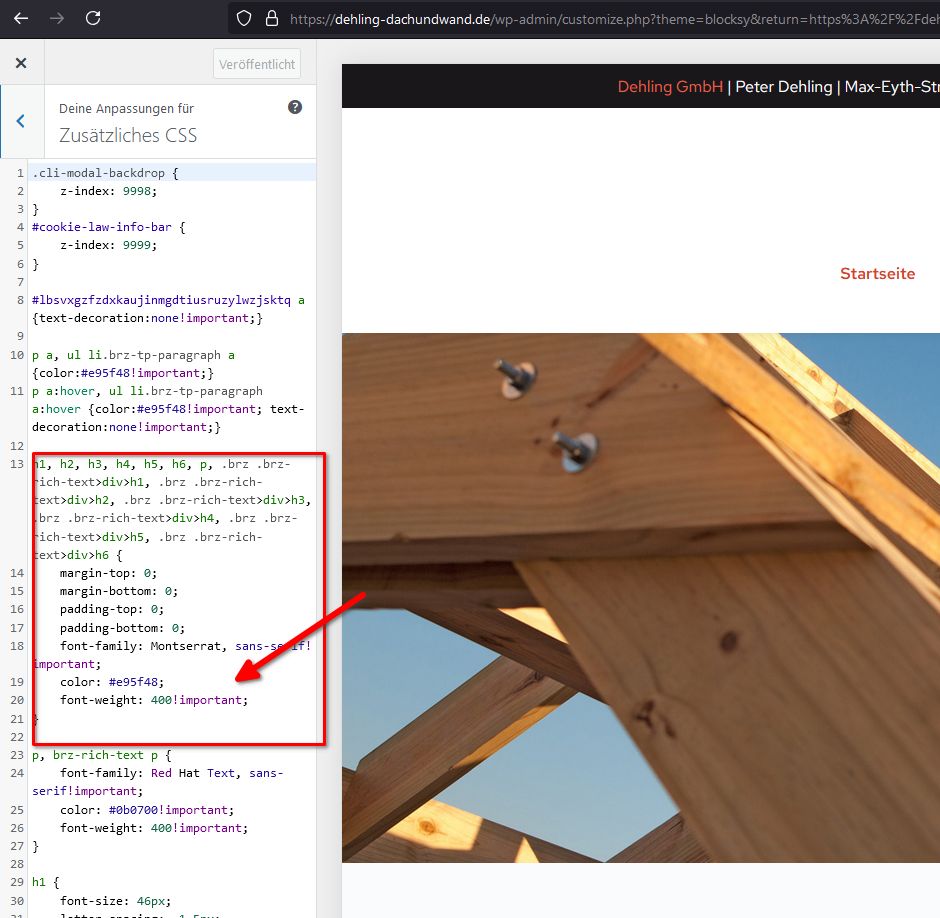
After reviewing the issue, I found that the custom CSS in your theme's customizer is causing the problem. To ensure the text displays correctly on your pages, you will need to remove the custom CSS.
Best regards,
Ariel H.0 -
Hi Ariel,
ah! Sorry, that was a leftover from my different attempts to get rid of the problem. The Custom CSS has been removed now but the problem still persists.
Thank you,
Martin0 -
Hi Martin,
Thank you for the update. On second look, the issue appears to be caused by the 'OMGF' plugin. When disabled, the issue no longer occurs.
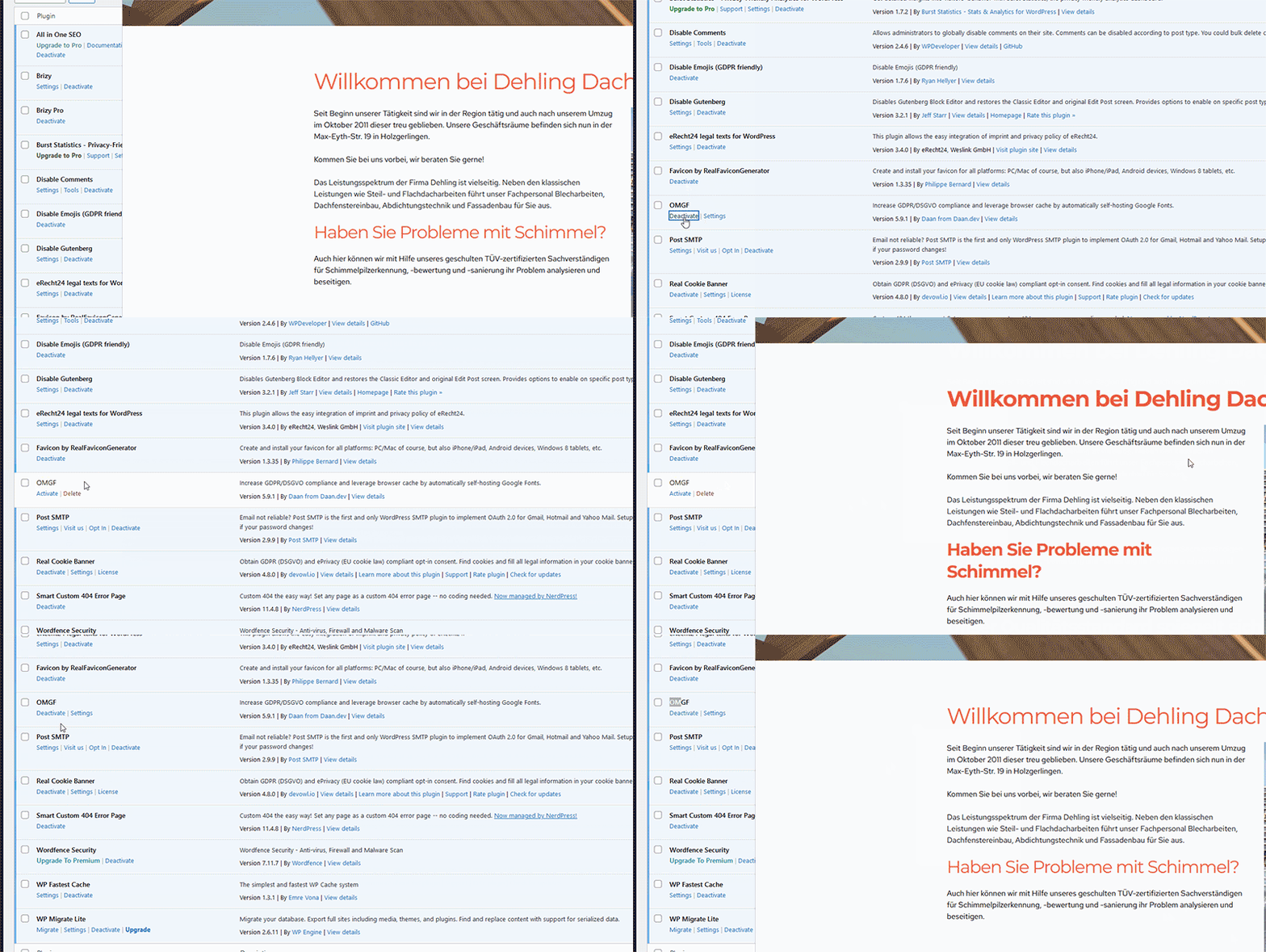
You may need to tweak the settings of this plugin to prevent it from affecting front-end rendering. Otherwise, please also report this issue to the developers of this plugin so they could be aware of this issue and possibly offer a solution.
Best regards,
Ariel H.0 -
OMG, Ariel, thank you. I already tried deactivating all plugins but the problem was still there. Possibly a caching problem. So sorry that i bothered you.
Best regards,
Martin0
Please sign in to leave a comment.
Comments
7 comments