Brizy license on WPML site with multiple domains

We have a license we use on our WPML multidomain site, however we have an issue that the license seem to break after 1-2 days, where it then says there is no valid license for this site.
Reentering the license solves the problem for the same period before the problem is back.
What can we do about that?
-

Hi Tryg,
Thank you for reaching out to us.
Please confirm if you have activated Brizy Pro from the Network Admin dashboard. If so, please remove the license from the Network Admin dashboard. Assuming you have already installed the latest versions of both Brizy and Brizy Pro, you should be able to activate the license on individual sites within WP Multisite as long as Brizy Pro is network activated.
Please try this and let me know how it goes.
Best regards,
Ariel H.0 -
Think you missunderstand, it is not a WP Multisite.
We are using the "A different domain per language" option in the WPML language settings, it is all on the same site.0 -
Hi Tryg,
I apologize for the confusion.
Could you disable all other plugins except Brizy, Brizy Pro, and your WPML plugins, and see if the license issue occurs within two days? If that’s not possible, you could create a staging version of your website, replicate the issue there, and disable all other plugins except Brizy, Brizy Pro, and WPML to check if the license breaks. This will help us determine whether another plugin is causing the problem.
Please give this a try and let me know how it goes.
Best regards,
Ariel H.0 -
We have now tested it some more...
We have been able to replicate the error by going to the admin panel on different domains, this does not always happen, but sometimes it seems like it thinks there is no license.
Initially it seems to try to add the domain to the license, but when there is already 2 domains on the license it will fail and say the license is not valid. Even switching back to the original domain will not remove the invalid license message, we have to remove the license and re-add the same license for it to update.
Why is the license checking against the current domain while in the panel and not the domain in the wordpress site settings?
Also why is there a limit to the domains on 1 license? our problem would also be solved if all our domains were on the license but only 2 can be on it?0 -
Hi Tryg,
Thank you for the details you've provided.
Could you please share how your domain setup looks like?
Looking forward to your response.
Best regards,
Ariel H.0 -
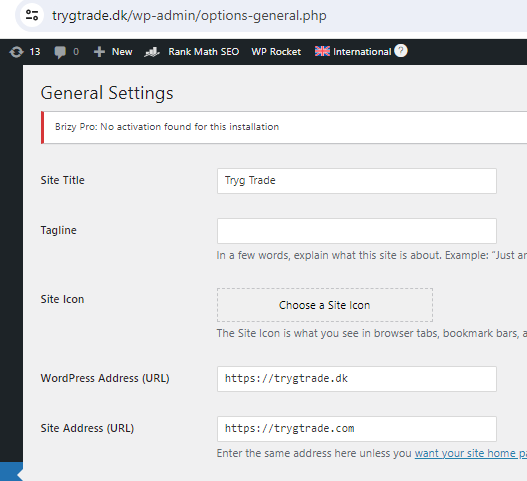
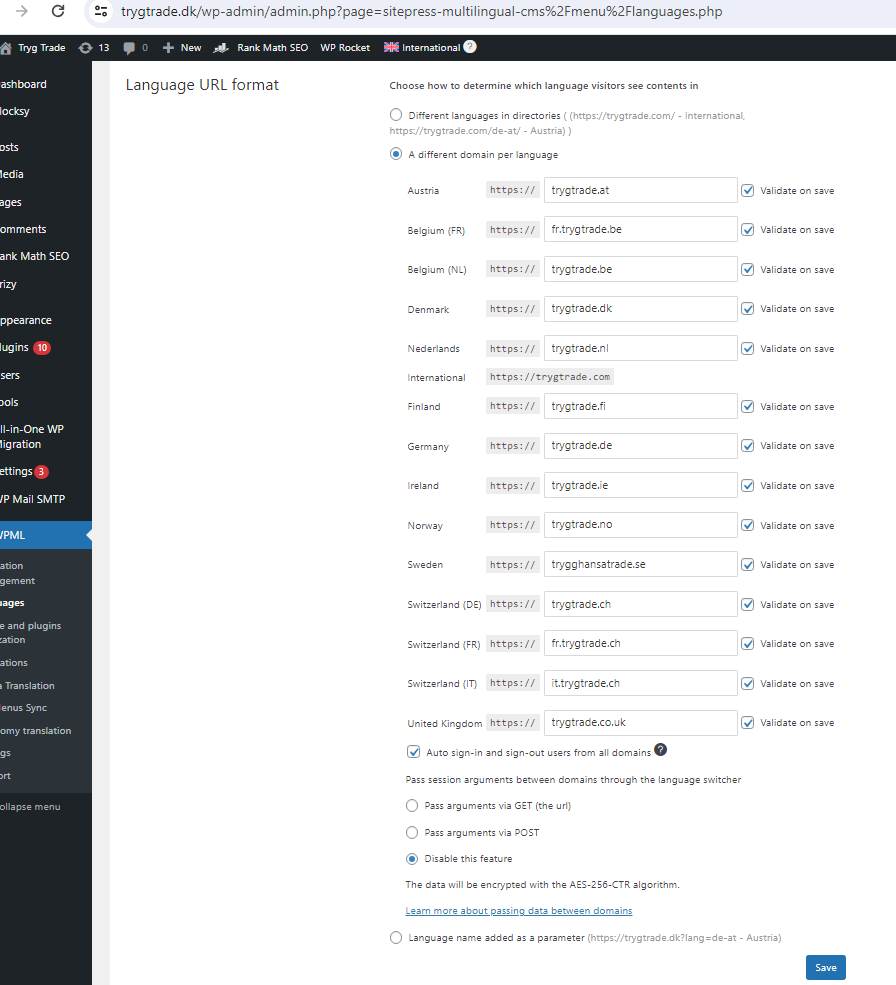
Sure, below you can see, the wordpress is setup on trygtrade.com
WPML is setup with other domains and the wordpress address changes based on the current domain
Seems your license is checking on wordpress address and not the site address?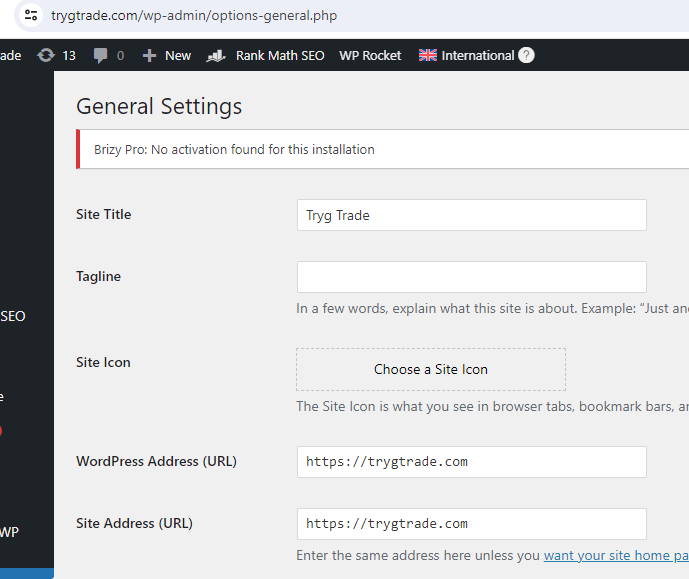
 0
0 -
Hi Tryg,
Thank you for the update.
To prevent the Brizy Pro license issue when using WPML across multiple domains, please make sure to always access the WordPress backend from the main domain where Brizy Pro is registered. If you access the backend from a secondary domain (e.g., trygtrade.tk), Brizy will run a license check and flag it as a mismatch.
Typically, you should have one primary domain for managing the backend, while the other domains are used solely to display the frontend in different languages.
By consistently accessing the backend from the primary domain, the error should no longer appear, allowing you to work without disruption.
If you have any further questions, feel free to reach out.
Best regards,
Ariel H.0 -
The problem with that is the editor wont load if we are not on the current domain that the page belongs to
So if we want to edit a danish page, we have to be on .dk or the editor will spin forever0 -
Hi,
Thank you for the update.
Please provide us with temporary access to your WP Admin page so we can take a look. Please add us as an Admin user to your WordPress Dashboard and send the following details to communitysupport@brizy.io.
- Community Post link: https://support.brizy.io/hc/en-us/community/posts/21879478550930
- WordPress Admin URL:
- Username:
- Password:
As a precaution, we recommend creating a full backup of your site.
Best regards,
Ariel H.0 -
Hey, we made a test site that has the same issue, sent you login info as requested
0 -
Hi Steen,
Thank you for the update. Unfortunately, the credentials don't work.
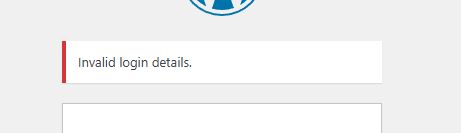
Please revise the user account credentials and send them again.
Best regards,
Ariel H.0 -
Please try again with the same details, seems i made a mistake :)
0 -
Hi Steen,
Thank you for your cooperation.
We have enabled the "Pass arguments via GET" setting. Please monitor and let us know if the issue persists.
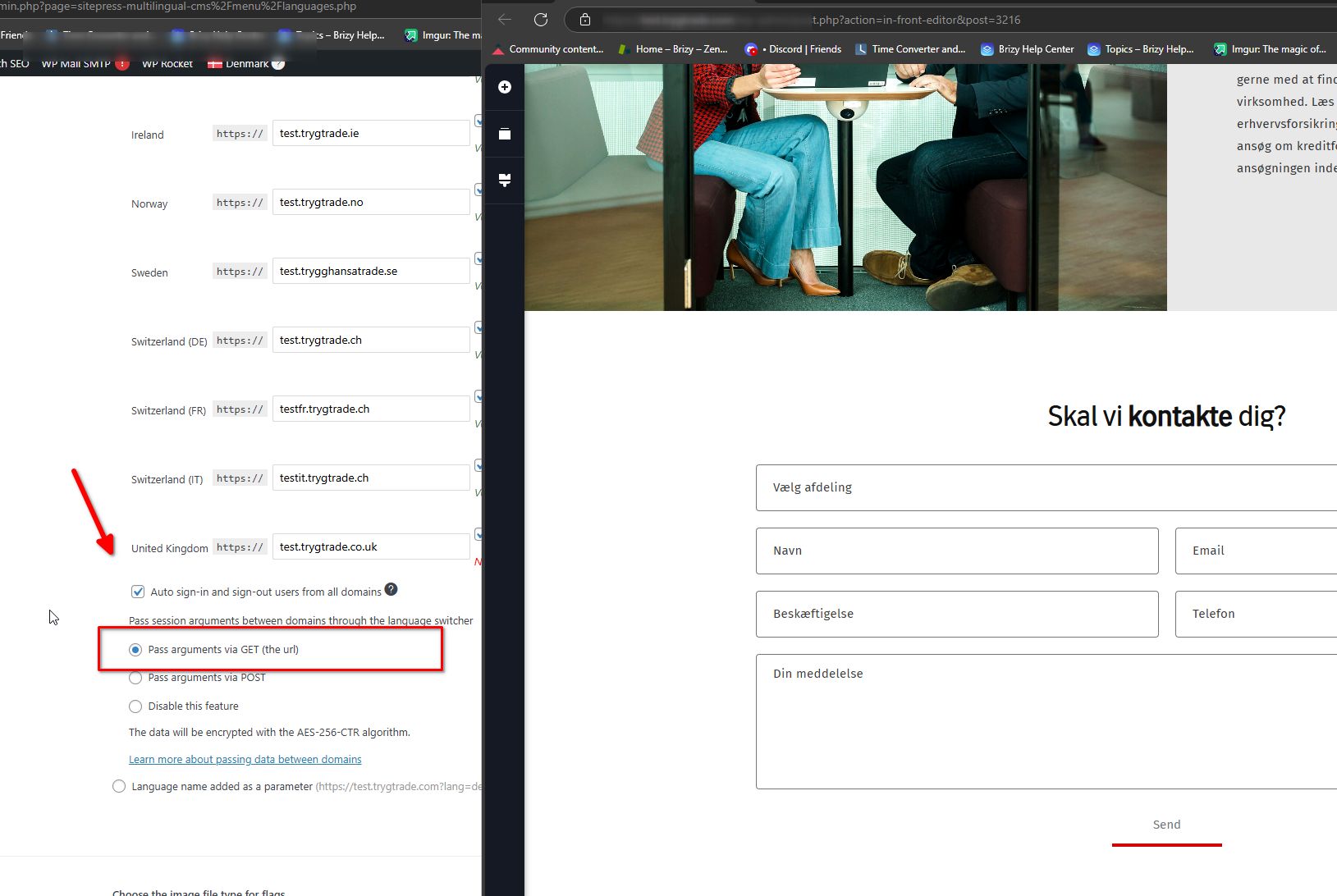
Best regards,
Ariel H.0 -
Hey, didnt have much time to test it at the time, seems it dosnt work for us, still keeps spinning
The user is still there, could you please take a look again0 -
Hi Steen,
Thank you for the update. I’ve asked a colleague to review this issue as well. I’ll get back to you as soon as I have any new information.
Best regards,
Ariel H.0
Please sign in to leave a comment.
Comments
15 comments