Mobile Menu not working

Hi,
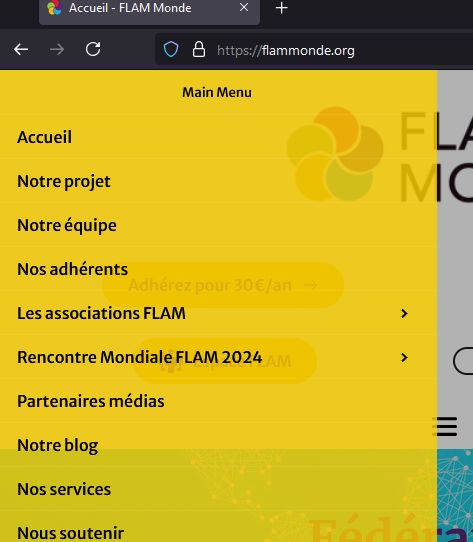
The mobile hamburger menu on this website is not working on mobile: https://flammonde.org/.
It cannot be clicked, but when editing the page with Brizy, it looks all fine—very strange. I've cleared the cache, edited the page, saved it again, and checked the global setting, but nothing is obvious. Am I missing something? Thanks in advance for your help.
Best,
Anne.
-

Hello Anne,
Kindly access the "Display Conditions" for your global header, save the conditions and update the project and check if the issue resolves. Please have a look at this screen recording https://jmp.sh/f3HHuhmD
0 -
Hi,
Thanks for your answer. I've done what the video showed, but it does not change anything. I've done it twice, to be sure, but unfortunately, it has not had any results. Do you have any idea?
Many thanks.
Best,
Anne.
0 -
Hi Anne,
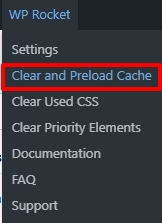
Kindly clear the WP Rocket cache as well so that the website frontend can reflect the modifications you made in the Brizy editor. Access the WP Rocket menu in your WordPress Admin bar to clear and preload cache. If this does not help, we will take a look at your WordPress Dashboard to troubleshoot the issue for you.
 0
0 -

Did this fix work? having same issue
0 -
No, it is not solved... This is not good.
George, should I contact the support privately to share the site credentials? Let me know.
Many thanks.
0 -

Hi Anne,
Thank you for the update.
Please provide us with temporary access to your WP Admin page so we can look into this issue. Kindly add us as an Admin user to your WordPress Dashboard and send the following details to communitysupport@brizy.io:
Community Post link: https://support.brizy.io/hc/en-us/community/posts/21756761136914
WordPress Admin URL:
Username:
Password:Please make a full backup of your site as a precaution.
Best regards,
Ariel H.0 -
Hi Anne,
Thank you for your cooperation.
We have now fixed the issue, please try it at your end to confirm.
Kind regards,
Ariel H.0 -
Hi Ariel,
Many thanks. This is indeed working now!
Could you share what you've done to make it work, helping others to sort it out, too, and for future reference? Many thanks.
Best wishes,
Anne.
0 -
Hi Anne,
I'm glad that it's now working. To fix this issue, please follow the steps in this screencast: https://jmp.sh/f3HHuhmD. After completing these steps, also purge the WP Rocket cache. You can find instructions on how to do this here: https://docs.wp-rocket.me/article/53-clear-wp-rocket-cache.
Best regards,
Ariel H.0 -
Hi Ariel,
This is insane! Thanks for your kind explanation, but I have done and followed these instructions meticulously before without success, so I reached out! I am glad, too, that it is solved, and I hope this thread can help others. I know that after some Brizy updates, I need to do these steps to get the menu back working, but this time, I did not manage to make it work. It's very strange. I think you have a magic wand!
Thanks again for your help, your prompt response and your kindness in bringing a resolution to my issue.
Best regards,
Anne.
0
Please sign in to leave a comment.
Comments
10 comments