Error Brizy Builder

Every time I save/update a page in the Brizy Builder, the following error message appears: 'This page needs to be refreshed. You have probably updated this page (or another page) in a different tab or browser.'
The problem has existed for several weeks. I am certain that I don’t have another tab or browser open. I’ve already tried closing and restarting the browser, and similar actions.
-

Hi
We would like to take a look at your WordPress Dashboard to fix this issue. Please add a new user to your WordPress Dashboard and send the following details to our email: communitysupport@brizy.io
- Support Forum link: https://support.brizy.io/hc/en-us/community/posts/21746534932754
- WordPress Admin URL:
- Username
- Password
Please let us know in this forum when you send us the email.
0 -
Good day, I have sent the data to the email address.
There are two problems. The first one is as described: the Brizy Builder is not updating. The second problem is that in the mobile version of the website, the menu bar at the top is not clickable. In the PC version, it works without any issues.
0 -

Hi,
Thanks for your patience.
We're a bit hesitant to troubleshoot your website directly because of the large number of third-party plugins you have installed. We wouldn't want to accidentally break anything.
So, here's what I suggest:
1. Try isolating the problem, see if you can replicate the issue by disabling all plugins except Brizy and Brizy Pro. If that fixes it, start enabling other plugins one at a time and see if the problem comes back. This can help find any conflicting plugins.
2. If disabling plugins doesn't make a difference, try switching to a different theme temporarily and see if this helps.
It's best to try these steps when your website has less traffic.
If the problem persists, I recommend creating a staging site where the issue can be replicated and provide the credentials. This can help us troubleshoot without affecting your live website. You can find instructions on creating a staging site here: https://www.wpbeginner.com/wp-tutorials/how-to-create-staging-environment-for-a-wordpress-site/
Please try these steps and let me know how it goes.
Best regards,
Ariel H.0 -
I have just sent the staging login credentials to your support email. Please try to resolve the issue on the staging site first. If successful, then proceed to the live website. Please address both issues: the page builder not updating and the header menu bar not working in the mobile view. Thank you.
0 -
Hi,
Thank you for your cooperation. While troubleshooting your site, we encountered an internal server error that has prevented us from accessing the staging site. To continue working on the issue, would you be able to provide us with FTP access to the staging site so we can directly access your WordPress files?
I look forward to your response.
Best regards,
Ariel H.0 -
I have sent it to you via email.
0 -
Hi,
Thank you for your cooperation.
Upon checking, the issue appears to be a conflict with the "Select Borlabs Cookie - Cookie Opt-in" plugin. After disabling this plugin on the staging site, we were able to update or make changes to your pages.
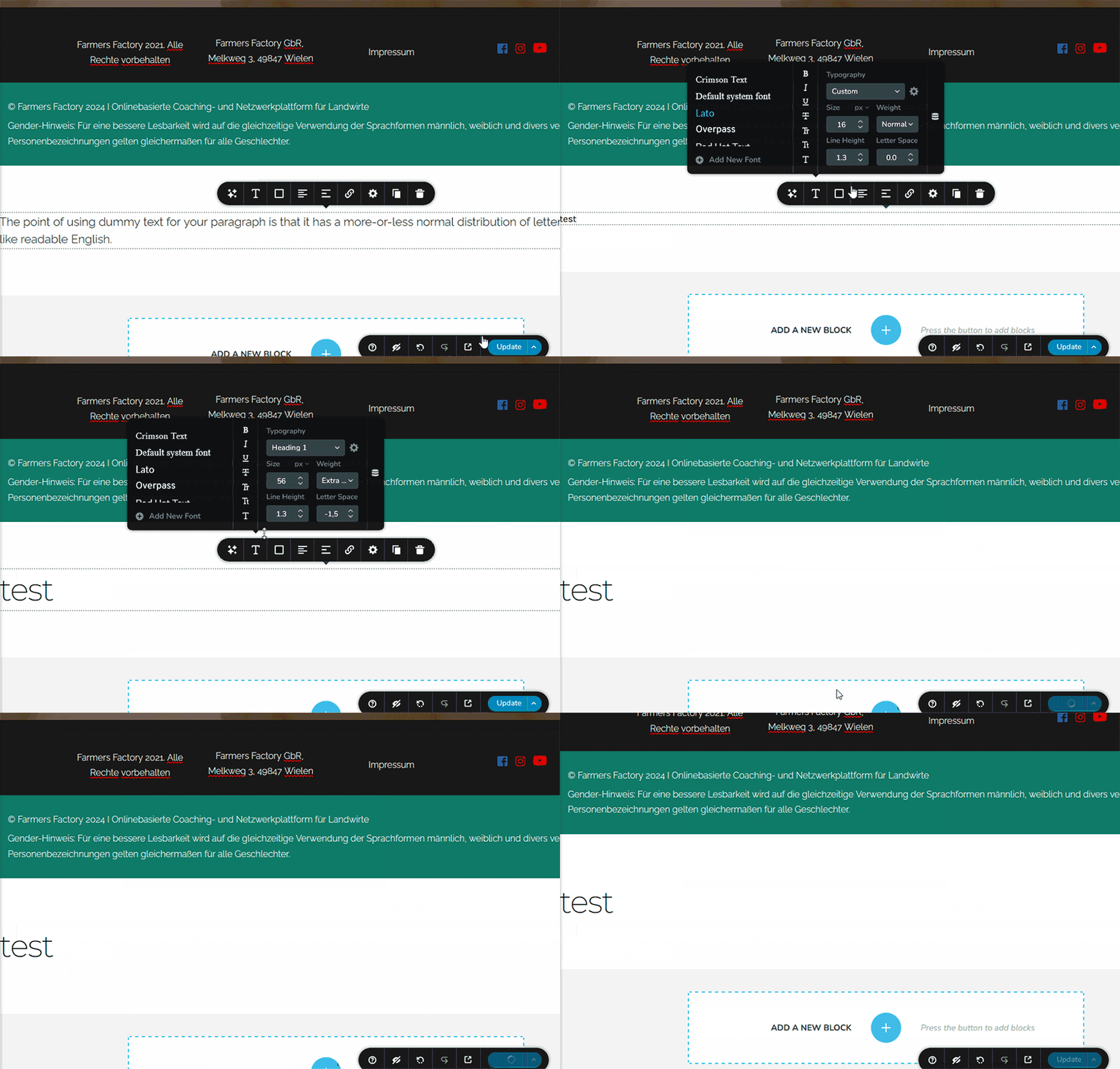
I suggest you try this first on your end before updating your live site.
For some reason, we are unable to enable "Farmers Factory" as it requires a connection. Please activate it on your staging site.
To fix this issue on your live site, please try the following steps:
1. Using SSH or FTP, rename the .htaccess file to ".htaccess-old."
2. To create a new .htaccess file, flush the Permalinks as described in this article: https://wpastra.com/docs/how-to-refresh-wordpress-permalinks/ (this will automatically create a new .htaccess file)
3. Go to the Plugins area and disable "Select Borlabs Cookie - Cookie Opt-in."
4. Edit your pages and see if you can still replicate the issue.
If the issue cannot be replicated, you might want to consider looking for an alternative to the "Select Borlabs Cookie - Cookie Opt-in" plugin.
Best regards,
Ariel H.0 -
Thank you very much. The Brizy Builder is now updating and saving again. Thanks. Unfortunately, the "hamburger" menu in the mobile view still cannot be selected. Where could the issue be?
0 -
Hi,
Thank you for the update.
Kindly access the "Display Conditions" for your global header, save the conditions and update the project and check if the issue resolves. Please take a look at this screen recording https://jmp.sh/f3HHuhmD
Please try this and let me know how it goes.
Best regards,
Ariel H.0 -
Here is the requested screenshot. The hamburger menu is displayed normally, but in the mobile view on a phone, it cannot be clicked.
However, when you click on it on a mobile device, nothing happens. When you click on the same menu on the same page using a computer, there is no problem. The issue only occurs in the mobile view.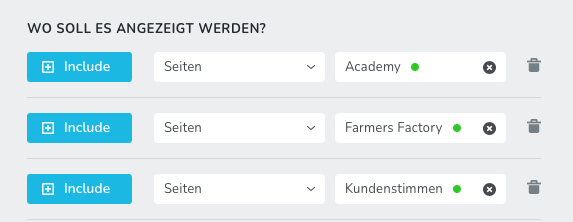 0
0 -
Hi,
Sorry about that. I tried to fix the issue in the staging site, but it didn't work.
To fix the issue, we've reverted Brizy and Brizy Pro to an earlier version. You can check the staging site here: https://b13gr6p-staging.myrdbx.io/
To address this issue on your main site:
1. Please download the older versions from THIS LINK, delete Brizy and Brizy Pro from your main website, and install the old versions.
2. After updating, the menu layout will break as shown below:
3. To fix it, please add 1px padding to the global header.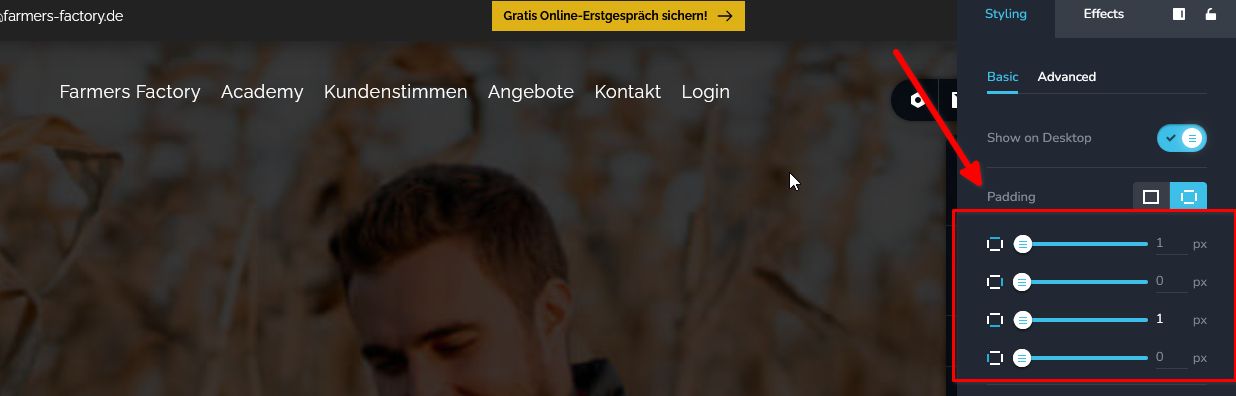
4. After this, hit "Update" to save your changes.
5. Preview your site to confirm if this fixed the issue.Please try this and let me know how it goes.
Best regards,
Ariel H.0 -
Good day, with the older plugin, it works again. But what is the long-term solution? It can't always stay with the old version. The plugin is updated regularly.
-1 -
Hi,
Sorry that you had to go through this trouble. Our developers are working to address this issue, and hopefully they will be able to roll out a fix soon. We will keep you posted on this support thread.
Best regards,
Ariel H.0
Please sign in to leave a comment.
Comments
13 comments