brizy_media is not correctly updated after templates published from yesterday

Hi,
Please have a look at my website https://www.zediot.com/, all images are not with the final image location, but with https://zediot.com/?brizy_media=*.
I understand that in brizy edit mode, the image URLs are like that. But after publish, both in admin page preview mode and front-end page mode, the images url should be like https://www.zediot.com/wp-content/uploads/2024/09/zediot-main-banner.webp

but not like: https://zediot.com/?brizy_media=wp-c6a225b31a2fa57ce17d6e7a9869a343.webp&brizy_crop=iW%3D5000%26iH%3Dany
Preview Mode:

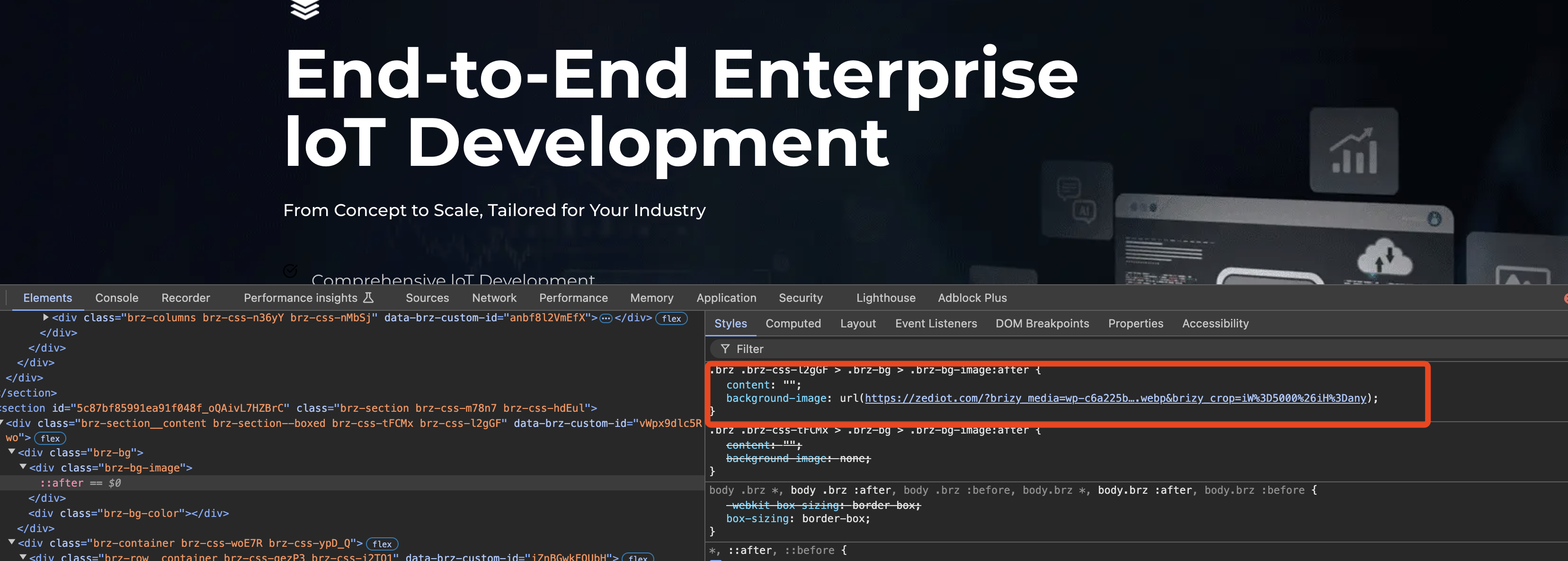
And below is another website with the same preview mode which is correct: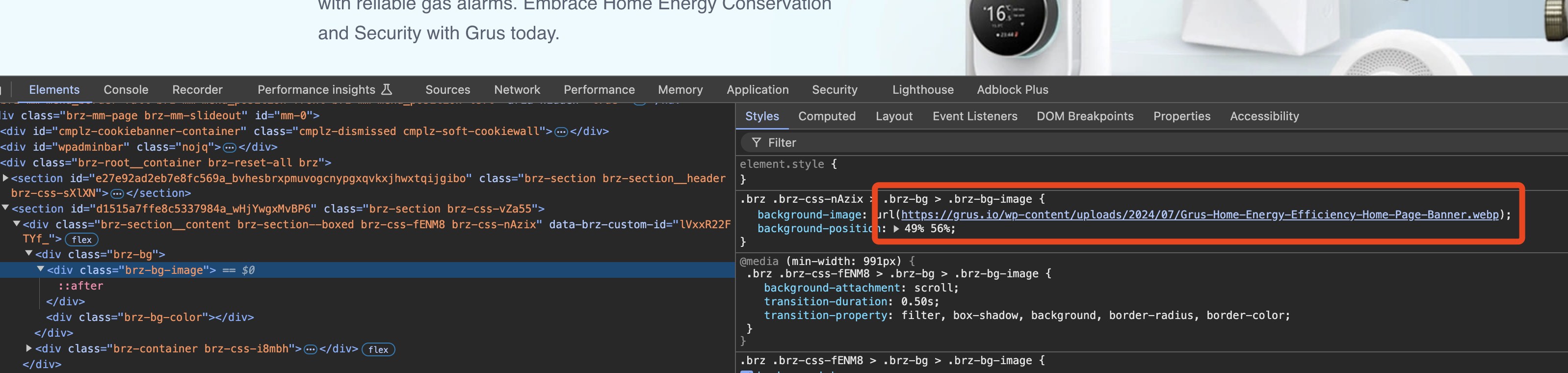
I'm using the newest Brizy and Brizy Pro.
Thank you,
R.K.
-

Hi R K,
Thanks for getting in touch!
It looks like the issue might be related to caching. If you have any caching plugins installed, try clearing your cache.
If the problem continues, see if you can reproduce the issue with all other third-party plugins disabled. This might help determine if one of them is causing the problem.
Let me know how it goes.
Best regards,
Ariel H.0 -
It worked well before yesterday before upgrade the newest Brizy. And also it occurs in logged admin with no-cache mode. But with same version Brizy, it works well with my another site(same server and same configuration and same plugins).
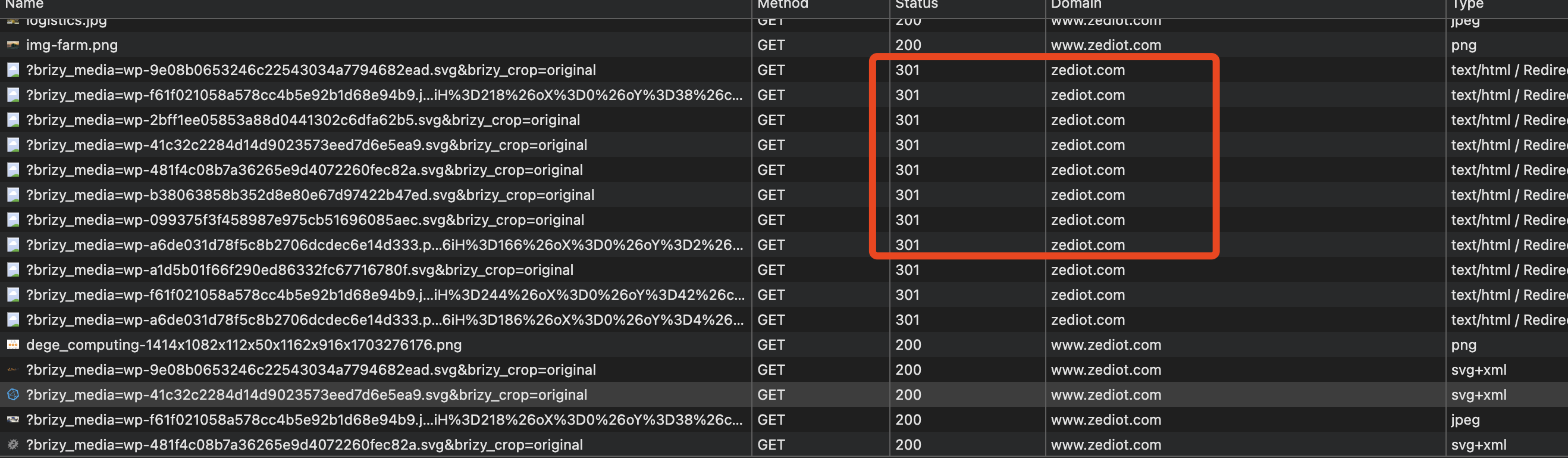
Also I saw that the images are with no "www" as below and redirect to www.zediot.com. Maybe that when redirect, the brizy plugin seems it error, and didn't update the URL to the final URL? Can you please let me know where the domain is get from? Every place I use www.
Also I saw source code as below, where I can troubleshoot that?
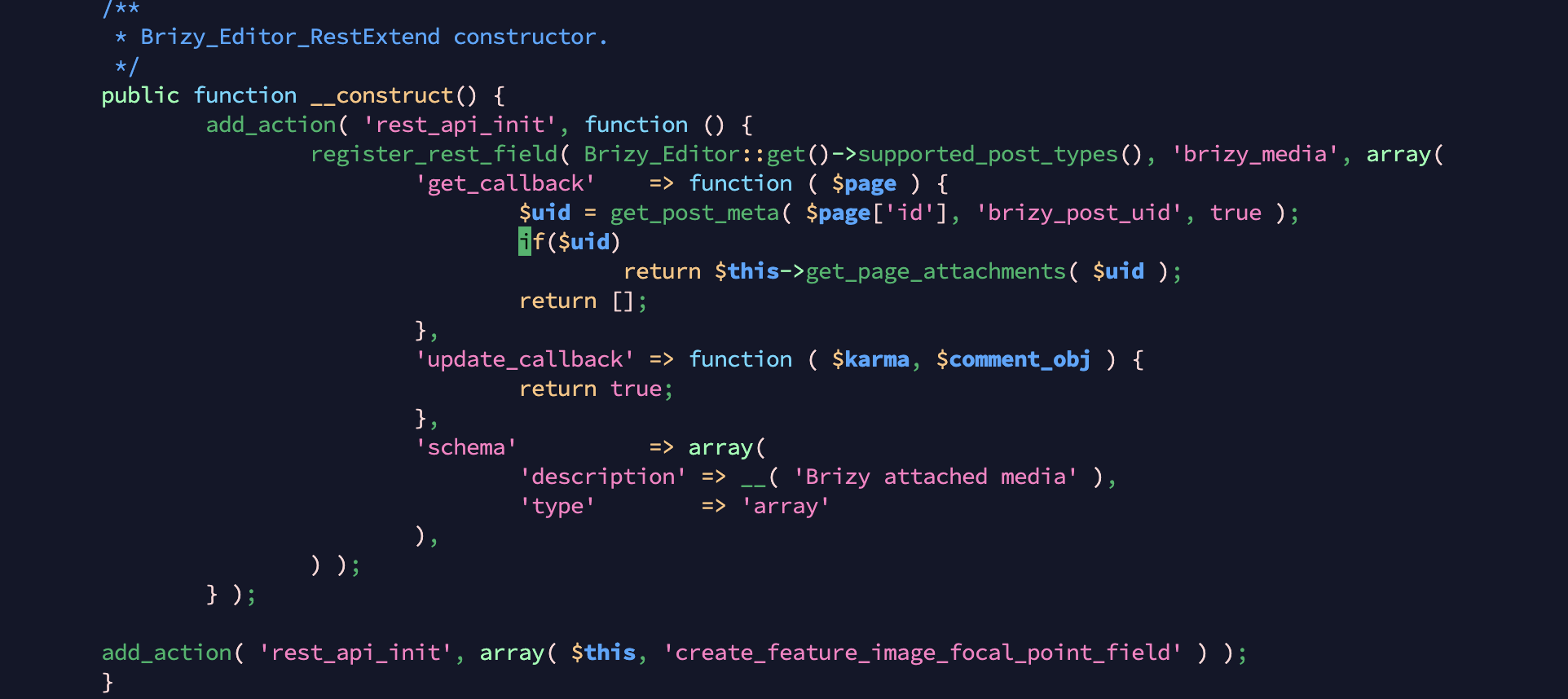
Now as each image is generated by https://zediot.com/?brizy_media=*. and once there are some visitors, My server will be down as a lot of CPU and memory will cost...
Please help!!!
Regards,
R.K.
0 -

Hello R.K
We would like to take a look at the WordPress Dashboard for https://zediot.com/ to troubleshoot why the images URLs look different. Please add a new user to your WordPress Dashboard and send the following details to our email: communitysupport@brizy.io
- Support Forum link: https://support.brizy.io/hc/en-us/community/posts/21631818511890
- WordPress Admin URL:
- Username
- Password
Please let us know in this forum when you send us the email.
0 -
sent. Also, I guess maybe caused this folder has too many files, 16258 images in below folder:
wp-content/uploads/brizy/imgsAlso,
9824 files in wp-content/uploads/brizy/blockThumbnails.
Can those files be cleaned?But I only have 1059 files in Media Library.
Thank you,
R.K.0 -
Any news?
0 -
Hi R K,
Sorry for the late response.
We tried to access your site however, we're receiving this error.
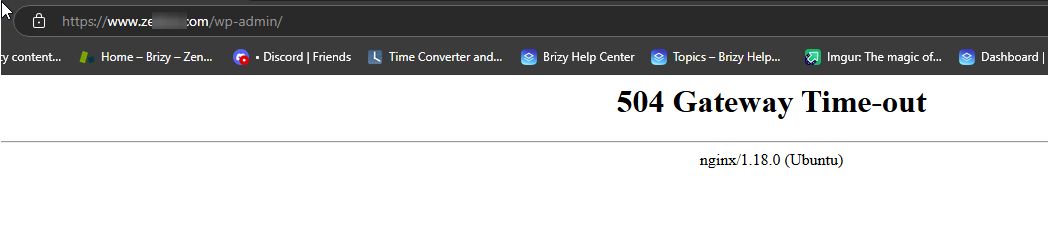
If this is related to the recent update, I recommend restoring your website from a previous backup to get it back online. Once your site is restored, you can create a staging version where the issue can be replicated. Please provide us with the login details for the staging site so we can investigate the issue further.
Best regards,
Ariel H.0 -
Now it seems recently once there are access with /?brizy_media=***, it will get the server down. and the error message are as below:
From the nginx log, now I saw there are a lot of error like:
2024/09/30 15:41:14 [error] 16243#16243: *17 recv() failed (104: Unknown error) while reading response header from upstream, client: 104.238.147.251, server: www.zediot.com, request: "GET /?brizy_media=wp-b18c507521148446707d0e81ad348a14.png&brizy_crop=iW%3D95%26iH%3D95%26oX%3D0%26oY%3D3%26cW%3D95%26cH%3D90 HTTP/1.0", upstream: "fastcgi://127.0.0.1:19080", host: "www.zediot.com"
2024/09/30 15:41:14 [error] 16243#16243: *21 recv() failed (104: Unknown error) while reading response header from upstream, client: 104.238.147.251, server: www.zediot.com, request: "GET /?brizy_media=wp-7bf872ea39fb0ba811365a8febc188b3.png&brizy_crop=iW%3D95%26iH%3D95%26oX%3D0%26oY%3D5%26cW%3D95%26cH%3D86 HTTP/1.0", upstream: "fastcgi://127.0.0.1:19080", host: "www.zediot.com"
2024/09/30 15:41:15 [error] 16242#16242: *115 recv() failed (104: Unknown error) while reading response header from upstream, client: 196.247.2.77, server: www.zediot.com, request: "GET /wp-admin/plugins.php HTTP/2.0", upstream: "fastcgi://127.0.0.1:19080", host: "www.zediot.com", referrer: "https://www.zediot.com/wp-admin/"0 -
Hello R K,
I have created a private ticket for you. Kindly check for an email from support@brizy.io in your Inbox. We will continue this discussion through the ticket
0 -

Hi
i've the same problem. Do you found any solution?0 -
Hello Francesco,
Recent Brizy versions have an issue with image paths when deploying a website on a subdomain like www.domain.com or staging.domain.com. We will suggest a set of Brizy and Brizy Pro versions you can revert to to fix this issue temporarily. Which versions of Brizy and Brizy Pro are you using?
0
Please sign in to leave a comment.
Comments
10 comments