Brizy Shortcode on my blog

Good day,
I recently designed a bog page template using Brizy
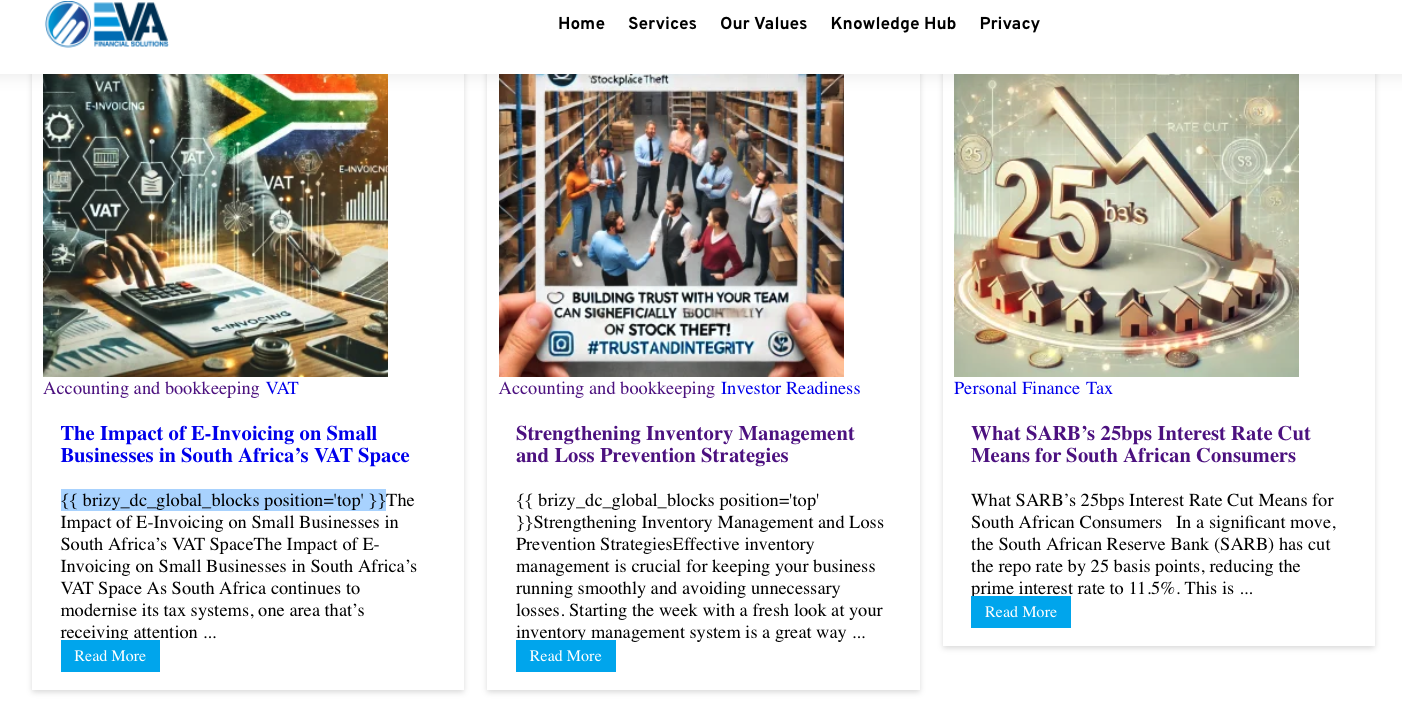
But when I publish article, this shortcode shows at the top of my blog page: {{ brizy_dc_global_blocks position='top' }} when the article appears on my blog for preview purposes
How do I remove this and ensure it does not show
-

Hi,
Thank you for reaching out.
Please ensure that you have the latest versions of Brizy and Brizy Pro installed.

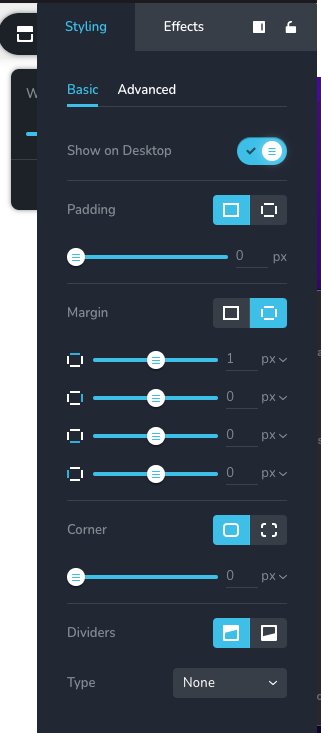
To fix the issue, go to the blocks or global blocks that contain the menu element, make a small adjustment (such as adding 1 pixel of padding), and hit the update button to save your changes. Afterward, preview your site to see if the issue is resolved. You can revert the changes you made afterward if necessary.
Please give this a try and let me know how it goes.
Best regards,
Ariel H.0 -
I have tried this, but nothing has changed
 0
0 -
Hi,
Thank you for the update.
Could you kindly give us temporary access to your WP Admin? This will allow us to further investigate the issue. Please add us as an Admin user to your WordPress Dashboard and send the following details to: communitysupport@brizy.io.
Community Post link: https://support.brizy.io/hc/en-us/community/posts/21591468326930
WordPress Admin URL:
Username:
Password:Please make a full backup of your site as a precaution.
Best regards,
Ariel H.0 -
[credentials removed]
-1 -
Hi,
Thank you for your cooperation.
Adding a custom excerpt should fix the issue.
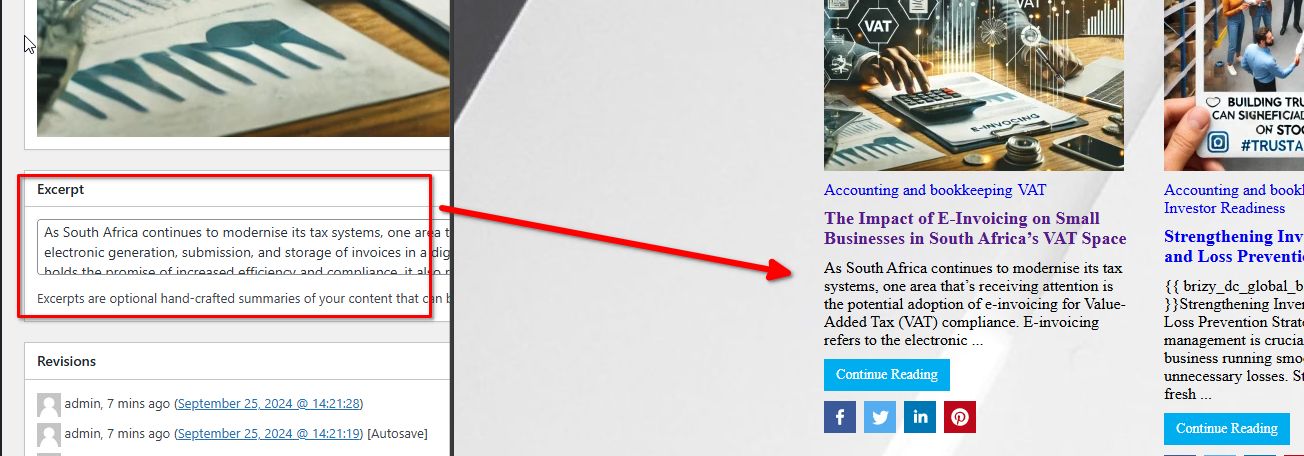
Upon checking, you have edited your blog posts directly with Brizy, resulting in a broken blog excerpt. I recommend creating a single post dynamic template for your blog posts, instead of editing them directly with Brizy. You can find more details on this link: https://youtu.be/lkiSk6IE7tA?si=kjV0WyAkZiaE_6Hf
If you have any further questions, please let us know.
Best regards,
Ariel H.0 -
Good day,
I struggled with this
Could you please assist. Also, kindly assist with the header template. I created one but it shows mid pages, not as a header
Let me know if I should add you back as a user
0 -
Hi,
Unfortunately, the previous credentials no longer work. Could you please resend them?
I look forward to your response.
Best regards,
Ariel H.0 -
Hi,
Thank you for the update.
We tried to log in, but we received this error. This issue is likely due to a conflict.
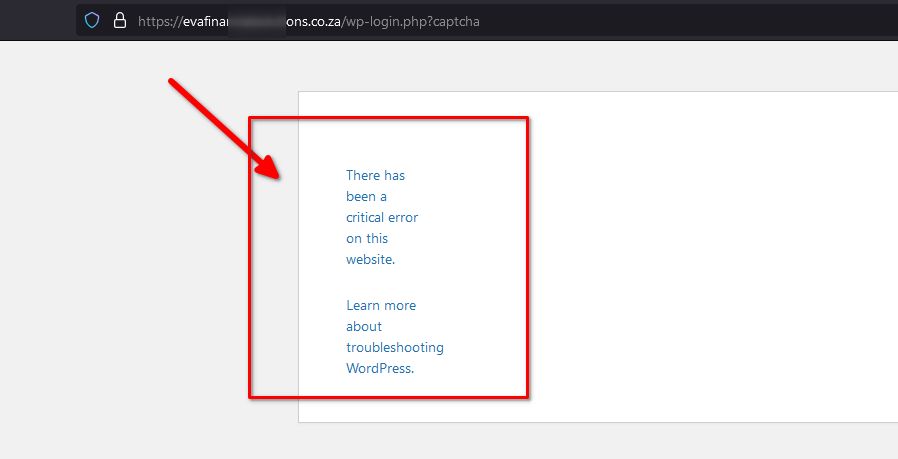
Could you please temporarily disable all other plugins on your site except for Brizy and Brizy Pro? Let us know when this is done.
Best regards,
Ariel H.0 -
All plug-ins are deactivated
0 -
Hi,
Thank you for your cooperation.
I've created a short screencast at the link below to show you how to fix the dynamic template. The post content element was not found in the template, which is why it wasn't displaying the posts. In your home page, instead of using the shortcode to display your posts, you might want to consider using the post element instead.
Screencast: https://youtu.be/7wq4kDXWzOwAlso, you might consider temporarily disabling some plugins while you are developing your site. Enable only the most important plugins, so it won't slow down your site while you're working in the backend. You can enable them once you've completed your site.
If you have any further questions, please feel free to reply.
Best regards,
Ariel H.0 -
Thank you
I will let you know if I need more help
0
Please sign in to leave a comment.
Comments
11 comments