Brizy Editing mode doesn't work

It hasn't been working for a couple of days. I can no longer enter editing mode. The wheel that loads in loop.
-

Hi Emiliano,
Thank you for reaching out to us.
Please ensure that you have these versions of Brizy and Brizy Pro.

If you have WordFence, please set it to learning mode by following the steps below:
A. In the WordFence plugin settings, navigate to Firewall;
B. Enable Learning Mode and set it to automatically switch back to "Enabled Protecting" in 2 days; this will allow WordFence to learn the actions from the Brizy editor.
C. Save your WordFence changes.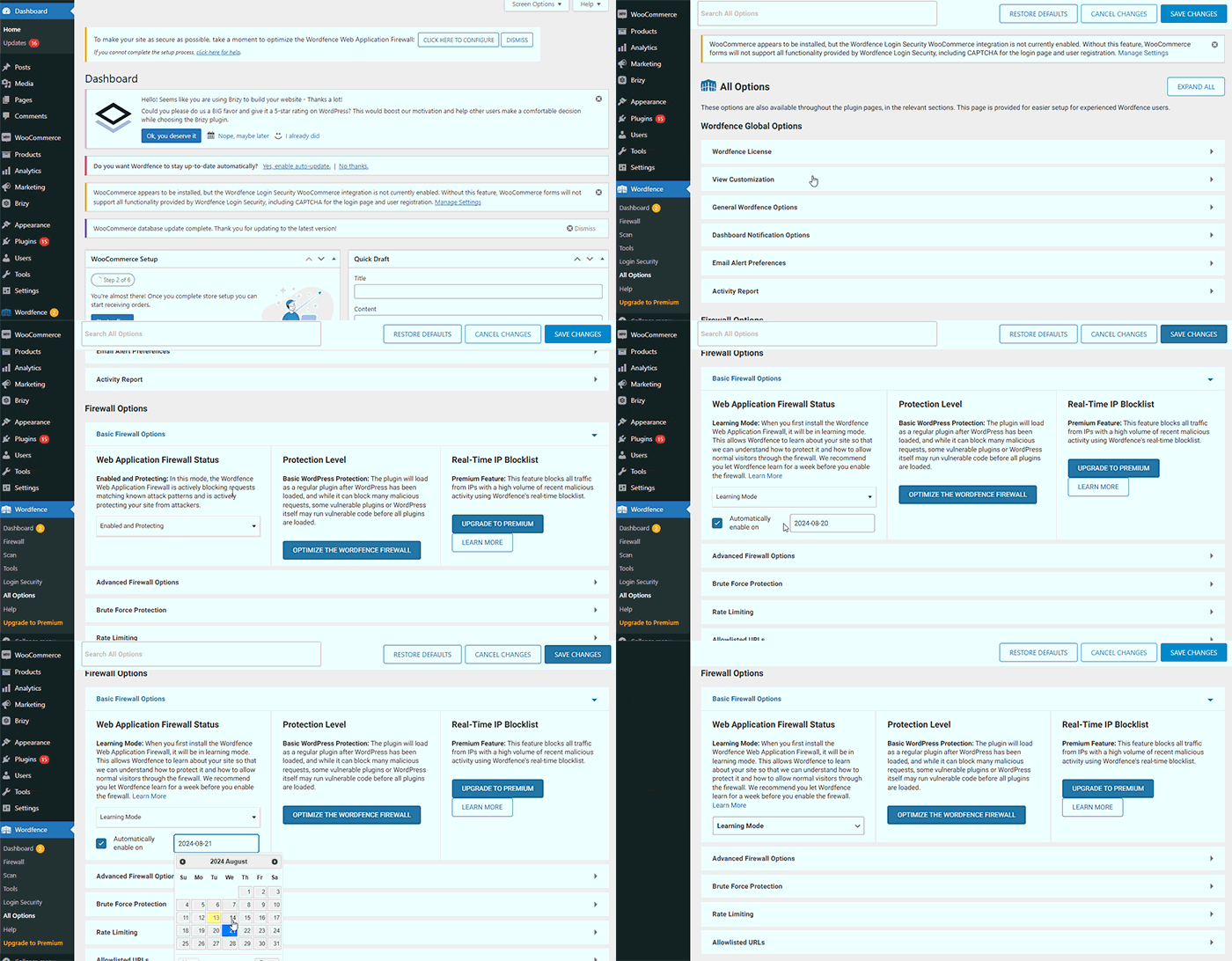
If the issue continues, could you kindly give us temporary access to your WP Admin? This will allow us to further investigate the issue. Please add us as an Admin user to your WordPress Dashboard and send the following details to: communitysupport@brizy.io.Community Post link: https://support.brizy.io/hc/en-us/community/posts/21589670936594
WordPress Admin URL:
Username:
Password:Please make a full backup of your site as a precaution.
Best regards,
Ariel H.0 -
Hi Emiliano,
Thank you for your cooperation.
Just a quick note - it looks like we're missing your website's login URL. We ask for this because sometimes website owners change the default WordPress login URL.
Is this for your website, https://emil****eone.it/wp-admin? We tried this, but it didn't work.
Could you please share your site's login URL with us so we can take a look?
Thanks again,
Ariel H.0 -
I cleaned the cache and uninstalled all plugins. It doesn't work and I was forced to downgrade to version 2.4.45 (Free) and 2.4.38 (Pro). Now it works, so the problem is the new update.
I hope you resolve it soon.Thanks
0
Please sign in to leave a comment.
Comments
3 comments