SVG not showing in live view

updated and not seeing SVGs i see the file path they are there but wont load in preview or live.
any ideas
im on current update
-
I convert svg to png and when i try to upload it wont take the image, it show in upload with filepath, but when adding image in builder it show broken image .
0 -
seems like a lot images are broken within diffrent sites
i was working on stoneatlantacountertops site and in brozy builder all images are question marks
please have a look - im on newest version of brizy thank you
0 -

Hi Edgar,
Thank you for reaching out to us. Unfortunately, the credentials provided didn't work.
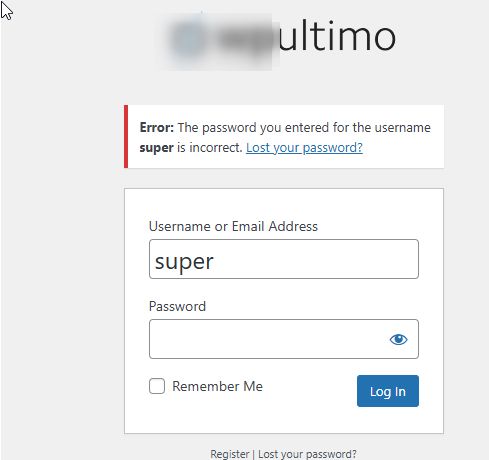
Could you please revise them and send them again? Please add us as an Admin user to your WordPress Dashboard and send the following details to communitysupport@brizy.io:
Community Post link: https://support.brizy.io/hc/en-us/community/posts/21511750434578
WordPress Admin URL:
Username:
Password:Please make a full backup of your site as a precaution.
In the meantime, could you kindly verify if you can replicate the issue when all other plugins, except for Brizy and Brizy Pro, are disabled? It's possible that this issue is coming from a conflict with another plugin.
Best regards,
Ariel H.0 -
Thank you I have sent the info to the email provided.
back up has been created.
check the plugin on diffenent site and still happneing. when entering edit brizy wont allow addition of images and shows question mark although path seems fine?
0 -
Hi Edgar,
Thank you for your cooperation.
Would you be able to update the PHP version to 8.0 or higher and see if this makes any difference?
Best regards,
Ariel H.0 -
Ok, package has been updated to 8.0 still seeming the same thing tho :(
0 -
FYI i am on a multisite for some reason certain sites that have had site address as https://www.launchgrowthmarketing.com/ if i change to https://launchgrowthmarketing.com/ the paths start working again. it very odd b/c certain other do use www. and work fine images loading.
for exmpale im on a multi site original site address wourl be https://www.launch-local.com/iglesiacasadelibertad/ with alias set to iglesiacasadelibertad.org for images to show i have to change the site info to https://iglesiacasadelibertad.org but now site is no loner www. maybe this is a wpultimo issue or mutlisite issue/?
0 -
Hi Edgar,
Thank you for the update.
I'd suggest checking how domain mapping is configured within WP Ultimo and ensuring that both www and non-www versions are handled consistently. Also, confirm the redirection rules on your server and clear any caches in your CDN if applicable.
Best regards,
Ariel H.0
Please sign in to leave a comment.
Comments
8 comments