Problems with uploading images after latest update of Brizy & Brizy Pro

Hi,
Since the latest update of Brizy and Brizy Pro i get the message "Failed to upload file" altough i have them already uploaded in the backend. before update all was working perfect. Switching Theme's does not solve the problem. Must be a bug
Have a good night.
Walter.
-
Official comment

Hello Walter,
I am Basharat from the Brizy support team.
Thank you for contacting us.
We sincerely apologize for the inconvenience you experienced. A hotfix has been released, and we kindly ask you to log in to your website and update the Brizy free plugin, which should resolve the issue.
Should you have any further questions, please feel free to reach out.
Best regards, Basharat
Brizy support team. -
Hi Basharat,
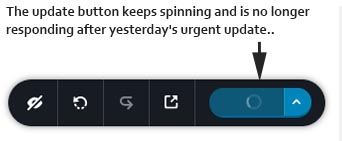
Thank you for the update, and yes it all works again. The only problem i am having after the latest update is that the update button keeps spinning and is no longer responding. Have you encountered any similar problems?
Hope you can help.
Best regards,
Walter.
0 -

Hi Walter,
Thank you for the update.
To resolve the issue, please set WordFence to Learning mode by following the steps below:
A. In the WordFence plugin settings, navigate to Firewall;
B. Enable Learning Mode and set it to automatically switch back to "Enabled Protecting" in 2 days; this will allow WordFence to learn the actions from the Brizy editor.
C. Save your WordFence changes.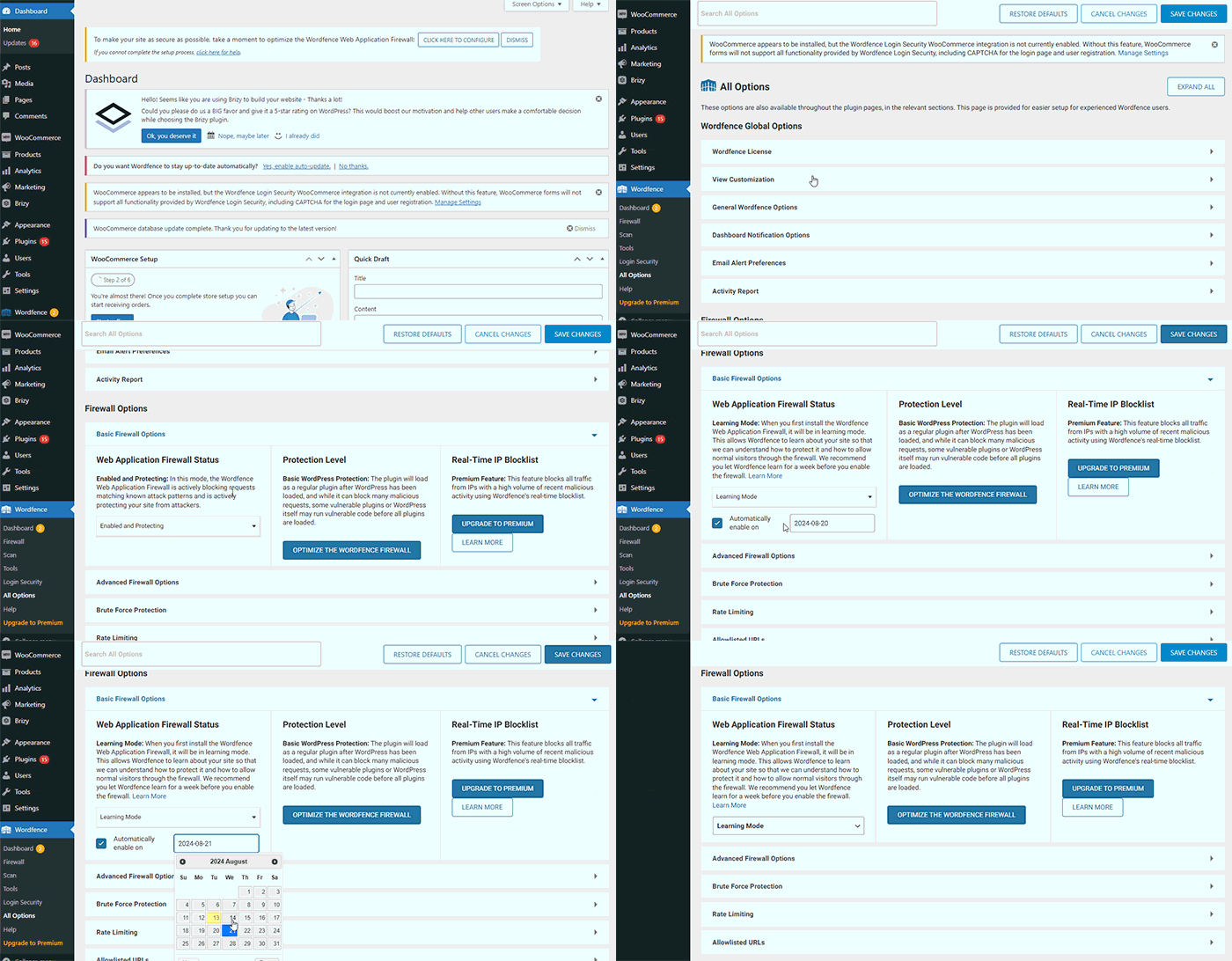
If you don't use WordFence, could you kindly give us temporary access to your WP Admin? This will allow us to further investigate the issue. Please add us as an Admin user to your WordPress Dashboard and send the following details to: communitysupport@brizy.io.Community Post link: https://support.brizy.io/hc/en-us/community/posts/21433065834642
WordPress Admin URL:
Username:
Password:Please make a full backup of your site as a precaution.
Best regards,
Ariel H.0
Please sign in to leave a comment.
Comments
3 comments