Error on all Brizy websites

there is no website built with brizy that can be updated
All sites encounter this error "Something went wrong on getting meta"
We noticed even your own website https://www.brizy.io/ is broken
-

Hi Robert,
Thank you for reaching out to us.
I checked our website today, and it appears to be accessible from my end.
Regarding the error you encountered, could you please explain how you received it and provide us with temporary access to one of your websites having this issue so we can inspect it?
Please send the credentials to communitysupport@brizy.io. Don't forget to include this reference number: 21393833429650 in the subject line so we can easily identify your case.
Best regards,
Ariel H.0 -
Hi Robert,
Thank you for the update.
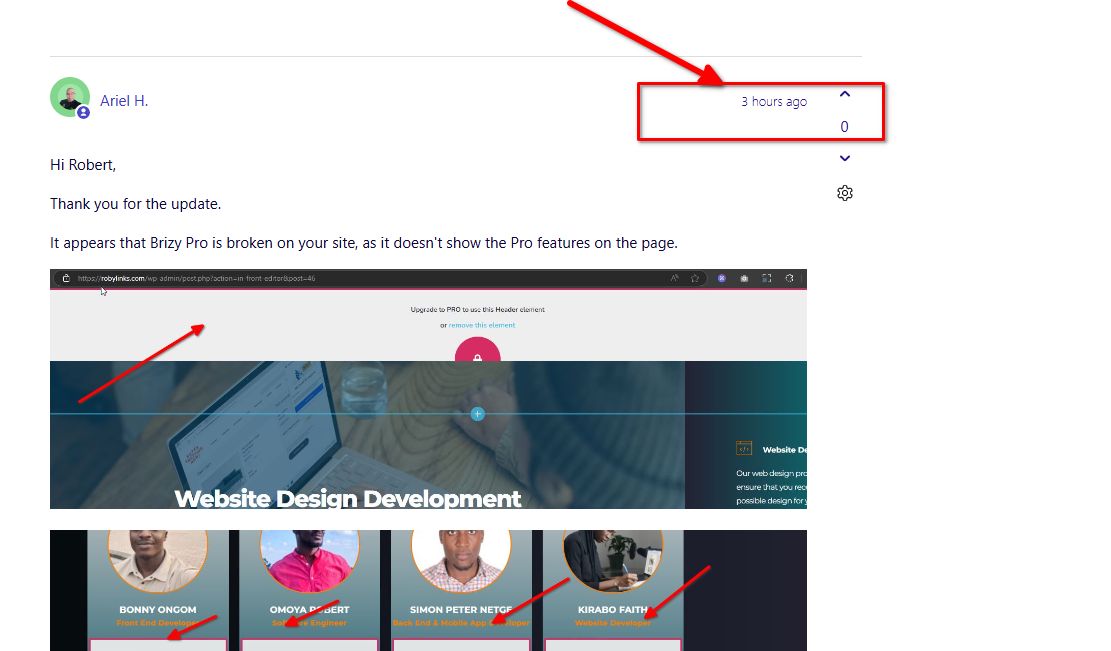
It appears that Brizy Pro is broken on your site, as it doesn't show the Pro features on the page.
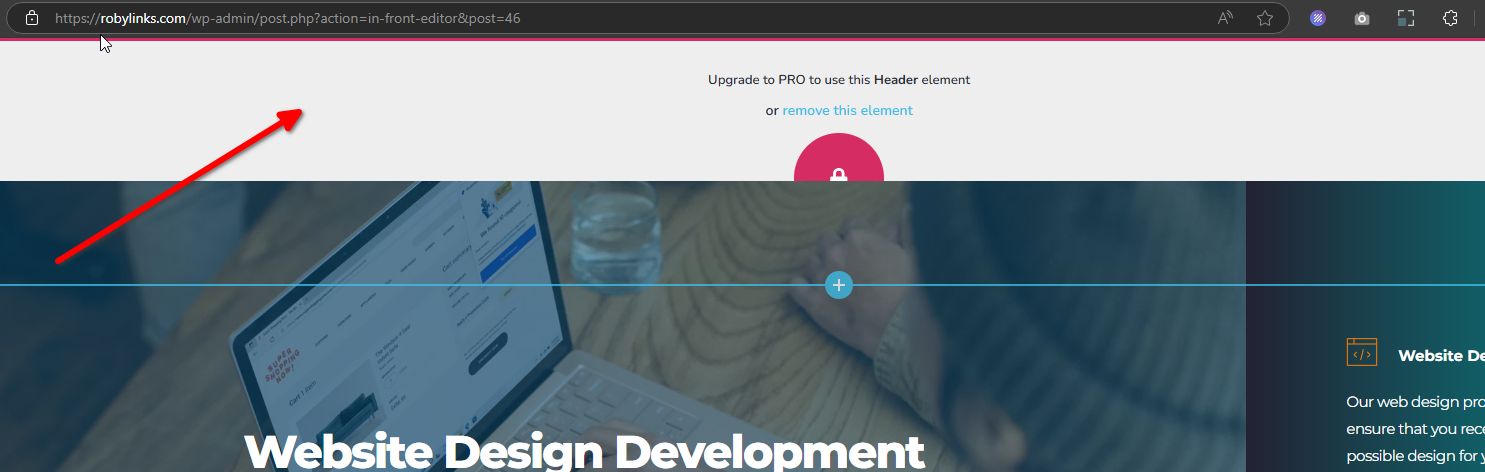
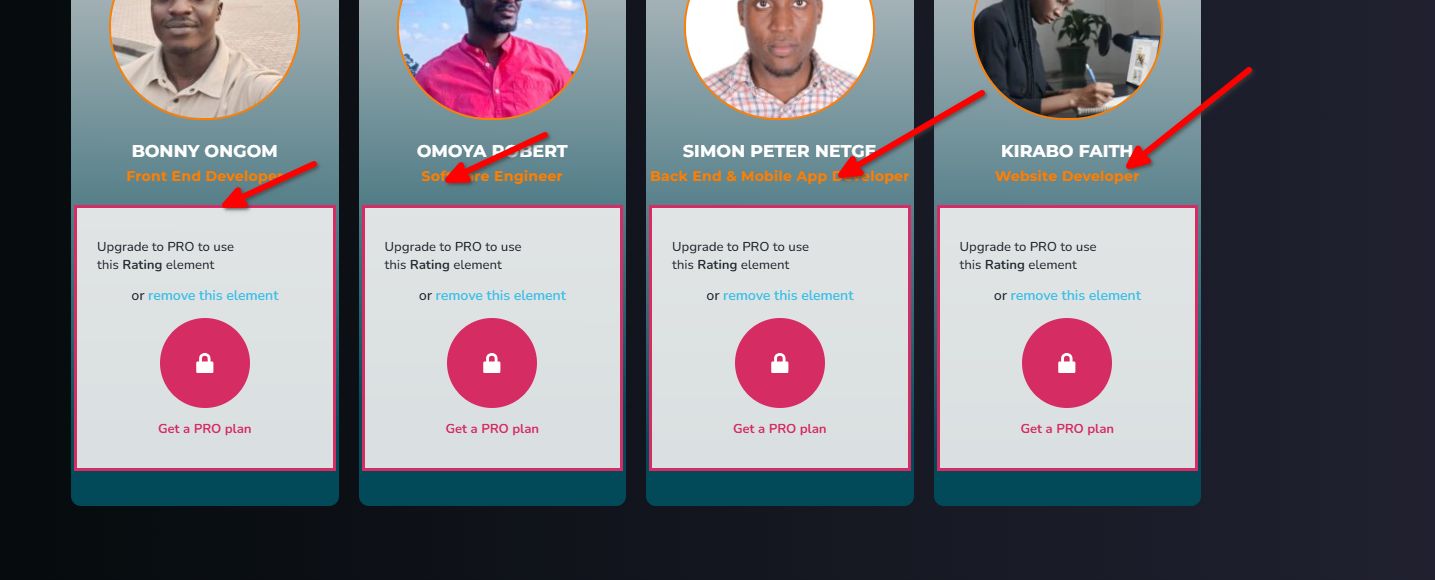
We need to uninstall and reinstall Brizy Pro; however, it looks like the 'upload_max_filesize' is low, and we may not be able to upload Brizy Pro properly on your website. Could you please update the `upload_max_filesize` to 32M so we can proceed with uninstalling and re-uploading Brizy Pro?
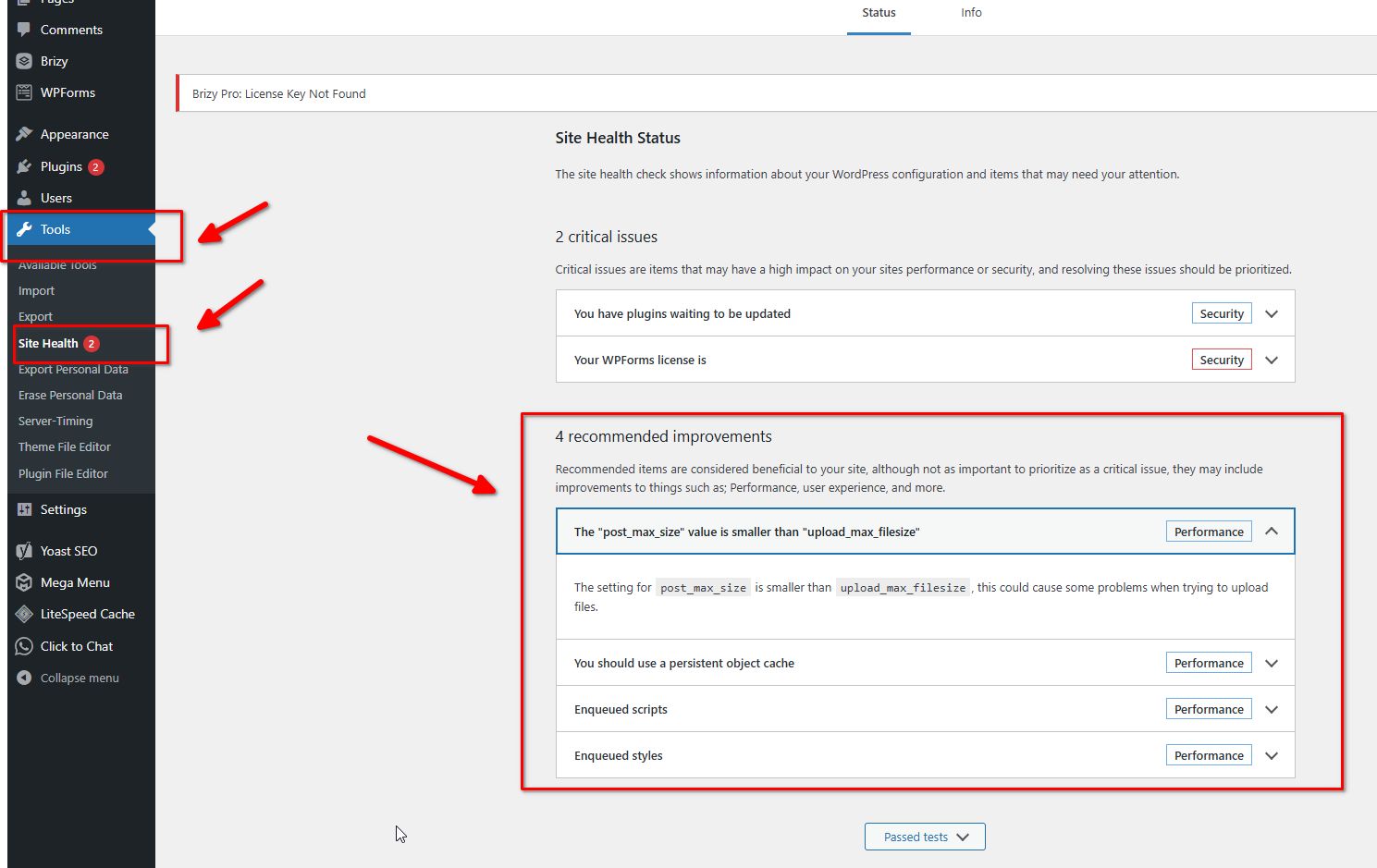
You can also make these changes yourself if you have access to cPanel. Go to 'Select PHP Version' and then to 'Options.' There, you will find these settings and can modify them. After making the changes, please go back to your page and see if you can still replicate the issue. Otherwise, uninstall and reinstall Brizy Pro and check if this resolves the problem.
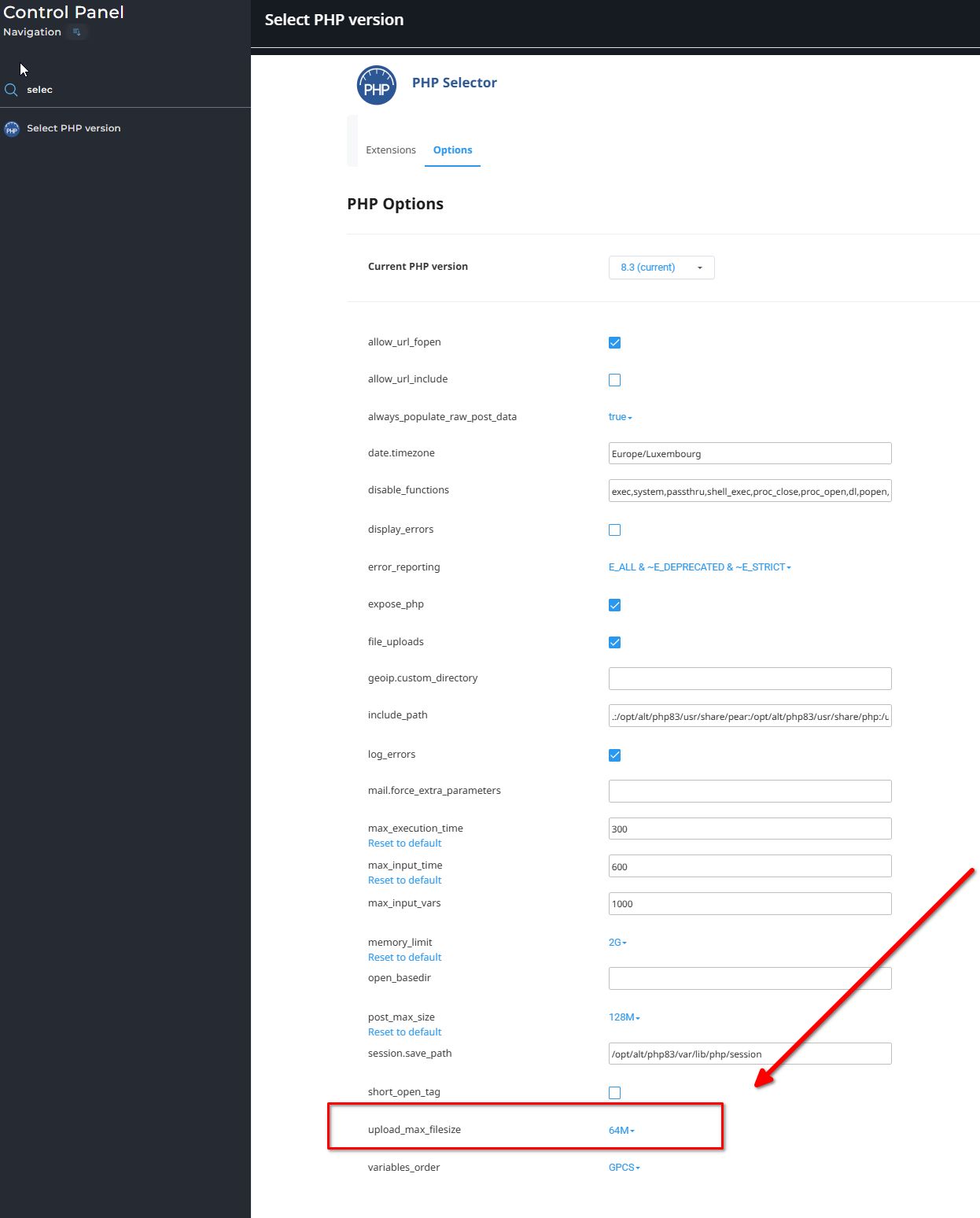
Alternatively, let us know if you have already updated the 'upload_max_filesize' on your server so we can check this from our end.
Best regards,
Ariel H.0 -
sent 3 emails no reply
0 -
Hi Robert,
I replied to your message 3 hours ago. If you are checking this through your email software, please use the forum link instead - https://support.brizy.io/hc/en-us/community/posts/21393833429650
Best regards,
Ariel H.0
Please sign in to leave a comment.
Comments
4 comments