Webpages not updating

Hello, I'm getting an error where, not always, but very often, when I click on the update button the changes will not save, the update button keeps showing a wheel loading icon without saving. May you please advice?
-

Hi Alvaro,
Thank you for reaching out to us.
Could you please confirm if you can replicate the same issue with all other plugins disabled except for Brizy and Brizy Pro? If disabling third-party plugins resolves the issue, gradually enable the rest of the plugins while testing your site until the issue reoccurs. This process will help you determine which plugin is causing the problem. Also, consider switching to another theme to see if this makes any difference.
If you have WordFence, please set it to learning mode by following the steps below:
A. In the WordFence plugin settings, navigate to Firewall;
B. Enable Learning Mode and set it to automatically switch back to "Enabled Protecting" in 2 days; this will allow WordFence to learn the actions from the Brizy editor.
C. Save your WordFence changes.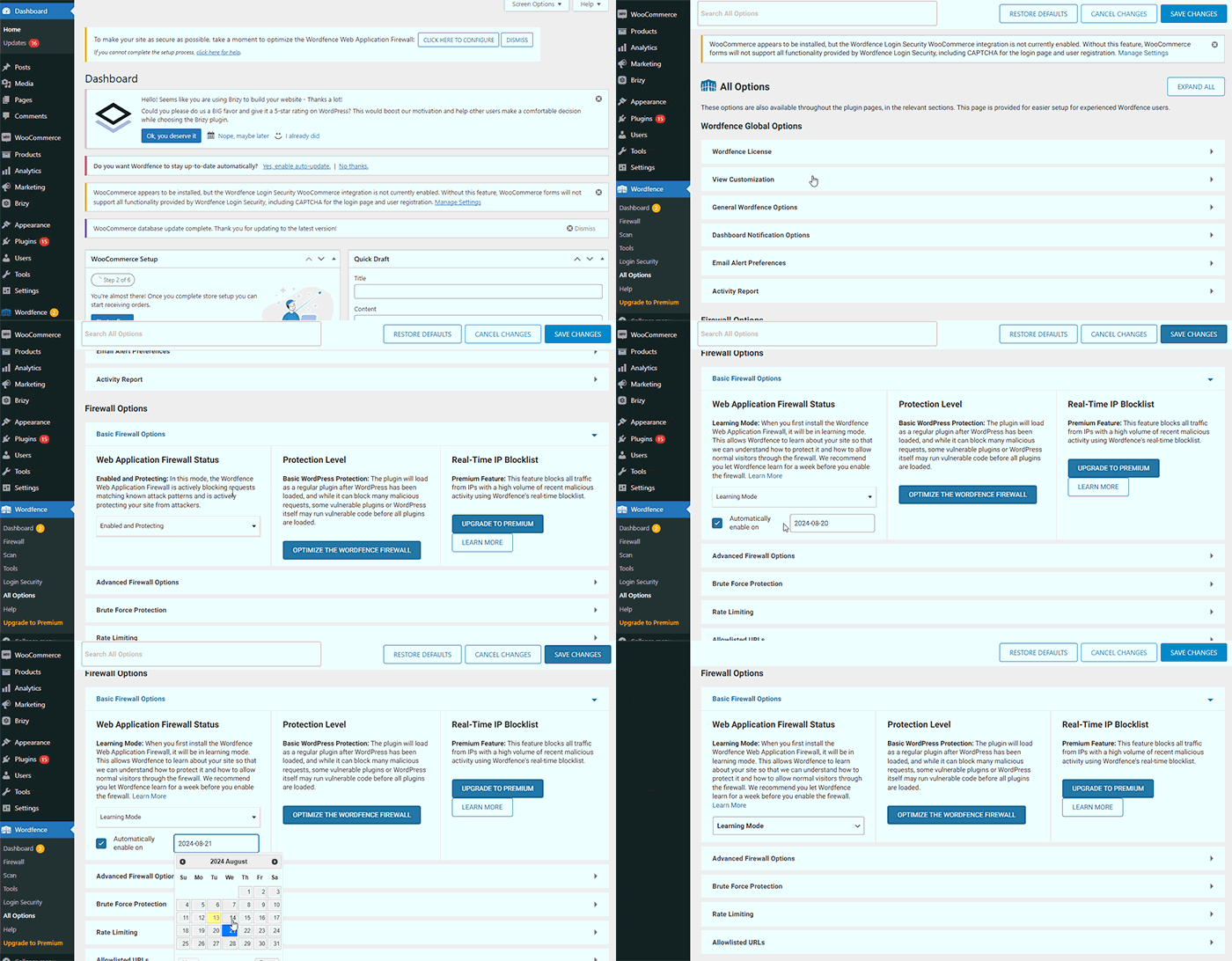
By following these steps, you can save or update your Brizy pages.
If the issue continues, could you kindly provide us temporary access to your WP Admin details so we can take a closer look. Please add us as an Admin user to your WordPress Dashboard and send the following details to: communitysupport@brizy.io
Community Post link: https://support.brizy.io/hc/en-us/community/posts/21288628701074
WordPress Admin URL:
Username:
Password:Please make a full backup of your site as a precaution.
Best regards,
Ariel H.0
Please sign in to leave a comment.
Comments
1 comment