Blog Listing Pagination Not Working

Sometime in the past two weeks, the blog listing pagination stopped working. The first page of my blog listing works great, but when I click on page 2 or 3, it gives me an error: " Oops! That page can’t be found."
(Oddly, page two just started working, but page three cannot be found.)
I'm running all the latest versions of Brizy and Brizy Pro on my wordpress site, which is also the latest version. I have not changed how any of the pages are labeled, the slugs, etc. Truly no changes. Only software updates. It's worked for years now, and just stopped.
I've tried making a modification to the list page, just to update the page.
Thanks!
___
Okay, quick update. I just discovered this.
CURRENTLY ACCESSIBLE BY MENU NAVIGATION: (notice the "bpage")
Main page of listing works = /articles/
Page 2 of the listing works = /articles/bpage/2/
Page 3 of the listing does NOT work = /articles/bpage/3/
OTHER: ahrefs pointed to another link structure that is also somehow active. This is what I would expect the listing to use.
Page 2 of the listing works = /articles/page/2/
Page 3 of listing does NOT work = /articles/page/3/
HOWEVER, this version of the page DOES work = /articles/page/2/bpage/3/
What in the world?! I have no clue where the bpage thing is coming from. Would love any help!
-

Hi Paul,
Please provide us temporary access to your WP Admin page so that we can inspect your site. Please add us as an Admin user to your WordPress Dashboard and send the following details to: communitysupport@brizy.io
Community Post link: https://support.brizy.io/hc/en-us/community/posts/21287476265234
WordPress Admin URL:
Username:
Password:Please make a full backup of your site as a precaution.
Best regards,
Ariel H.0 -
Hi Paul,
Thank you for your cooperation.
'https://www.redeemerlongmont.com/articles/bpage/3/' also works at my end.
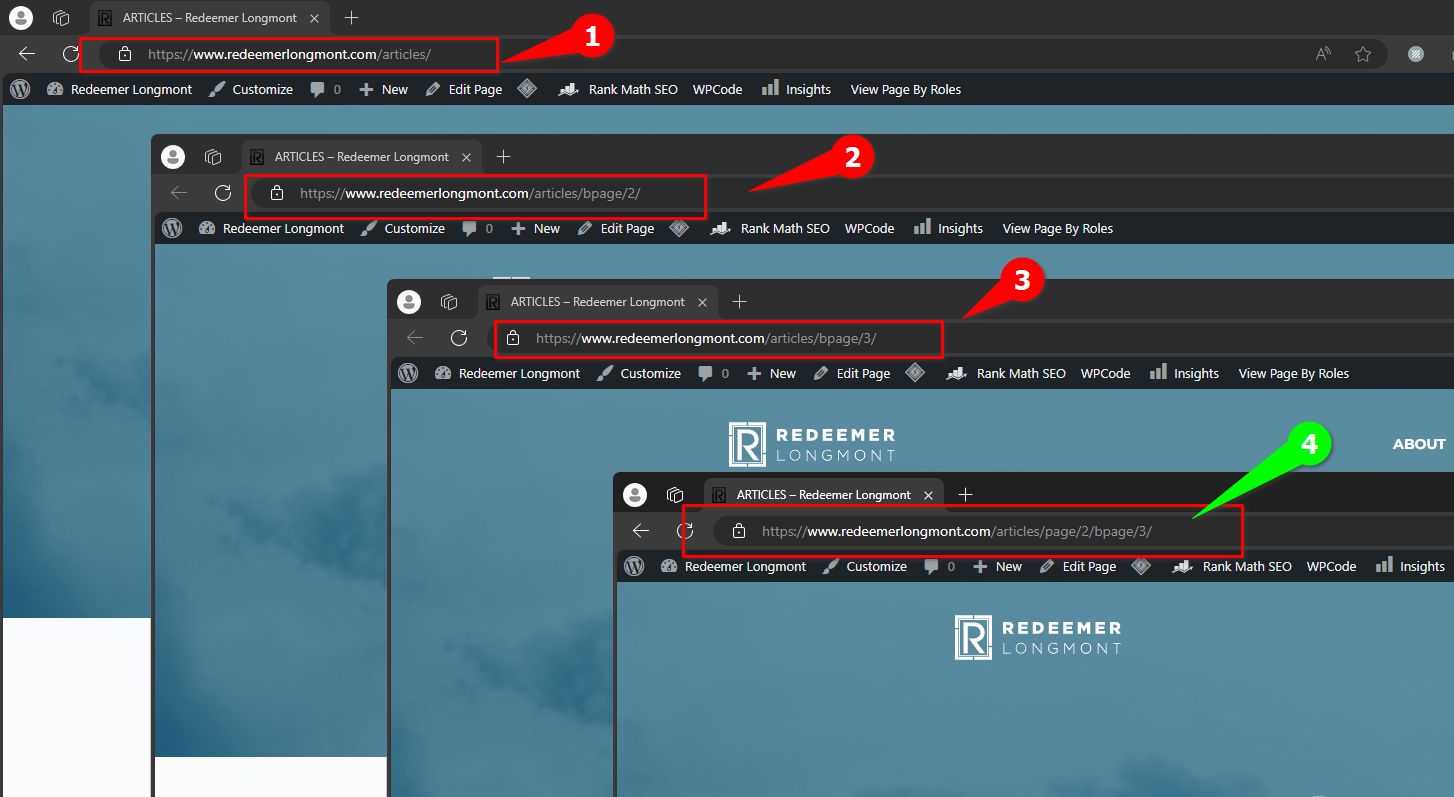
However, 'https://www.redeemerlongmont.com/articles/page/2/bpage/3/' should have already triggered a 404 error. A bug report was already forwarded to our development team so they could fix this issue in one of the upcoming updates.
Best regards,
Ariel H.0 -

I'm having a similar problem with broken pagination on my blog: https://deepdishdigital.com/category-blog/
I sent an email to communitysupport@brizy.io with admin credentials to try troubleshoot.
0 -
Hi Harley,
Thank you for contacting us.
The issue was resolved by resetting the Permalinks on your site. If you ever need to do this again, here are the steps:
1. In your WordPress dashboard, go to Settings → Permalinks.
2. Select any structure temporarily (for example, 'Plain'), then click Save Changes.
3. After saving, switch back to your preferred structure, in this case, Posts — and click Save Changes again.This refreshes the permalink rules and usually resolves issues like pagination not working on single posts.
If you have any further questions please let know.
Best regards,
Ariel H.0 -
Thanks for trying to fix things. However, page 3 still does not work.
https://deepdishdigital.com/category-blog/bpage/3/
My Permalink structure is "Day and Name" since current blog pages are indexed with this format. I've changed it back to this format but page 3 still does not work.
https://deepdishdigital.com/2025/11/14/sample-post/0 -
Hi Harley,
I’ve checked the URL on my end and page 3 loads correctly here. Could you please try clearing your browser cache or testing the page in a different browser to see if it works there?

If the issue continues, please send over a short screencast so we can see exactly what’s happening and investigate further.
Best regards,
Ariel H.0 -
Thanks for the tip. Tried a different browser and confirm it is working properly. Cheers.
0
Please sign in to leave a comment.
Comments
7 comments