Can't save changes for a page

Hi,
there is one page on the website where I can't save changes. The page is called Pricing and Availability. I've tried to copy blocks to other pages, duplicate page, nothing works.
The hosting is with godaddy and I don't use wordfence. I've created an user with your community email so you should receive the details. I hope this can be solved as I can't finish the website with this issue. Thank you.
-

Hi Marcelina,
Thank you for contacting us.
If this issue occurs only on specific pages, it could be due to excessive page revisions.

I recommend trying the steps outlined in this link to see if it resolves the issue: https://www.elegantthemes.com/blog/wordpress/how-to-manage-wordpress-revisions-to-optimize-site-performance.
The article offers a manual method of limiting page revisions using PHPMyAdmin, or you can opt for the more user-friendly WP Optimize plugin.
This issue could also occur due to insufficient memory and other server settings required for Brizy to function correctly.
a. Memory Limit should be at least 256M or higher for optimal performance.
b. Maximum Execution Time should be at least 300.
c. Max Input Variables should be 300.
d. Post Max Size should be 128M.
e. Upload Max File Size should be 32M.Please refer to this link for assistance with these settings: https://www.a2hosting.com/kb/installable-applications/optimization-and-configuration.
Otherwise, please contact your hosting provider for assistance.Please try these steps and let us know if they help address the issue.
Best regards,
Ariel H.0 -
Hi Ariel,
I did all of the above. As you can see in the attached image everything was increased and the issue is still there.
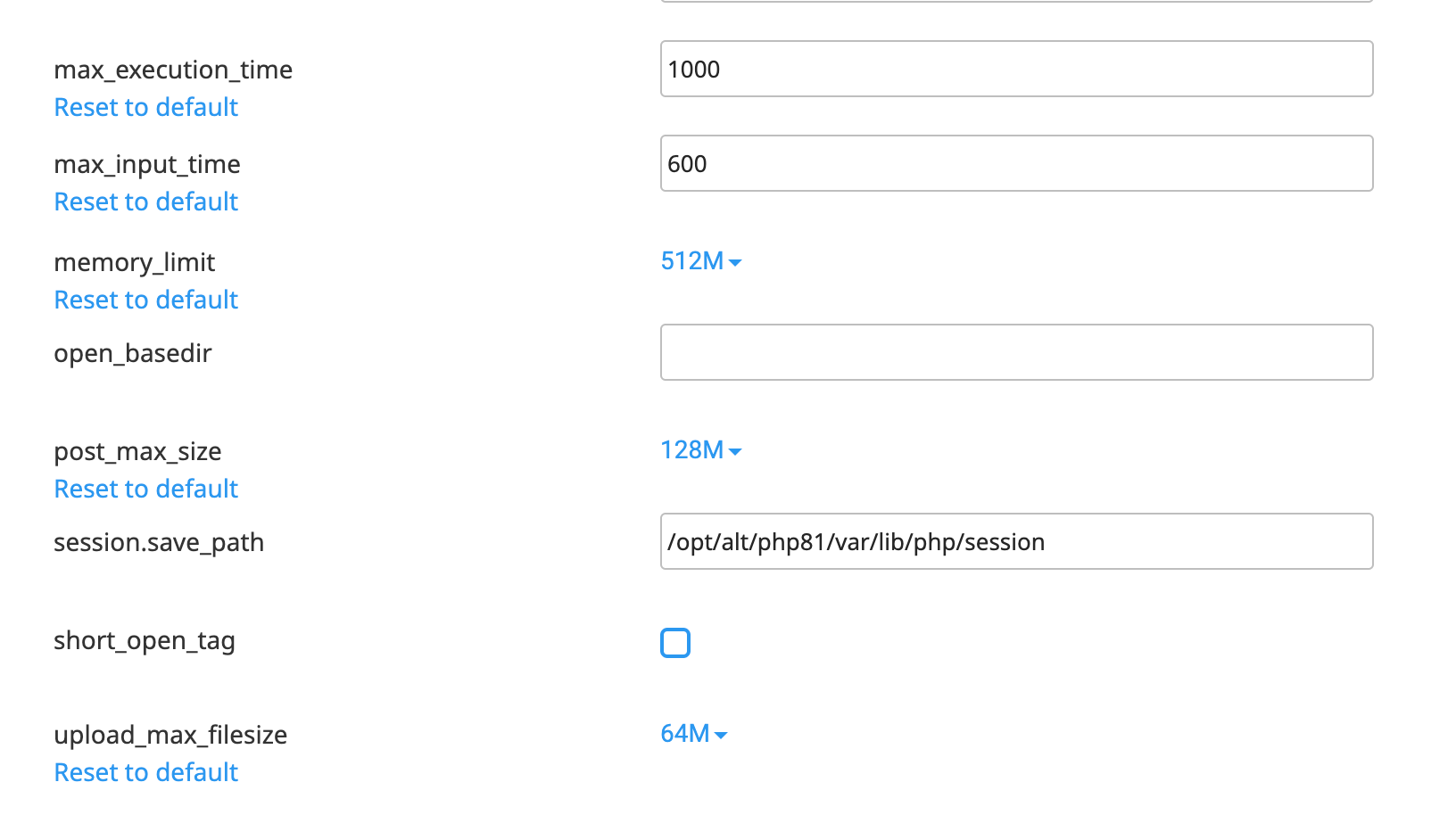
I've also removed all revisions and it still doesn't work.
0 -
I've checked error log and there are these errors:
[08-Sep-2024 20:26:03 UTC] PHP Warning: Undefined array key 0 in /wp-content/plugins/brizy/admin/blocks/main.php on line 217
[08-Sep-2024 20:26:03 UTC] PHP Warning: Attempt to read property "post_type" on null in /wp-content/plugins/brizy/admin/blocks/main.php on line 220
[08-Sep-2024 20:26:03 UTC] PHP Warning: Attempt to read property "post_type" on null in /wp-content/plugins/brizy/admin/blocks/main.php on line 231
[08-Sep-2024 20:26:03 UTC] PHP Warning: Attempt to read property "ID" on null in /wp-content/plugins/brizy/admin/blocks/main.php on line 232
[08-Sep-2024 20:26:03 UTC] PHP Warning: Undefined array key 0 in /wp-content/plugins/brizy/admin/blocks/main.php on line 217
[08-Sep-2024 20:26:03 UTC] PHP Warning: Attempt to read property "post_type" on null in /wp-content/plugins/brizy/admin/blocks/main.php on line 220
[08-Sep-2024 20:26:03 UTC] PHP Warning: Attempt to read property "post_type" on null in /wp-content/plugins/brizy/admin/blocks/main.php on line 231
[08-Sep-2024 20:26:03 UTC] PHP Warning: Attempt to read property "ID" on null in /wp-content/plugins/brizy/admin/blocks/main.php on line 2320 -
Hi Marcelina,
Thank you for the update.
This is something we need to inspect from your WP Admin page. Please add us as an Admin user to your WordPress Dashboard and send the following details to: communitysupport@brizy.io
Community Post link: https://support.brizy.io/hc/en-us/community/posts/21195632520466
WordPress Admin URL:
Username:
Password:Please also provide us access to FTP/cPanel so we can further check this issue.
Please make a full backup of your site as a precaution.
Best regards,
Ariel H.0 -
I've sent wordpress login 3 days ago. You should receive them from ma**m.***@gmail.com. I just sent FTP also.
0 -
Hi Marcelina,
Thank you for your cooperation.
We have successfully connected to your site via FTP, but we don't have access to your site's root directory. Could you please review and allow access to your site's root directory?
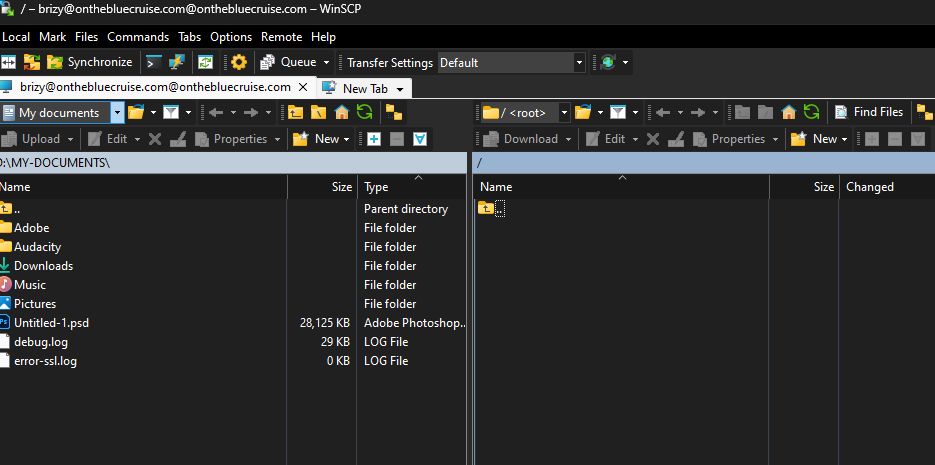
Best regards,
Ariel H.0 -
Hi Ariel,
please try now. I've updated the settings so it should lead to the website directory.
0 -
Hi Marcelina,
Thank you for the update.
We're now looking into this issue, please give us some more time to check it.
Best regards,
Ariel H.0 -
Hi Ariel,
how long will this take? I need to launch the website on Thursday and there are still changes to be made.
0 -
Hi Marcelina,
Thank you for keeping in touch.
We've found that this is a glitch introduced in the recent update. A bug report has already been submitted to our developers, and it should be fixed in one of the upcoming updates. Unfortunately, we don't have an ETA for the fix, as it's currently in progress. I will inform you on this support thread as soon as I receive new information.
We apologize for the inconvenience.
Best regards,
Ariel H.0 -
Hi Ariel,
is there a workaround? I need to launch the website on Thursday and because of this I can't do it. Is this a hosting problem or settings? I can't wait couple of days more.
0 -
Hi Marcelina,
Thank you for keeping in touch.
By any chance, did you happen to keep a backup of your site before this occurred? If so, I recommend restoring your site from your backup until we resolve the issue.
Best regards,
Ariel H.0 -
Hi Ariel,
I can't restore from backup as there were changes made on other pages and I'll have to make the changes again.
0 -
Hi Marcelina,
Thank you for your patience.
We have reverted your site to the previous working version, and it appears to be working now as demonstrated on this screencast: https://youtu.be/a1l5zcZsQ5g
Please try it at your end and let me know how it goes.
Best regards,
Ariel H.0 -
Hi Ariel,
it doesn't work for the Pricing page, you can try Pricing and availability 2024 and see that nothing saves there. There is also another page that doesn't work. I'm not sure what's going on. I had to create a copy of the website and move it to another hosting and it was working there but that's a temporary workaround. I need something to work all the time.
0 -
Hi Marcelina,
I assume this issue is related to your server. Would you allow us to replicate it on another server? We will immediately delete the site after we have replicated the issue and will provide you with access if necessary.
I look forward to your response.
Best regards,
Ariel H.0 -
Hi Ariel,
sure go ahead. It works better on another server but still one time works and another it won't work. There is for sure something wrong.
0 -
Hi Marcelina,
Thank you for the update.
Our recommended improvements for your site indicate that the "post_max_size" value is smaller than "upload_max_filesize."
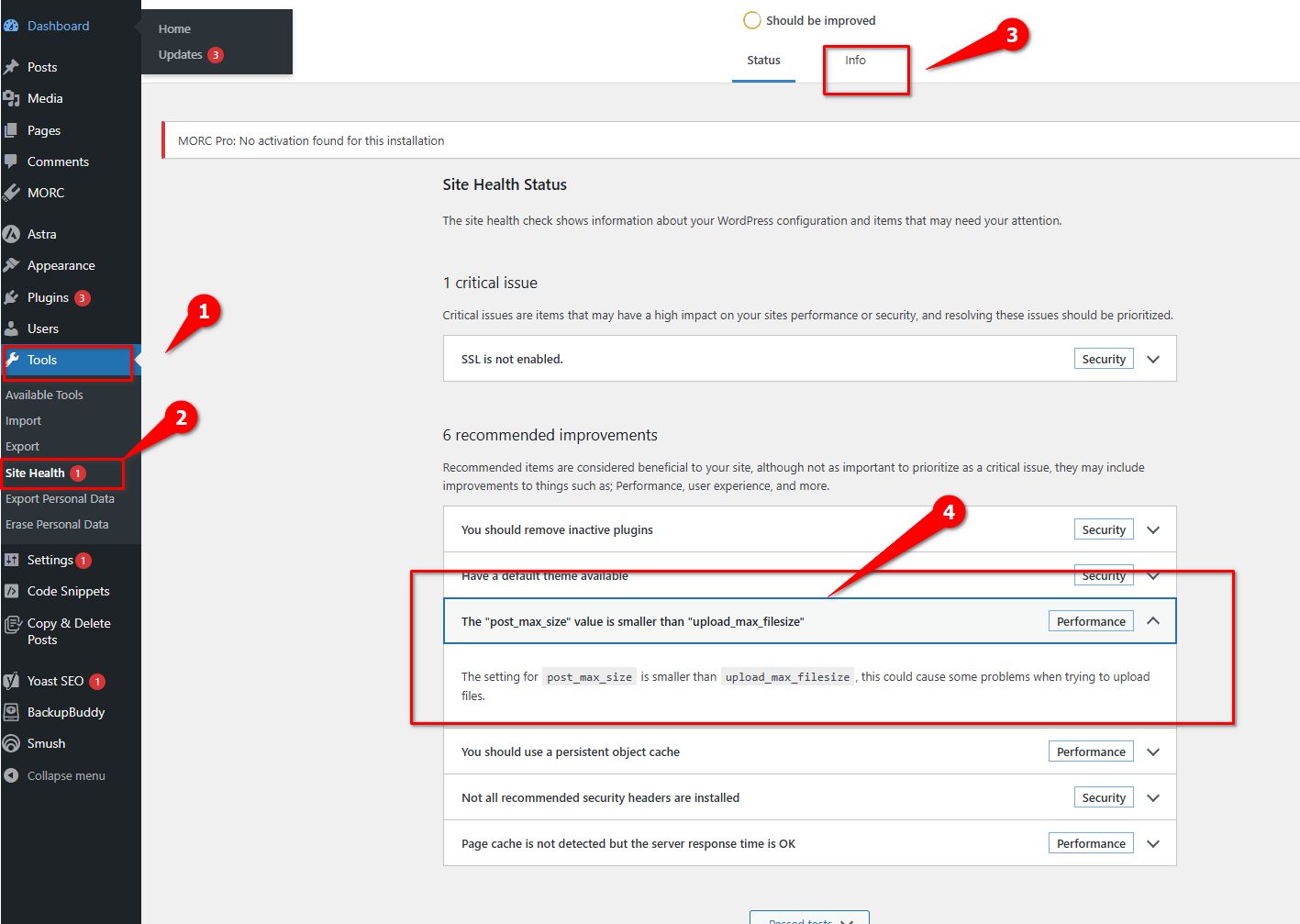
Could you please ask your hosting provider to update the following settings on your server:
* max_execution_time: 300
* max_input_vars: 300
* memory_limit: 512M (or higher)
* post_max_size: 128M
* upload_max_filesize: 32MIf you have access to cPanel, you can make these changes yourself. Go to "Select PHP Version" and then to "Options." You will find these settings there and can modify them. After making the changes, please return to your page and see if you can still replicate the issue.
After that, please update Brizy and Brizy Pro to the latest version and see if this makes any difference.

Please try these steps and let me know how it goes.
Best regards,
Ariel H.0 -
Hi Ariel,
these values are already set to be very high as you can see here: https://onthebluecruise.com/on.php but it still doesn't make a difference. I changed to an older version of the plugin and it works better than with the new one so I'm not comfortable to update at the moment as the new version ruins everything.
All the best,
Marcelina0 -
Hi Marcelina,
Thanks for the update, and I apologize that we couldn't resolve your issue sooner.
I'm glad to hear you were able to fix it by switching to an older Brizy version. I'll investigate this further and let you know if I discover the cause of the problem.
Best,
Ariel H.0
Please sign in to leave a comment.
Comments
20 comments