Menu Item Selection Animation

Hi Brizy Team,
there is a technical question I have and hope you can point me in the right direction with.
On my brizy built site I am using a main navigation menu. When hovering my mouse above a menu item and clicking it: 1) a thin lined rectangle is shown around the selected item 2) the selected subpage gets loaded 3) the selected menu item displays in another color to indicate its the selected menu item.
Is there a setting make to stop the menu from showing the highlighted rectangle around the selected item before loading the selected page?
Best regards,
Max
-

Hi Max,
Kindly share the URL of the page where you are experiencing this so that we can check
0 -
Hi K C,
here you go:
https://gueteschutzverband.at/
 0
0 -
Hi Max,
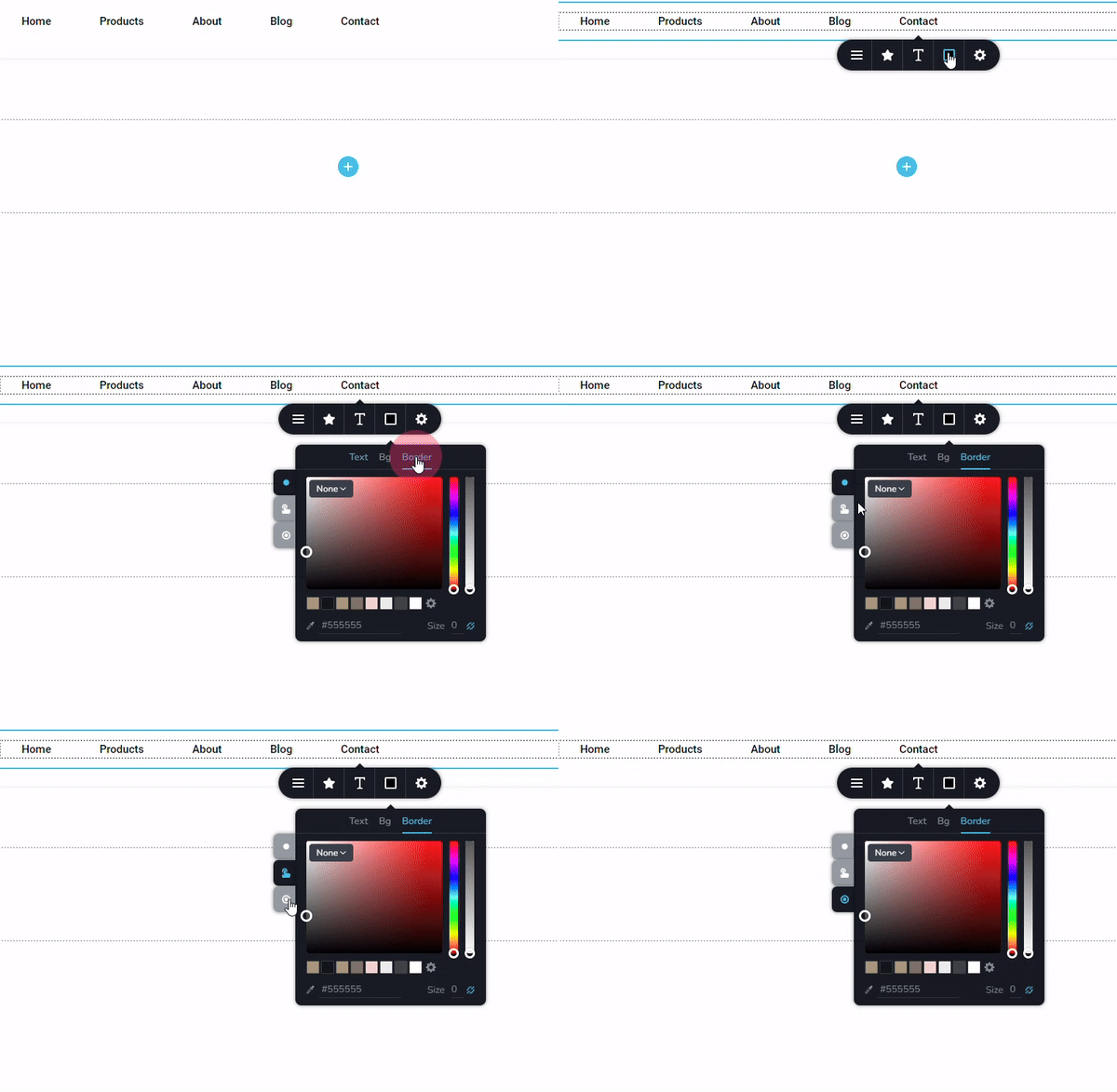
Open a page in the Brizy editor, select a menu text, choose the color icon, select the "Border" tab and confirm if you have selected 'None' (no border) for the 'Normal' 'Hover' and 'Active' tabs on the left.
 0
0 -
Hi George,
I did as you described and weirdly enough there is no boarder color selected on neither of the three states. Is there anything else I could try?
Best regards,
Max
0 -

Hi Max,
Thank you for the update.
In case you are using any cache plugins or server-side caching, could you please clear the cache and check if it fixes the issue?
If that's not the problem, please grant us temporary access to your WP Admin page so that we can inspect your site. Please add us as an Admin user to your WordPress Dashboard and send the following details to: communitysupport@brizy.io
Community Post link: https://support.brizy.io/hc/en-us/community/posts/20969415319058
WordPress Admin URL:
Username:
Password:Please make a full backup of your site as a precaution.
Best regards,
Ariel H.0 -
Hi Max,
Thank you for your cooperation.
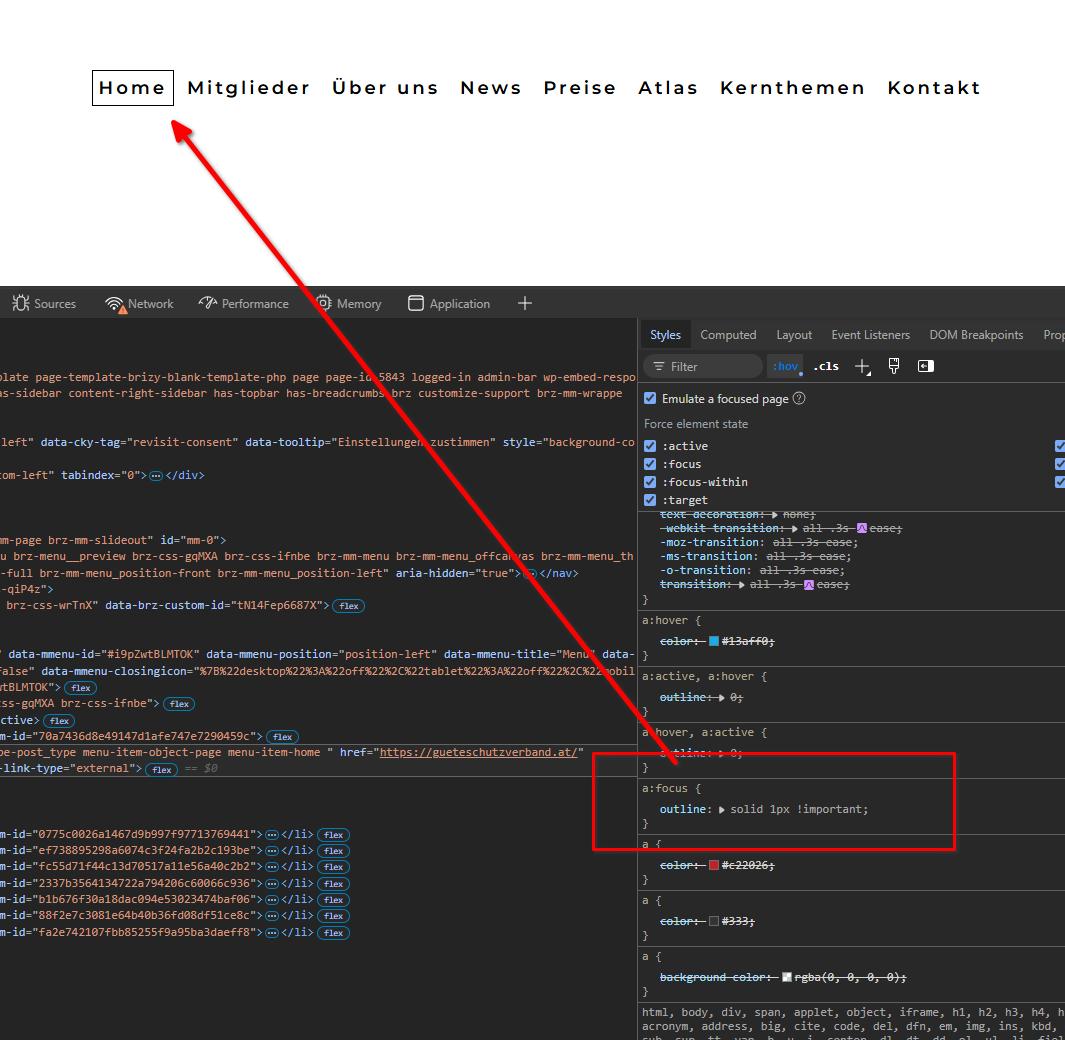
After reviewing the issue, it appears that the border in the menu is coming from your theme, as shown below.
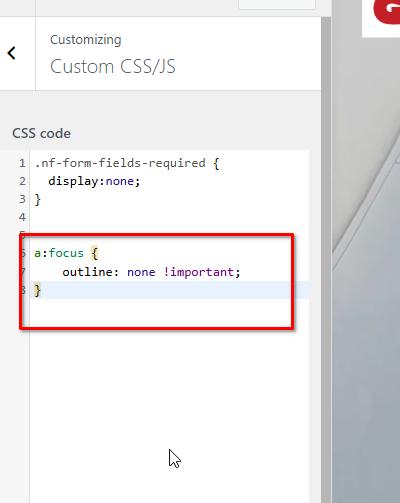
To fix this problem, we have added the following CSS.
If you have any further questions, please don't hesitate to ask.
Best regards,
Ariel H.0
Please sign in to leave a comment.
Comments
6 comments