PolyLang Problem

Here's the translation into English:
I created a website using Brizy and wanted to create an English version of the site as well. I installed Polylang, made the appropriate settings, and started working.
The issue I'm encountering is that when I translate the pages into English, both the Romanian and English pages get translated. Basically, I end up with two pages, one with a slug in Romanian and the other in English, but both with content in English.
If I translate the page back into Romanian, the page that is set to have content in English also gets translated back to Romanian.
This is quite frustrating... Please help me. Thank you.
-

Hi Terra,
Kindly go through this tutorial and confirm if you have configured translations correctly in Polylang. Polylang Tutorial 2022 FREE
If this does not help, please contact us again. Even though we do not have experience with Polylang, we are willing to look at your WordPress dashboard and offer any assistance we can in setting it up.
0 -
I've installed polylang from scratch again.
Now, I can't edit front page in english -Sorry, Brizy could not load
Your theme must use the
the_contentfilter in order for Brizy to work0 -
It seems to work now. I will let you know if something goes wrong.
0 -
Other Issues with Brizy:
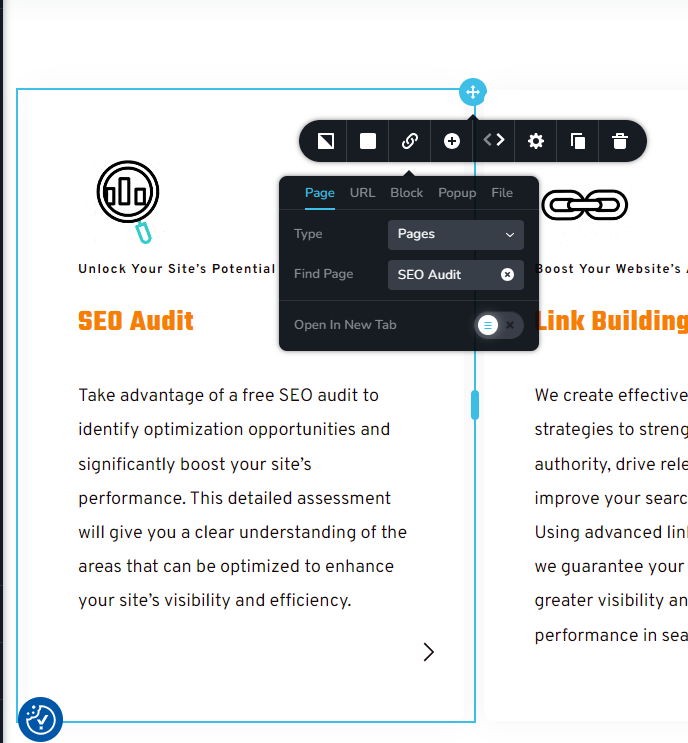
1. Even the link is to the english version of page - when I'm pressing it it goes to romanian page.
2. Those links that ar defined doesn't work.
 0
0 -
Hi
We would need access to your project to investigate this issue. Kindly add a new user to your WordPress Dashboard and send the following details to our email: communitysupport@brizy.io
- Community Post link: https://support.brizy.io/hc/en-us/community/posts/20839069481874
- WordPress Admin URL:
- Username
- Password
Please let us know in this forum when you send us the email.
0 -
Done
0 -

Hi,
Thank you for your cooperation.
It looks like rebuilding the columns by transferring the content to new columns has fixed the problem with the block link. Unfortunately, the block link is still not functional on the translated page.
Could you please try rebuilding the buttons to check if they will properly redirect to the translated page?
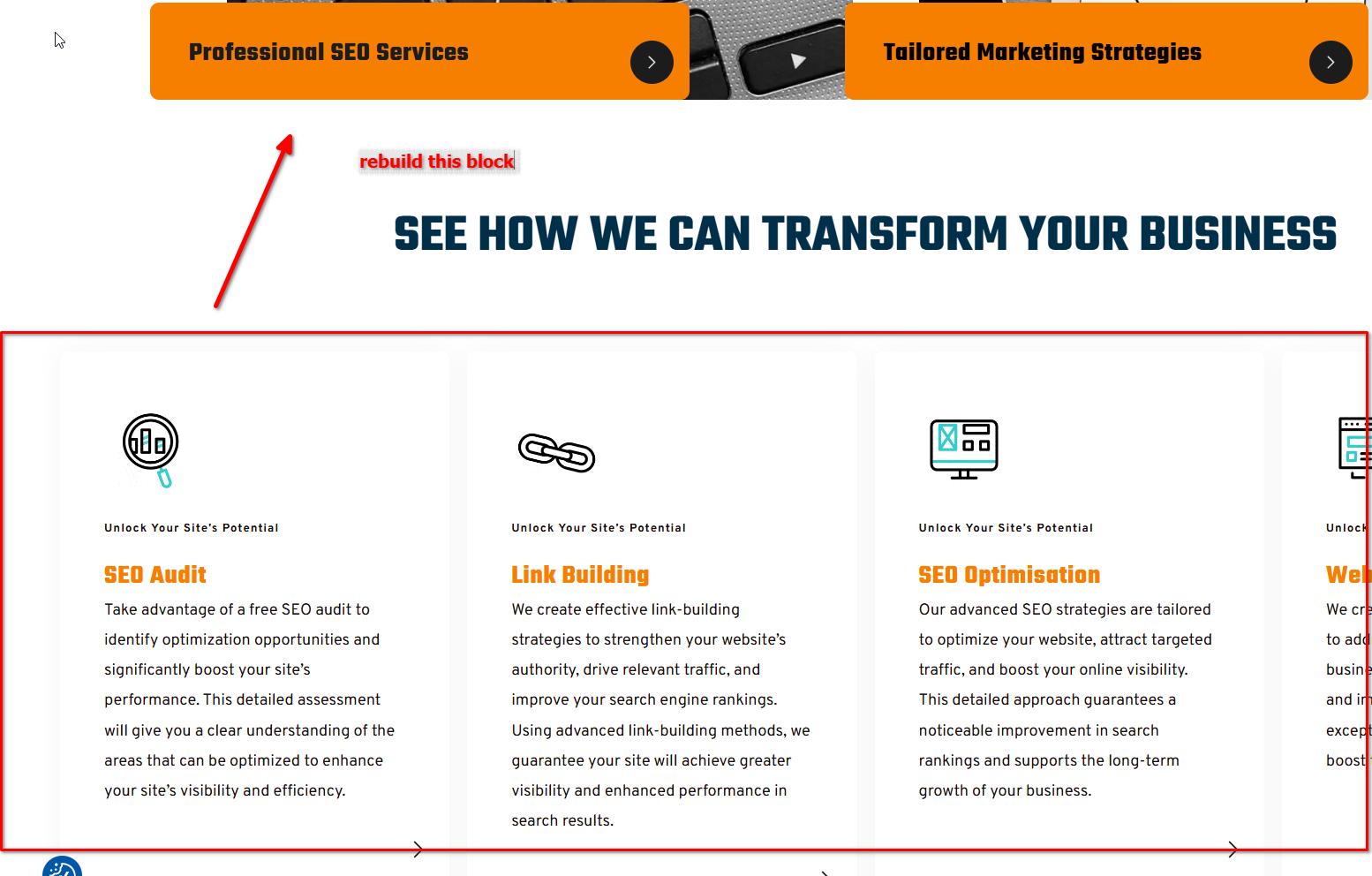
In the meantime, I will work with a colleague to investigate why the block links are not working on the translated page.I'll keep you posted as soon as I have any updates.
Best regards,
Ariel H.0 -
Ok. I wll try that today.
0 -
Hi,
Thank you for the update. We have raised this issue to our senior support team for further investigation. It might take a bit of time, but I'll reach out to you as soon as I have any new information.
I apologize for any inconvenience this may have caused.
Best regards,
Ariel H.0 -
Hi,
Thank you for your patience.
We’ve tested the issue in our environment, and the block/column links are functioning correctly. To ensure your links work properly, please try the following process:
When using Polylang with Brizy Builder, create separate pages for each language, such as "Home-English" and "Home-Romanian," and link them as translations. Edit the "Home-English" page to link rows or columns to the "Home-Romanian" page, and do the same in reverse. This method ensures smooth navigation between translated pages, with the appropriate content displayed based on the selected language. Make sure each page is correctly linked and translated in Polylang, and verify that the links in Brizy Builder are pointing to the correct translated pages.
Please try this out and let us know the results.
Best regards,
Ariel H.0 -
I already did that using Polylang. You want me to create those pages manually and link them after?
I don't understand the process completely. Can you show me a video?0 -
Hi,
Apologies for the delay in getting back to you.
We have a detailed tutorial available at the following link that you can follow: https://www.youtube.com/watch?v=FfAQyzu92EE. However, for your specific issue, I will create a separate screencast to address it. I will send it to you as soon as it's ready.
Best regards,
Ariel H.0 -
Nu stiu sigur ce ati facut la site ... dar acum iar a disparut limba romana. A ramas doar limba engleza. Pana acum cateva ore functiona corect.
O sa fac asa cum ati spus voi ... vedem ce iese ...0 -
Hi,
Thank you for staying in touch.
I've put together a short demonstration for you. In this example, we created two home pages—one in English and one in Spanish. On each homepage, we manually linked the corresponding pages, with English links on the English page and the translated links on the Spanish page. For your project, please ensure that the translated pages are already created before linking them to the respective columns. You can see this process in action in this screencast: https://youtu.be/BNTkWt4sGjU
If you have any additional questions, feel free to reach out.
Best regards,
Ariel H.0
Please sign in to leave a comment.
Comments
14 comments