Headers and Footers gone, Global blocks dont load and unable to save.

Hi Brizy,
Been a loyal customer for 4 years now and along the way there were some challenges with updates. I thought with growing up this would be something of the past but with the last update you managed to outdo yourself.
My global headers and footers are gone. Looking at the forum I found a few solutions. First one to clear cache. Did that, even disabled the whole caching, no solution. Second attempt, re-add the header and footer. This ended in a problem with my saved and global blocks not loading. Back to the forum. According to you this is a Blocksy theme issue (which is a by you recommended theme but ok). Changed the theme to another theme and were able to see the saved and global blocks. So removed the current ones and re-added the global blocks. Then I hit update (save).. after a long wait, nothing happens and I get an error that there is another page open and I need to reload and safe. Yes, you guessed it right, there is no other page. Few attempts, no succes. Same goes for the option to change something in a global header and update it. No luck either as updating (save) fails.
Altogether I've wasted again few hours on your incompetence to not screw up your own product and ultimately I'm back on your forum again to beg for help as I don't know what to do to get this fixed.
Best, Daan
-

Hi Daan,
Are you using the Wordfence Security plugin in your WordPress Dashboard? If you are, please follow these steps and see if this will help resolve the issue with saving changes to your project.
- In your WordPress Dashboard under WordFence - All Option , navigate to "Firewall Options"
- Enable Learning Mode - https://jmp.sh/dXzpSFmk
- Return to your Brizy page, make some minor changes, and then update the page
- Once done, return to the WordFence settings and re-enable the "Enabled and Protecting" mode
If you are able to save your work, follow these steps to fix the issue with the header and footer
- Make a minor change to the header: Navigate to any page within your project, make a small edit in the global header (such as modifying the padding by one pixel), and then revert the change.
- Make a minor change to the footer: Similarly make a small edit in the global footer (such as modifying the padding by one pixel), and then revert the change.
- Save the Project: Save your work by clicking on the "Update" button at the bottom right corner
If you are not using Wordfence, we would like to take a look at your project to troubleshoot the issue. Kindly add a new user to your WordPress Dashboard and send the following details to our email: communitysupport@brizy.io
- Community Post link: https://support.brizy.io/hc/en-us/community/posts/20750746038674
- WordPress Admin URL:
- Username
- Password
Please let us know in this forum when you send us the email.
0 -
Hi George,
Thanks for the quick reply. Not using Wordfence. Just send the requested details per email.
Best, Daan0 -

Hi Daan,
Thank you for your cooperation.
We initially had access to your WP Admin page, but we lost access whenever we tried to disable a plugin on your site. It seems that the problem is related to your aggressive Firewall or security software in your hosting console.
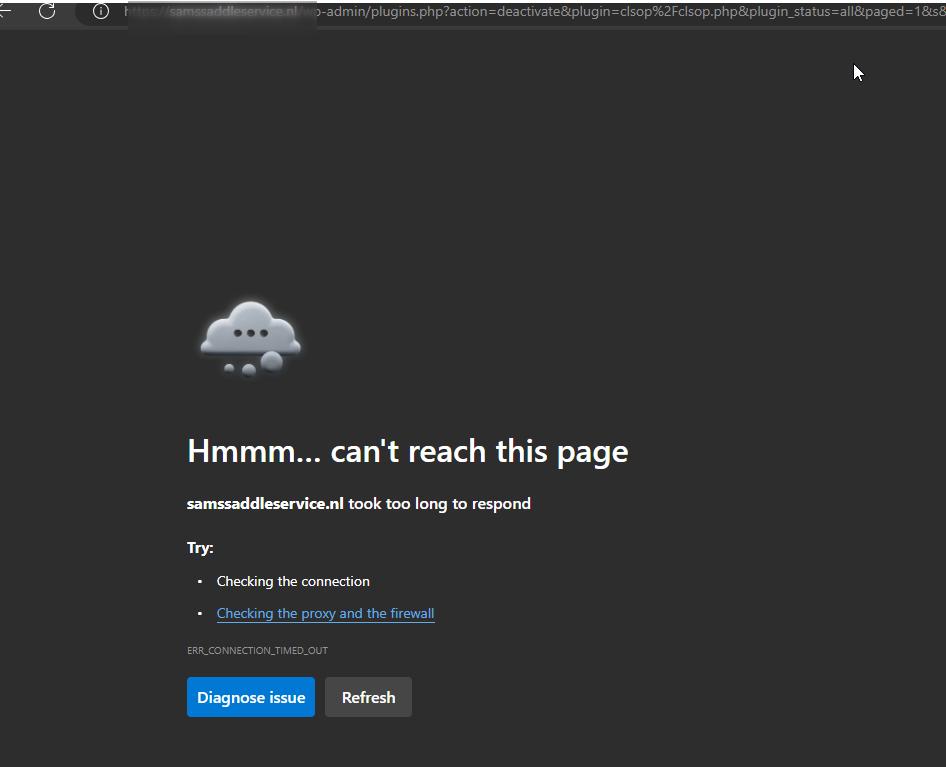
Please consider temporarily disabling it to see if this resolves the issues you are facing when updating your pages.
If the problem persists, please share your hosting panel credentials with us. This will allow us to investigate further.
Best regards,
Ariel H.0 -
Hi Ariel,
The administrator has disabled anything that could be blocking. Can you please have another look if you can resolve the issue?
Best, Daan0 -
Hello Daan,
Thank you for the update.
We were able to access the site for a short period, but unfortunately, we were locked out again shortly after. During that short window, we managed to identify and capture the following errors:
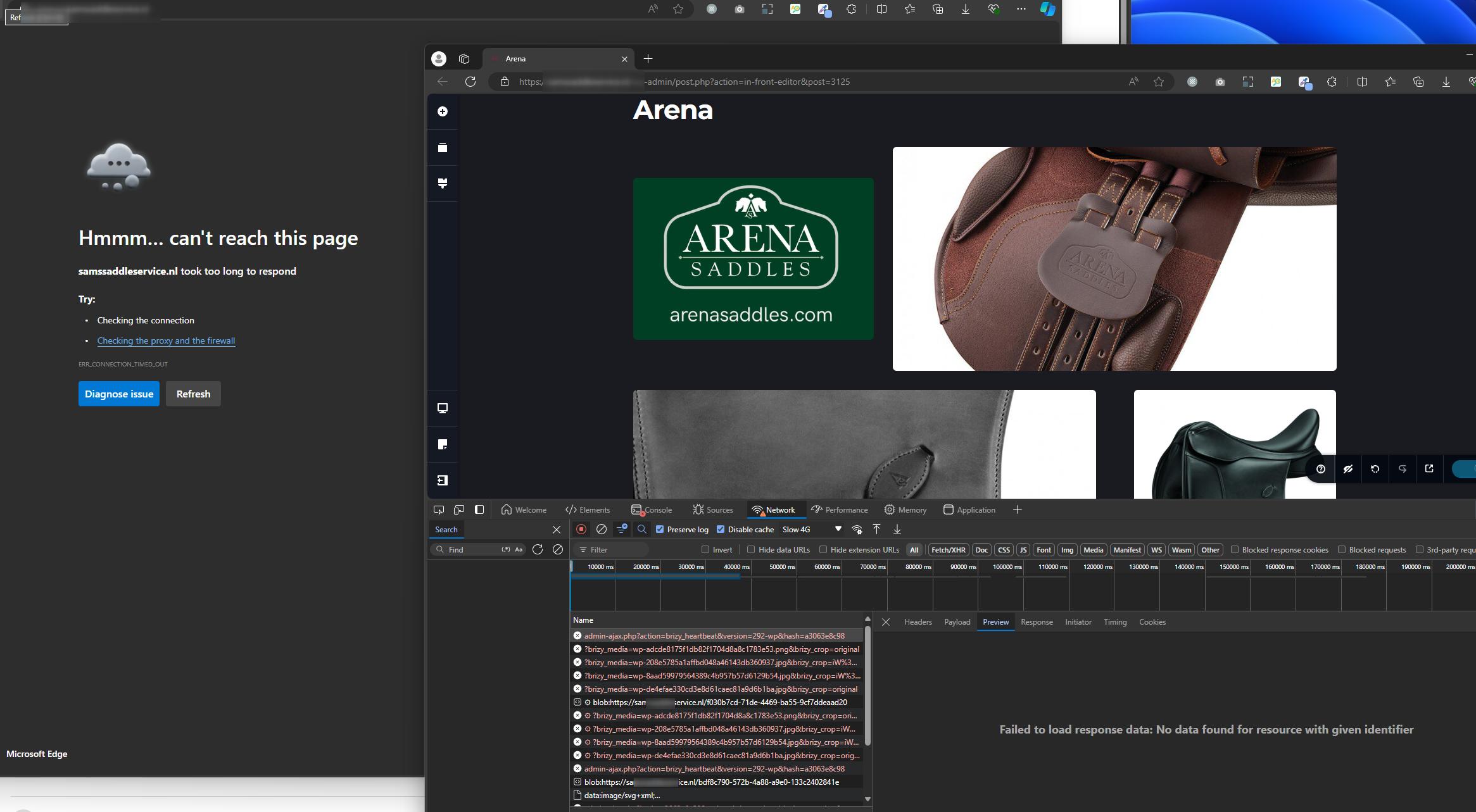
Additionally, we noticed that while we can save changes on new pages without any issues, the problem only occurs when trying to edit existing pages. Based on our past observations, this issue tends to occur specifically on pages with a large number of revisions. I was able to capture a screenshot of this issue before losing access to your site.
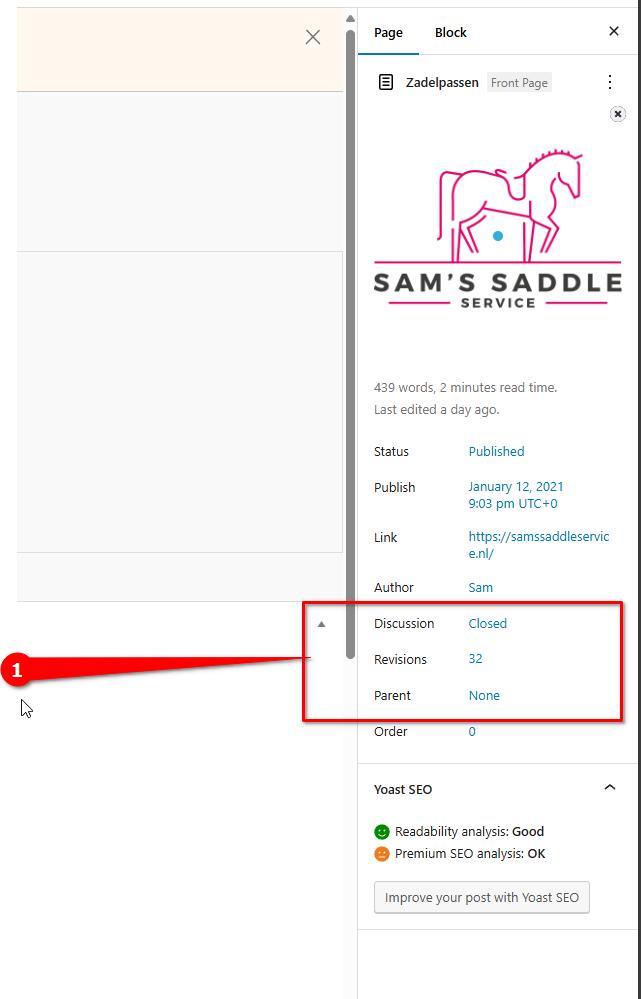
In order to address the issue, I suggest following the steps outlined in this link: https://www.elegantthemes.com/blog/wordpress/how-to-manage-wordpress-revisions-to-optimize-site-performance
The above article offers a manual method for limiting page revisions using PHPMyAdmin, or you can opt for WP Optimize, which offers a simpler solution.
Kindly give this a try and update me on the outcome.
Best regards,
Ariel H.0 -
Hi Ariel,
I dont understand why your are locked out every time. I've been in the admin page constantly without any problems. Do you get a specific error or anything? Please share a time stamp when it occurs so I can have the hosting guys check if needed.
In the meanwhile I followed your advice and removed and optimized all revisions. It does help in the loading speed but still I'm unable to safe any changes. Update keeps constantly loading and nothing happens. I'm getting quite frustrated by now as I did numerous tricks to get something fixed but in the end it's all introduced by your latests update. Other reports on this forum already date back over a month so when is a fix expected?
Can't I rollback to the previous version? I really need to fix this asap as it is costing us business at the moment.
Tnx. Best, Daan0 -
Hi Daan,
Thank you for staying in touch.
Kindly request your hosting provider to grant access to the following countries until we resolve the issue.
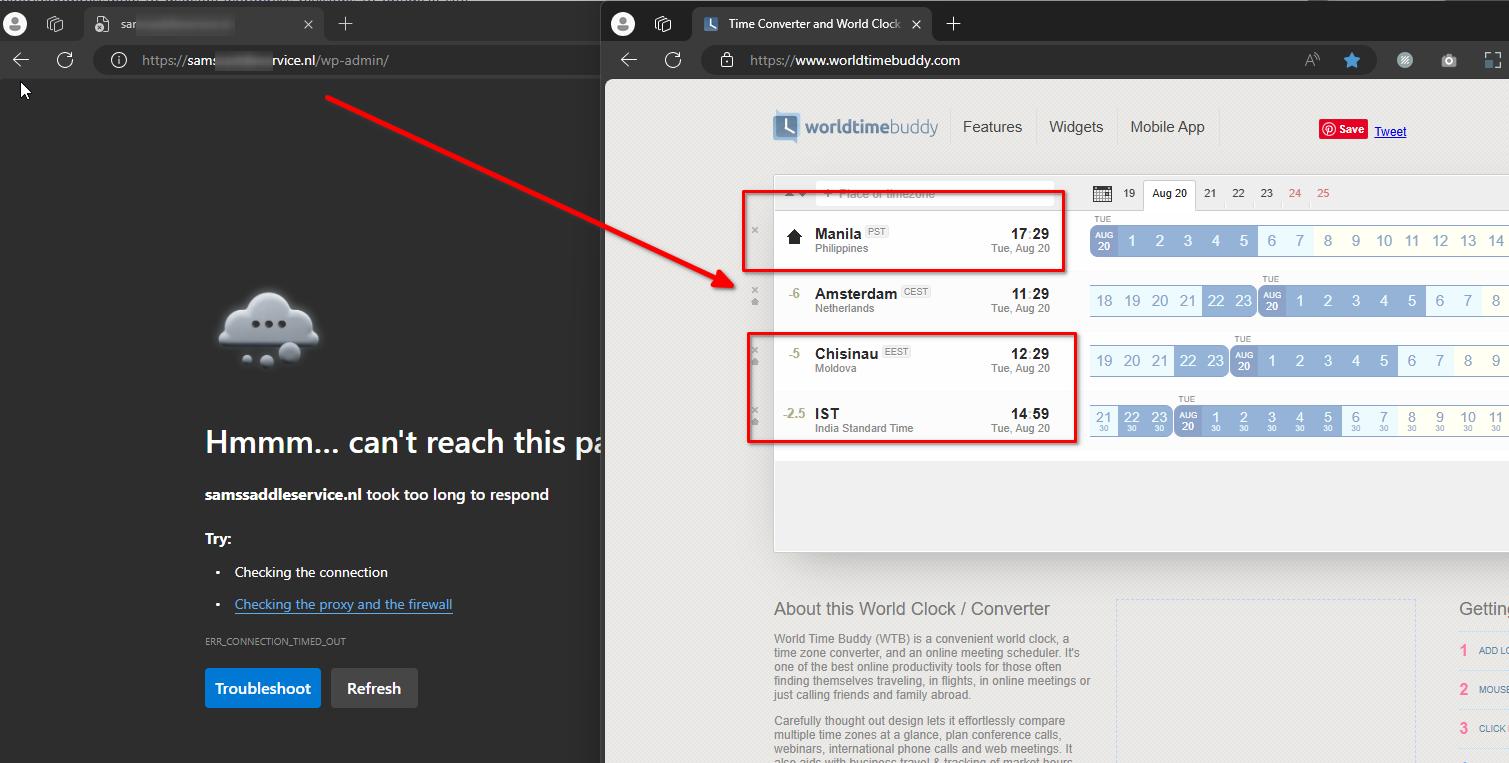 Additionally, please provide us with FTP access to your site so that we can have direct access to your WordPress files.
We can give it another try as long as we have full access to your site, otherwise; we will send you links to download the previous versions.
Best regards,
Ariel H.0
Please sign in to leave a comment.
Comments
7 comments