Brizy Update Breaking Multiple Sites

Hi Brizy team. It has been two or more weeks and I am still unable to update Brizy & Brizy Pro without sites breaking. I have five sites experiencing this issue. I'm requesting guidance, so I can get all sites updated and secure. Thank you.
-

Hi Carl,
With Brizy 2.5.2 and Brizy Pro 2.5.1, we have launched a new compiler. You can read more about it here https://www.brizy.io/new-compiler-200-loading-performance-boost To activate the new compiler, you must update to these versions.
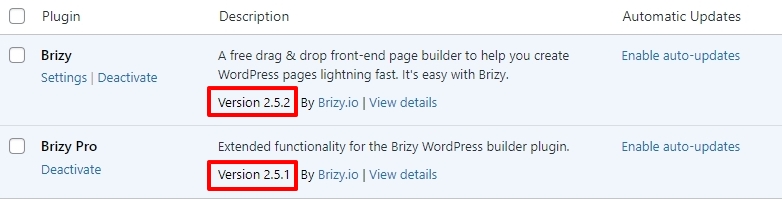
For new projects, the compiler's benefits are automatically applied, ensuring immediate performance boosts. However, to take advantage of these enhancements on existing projects, kindly follow these 3 steps. If possible, create a staging site for one of your websites and try out these changes on staging and check if it resolves all the errors.
- Make a minor change to the header: Navigate to any page within your project, make a small edit in the global header (such as modifying the padding by one pixel), and then revert the change.
- Make a minor change in the footer: Similarly make a small edit in the global footer (such as modifying the padding by one pixel), and then revert the change.
- Save the Project: Save your work by clicking on the "Update" button at the bottom right corner
After the update, if you are unable to save your work and if you are using WordFence Security plugin, kindly follow these steps and check if helps you save your pages.
- In your WordPress Dashboard under WordFence - All Option , navigate to "Firewall Options"
- Enable Learning Mode - https://jmp.sh/dXzpSFmk
- In any Brizy page, make a minor change, and then update the page and check if your changes get saved
- Once done, return to the WordFence settings and re-enable the "Enabled and Protecting" mode
0 -
I did everything this post says and it did not work - including putting Wordfence in learning mode.
I can now see header and footer, but Brizy will not save changes. It times out. I had WordFence but did a full uninstall. The uninstall was a complete and successful removal of WordFence along with all of its tables etc... Still no luck. Pages won't save changes - they time out the server.
I then did the following: Disabled all plugins except for Brizy - including WP Rocket, changed my theme from WordPress 20-20 to Blocksy, experimented with different php versions. no sever-side cache... Nothing has worked.
With WordPress, my themes & all other plugins updated - the new version of brizy will not save any pages. I make a change to the header and footer as instructed to get them to reset - but trying to save the changes (any changes anywhere on the page) it times out and will not save.
I'd like to get this fixed, and your support would be appreciated. Thank you!
0 -

Hi Carl,
Thank you for the update.
Could you please provide us with temporary access to one of your sites that is having this issue so we can take a closer look? Please add us as an Admin user to your WordPress Dashboard and send the following details to: communitysupport@brizy.io
- Community Post link: https://support.brizy.io/hc/en-us/community/posts/20684973659666
- WordPress Admin URL:
- Username:
- Password:
Please make a full backup of your site as a precaution.
Best regards,
Ariel H.0 -

Hi Ariel,
Hi Carl,
Appologies for sneaking into this thread. However: I'd be very interested in how you solved this as I'm basicaly suffering the same issues as Carl does - with a few minor differences i.e.:
- running the latest WordPress 6.6.1
- Brizy 2.4.45 and Brizy Pro 2.4.38 running flawlessly
- Upgrading to anything Brizy 2.5.x entirely breaks our site quite badly
- no Wordfence here; however running Malcare as a security and external backup-plugin
- using the Plugin Wordfence Login Security (2-FA tool) though
- not sure if this is of any significance, but the website is hosted on a Plesk webserver (I saw this was mentioned in another thread, thus mentioning it here, too).
So, any clue on how to solve this is highly appreciated.
Thank you and best regards,
Olivier
0 -
Hi Olivier,
Since the generic solution provided above did not help, the problem you are facing could be unique to your project. In such cases, we need access to your WordPress Dashboard to troubleshoot the issue for you. Can you send us the WordPress credentials following the instructions in Ariel's last comment? We will take a look.
0 -
Hi K C George,
You should have received credentials for an admin-account on my site.
Kind regards,
Olivier
0 -
Hi Olivier,
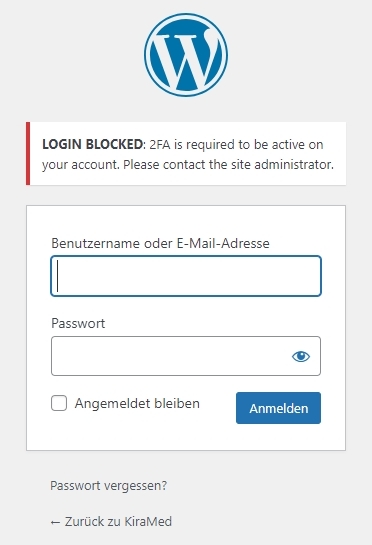
I see this error when trying to sign in. If you are using a security plugin like Wordfence, please check the two-Factor Authentication under Login Security
 0
0 -
Sorry about that K C George!
This is is in fact a 2FA-requirement. I put it on "optional" for now. If you may retry, it should work. Else, please reply and I will temporarely disable 2FA alltogether...
Regards,
Olivier
0 -
Hi Olivier,
Your website's frontend was messed up after I updated the Brizy and Brizy Pro plugins to their latest versions. Deactivating the AirLift caching plugin helped the website return to normal.
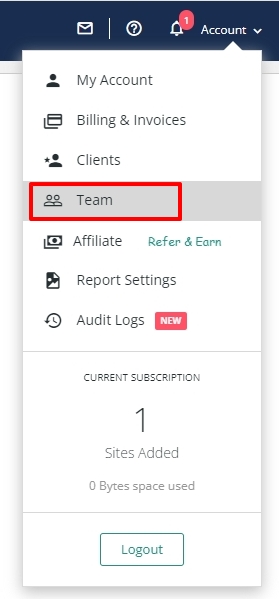
It is possible that certain settings in the AirLift plugin conflicts with the latest Brizy versions. We can attempt to identify the conflicting setting in the AirLift plugin if you add us as a Team Member to your AirLift account under Account - Team. The other option is to consider an alternate performance/caching plugin.
 0
0 -
Hi K C George,
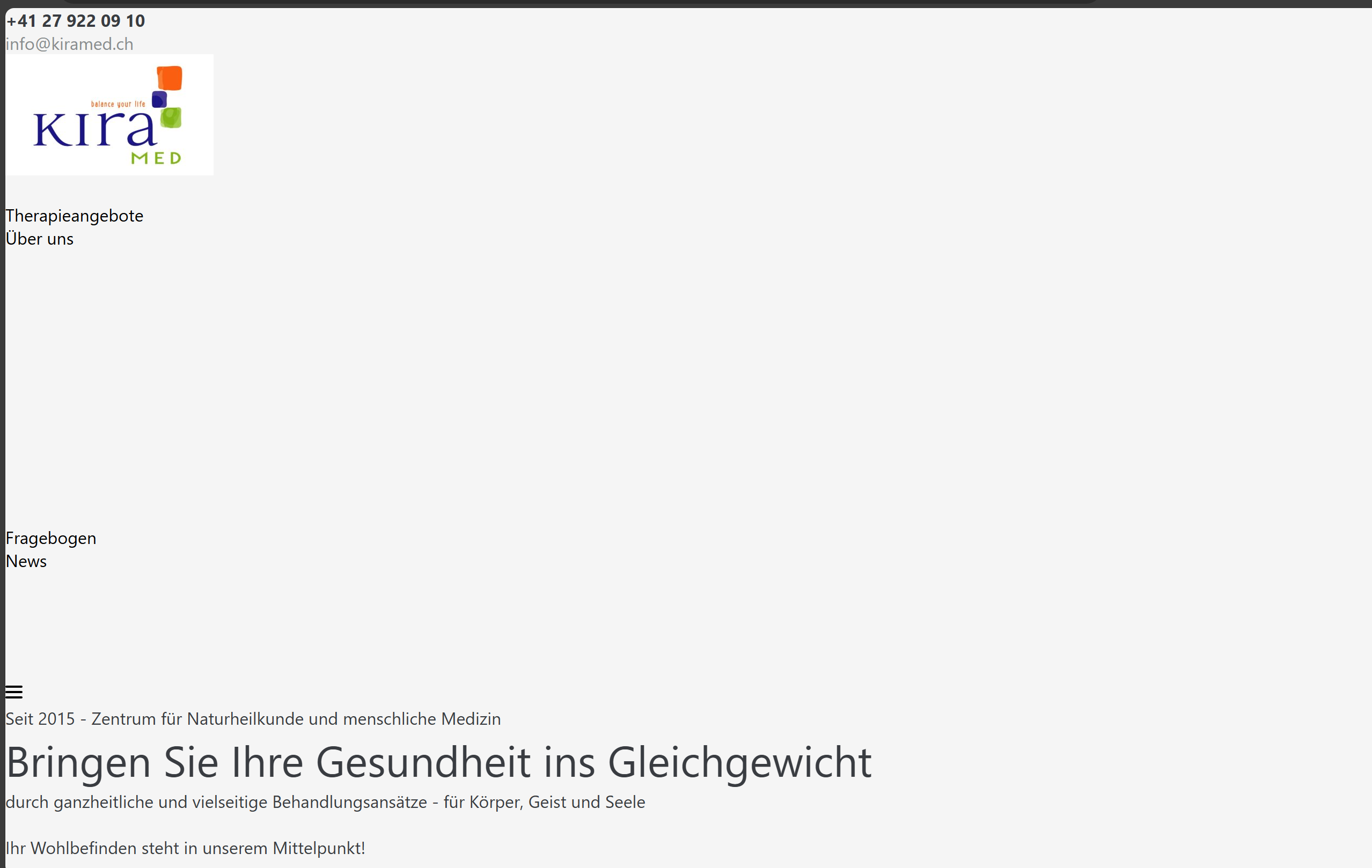
From what I can tell, the site's still a mess and far from "normal". The screenshot below was taken a minute ago... No big deal as I can reinstall a backup, though. However - thank you for your tipp with the Airlift plugin (which is a part of the Malcare plugin in turn...). I guess that I will have to look for another Caching-Plugin. Anything that you recommend that should work well with Brizy?
 0
0 -
Hi Olivier,
Looks like immediately after deactivating the AirLift plugin, the website returns to normal, however in a few minutes, the website gets messed up again automatically.
I rolled back the Brizy plugins to its previous versions. However this does not restore the website. Kindly contact AirLift plugin support and check how to disable the plugin permanently.
0 -
Hi KC George,
Thank you for your kind support! I reinstalled a backup and the site is running fine now. Will check with AirLift and figure out a permanent solution! Thank you!
Have a nice weekend and kind regards,
Olivier
0
Please sign in to leave a comment.
Comments
12 comments