Cant install starter template and cant edit

When I try to install the starter template it says "Bad news, your starter template was not installed. Something went wrong and we couldn’t do it. Please contact us."
When I try to edit any page, it says "something wrong"
I just dont why Brizy has become unstable on my end
-
Can i please get help??
0 -

Hi Omoya,
I tested a Brizy Starter Template installation. It seems to go through well at my end. Have a look at this screen recording https://jmp.sh/Tyi1n6GE
We will need access to your WordPress Dashboard to troubleshoot the issue in your dashboard. Please add a new user to your WordPress Dashboard and send the following details to our email: communitysupport@brizy.io
- Community Post link: https://support.brizy.io/hc/en-us/community/posts/20590847068562
- WordPress Admin URL:
- Username
- Password
Please let us know in this forum when you send us the email.
0 -
i Have sent the email
0 -
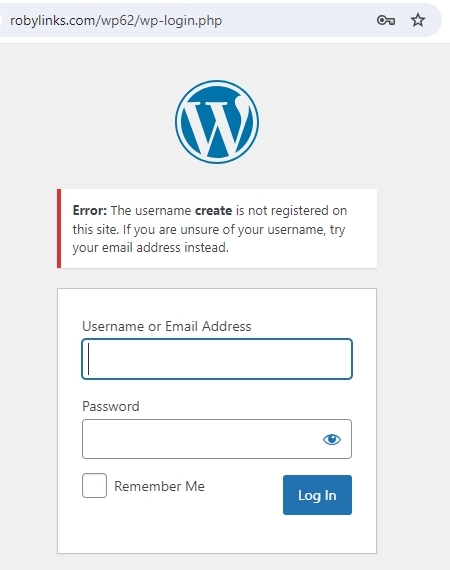
I see this error. Can you check the credentials and resend it?
 0
0 -
i have reset the same passwords
0 -
Hi Omoya,
Installing the starter template is causing an Internal Server Error. Kindly have a look at this screenshot. https://jmp.sh/FJeZ2RfI
PHP Memory limit is currently set to 40M.
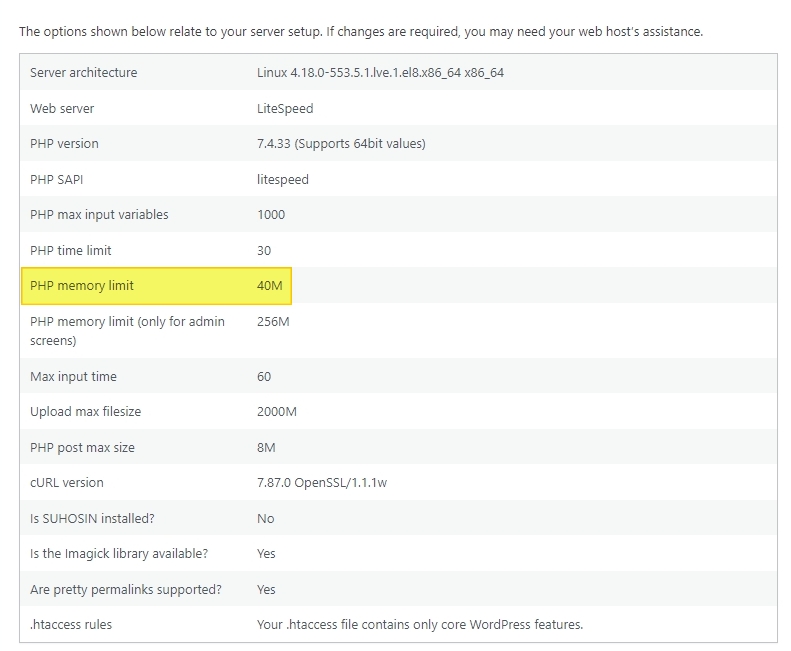
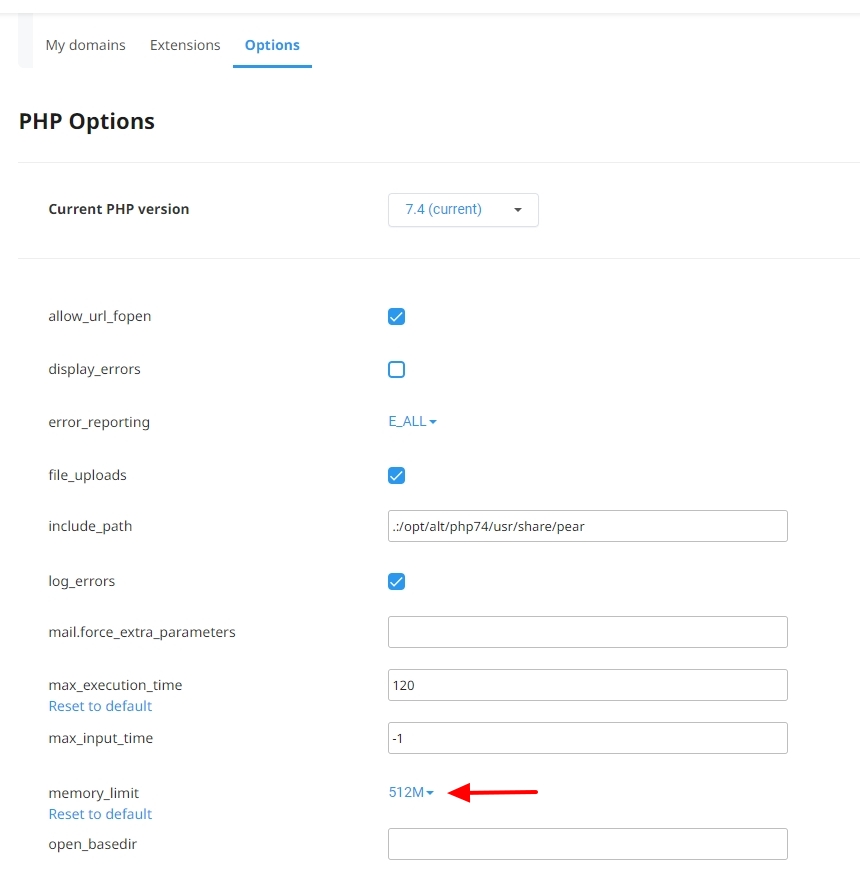
Kindly increase it to 256M or 512M in the cPanel under Tools - Software - Select PHP Version - 'Options' tab and try to install the starter template again.
 0
0 -
No change , the same error
0 -
i think just not lucky with brizy lately, error after error, full day i have failed to solve this
i give up0 -
Hi Omoya,
The URL https://robylinks.com/wp62/wp-admin/ now returns a Page Not Found error. Have you deleted the project?
0 -
Hello George
You have really been helpful but lately i think your overwhelmed, your response takes long to come in
I gave up on that project and deleted it , bse i could not even edit a page , it keeps saying "something wrong"0 -

Hi Robert,
Thank you for the update.
Most of the issues you are facing are related to limitations in your current server. For comparison, I have set up a testing environment for you at this link, where you can test and see if you can replicate the issues you are experiencing on this server: https://tinyurl.com/3zjxbbem.
If you can confirm that the issues you are facing on your current server do not occur in this test environment, you might want to get your hosting provider involved to help address the issue.
Best regards,
Ariel H.0 -
Sent an email on wednesday , no reply till today
0 -
Hi Robert,
I shared a link to a testing environment with you two days ago for you to assess whether the issues you are facing can be replicated on that server. The link is still active, and I kindly recommend that you use it to determine if the current problems persist on this testing server.
Brizy and Brizy Pro have already been set up in this test environment; all you need to do is confirm if the errors you have encountered occur on this testing site. Subsequently, please report the issue to your hosting provider for comparison. Unfortunately, we are unable to assist with issues related to your server. You may also grant them access to this testing site so they can compare and investigate further.
Best regards,
Ariel H.0 -
Ariel i sent 4 emails with all the credentials for worpress and cpanel,
its now 2 days no one has. responded to it0 -
Hi Robert,
We have now fixed the issue on this website.
1. The modifications made in cPanel enabled us to upload the latest version of Brizy Pro.
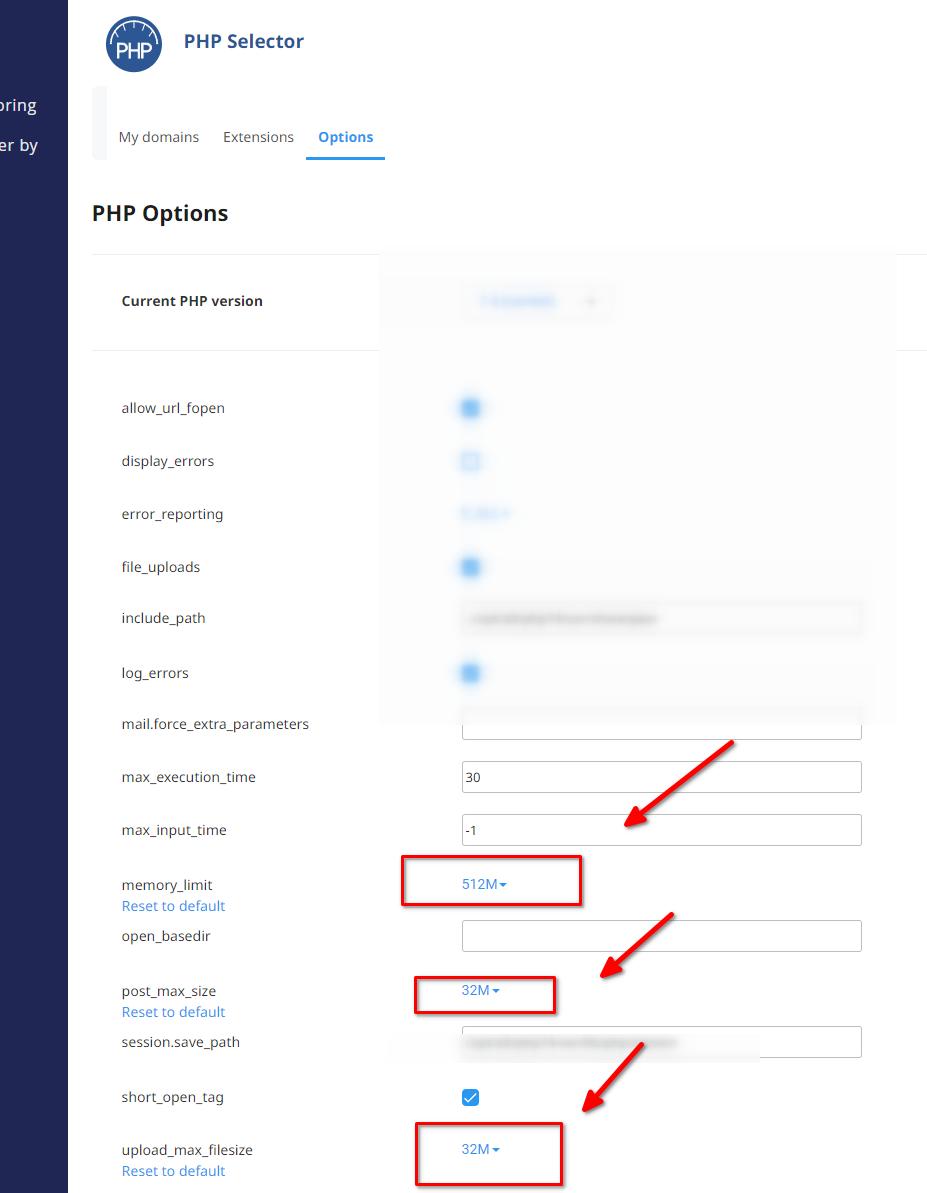
2. Following the cPanel updates, we were able to install the most recent versions successfully.
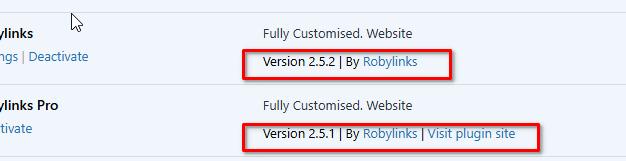
3. After to the updates, we observed that all page layouts were broken. To fix this, we made slight adjustments to each page created with Brizy (including dynamic templates) by making minor changes to each page like adjusting some padding and saving the changes. This process was carried out for all pages.
4. After each modification, we cleared the cache.
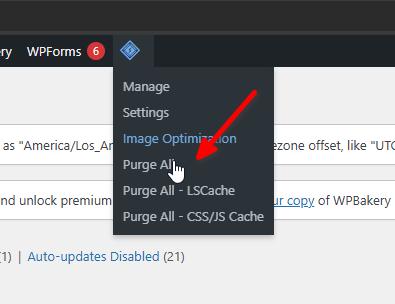
Everything now appears to be functioning correctly. However, if you come across pages with layout issues, try adding padding to any block on the page and saving the changes; this should resolve any broken layout issues.
Kindly verify on your end to confirm. Please remember to clear your browser cache or access your site using a different browser to prevent loading previously cached content.
Should you have any further inquiries, please feel free to reach out.
Best regards,
Ariel H.0 -
thanks Ariel
0
Please sign in to leave a comment.
Comments
16 comments