All of my 15 Brizy sites are corrupt

Hello Support
I've updated the Brizy and Brizy Pro plugins on all my websites, and now most of them are missing global blocks (headers). When I try to change the content, I get the following error message on all pages:
Could not publish or save page
This page needs a refresh. You’ve probably updated this page (or another page) in a different tab or browser.
I've tried different browsers, including incognito mode.
What should I do? Can you help me?
Wordpress: 6.6.1
Brizy: Version 2.5.2
Pro: Version 2.5.1
-

Hi Arron,
Thank you for contacting us.
This issue seems to be related to WordFence. If you have it installed on your site, please consider trying the following steps to resolve the issue.
1. In the WordFence plugin settings, go to Firewall;
2. Turn on Learning Mode - https://imgur.com/TucapoH;
3. Go back to your Brizy page, make some minor adjustments, and then save the changes;
4. After completing the changes, go back to the WordFence settings and re-enable the 'Enabled and Protecting' option.If you don't use WordFence, please also verify if you have access to temporarily disable the Firewall/Mod Security in your hosting console. This should help resolve the issue.
If the issue continues, please provide us temporary access to one of your websites, experiencing this issue. Please add us as an Admin user to your WordPress Dashboard and send the following details to: communitysupport@brizy.io
Community Post link: https://support.brizy.io/hc/en-us/community/posts/20552111706514
WordPress Admin URL:
Username:
Password:Please make a full backup of your site as a precaution.
Best regards,
Ariel H.0 -
Hello Ariel
I do not have WordFence installed. I'm using Solid Security Basic for security measures. I've already tried disabling all the other plugins, but it did not help.
Thank you for your assistance.
Mark
0 -
I've sent the login information.
0 -
Hi Mark,
Thank you for your cooperation.
Upon checking, the issue seems to be related to the Firewall or ModSecurity on your server.
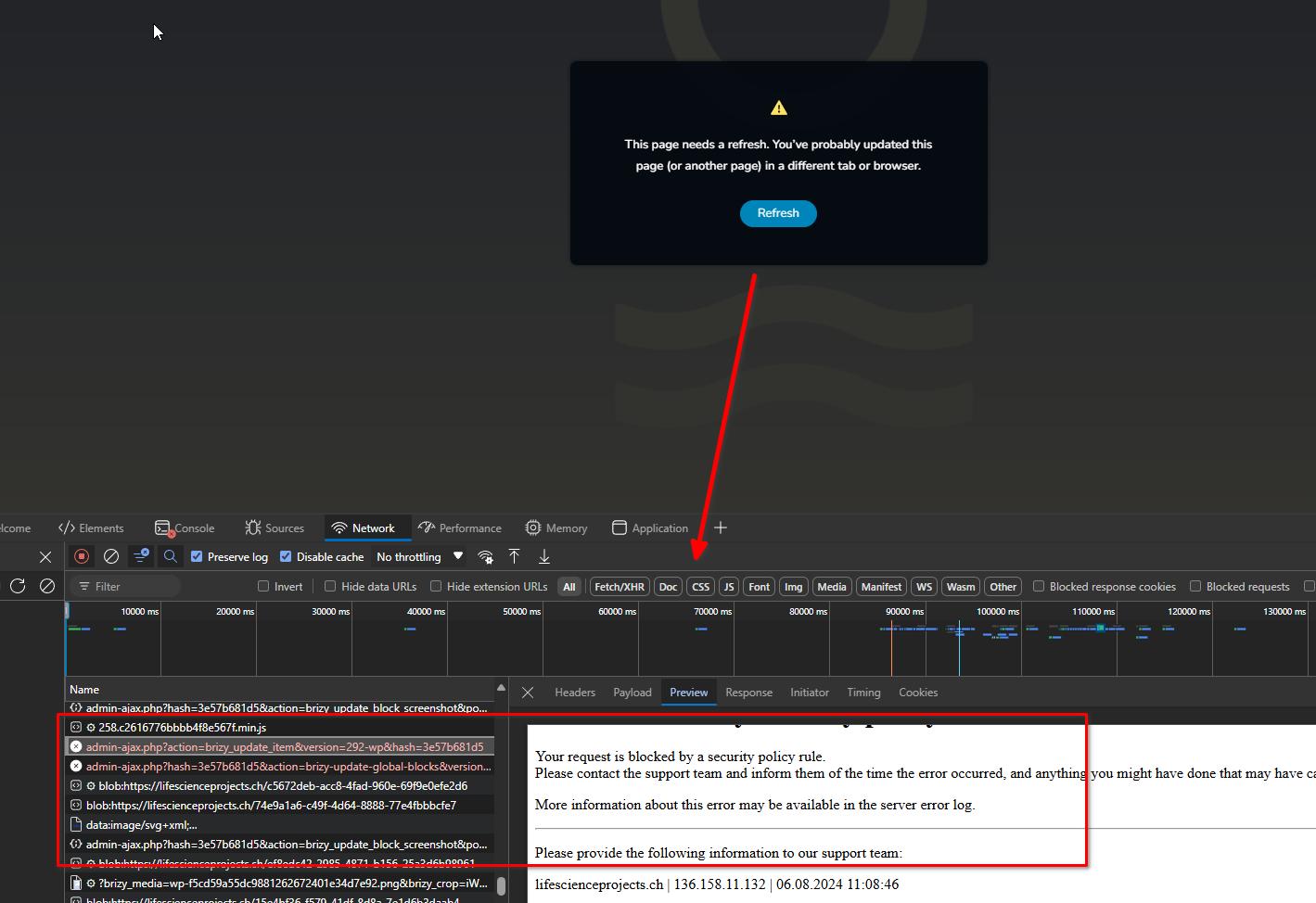
To resolve this issue, please contact your hosting provider. They can examine the error logs and make an exception for Brizy or temporarily disable it.
Best regards,
Ariel H.0
Please sign in to leave a comment.
Comments
4 comments